Do you have an ecommerce store on Shopify, but wish you could use the Square products for your POS? You're not alone. Even though Shopify doesn't have a native integration with Square, there's still a way to have Square with Shopify.
In this article, we'll look at how merchants and entrepreneurs can easily integrate their stores to both platforms in order to maximize the benefits of both. We'll also discuss why having access to these two powerful ecommerce tools is important for businesses today. And, we'll explain how integrating them makes running an online store and retail store more efficient than ever before.
Read on for all the details about putting Shopify and Square together as one cohesive platform that helps you sell online and in person, easier than ever.
To be clear, you can NOT use Square as the payment processor for Shopify. That simply isn't possible.
What is Square?
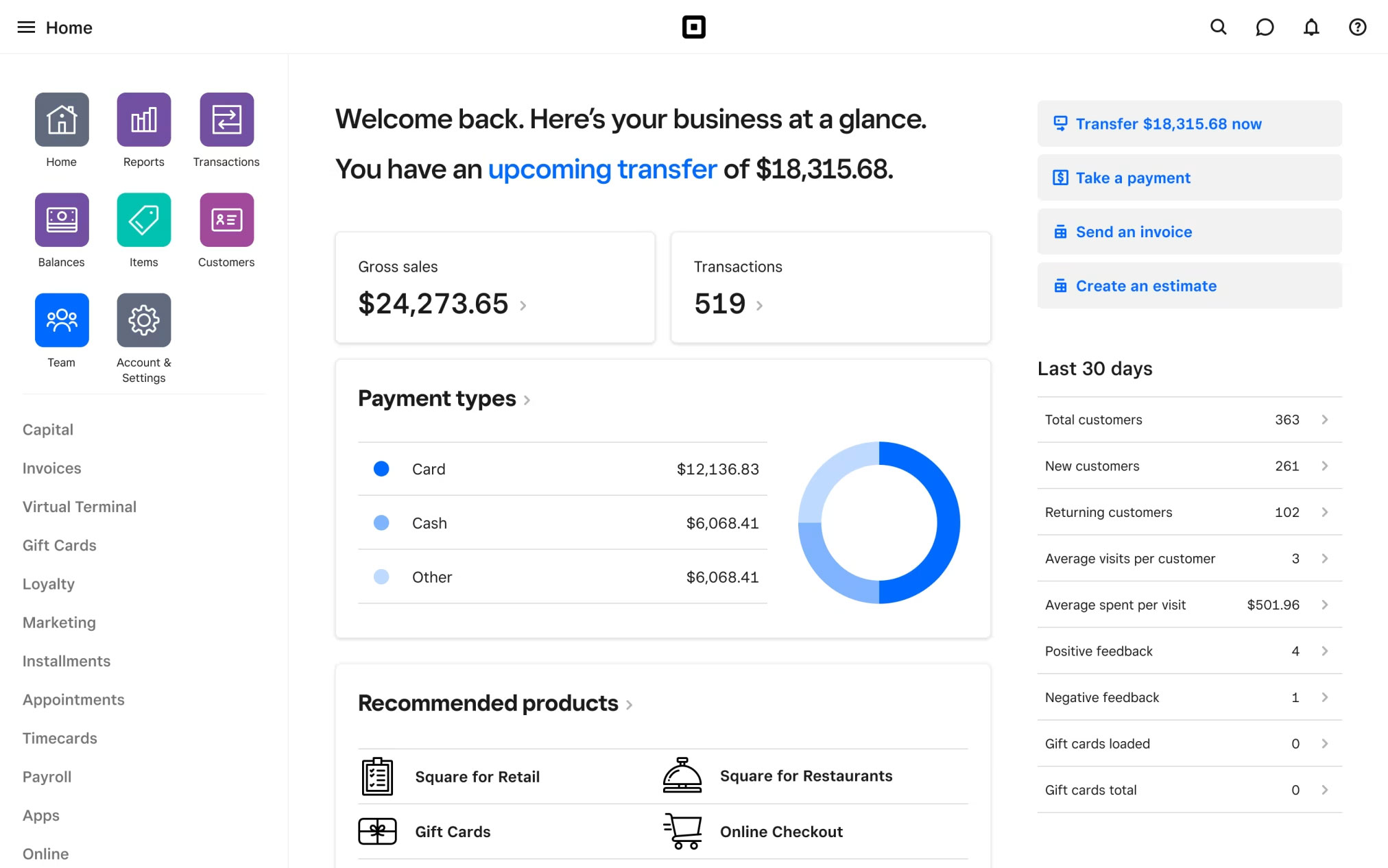
Square is a cloud-based point-of-sale (POS) system and payment gateway.
Whether you want to accept payments in your store, at an event, or online, Square makes it easy with its intuitive user interface and powerful in person payments capabilities. Not only that, they also offer essential business management tools like employee tracking, analytics, and inventory management.
Thanks to the versatility and depth of capabilities provided by Square products, you can seamlessly integrate it with Shopify data despite not being a native integration or an app.
Key features include support for major credit and debit cards, as well as Apple Pay, plug-and-play hardware setup, real-time analytics and reporting, seamless integration with third-party apps, strong security measures such as fraud prevention and encryption, and robust customer support, making it an attractive choice for businesses of all sizes.
What is Shopify?
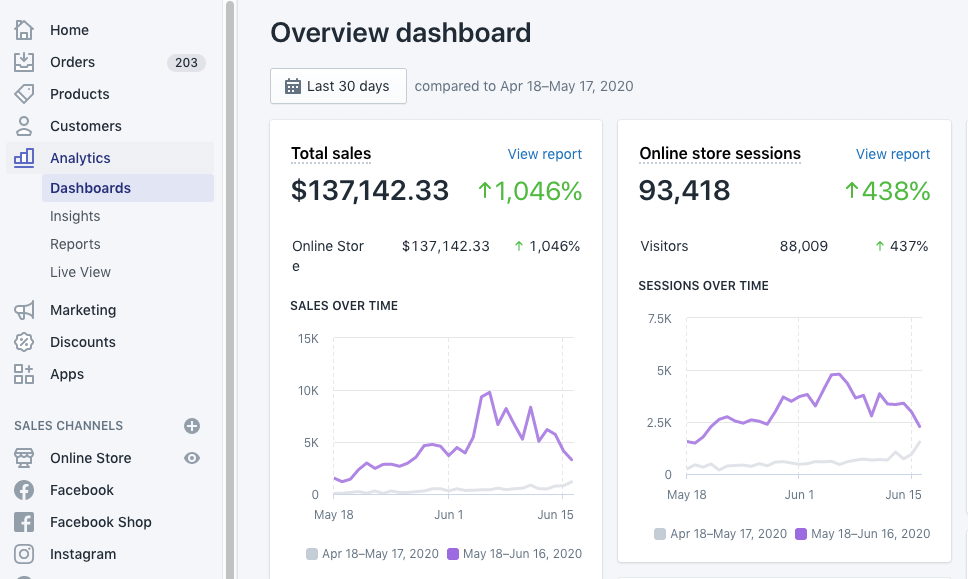
Shopify is an ecommerce platform used by thousands of businesses to manage their online presence.
As a leading provider in its space, Shopify allows you to create beautiful storefronts and easily sell products. It helps merchants integrate with a popular payment gateway like PayPal or Stripe, or use Shopify Payments; their own payment processor.
Shopify's raise to fame comes from its user-friendly interface, expansive third-party app store, and tailored marketing tools. It's a great solution for entrepreneurs looking to quickly launch their business without sacrificing features or customer service.
Shopify is favored by businesses worldwide for its numerous attractive features. These include customizable, mobile-responsive website designs without requiring coding knowledge, the ability to manage unlimited products and categories, support for various payment methods such as Shopify Payments, built-in analytics tools for performance tracking, and comprehensive customer support, making it an appealing option for businesses of all sizes.
Why Square and Shopify are better together
Shopify and Square together is a powerful combination that keeps businesses organized, efficient, and profitable.

With all that said, let's clarify some of the most frequently asked questions about the two platforms:
Can I use Square with Shopify?
Yes, as long as each one does a different job. The usual setup is Shopify for your online store and Square POS for in-person sales, with an integration keeping orders, inventory, and customers in step between them. What you can't do is make Square the payment processor for your Shopify checkout: Square isn't one of Shopify's payment providers, so online orders are still paid through Shopify Payments or another supported provider.
There are two ways to connect the two:
- A dedicated sync app. Square doesn't publish an official Shopify app, but third-party apps in the Shopify App Store, such as DPL Square Integration, sync products, stock levels, and orders between the two catalogs on a fixed set of rules.
- An automation platform like MESA. You build the exact workflows you need, for example creating a Shopify order for every Square sale, or lowering Square stock when a Shopify order comes in, and add your own filters, tags, and notifications along the way.
Does Square integrate with Shopify?
Not natively. Shopify and Square compete for the same merchants, so neither offers a built-in, one-click connection to the other. Both have open APIs, though, which is what every sync app and automation workflow uses. Once they're connected, a sale on either side can update the other's inventory and order history, so you're not keeping two sets of records by hand or exporting them into a spreadsheet, ERP, or CRM to reconcile them.
Is Square compatible with Shopify?
There is not a native integration between the two platforms so technically, no. However, there is nothing making them incompatible either. With the right workflow, you can easily make workflows the move data between the two systems if they're both being used in your business.
When you integrate Square + Shopify, these solutions provides notable benefits, including simplified payment management, streamlined checkout processes, enhanced customer service, and automated analytics. This integration also enables greater scalability, fostering business growth and adaptability. By streamlining payments, connecting data, enriching customer experience, and expanding sales channels, these solutions create a seamless and efficient business ecosystem with in-person selling opportunities.
Businesses benefit from the simplicity of managing all their operations on one platform - Shopify. Meanwhile, Square offers reliable a payment gateway for retail stores that makes it easy to manage finances and scale growth.
Here are three key reasons why it makes sense to integrate these two platforms
Here are three key reasons why it makes sense to integrate these two platforms.
1. Consolidating sales data from both platforms
With Shopify and Square integrated, businesses have access to a unified view of their sales data. Connect Square payments and online transactions from your Shopify store into a single source of truth. This makes it easier to monitor overall business health and identify trends across online stores and retail stores.
2. Leveraging advanced analytics and trends
3. Making data-driven decisions for business growth
With the powerful data tracking capabilities of Shopify and Square, businesses can make better decisions to drive growth. Comprehensive reporting allows you to understand customer preferences and trends, optimize operations, and develop strategies for scaling your business.
Benefits of Square Shopify integration
By leveraging both platforms together, companies will find their sales go further than ever before. Let's take a closer look at each of the benefits of combining Square and Shopify for your business.
Expanding Sales Channels with Square and Shopify
When trying to expand your business's sales channels, you may find some limitations with Square. However, when integrated together, Shopify + Square allows businesses to leverage the features of both, resulting in increased sales opportunities.
This approach improves product listing, inventory management, and automates customer service tasks, saving time and resources while expanding outreach.
Here's how:
Leveraging Shopify's checkout: Shopify is an ideal e-commerce platform, offering secure payment processing, custom checkout pages, and abandoned checkout workflows. Integrating Square into your business provides a seamless, secure payment experience while leveraging Shopify’s tools to maximize sales.
Utilizing Square for in-person sales and events: By integrating Square's in-person payment processing capabilities, businesses can easily set up their physical storefronts and start selling right away. This also opens up opportunities to attend markets or events, allowing merchants to expand their reach even further.
Creating an omnichannel retail experience: By combining Square with Shopify, businesses can create an omnichannel retail experience that provides customers with a unified shopping journey regardless of where or how they shop. This allows merchants to provide a seamless shopping experience across both online and physical storefronts while also leveraging the features and capabilities of each platform.
In-Person Selling Opportunities
When it comes to in-person selling opportunities, Square with Shopify offer incredible solutions that integrate seamlessly with your business. The two platforms can easily be connected in order to create a smooth process from checkout to inventory updates.
This merged system can take care of both in-store and online sales, streamlining supply chain management and customer satisfaction. With the combination of Square with Shopify, you will be sure to maximize your business’s potential in an efficient manner.
Set up Square POS with Shopify integration to receive real-time order updates and offer customers a faster checkout experience. This integration allows businesses to track sales data across both platforms and leverage the powerful tools from each system.
Square and Shopify enhance the customer experience at brick-and-mortar locations by offering a personalized shopping experience. Square and Shopify allow customers to access their online accounts in-store or link sales data to loyalty programs.
Managing and tracking sales data from multiple sources will also be a breeze. With Square integrated into Shopify, businesses can easily access sales reports from both platforms and better understand their customer base and performance.
Integrating Shopify with Square offers businesses an all-in-one solution to grow sales channels, manage inventory, and provide a unified shopping experience.
Recognizing online customers at the counter depends on both systems sharing one customer list. Here's how to sync customer profiles between Shopify and Square by email, without creating duplicates.
Connect Shopify Inventory with Square
If you're relying on both Shopify and Square to manage your inventory and sales, you may have noticed duplicate data since the two platforms don't offer a native integration. However, there is still a way to connect your inventory across both platforms.
Because there's no one-click Square app to install, connecting Shopify to Square means wiring the two APIs together with an automation platform. Here's what that actually takes:
- Authorize both accounts. Add Shopify and Square as connected apps in MESA. The Square connection needs
INVENTORY_READto read stock andINVENTORY_WRITEto change it — those are the permissions Square's Inventory API requires before any adjustment will go through. - Match products by SKU. Square records stock against an item variation (
catalog_object_type: ITEM_VARIATION), not the parent item — the same level Shopify tracks a variant at. SKU is a searchable attribute on a Square item variation, which makes it the reliable key for pairing it with the matching Shopify variant. Anything missing a SKU on either side has nothing to match on, so fill those in first. - Turn on inventory tracking in Square. Every Square item variation carries a
track_inventorysetting, and if it's left unset at both the variation level and the location override, tracking is off entirely — there's no count for a sync to adjust. Confirm it's enabled on each variation you plan to sync. - Map your locations. Square attaches every inventory change to a
location_id, and Shopify tracks stock per location too. Decide which Square location maps to which Shopify location before you sync anything — your retail counter and the warehouse fulfilling online orders usually shouldn't draw from the same bucket. - Pick your sync direction. Decide whether a Square sale should decrement Shopify, a Shopify order should decrement Square, or both. Running both is normal for a shared stock pool, but each direction is a separate workflow — setting up one doesn't give you the other.
With those pieces in place, the two systems keep each other current instead of drifting apart. You'll receive the following benefits:
Real-time inventory updates across channels: If you're selling in-store and online, it can be difficult to keep track of inventory levels. By integrating Shopify and Square, merchants benefit from real-time updates that ensure the correct stock levels are reflected across the board.
For the full two-way setup, including which location each channel draws from and how to stop one sale from being counted twice, see how to sync Shopify and Square inventory levels without overselling.
Streamlined product and SKU management: With Square and Shopify combined, merchants can easily set up products and instantly connect them across both platforms. This simplifies the product management process and helps to ensure that customers always see accurate inventory levels no matter where they are shopping.
Simplifying restocking and order fulfillment: Connecting inventory between Shopify and Square makes it simple to restock shelves or fulfill online orders. This allows merchants to save time, money, and resources when managing their sales.
Unify Processing Fees
Your payment processor greatly impacts your business, from lowering fees to improving security and fraud prevention.
Merchants once needed separate payment processors for online and in-person sales, but unified solutions have changed that.
Reporting and Analytics
Leveraging both Square with Shopify can provide you with an in-depth view of your business data. Reporting and analytics help entrepreneurs make informed decisions, like when to launch a new product or assess promotions.
By integrating these two platforms, businesses can track financial data from Square reports along with metrics from the Shopify dashboard. Merchants can access key sales metrics like lifetime orders, Customer Lifetime Value (CLV), and average order value (AOV). Using reporting and analytics helps you understand customer behavior and trends, allowing you to maximize profits.
Unified reports only work if counter sales reach Shopify. Here's how to copy every completed Square sale into Shopify automatically, without duplicates or a second inventory deduction.
Conclusion
Integrating Square with Shopify is a great way for businesses to take advantage of both platforms. With a unified view of sales data, powerful analytics, and better decisions from customer behavior, businesses improve efficiency and profitability. At the end of the day, by integrating both platforms, you'll position your business for exponential growth.
Whether you’re a small business looking to grow or an established enterprise looking for an edge, integrating Square + Shopify is a great way to maximize your sales.
With the right workflow to connect data, you can be sure that your customers will have the best shopping experience possible.
FAQs
Can I use Square POS with Shopify?
Yes. Many merchants sell in person with Square POS and online with Shopify. Because there's no native connection, you link them with a third-party sync app or an automation platform like MESA, which can create a Shopify order for each Square sale and keep stock levels matched in both systems, so in-store sales don't leave your online store showing items you no longer have.
Can I use Square as the payment processor for my Shopify store?
No. Square isn't one of Shopify's payment providers, so you can't take Shopify checkout payments through Square. Online orders are paid through Shopify Payments or another provider Shopify supports, and Square handles the payments you take in person. An integration then brings both sets of sales together.
How do I connect Shopify to Square?
Since there's no built-in Shopify Square integration, you connect them through their APIs with a sync app or an automation platform like MESA. Authorize both accounts, match products by SKU, turn on inventory tracking in Square, map each Square location to a Shopify location, then turn on a workflow for each direction you need: Square sales into Shopify orders, Shopify orders lowering Square stock, or both.