Most Shopify stores convert at just 2-3% of their visitors into customers. That means for every 100 people who visit your store, 97 leave without buying anything.
If you're spending money on ads, influencer partnerships, or SEO to drive traffic to your store, this reality is frustrating—and expensive. Getting 10,000 visitors to your store might cost you $500-$2,000 depending on your industry and traffic source. But if only 200-300 of those visitors convert, you're leaving serious money on the table.
Here's the good news: optimizing your conversion rate is the most cost-effective way to grow your revenue without spending more on advertising. A 1% improvement in your conversion rate can translate to 20-30% more revenue without a single additional dollar spent on ads.
This guide shows you exactly how to increase sales on Shopify through two proven approaches:
- Conversion rate optimization (CRO) strategies that turn more visitors into buyers
- The best Shopify apps to increase sales that accelerate your growth without requiring custom development
Whether you're running a new store doing $5,000/month or an established brand doing $500,000/month, you'll find actionable strategies you can implement today. We'll cover product page optimization, checkout improvements, site speed, mobile experience, and the automation workflows that let you scale these efforts without burning out your team.
What makes this guide different? This isn't generic CRO advice that could apply to any ecommerce platform. Every strategy and app recommendation is specifically tailored to Shopify's platform, features, and ecosystem. You'll learn how to work with Shopify's strengths—and work around its limitations—to maximize your store's performance.
Let's start by understanding where your store stands right now.
Understanding your Shopify sales performance
Before you can improve your sales, you need to understand where you stand. Let's benchmark your store against industry standards and identify exactly where to focus your optimization efforts.
Where you stand vs. industry benchmarks
Your Shopify conversion rate is the percentage of visitors who complete a purchase. To find yours, divide your number of orders by your number of sessions, then multiply by 100. You can track this in your Shopify Admin under Analytics > Reports > Conversion rate over time, or through Google Analytics for more detailed attribution.
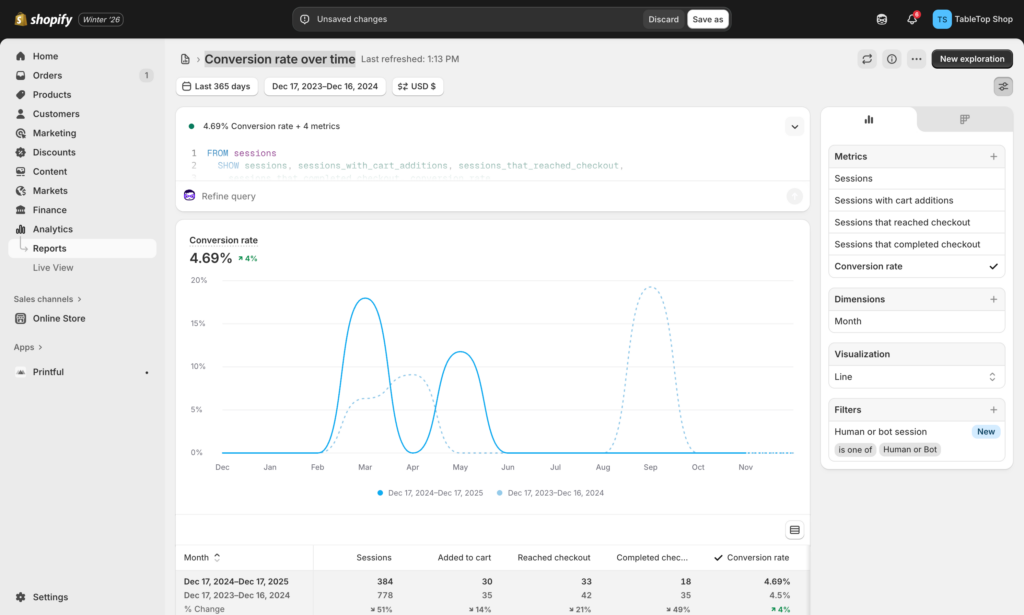
Here's how your rate compares to industry averages:
Conversion rate benchmarks by product category:
- Fashion & Apparel: 1.0% – 3.0%
- Health & Beauty: 2.5% – 5.7%
- Home & Garden: 1.2% – 1.9%
What your conversion rate means:
- Below 0.5%: Something is fundamentally broken. This could indicate technical issues (broken checkout, slow loading times), major trust problems, traffic quality issues, or severe product-market fit problems. Fix basic issues before optimizing.
- 0.5% to 2%: You're converting visitors, but you're below average. This suggests your store has the basics covered but needs strategic optimization. Focus on the high-impact areas: product pages, checkout friction, and mobile experience.
- 2% to 3%: You're performing better than most Shopify stores. Continue testing and optimizing high-performing elements rather than fixing broken fundamentals.
- Above 3%: You're in the top quintile of Shopify stores. Conversion rates above 3% are excellent, and anything above 4.7% puts you in the top 10% of all Shopify stores. Focus on advanced personalization and maintaining your edge.
Key metrics beyond conversion rate
Conversion rate tells part of the story, but tracking these additional metrics gives you the complete picture:
Average Order Value (AOV): A store with a 1% conversion rate and $200 AOV generates the same revenue as a store with a 2% conversion rate and $100 AOV. Track AOV to ensure optimization doesn't reduce customer spend.
Cart abandonment rate: The average cart abandonment rate hovers around 70%. A sudden spike indicates new checkout friction you've introduced.
Purchase latency: How long from first visit to first purchase. Shorter cycles mean better buying intent and clearer value propositions.
Where to focus first
The 80/20 rule applies to Shopify sales: Most visitors land directly on product pages from Google, social ads, or Pinterest—never seeing your carefully crafted homepage. If you're getting 10,000 monthly visitors, 4,000-6,000 are hitting product pages first. This makes product page optimization your highest-leverage activity.
Start with a quick diagnostic: Look at your Analytics > Reports > Online store conversion funnel. Where do you see the biggest drop-offs? That's where to focus first. Most stores will find the biggest leaks at product pages, checkout initiation, or checkout completion.
📈 Calculate your baseline metrics
Before implementing any changes, document these numbers:
- Current conversion rate
- Average order value
- Cart abandonment rate
- Top 5 traffic sources by revenue
You'll need these to measure progress. Learn how to set up proper tracking →
Strategy #1: Optimize your product pages
Product pages are among your highest-traffic pages. Most visitors land directly on product pages from Google, social ads, or Pinterest—never seeing your carefully crafted homepage. This reality makes product page optimization the single highest-leverage improvement you can make to increase Shopify sales.
Why product pages are your highest-leverage opportunity
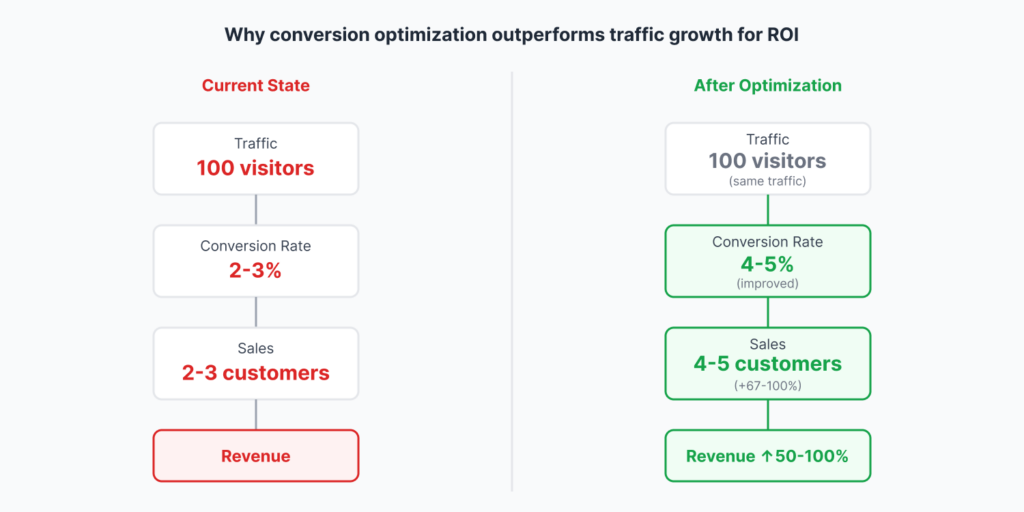
The math is simple: If you're getting 10,000 monthly visitors, 4,000-6,000 are hitting product pages first. That makes product page optimization the highest-leverage CRO activity you can do. A 1% conversion improvement can translate to 20-30% more revenue without spending another dollar on ads.
Most product pages convert at 2-3%. Your best-performing products might hit 4-5%, while underperformers languish below 1%. The opportunity? Get all your products closer to that 4-5% benchmark through systematic optimization.
The 6-second test: Five questions every product page must answer
High-converting product pages answer five questions in 6-8 seconds: Can I trust this? Is it worth the price? What if I don't like it? Why buy now? Is this site legit?
Visitors make snap judgments. They're not reading every word—they're scanning for trust signals, visual proof, and reasons to believe. Your product page needs to deliver all five answers immediately through strategic design and copy.
High-impact product page improvements
Images & video
Product images are your silent salespeople. According to research by EyeView, adding video to product pages can increase conversions by up to 86%. But most stores get this wrong by showing only 1-2 angles or using low-quality images.
What works:
- Multiple angles: Minimum 5-7 images showing front, back, sides, details, and scale. Show the product being used, not just on a white background.
- Zoom functionality: Zoom functionality is non-negotiable for products where details matter—jewelry, watches, apparel with unique textures, electronics with ports and buttons. Shopify themes typically include zoom by default, but test it on mobile to ensure it works smoothly.
- Product videos under 60 seconds: Videos show products in action, demonstrate scale, and answer questions before customers even ask them. Keep videos under 60 seconds—show the product being unboxed, used, and highlight 2-3 key features.
- Image optimization for speed: Those gorgeous 5MB product photos? They're killing your page speed and your conversion rate. Compress images to under 200KB using tools like TinyPNG or the TinyIMG Shopify app.
📸 Product image checklist
For each product, ensure you have:
- 🔲 5-7 high-quality images minimum
- 🔲 At least one lifestyle/in-use image
- 🔲 Detail shots of key features
- 🔲 Scale reference (product with common object)
- 🔲 All images compressed to <200KB
- 🔲 Zoom enabled and tested on mobile
- 🔲 30-60 second product video (if applicable)
Product descriptions that convert
Here's what most Shopify stores get wrong: they write descriptions like instruction manuals instead of sales copy.
Lead with benefits, not features: Don't say "304 stainless steel construction." Say "Won't rust or corrode, even after years of daily use." Features tell what it is. Benefits tell why it matters.
Format for scannability: Most people skim product pages. Use short paragraphs (2-3 sentences max), subheadings to break up content, and bullet points for quick-reference specs. Put the most important information in the first 150 words—that's all mobile users see before "read more."
Optimize for SEO naturally: Include your target keywords naturally in the product title, first paragraph, and image alt text. If you sell "organic cotton baby clothes," use variations like "organic baby clothing" and "cotton baby outfits" throughout the copy.
Social proof & reviews
Here's a stat that matters: 90% of customers read online reviews before making a purchase. No reviews means you're fighting an uphill battle against competitors who display dozens of positive testimonials.
Choose the right review app: For Shopify stores, Judge.me is hard to beat—it has 40,000+ reviews with a perfect 5.0 rating and offers an excellent free plan with photo/video reviews. For visually-driven products like fashion or beauty, Loox specializes in gorgeous photo review displays.
Minimum viable reviews: Aim for at least 10-15 reviews per product. Products with fewer than 5 reviews don't build sufficient trust. Use automated review request emails 7-14 days after delivery to build your review base quickly.
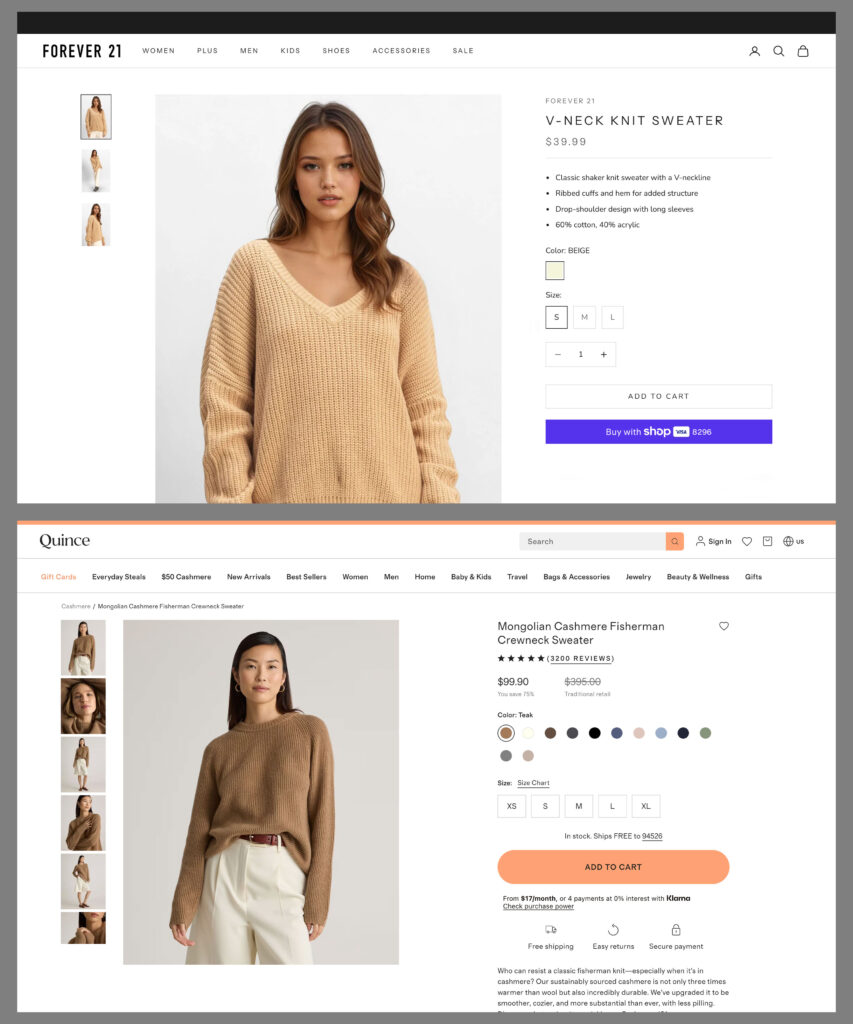
Quince: Optimized product page (7+ images, video, reviews, benefit-driven copy).
Strategic pricing & promotions
Pricing isn't just about covering costs and making profit—it's psychological warfare. The difference between $49.99 and $50.00? Negligible in actual dollars. Massive in perceived value.
Psychological pricing tactics:
- Use charm pricing ($49.99 vs $50) for impulse purchases
- Display "compare at" prices to show value
- Bundle related products for higher perceived value
- Offer volume discounts ("Buy 2, get 15% off")
Create urgency without desperation: Limited-time promotions work when they're genuine. "24-hour flash sale" loses credibility if you run it weekly. Instead, use seasonal events, product launches, or inventory-based urgency ("Only 3 left in stock").
Product recommendations
Test, measure, refine. The best placement and style for recommendations varies by store. Use Shopify's analytics or Google Analytics to track how many customers click on recommendations and what percentage add those items to their cart. Test different positions—sidebar versus below the fold versus pop-ups—and double down on what works.
Strategic recommendations increase average order value by 10-30% when done well. Show "frequently bought together" items, complementary products, or upgrades that solve related problems.
🎯 Deep dive: Complete product page optimization guide
This section covers the essentials, but product page optimization goes much deeper. For comprehensive strategies including mobile optimization, trust signals, and advanced testing methods, read our complete guide.
Strategy #2: Reduce checkout friction
You've done the hard work of getting visitors to your store and convincing them to add products to their cart. Now comes the moment of truth: checkout. This is where most Shopify stores hemorrhage revenue.
The checkout reality
The average cart abandonment rate hovers around 70%. That means 7 out of every 10 people who add items to their cart leave without completing their purchase. For a store doing $10,000 in monthly revenue, that's potentially $23,000 in abandoned orders every month.
Track this metric to identify checkout friction. If your abandonment rate suddenly spikes, you may have introduced a problem in your checkout flow.
The difference between a 70% abandonment rate and a 60% abandonment rate? An extra $3,000-$5,000 per month for most stores. Small improvements here create massive revenue gains.
Quick wins to reduce abandonment
Minimize steps
Every unnecessary page, click, or dialogue box allows your potential customer to change their mind. Streamline your checkout process! Each additional field or screen is a decision point where customers reconsider their purchase.
Essential checkout optimizations:
- Guest checkout option: Requiring account creation kills conversions. Let first-time buyers checkout as guests, then offer account creation after purchase.
- Autofill for returning customers: Shopify's Shop Pay remembers customer information across stores. Enable it to reduce friction for return visits.
- Single-page vs. multi-page testing: It used to be thought that the single page checkout experience was better, but that's since been disproven. Customers do want an easy checkout, but that can be delivered in a number of ways. See what works best for you.
Payment options matter
A study by Weave showed that businesses that provide multiple payment options observe an almost 30% increase in revenue. Limited payment options aren't just inconvenient—they're costing you sales.
Essential payment methods to offer:
- Credit cards (Visa, Mastercard, Amex, Discover)
- PayPal for buyers who trust its protection
- Apple Pay and Google Pay for mobile shoppers
- Shop Pay for the fastest Shopify checkout
- Buy Now, Pay Later options (Klarna, Afterpay, Shop Pay Installments)
Each payment method appeals to different customer segments. Apple Pay users tend to be mobile-first buyers who value speed. Buy Now, Pay Later appeals to budget-conscious shoppers making larger purchases.
Trust signals at checkout
Checkout is where security concerns peak. Customers are about to enter their payment information—they need reassurance you're legitimate.
Critical trust elements:
- Security badges (SSL certificate, payment processor logos)
- Clear return policy linked from checkout
- Shipping costs shown before checkout begins
- Progress indicators showing checkout steps
- Professional design without spelling errors or broken elements
Display these trust signals prominently. Security badges like SSL certificates and trusted payment provider logos can reduce cart abandonment by 8-28% according to multiple studies..
Abandoned cart recovery
Not every visitor will complete checkout on their first visit. Strategic follow-up turns abandoned carts into recovered revenue.
Effective abandoned cart email sequence:
- 1 hour after abandonment: Gentle reminder with cart contents. No discount yet.
- 24 hours after abandonment: More urgent messaging, highlight benefits or social proof.
- 72 hours after abandonment: Final reminder, consider small discount (5-10%) if appropriate for your margins.
Test out sending coupon codes in your abandoned cart emails to incentivize customers to come back and finish the purchase. However, train customers carefully—if you always offer discounts in cart recovery, they'll learn to abandon carts intentionally.
🎯 Deep dive: Complete checkout optimization guide
Checkout optimization goes far beyond these basics. For more strategies including Shopify Plus checkout customization, mobile optimization, trust signal placement, and advanced cart recovery tactics, read our complete guide.
Strategy #3: Improve site speed & mobile experience
Your product pages might be perfect and your checkout might be frictionless, but if your site loads slowly or doesn't work well on mobile, you're still losing sales. Speed and mobile experience are conversion killers that many Shopify stores overlook.
Why speed matters for sales
Delayed load time can lead to shopping cart abandonment since a one-second delay in load time reduces page views by 11%. Think about that: just one second of delay costs you 11% of your potential page views. Three seconds? You've lost a third of your visitors before they even see your product.
Page speed is also a Google ranking factor. Slower sites rank lower, which means less organic traffic reaching your store in the first place. You're paying for that traffic through reduced SEO performance.
Mobile compounds the problem. With 60-70% of ecommerce traffic now coming from mobile devices, a site that doesn't load quickly or work smoothly on phones is turning away the majority of potential customers.
Speed optimization checklist
Image compression: Those gorgeous 5MB product photos? They're killing your page speed and your conversion rate. Compress images to under 200KB using tools like TinyPNG or the TinyIMG Shopify app. This is the single biggest quick win for most Shopify stores.
Theme optimization: Not all Shopify themes are created equal. Some are bloated with features you'll never use. Test your current theme's speed using Google PageSpeed Insights or GTmetrix. If you're scoring below 50 on mobile, consider switching to a faster theme like Dawn (Shopify's default), Impulse, or Turbo.
App audit: Every app you install adds code to your store. Review your installed apps monthly and remove anything you're not actively using. Apps that modify your theme (especially those adding custom scripts) have the biggest impact on load time.
Lazy loading: Enable lazy loading for images so they only load when a visitor scrolls to them. Most modern Shopify themes include this by default, but verify it's enabled in your theme settings.
CDN optimization: Shopify automatically uses a Content Delivery Network (CDN) to serve your store from servers close to your visitors. However, you can further optimize by ensuring your product images and assets are properly configured to leverage this.
Mobile-specific improvements
Mobile optimization goes beyond speed. Your site needs to actually work well on small screens:
Thumb-friendly buttons: Place your "Add to Cart" and "Buy Now" buttons within easy thumb reach at the bottom of the screen. Test on an actual phone—if you need to shift your grip to tap the button, it's positioned wrong.
Simplified navigation: Mobile users don't want to dig through complex menus. Limit your main navigation to 4-5 top-level categories. Use a search icon prominently in the header for users who know what they want.
Mobile-optimized checkout: Enable Shopify's mobile-optimized checkout and test it thoroughly. Autofill should work for returning customers, and form fields should be large enough to tap accurately without zooming.
Touch-friendly image galleries: Swipeable product image galleries work better on mobile than click-to-change arrows. Test your product pages on mobile to ensure images are easy to navigate.
🎯 Deep dive: Complete site speed and navigation guide
Site speed optimization goes far beyond these basics. For strategies including advanced Shopify theme optimization, app performance auditing, navigation best practices, and mobile-first design principles, read our complete guide.
Strategy #4: Leverage automation for scalable sales growth
You've optimized your product pages, reduced checkout friction, and improved site speed. But here's the problem: manual CRO tasks don't scale. Sending review requests, segmenting customers, recovering abandoned carts—these activities drive sales, but doing them manually is impossible as your store grows.
Automation ensures consistency while freeing your team to focus on high-impact strategic work instead of repetitive tasks.
The automation advantage
Manual processes create inconsistency. One week you're on top of abandoned cart emails. The next week you're swamped with customer service tickets and forget to send them. Your conversion rate drops, and you don't even realize why.
Automation solves this by running your CRO workflows 24/7 without human intervention. Every abandoned cart gets followed up. Every customer gets a review request at the optimal time. Every high-value customer gets tagged for VIP treatment. No exceptions, no forgotten tasks, no manual effort.
The result? More consistent revenue with less team burnout.
High-impact automation workflows for sales growth
1. Automated review collection
Customer reviews drive conversions—90% of customers read online reviews before making a purchase—but collecting them manually is tedious.
The workflow: 7-14 days post-delivery, automatically send an email requesting a review. Include a direct link to your review platform and consider offering a small incentive (5-10% discount on next purchase).
Impact: Build your review base systematically. Stores using automated review requests collect 3-5x more reviews than those relying on customers to leave reviews organically.
2. Personalized abandoned cart recovery
The average cart abandonment rate hovers around 70%. Recovering even 10-15% of those abandoned carts through automation can add thousands in monthly revenue.
The workflow:
- 1 hour after abandonment: Gentle reminder with cart contents, no discount
- 24 hours after abandonment: More urgent messaging with social proof or customer reviews
- 72 hours after abandonment: Final reminder with optional 5-10% discount
Impact: Well-executed automated cart recovery can recover 10-15% of abandoned carts, translating to 7-10% revenue increase for most stores.
3. Post-purchase upsell and thank you sequences
The best time to sell to a customer is right after they've already bought from you. Their wallet is open and they're in a buying mindset.
The workflow: Immediately after purchase, send a thank you email with a relevant product recommendation based on what they bought. For example, someone who buys a camera gets recommended a camera bag or memory card.
Impact: 5-10% of customers who receive post-purchase recommendations make a second purchase within 7 days, increasing overall revenue per customer.
4. Customer segmentation based on behavior
Not all customers are equal. VIP customers deserve different treatment than one-time bargain hunters.
The workflow: Automatically tag customers based on purchase patterns:
- "VIP" for customers over $500 lifetime value
- "Repeat Customer" for 2+ purchases
- "High AOV" for orders over your average
- "At Risk" for customers who haven't purchased in 90 days
Impact: Segmented email campaigns see 2-3x higher engagement rates than generic broadcasts. Send VIPs early access to sales. Send "At Risk" customers a win-back campaign with a special offer.
5. Low stock alerts for popular products
Create urgency by alerting interested customers when popular items are running low.
The workflow: When inventory drops below a threshold (e.g., 10 units), automatically email customers who viewed that product but didn't buy, or customers who bought similar items.
Impact: Creates genuine scarcity and FOMO. Speeds purchase decisions for customers who were on the fence.
Automation best practices
Don't automate everything at once. Start with one workflow, perfect it through testing and monitoring, then add the next. Common mistakes include over-automating (which makes your brand feel robotic) or setting workflows and forgetting them (which leads to stale messaging).
Monitor performance metrics religiously. Track open rates, click-through rates, and conversion rates for each automated workflow. If abandoned cart recovery emails have a 15% open rate, test new subject lines until you're hitting 25-30%.
Maintain the human touch where it matters. Automation handles repetitive tasks, but your brand voice should still feel personal. Use first names, reference specific products they viewed, and write like you're talking to a friend—not like a robot.
🎯 Deep dive: Complete automation for CRO guide
Automation is the key to scaling your conversion optimization efforts without scaling your team. For strategies including advanced workflow blueprints, tool comparisons, and step-by-step tutorials, read our complete guide.
The best Shopify apps to increase sales
You now understand the strategies: optimize product pages, reduce checkout friction, improve site speed, and automate your workflows. But implementing these strategies manually is time-consuming and often requires technical skills most merchants don't have.
That's where Shopify apps come in. The right apps extend your store's functionality without custom code, letting you implement proven conversion optimization tactics in minutes instead of months. Here are the essential apps organized by the strategies they support.
Apps for conversion rate optimization
These apps help you implement the product page and trust-building strategies covered earlier.
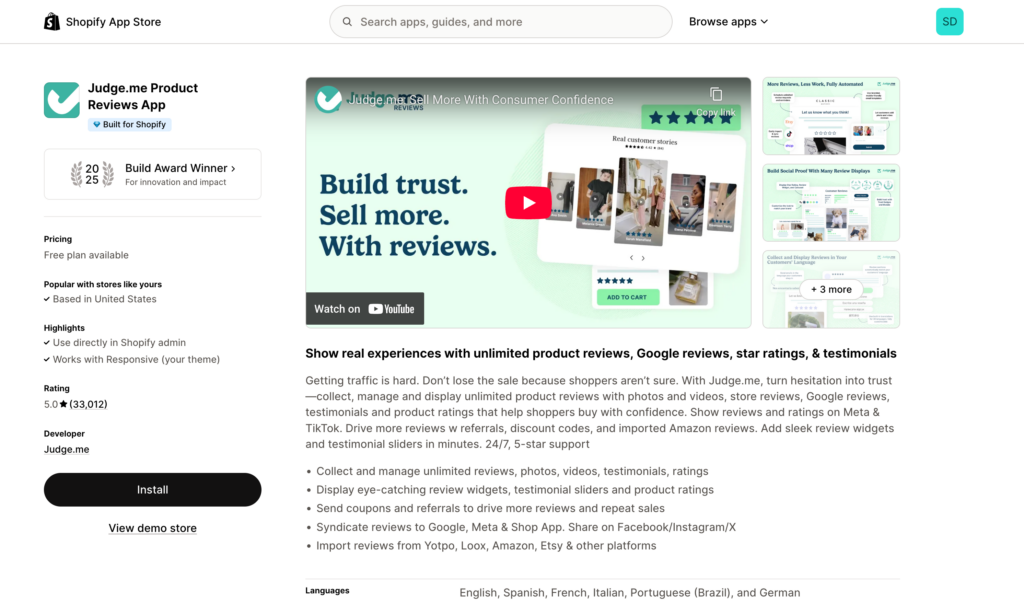
Judge.me Product Reviews (Free - $15/month)
Judge.me Product Reviews is a comprehensive review app for Shopify stores, offering a fast and customizable way to collect and display product reviews in just a few clicks. The free plan includes photo and video reviews, automated review requests, and review imports from other platforms. Why it works: Remember, 90% of customers read online reviews before making a purchase. udge.me makes collecting and displaying those reviews effortless.
Best for: All stores, especially new stores building initial credibility.
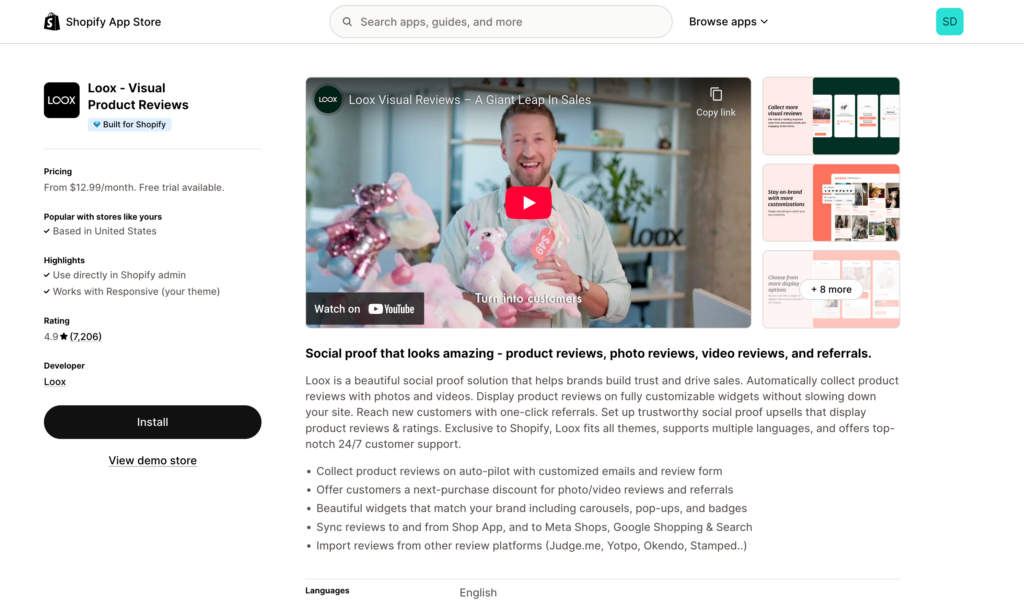
Loox Photo Reviews ($12.99 - $299.99/month)
Specializes in visual social proof with Instagram-style photo reviews and referral rewards for reviewers. Photo reviews convert 5x higher than text-only reviews, making this essential for visually-driven products like fashion, beauty, and home decor.
Best for: Fashion, beauty, home decor—any store where product appearance drives purchase decisions.
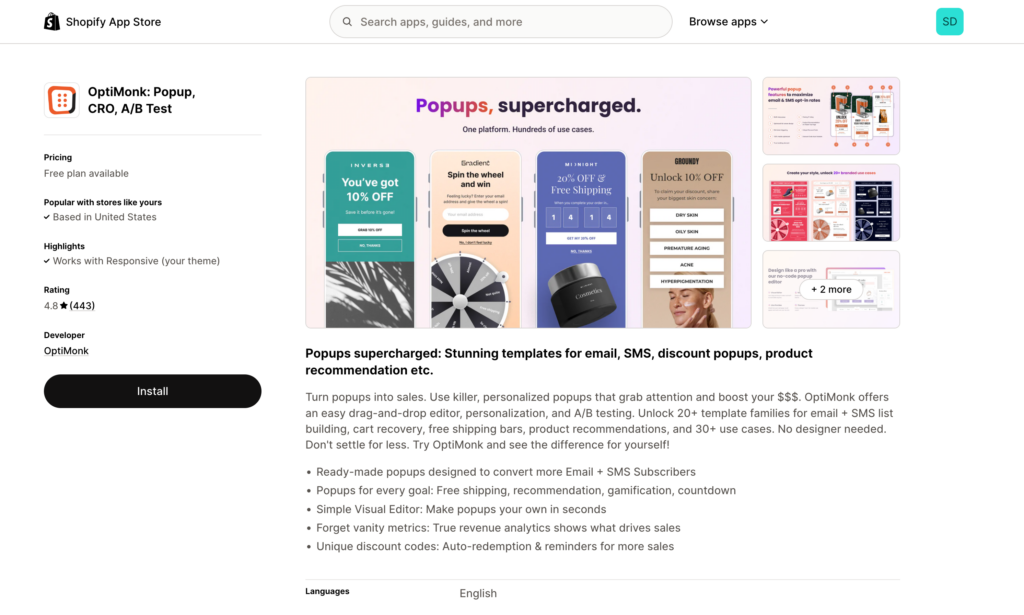
OptiMonk (Free - $249/month)
Exit-intent popups, embedded forms, and A/B testing tools help capture abandoning visitors before they leave. Build email lists, offer targeted discounts, and reduce bounce rates with strategic popup campaigns.
Best for: Stores with 1,000+ monthly visitors ready to invest in systematic list building.
Apps for email & abandoned cart recovery
These apps automate the cart recovery and customer communication workflows from Strategy #4.
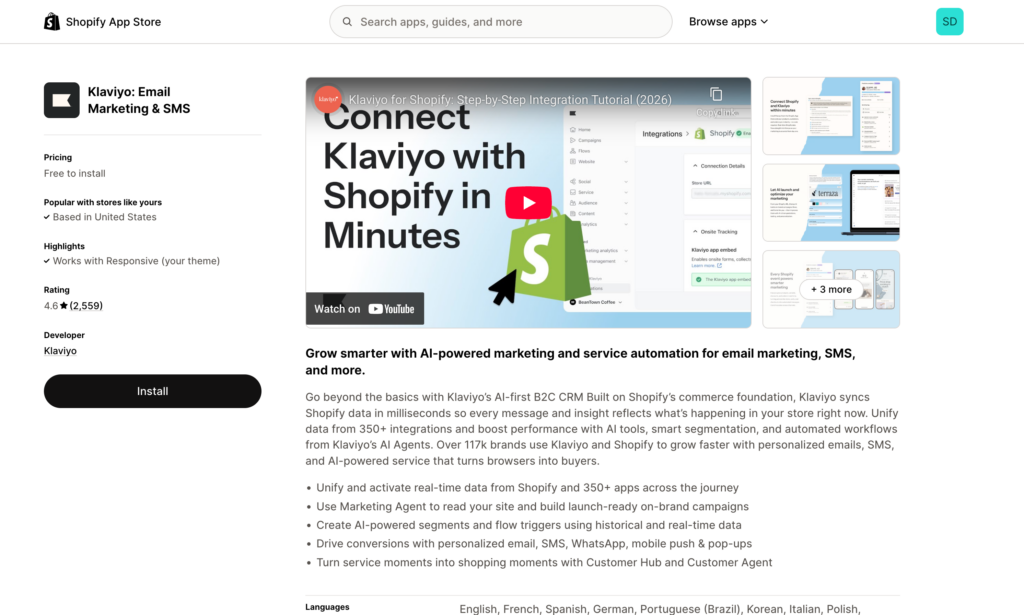
Klaviyo (Free up to 250 contacts, then scales with list)
The industry-standard email marketing platform built specifically for ecommerce. Klaviyo excels at abandoned cart flows, post-purchase sequences, and customer segmentation based on behavior. Email typically drives 20-30% of revenue for mature stores using it properly.
Best for: Growing stores ready to invest in email marketing as a primary revenue channel.
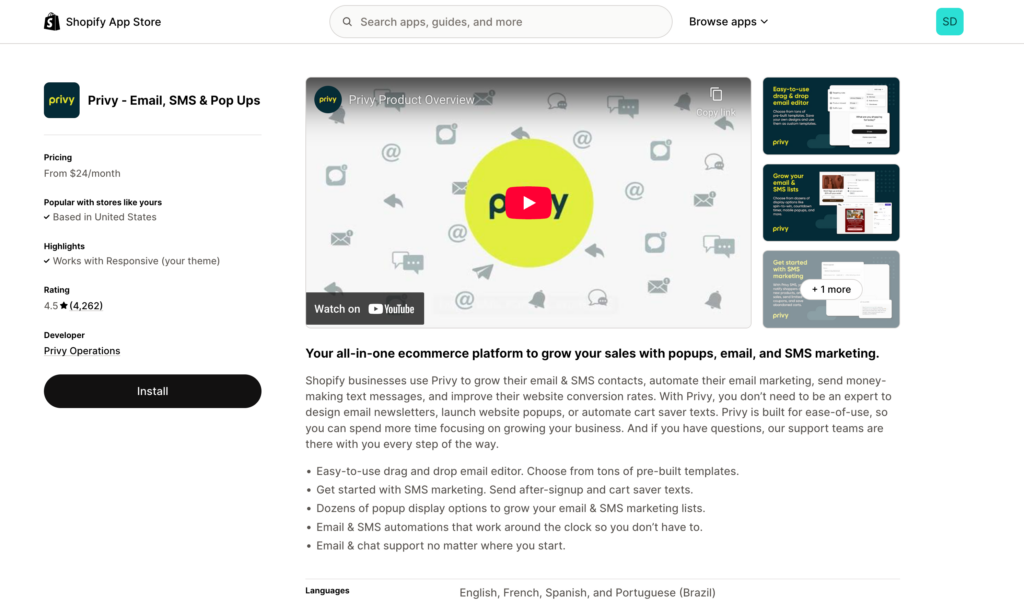
Privy ($24 - $45/month)
All-in-one email and SMS platform offering popups, cart abandonment, and welcome series at a lower price point than Klaviyo. The free plan is surprisingly robust for stores just starting with email.
Best for: New to mid-sized stores (<10,000 visitors/month) wanting email marketing without Klaviyo's price tag.
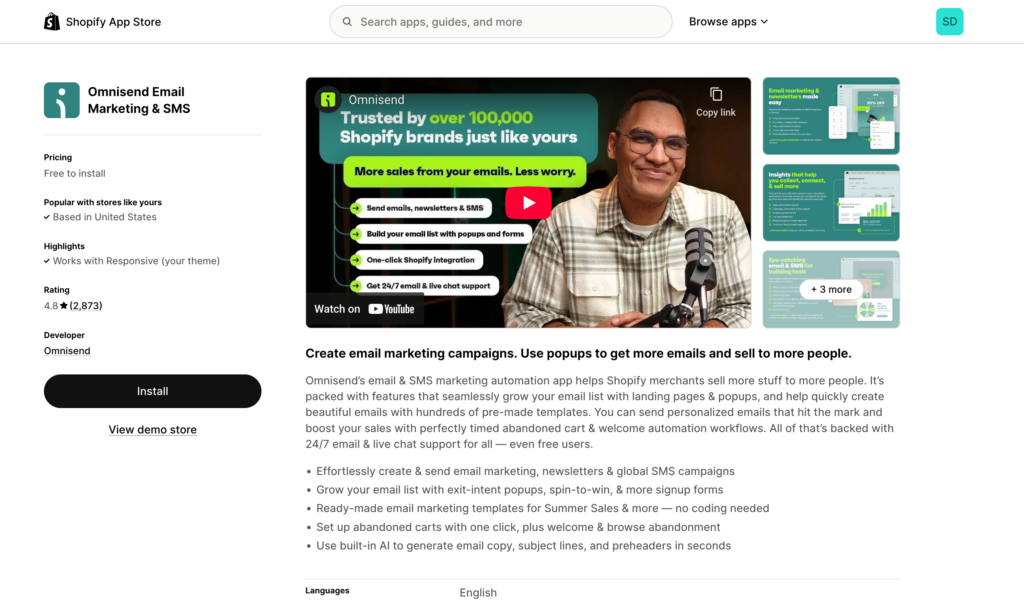
Omnisend (Free - $59/month)
Combines email and SMS with pre-built automation workflows specifically for ecommerce. Easier to set up than Klaviyo but more powerful than Privy, making it a solid middle-ground option.
Best for: Stores wanting both email and SMS in a single platform with minimal setup complexity.
Apps for upselling & cross-selling
These apps help increase average order value without requiring more traffic—supporting the revenue multiplication strategy.
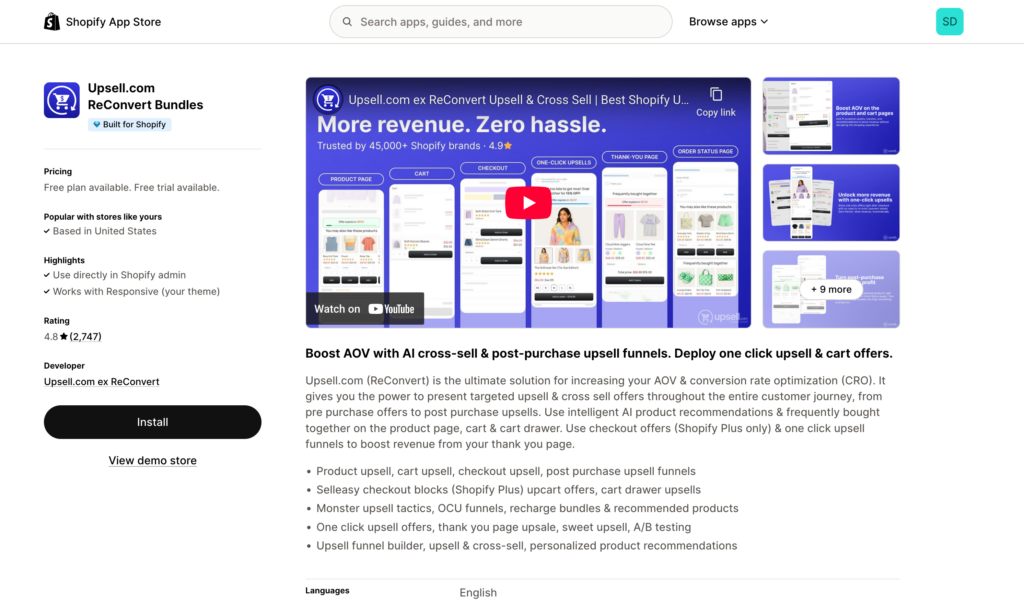
ReConvert (Free - $19.99/month)
Post-purchase upsells on the thank you page, when customers are most likely to add to their order. One-click upsells don't require re-entering payment information, making conversion rates on these offers 5-10x higher than email upsells. Even the free plan includes robust thank you page customization.
Best for: All stores—the free plan alone can increase revenue by 5-10% with minimal effort.
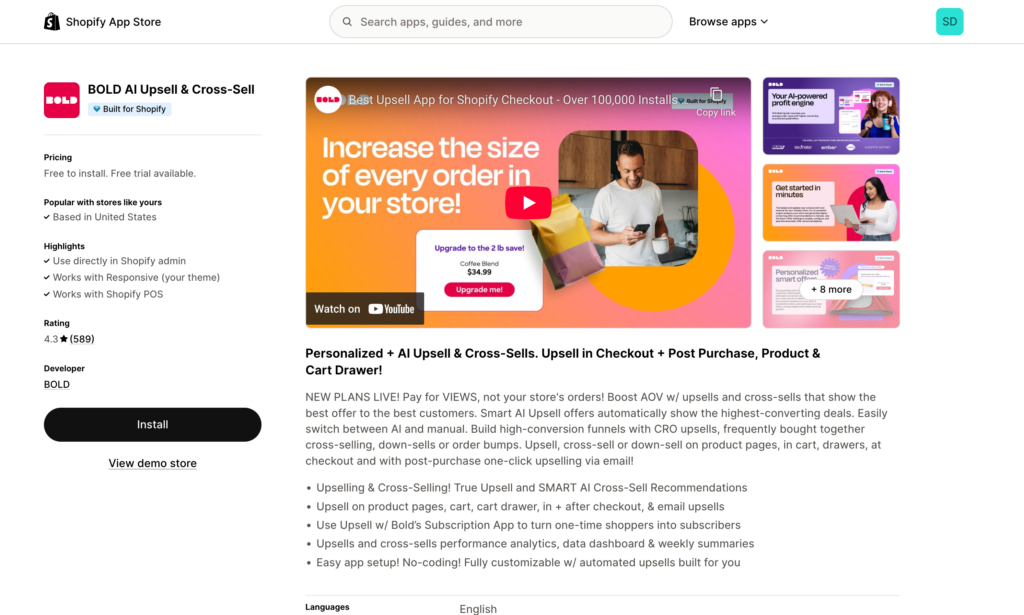
Bold Upsell (Free - $50/month)
Offers both post-purchase and in-checkout upsells with advanced targeting rules. Show different upsells based on cart contents, customer tags, or order value. Reported 10-30% revenue increases when configured properly.
Best for: Established stores with clear complementary products and multiple customer segments.
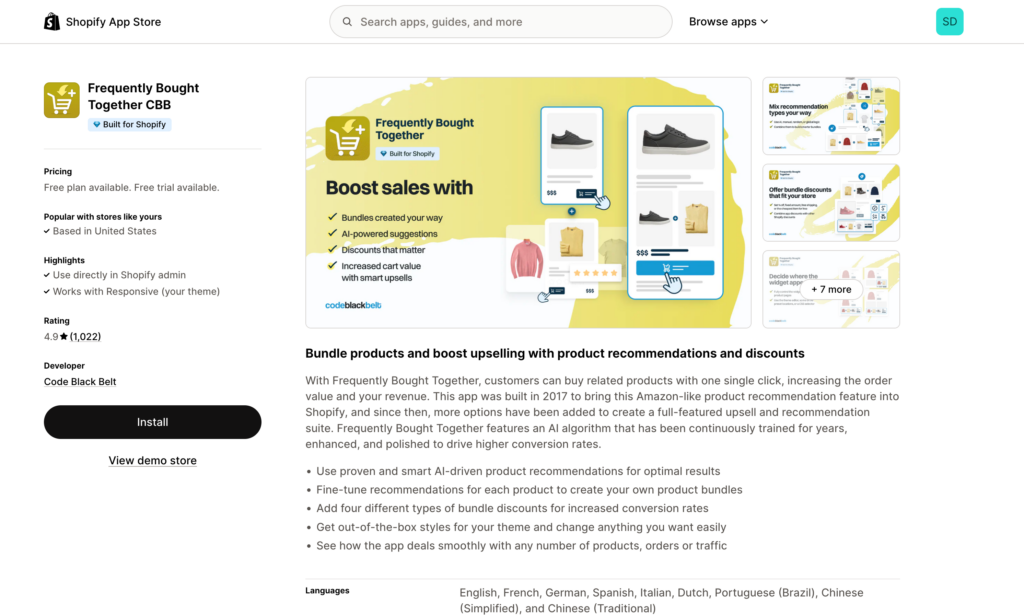
Frequently Bought Together (Free - $19.99/month)
Amazon-style product recommendations showing items commonly purchased together. Appears on product pages encouraging customers to add multiple items before checkout, increasing average order value.
Best for: Stores with natural product bundles or complementary items (electronics accessories, beauty routines, etc.).
Apps for automation & workflow optimization
These apps let you implement and scale the automation strategies from Strategy #4 without technical expertise.
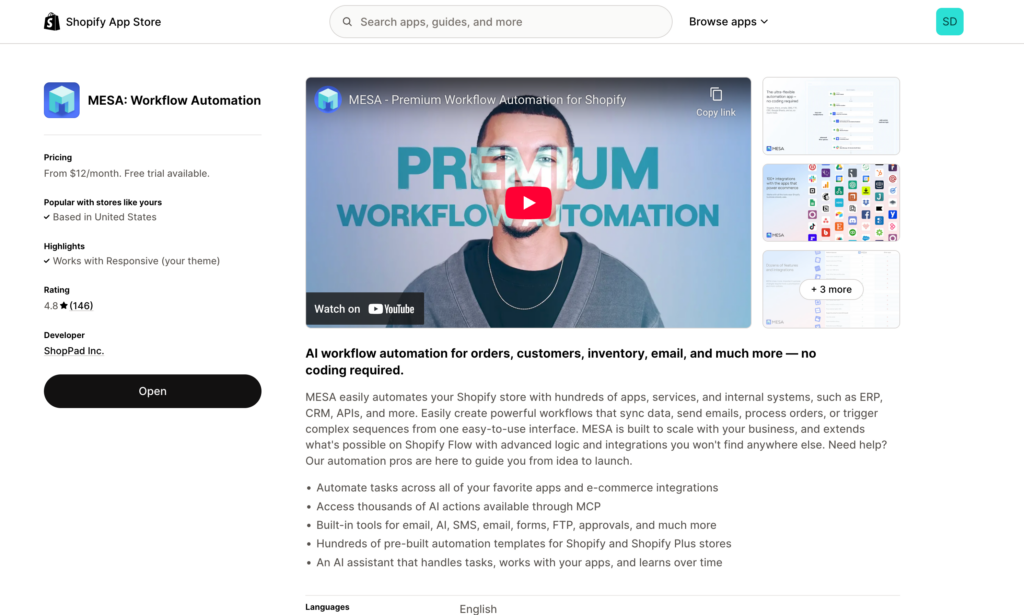
MESA ($12 - $299/month)
MESA is Shopify's most powerful automation platform for conversion optimization. Unlike general automation tools, MESA is built specifically for ecommerce with pre-built templates for review collection, abandoned cart recovery, customer segmentation, inventory alerts, and post-purchase workflows.
Why MESA for CRO:
- Automate review requests 7-14 days post-delivery with personalized timing
- Create multi-step abandoned cart sequences with conditional logic
- Segment customers automatically based on purchase behavior, AOV, or lifetime value
- Trigger inventory-based urgency campaigns when stock runs low
- Build post-purchase surveys to gather conversion insights
- Connect Shopify to 100+ apps
Key advantage: Unlimited workflows means you can automate everything without worrying about task counts or escalating costs. Most stores save 15-20 hours/week while improving consistency across all CRO activities.
Best for: Stores ready to scale CRO efforts systematically. Essential for stores doing $10k+/month who want to grow without proportionally growing their team.
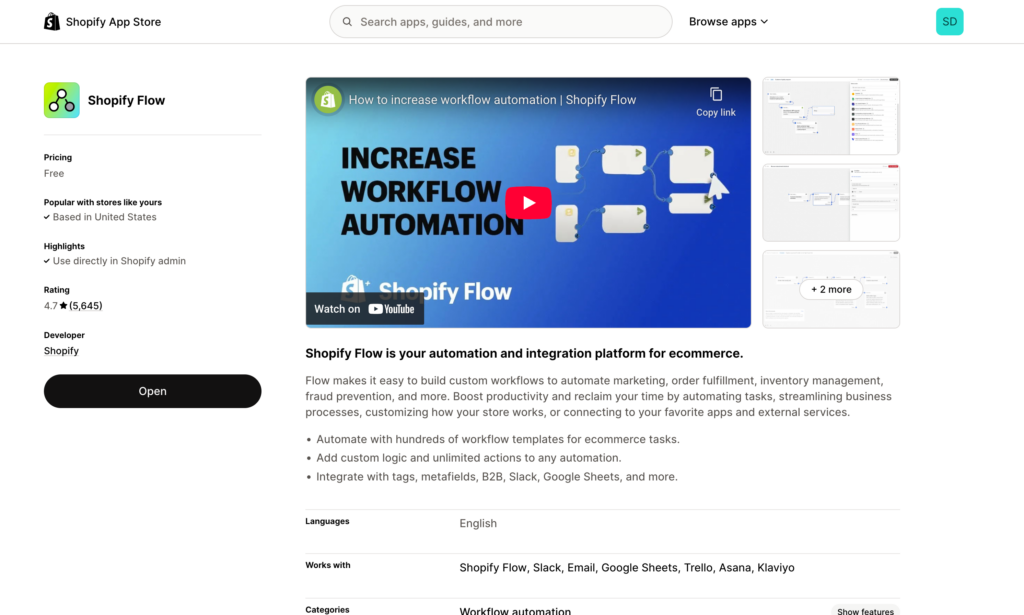
Shopify Flow (Free)
Shopify's native automation app handles basic workflows like inventory management and customer tagging. Limited compared to MESA but free and simple for basic needs.
Best for: Stores on a tight budget needing basic automation (inventory alerts, simple tagging rules).
Apps for social proof & urgency
These apps implement the trust signals and FOMO tactics that reduce hesitation and speed purchase decisions.
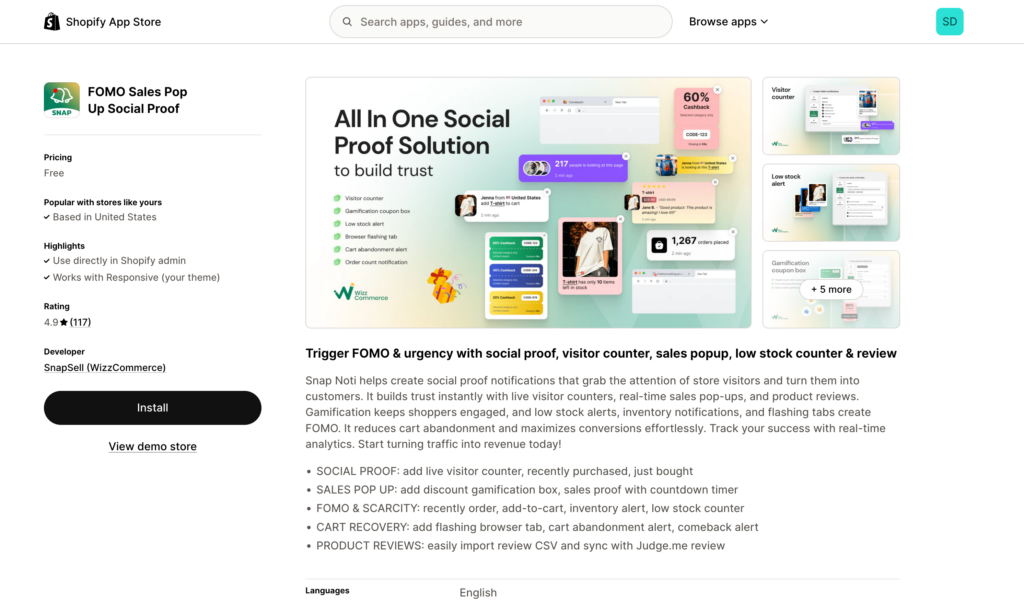
Sales Pop (Free)
Real-time purchase notifications create social proof by showing other customers buying from your store. "John from California just purchased..." notifications leverage FOMO psychology to encourage faster decision-making. Studies show 10-15% conversion lift when implemented properly.
Best for: Stores with steady sales volume (10+ orders/day) where real purchase notifications feel authentic rather than desperate.
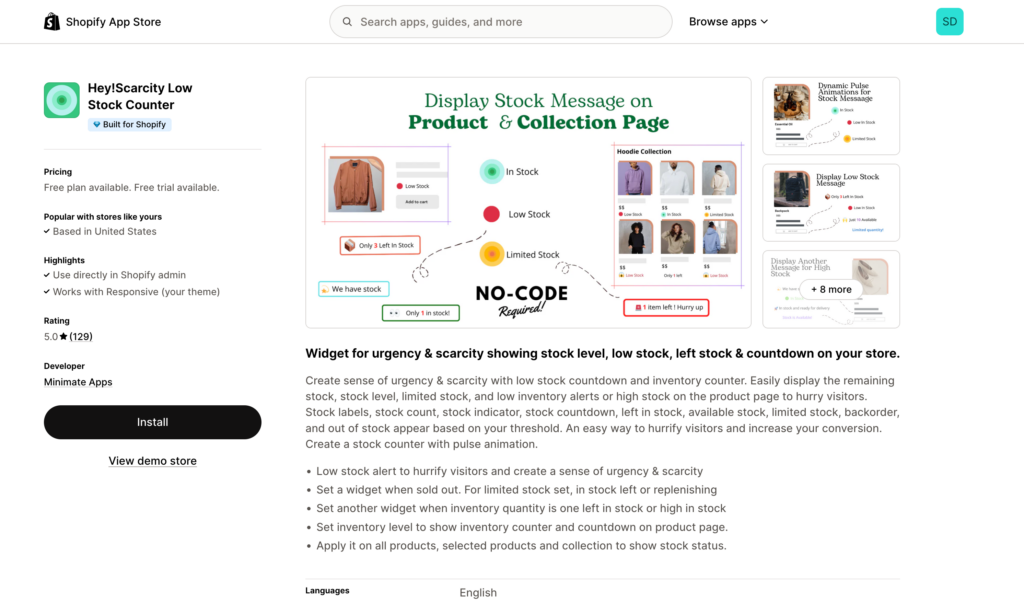
Low Stock Counter (Free - $4.99/month)
Displays low stock alerts on product pages: "Only 3 left in stock!" Creates genuine scarcity when inventory is actually low, encouraging faster purchase decisions without using discounts.
Best for: Limited inventory or high-demand products where scarcity is real, not manufactured.
The apps are tools, not magic solutions. They amplify good strategy—they don't replace it. Focus on implementing the four strategies outlined earlier, then use apps to scale and automate what's working.
💡 App selection strategy
Don't install 15 apps at once. Each app adds code that can slow your site (contradicting Strategy #3). Instead:
- Start with reviews (Judge.me) and automation (MESA) — highest ROI
- Add email (Klaviyo or Privy) after you have 500+ email subscribers
- Layer in upsells (ReConvert) once you're consistently profitable
- Test social proof (Sales Pop) only if you have sufficient order volume
Monthly app audit: Remove any app you haven't actively used in 30 days. Abandoned apps slow your site without providing value.
🧪 A/B test your app choices
Different apps work better for different stores. What converts for a fashion brand might not work for electronics.
Before committing to paid plans:
- Use free trials to test 2-3 apps in each category
- Run each for minimum 2 weeks with real traffic
- Track conversion rate, AOV, and revenue during test period
- Keep the winner, uninstall the losers
Most apps offer 7-14 day free trials specifically for this purpose.
Putting it all together: Your 90-day Shopify sales growth plan
You now have the strategies and tools. Here's exactly how to implement them in a logical sequence that compounds results without overwhelming your team.
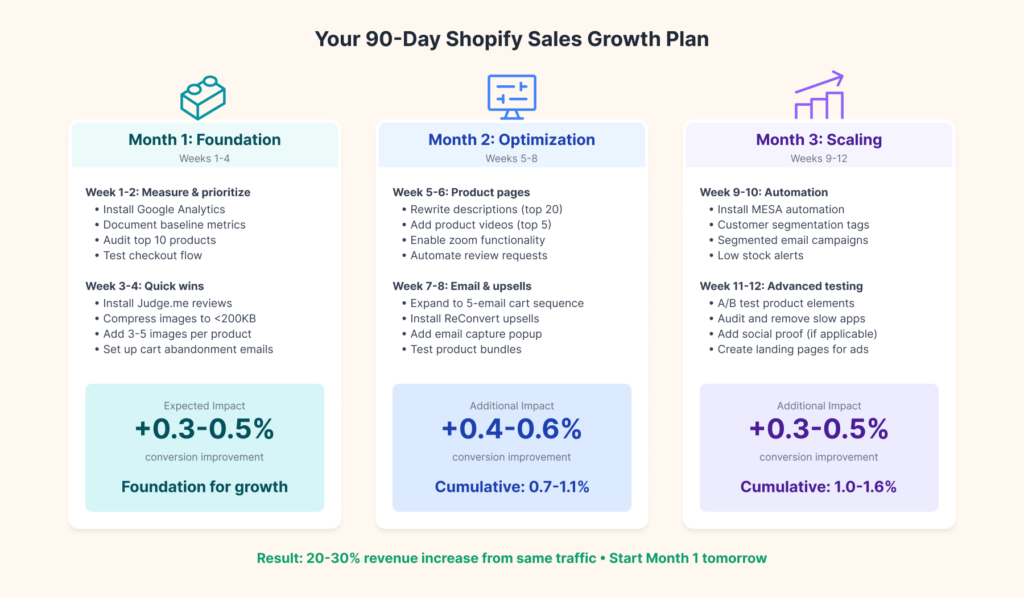
Month 1: Foundation (weeks 1-4)
Week 1-2: Measure and prioritize
- Install Google Analytics properly if not already tracking
- Document baseline metrics: conversion rate, AOV, cart abandonment rate
- Audit top 10 product pages—which have the worst conversion rates?
- Test checkout flow on mobile and desktop for friction points
Week 3-4: Quick wins
- Install Judge.me and import any existing reviews
- Compress all product images to <200KB
- Add 3-5 additional product images to your top 10 products
- Set up basic 3-email abandoned cart sequence (1 hour, 24 hours, 72 hours)
Expected impact: 0.3-0.5% conversion rate improvement
Month 2: Optimization (weeks 5-8)
Week 5-6: Product page improvements
- Rewrite product descriptions for top 20 products (benefits over features)
- Add or improve product videos for top 5 products
- Enable and test zoom functionality on all product images
- Set up automated review request emails (7 days post-delivery)
Week 7-8: Email and upsells
- Expand abandoned cart sequence to 5 emails
- Install ReConvert for post-purchase upsells
- Begin building email list with popup (OptiMonk or Privy)
- Test "frequently bought together" on product pages
Expected impact: Additional 0.4-0.6% conversion lift (0.7-1.1% cumulative)
Month 3: Scaling (weeks 9-12)
Week 9-10: Automation and segmentation
- Install MESA and migrate workflows from manual processes
- Set up customer segmentation (VIP, repeat customer, at-risk tags)
- Create segmented email campaigns for different customer types
- Implement low stock alerts for popular products
Week 11-12: Advanced optimization
- A/B test product page elements (CTA placement, pricing display, image order)
- Audit and remove unused apps slowing site speed
- Add social proof app if order volume supports it (10+ orders/day)
- Create 2-3 high-converting landing pages for ad campaigns
Expected impact: Additional 0.3-0.5% conversion improvement (1.0-1.6% cumulative)
Measuring success
Track these metrics weekly in a simple spreadsheet:
- Conversion rate (primary metric)
- Revenue (ultimate goal)
- Average order value (ensure it's not declining)
- Cart abandonment rate (should decrease over 90 days)
Compare month-over-month, not day-to-day. Conversion rates fluctuate—trends matter more than individual days.
For a store doing $20,000/month with a 2% conversion rate:
- 1% improvement = 3% conversion rate = $30,000/month (+$10,000)
- 1.5% improvement = 3.5% conversion rate = $35,000/month (+$15,000)
That's $120,000-$180,000 additional annual revenue from the same traffic and ad spend.
The compound effect
These improvements stack. Better product pages increase initial conversion. Abandoned cart emails recover lost sales. Post-purchase upsells increase AOV. Customer segmentation improves email performance. Together, they create exponential growth rather than linear improvement.
Start with Month 1 tomorrow. Don't wait for perfect—start with good enough and refine as you go.
Conclusion
Increasing Shopify sales isn't about finding one magic tactic—it's about systematically optimizing the conversion funnel while using smart tools to scale your efforts. A 1% conversion improvement can translate to 20-30% more revenue without spending another dollar on ads.
The real power comes from the compound effect. A 0.5% better conversion rate plus a $10 higher average order value plus 5% more repeat purchases doesn't equal 15% growth—it equals 40%+ revenue growth because these improvements multiply each other.
Start where you are:
- New stores (<$10k/month): Focus on product pages, reviews, and basic email automation. Get the fundamentals right before advanced tactics.
- Growing stores ($10k-$50k/month): Add systematic automation, customer segmentation, and begin A/B testing. Scale what's working.
- Established stores ($50k+/month): Implement comprehensive automation, advanced personalization, and optimize for customer lifetime value.
Remember: Apps are tools that amplify good strategy, not shortcuts that replace it. The stores that win combine solid conversion fundamentals with automation that ensures consistency at scale.
Your next steps:
- Audit your current conversion rate using the benchmarks in this guide
- Pick ONE area to improve first (start with product pages for most stores)
- Implement changes, measure results, refine based on data
- Move to the next area once you see improvement
Resources to continue learning:
- Read the complete Shopify Conversion Rate Optimization series for deeper strategies
- Try MESA free for 7 days to automate your conversion optimization workflows
- Subscribe to get notified about new CRO guides and templates
Your store's growth potential isn't limited by traffic—it's limited by how many visitors you convert. Start optimizing today.
Frequently asked questions
What is a good conversion rate for Shopify stores?
The average Shopify conversion rate is 2-3%, though this varies by industry. Fashion & Apparel averages 1.0-3.0%, Health & Beauty sees 2.5-5.7%, and Home & Garden typically achieves 1.2-1.9%. Stores converting above 3% are in the top 20% of all Shopify stores, while rates above 4.7% place you in the top 10%.
How can I increase my Shopify conversion rate fast?
Start with three quick wins: (1) Add 5-7 high-quality product images with zoom functionality, (2) Install a review app like Judge.me and begin collecting customer reviews, and (3) Compress all product images to under 200KB for faster page speeds. These changes can be implemented in 1-2 days and typically improve conversion by 0.3-0.5%.
Why is my Shopify store not getting sales?
If your conversion rate is below 0.5%, something is fundamentally broken. This could indicate technical issues (broken checkout, slow loading times), major trust problems, traffic quality issues, or severe product-market fit problems. Check your checkout flow for errors, verify your site loads in under 3 seconds, and ensure you have trust signals like reviews and security badges.
What causes high cart abandonment on Shopify?
The average cart abandonment rate hovers around 70%. The top causes are unexpected costs (shipping, taxes), complicated checkout processes, security concerns, and required account creation. A study by Weave showed that businesses that provide multiple payment options observe an almost 30% increase in revenue. Simplify your checkout and offer multiple payment methods to reduce abandonment.
Do Shopify apps really increase sales?
Yes, when used strategically. According to research by EyeView, adding video to product pages can increase conversions by up to 86%. Review apps help because 90% of customers read online reviews before making a purchase. However, installing too many apps slows your site and hurts conversions. Start with 3-5 essential apps (reviews, email, automation) before adding more.
How much do Shopify apps cost per month?
Essential apps range from free to $100/month. Judge.me reviews is free-$15/month, Klaviyo email starts free then scales with contacts, ReConvert upsells is free-$14.99/month, and MESA automation is $99/month unlimited. Most stores spend $100-300/month on apps. Focus on apps with free trials and proven ROI before committing to paid plans.
How long does it take to see results from conversion optimization?
You can see initial results within 7-14 days for quick wins like image optimization and review displays. More substantial improvements from automated workflows and email sequences typically take 30-60 days to show full impact. Aim for 1-2% cumulative conversion improvement over 90 days through systematic optimization of product pages, checkout, and automation.
What is the most important factor for increasing Shopify sales?
Product page optimization is the highest-leverage activity you can do. If you're getting 10,000 monthly visitors, 4,000-6,000 are hitting product pages first. A 1% conversion improvement can translate to 20-30% more revenue without spending another dollar on ads. Start by optimizing your top 10 products with better images, reviews, and compelling descriptions.
Should I focus on traffic or conversion rate first?
Focus on conversion rate first. Driving more traffic to a poorly converting store wastes money. Fix your conversion rate to 2-3% minimum before scaling ad spend. A store converting at 1% needs to double traffic to match the revenue of the same store converting at 2%—but the 2% store spends half as much on ads per sale.