❄️❤️ Love is in the air—and so are smarter automations! Welcome to the February edition of MESA Field Notes. This month, we’ve been busy fine-tuning workflows, rolling out seamless updates, and delivering the automation love your business deserves. No fluff—just the tools you need to keep things running smoothly.
Here’s what’s new this month:
✨ 6 new templates
Show Inventory Levels By Location On Your Product PageDisplay real-time inventory counts from each warehouse or retail location directly on your Shopify product pages. This workflow pulls current stock levels from your connected locations and presents them in a clear format, letting shoppers see exactly where items are available. The location-specific inventory data updates as stock levels change, giving customers accurate availability information before they purchase. Please note, this template runs each time the product page is loaded so we recommend the Unlimited plan.
Send Orders From One Shopify Store To AnotherManaging two Shopify stores means every order placed in one needs to show up in the other — and doing that manually is tedious, error-prone, and doesn't scale. This template automatically forwards new orders from your source store to a destination store the instant they're created, carrying over everything: customer info, line items, shipping details, discounts, and order notes. No copy-pasting, no missed orders, no lag.
Convert Shopify Draft Orders to HubSpot DealsEasily track potential sales by automatically converting Shopify draft orders into HubSpot deals. This MESA workflow template creates a new HubSpot deal for each Shopify draft order and ensures accurate contact associations. If the Shopify customer already exists as a contact in HubSpot, MESA will link the deal to the contact. If the customer doesn’t exist, MESA will create the contact in HubSpot and then associate it with the deal. Streamline tracking, minimize manual input, and maintain a synchronized, up-to-date sales pipeline across platforms.
Tag Orders with the Weather ForecastStay ahead of shipping delays by tagging new Shopify orders with the 3-day weather forecast, including high and low temperatures for the delivery zip code. Use these insights to adjust fulfillment timelines, optimize shipping, and proactively manage potential weather-related issues for a better customer experience."
Trigger Klaviyo Message When Shopify Order is DeliveredEnhance post-purchase engagement by sending a Klaviyo message when a Shopify order is marked as delivered. This template connects Tracktor with Klaviyo to trigger an email or SMS notification upon delivery confirmation, allowing you to thank customers, request feedback, or offer related product suggestions. Build customer loyalty with timely, personalized communication.
Summarize Closed Help Scout Conversations and Send to AsanaGet clear insights into the topics your customers contact support about—without reading every conversation. This template uses AI to generate a concise summary and title for closed Help Scout conversations and sends them to Asana. Easily collect, evaluate, and route issues and ideas to the right projects, improving operational efficiency.
🛟 New app: Help Scout
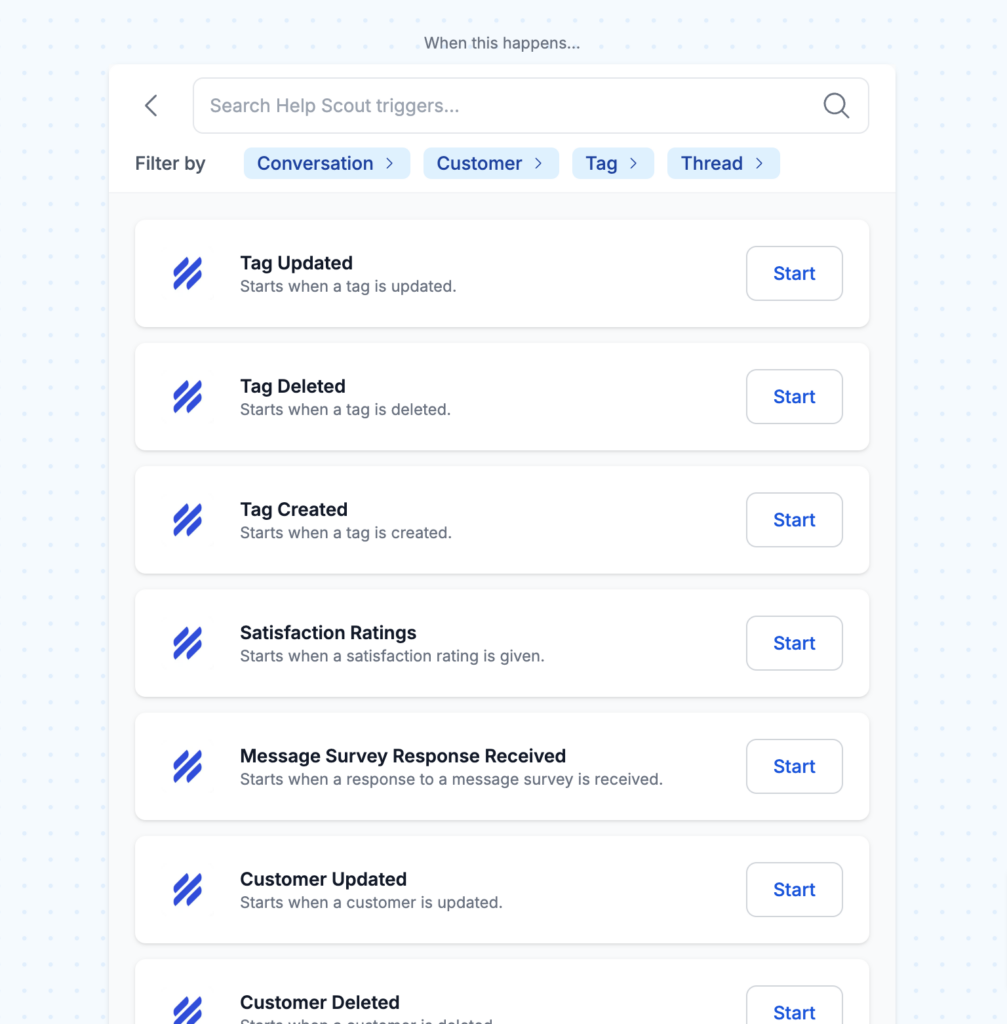
We're thrilled to announce our latest app integration—Help Scout! Now, you can boost your customer support workflows with personalized automation.
What’s possible?
Automate ticket management
Streamline customer communications
Sync support data effortlessly
Save time with hands-free workflows
Triggers & actions galore From creating conversations and tagging threads to updating customers and retrieving support data, this integration is packed with everything you need to keep customer service running smoothly.
Try these HelpScout workflow templates:
Turn Complex Help Scout Tickets into Research-Backed Customer ResponsesRoute Help Scout tickets tagged as "research needed" to Perplexity's AI research engine for comprehensive analysis. Perplexity pulls real-time data on product specifications, competitive benchmarks, troubleshooting protocols, and industry standards, then generates detailed draft responses. The researched solution appears as a note in your Help Scout ticket, ready for agent review and customer delivery.
Fetch CSV File Row Created – Now supports CSV files with over 10,000 rows for seamless data processing.
New actions:
Query Rows – Search and retrieve specific rows from your CSV file.
Add or Update Rows in CSV – Easily modify existing data or add new entries.
These actions now work just like our Google Sheets integration, featuring tokens, typeahead, and variables to make working with CSV files even easier—especially for new users.
🛠️ Improvements
We're always on the lookout to make adjustments.
Improved testing search for draft orders - Search now works in the testing section of a draft step so the user can specify a specific draft order to test with.
Added filters to actions - Locate steps faster with pre-set filter links for popular app integrations.
Hide Grammarly from MESA inputs - This popular plugin would cover variable icons and sometimes prevent you from typing in the fields.
🎵 Playlist: Burn, Baby, Burn!
Your February disco playlist is here to melt away work stress and keep you fired up to finish the month strong!
What to do next…
The fastest way to automate anything is to start with a single task.