🌧️ 🌞 April showers bring... smarter automations! Welcome to the April edition of MESA Field Notes. With spring in full swing, we’ve been nurturing new apps, simplifying everyday tasks, and expanding our library of time-saving templates. It’s all about giving you a stronger starting point—so you can go further, faster.
Here’s what we’ve been working on this month:
🪄 New built-in app: Model Context Protocol (MCP)
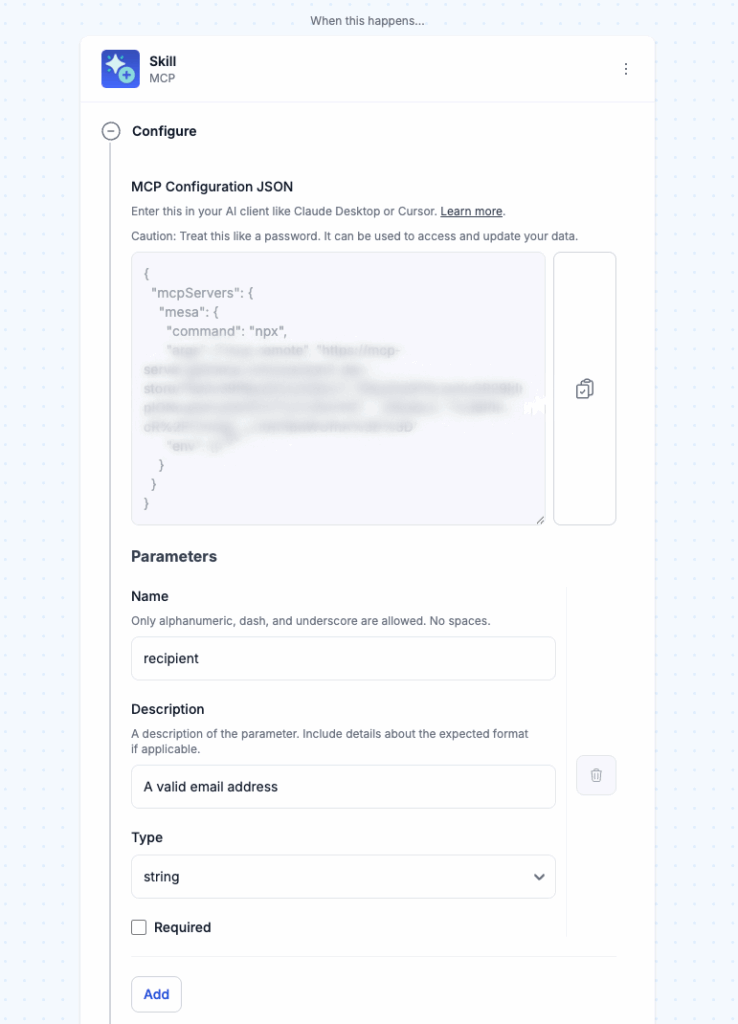
MCP gives you secure, no-code access to 4,000+ actions across your stack with a single snippet. Fetch data, automate tasks, and manage sensitive workflows with approvals, granular permissions, and full visibility—no servers or extra steps required.
Try these MCP workflow templates:
Get a 3-Day Weather ForecastGet an instant 3-day weather forecast for any location just by asking your AI assistant. When you request the weather, your query triggers MESA's MCP tool, which then uses MESA's Weather tool to return an accurate forecast directly to you. This plug-and-play template turns your AI assistant into your own personal weather forecaster.
Send a Slack MessageWith this MCP template, you can send real-time Slack messages just by chatting with your AI assistant. Say what you want to share and who needs to see it, and AI takes care of the rest—no more switching tabs, typing updates, or forgetting to notify your team.
Send a Google Calendar InviteSkip your Google Calendar interface and create live events without leaving your chat. With this MCP template, you can create and send Google Calendar invites by chatting with your AI assistant. Just say who the meeting is with and what it's about, and AI will handle the rest. No more switching tabs, filling out event details, or remembering to hit 'Send.'
Send an EmailAutomatically send a personalized email when an MCP workflow is triggered. This template uses the MCP tool as the starting point, then follows with a 'Send Email' action that delivers a message to a defined recipient. The subject and body of the email are generated by your AI agent, allowing you to quickly deliver tailored communication without manual effort. Note the required parameters for this template: to, subject, and body.
🪨 New app: Mantle
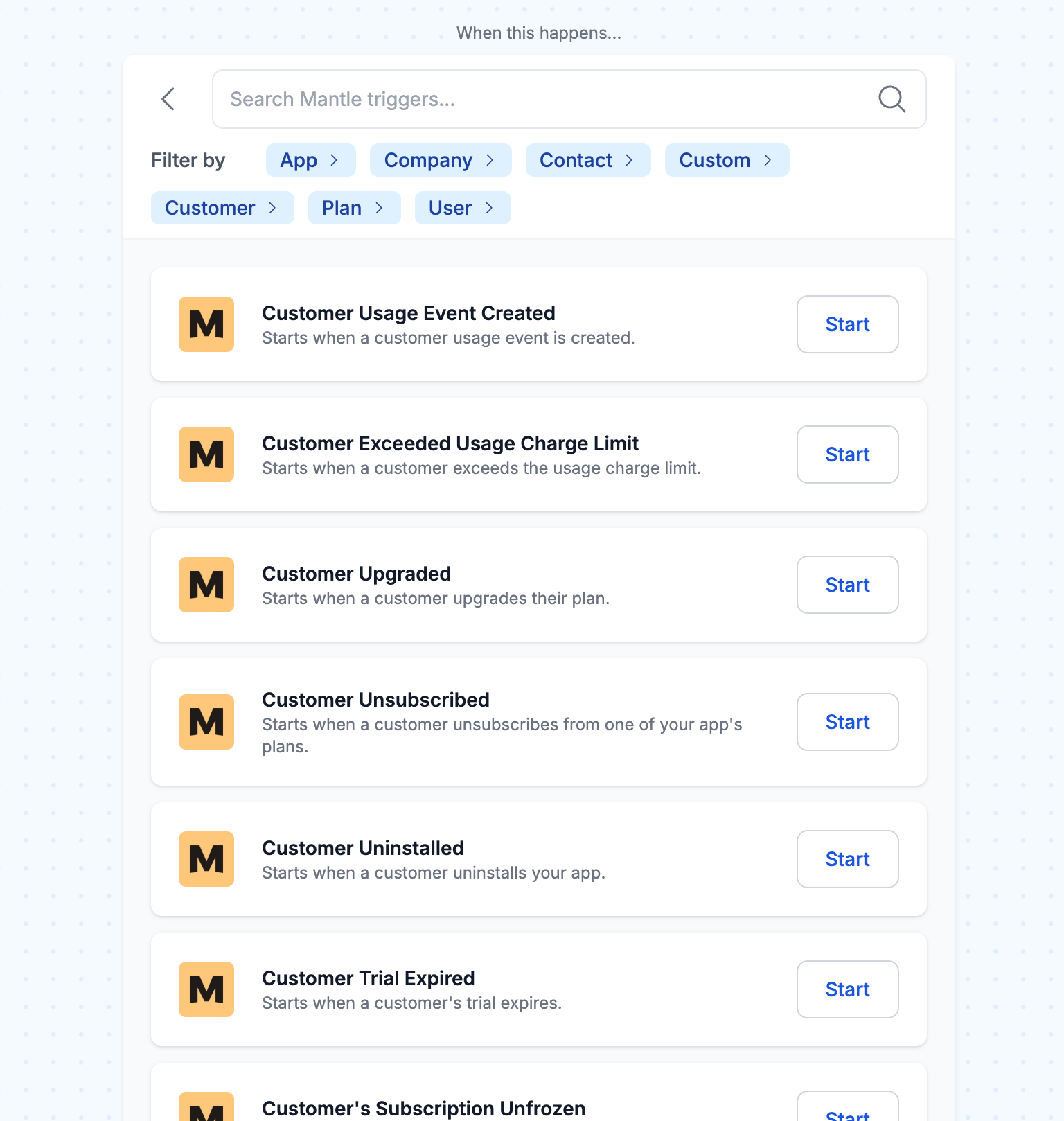
Meet Mantle, our latest app integration designed to help Shopify developers write less code. From subscription management to affiliate programs and analytics, connecting events in Mantle into your backend systems or Shopify apps directly just got a whole lot easier.
Try these Mantle workflow templates:
Get Discord Notifications When Customers Install Your Shopify AppGet instantly notified in Discord when a customer installs your app so you can welcome them, offer help, and stay connected to your growth. This template sends a real-time message when someone subscribes, allowing you to personalize onboarding and boost team momentum.
Get Discord Notifications When Customers Uninstall Your Shopify AppTurn customer uninstalls into opportunities for learning and improvement. With this template, your team receives instant Discord notifications whenever someone uninstalls your app. By staying informed in real-time, you can quickly identify trends, follow up with users for feedback, and take proactive steps to reduce churn—keeping your product and customer experience moving forward.
✨ 3 new workflow templates
Sync Odoo Product Updates to Shopify ProductsKeep your product information seamlessly aligned across Odoo and Shopify. Whenever a product is updated in Odoo, this MESA template automatically creates the product and its variants in Shopify if they don't already exist. For existing products, MESA applies any updates from Odoo to Shopify, ensuring your listings are always current. Eliminate the need for manual updates and simplify product management across platforms. Note, the SKUs in Odoo and Shopify must match exactly.
Send Odoo Order and Customer Details to ShopifySave time and eliminate the hassle of manually syncing data across platforms. This MESA workflow automatically transfers order details and customer information from Odoo to Shopify whenever a new order is created. With this automation in place, you can streamline operations and ensure both systems stay up-to-date effortlessly, letting you focus on running your business instead of managing data.
Save Etsy Product Listings to Google SheetsEasily track, organize, and manage your Etsy listings in one central location without manually checking Etsy. This template saves newly published listings to a Google Sheets spreadsheet. It is ideal for sellers who want to keep their listings organized, collaborate with a team, or integrate Etsy data with other tools. Note, use the template 'Update Etsy Listing Price from Google Sheets' in combination with this template to update titles, descriptions, and prices directly from the sheet instead of editing them in Etsy for ongoing listing management.
Curious about using AI to power your workflows? Our latest blog tutorials break it down with clear, step-by-step guides to get you started fast—no guesswork. You’ll be building smarter automations in no time.
🎵 Playlist: Spill the wine 🍷
Our April playlist is overflowing with wine-soaked jams perfect for any springtime adventure. Whether you're Team Red or Team Rosé, we’ve got your vibe covered.
What to do next…
The fastest way to automate anything is to start with a single task.