Every month, MESA is supposed to publish a "Field Notes" post: a plain-language rundown of what changed in the product that month. It's a small piece of content with an outsized job. The newest one surfaces inside the MESA dashboard itself, so it's often one of the first things a merchant sees after we've shipped something new.
In 2025, we published one every month, usually written jointly by Marketing and Product. In 2026, we didn't publish one for six months. Not because nothing shipped. Because nobody wanted to own the part of the job that made it painful. There's a special kind of irony in a company that sells automation quietly failing to automate its own release notes, and we sat in that irony for six months before doing anything about it.
TL;DR: there's a template for that
Nobody wanted the job, so nobody did it
Field Notes had lived with Marketing, and for a while that made sense: they already knew WordPress, SEO, and how to get a post out the door. But Marketing's job is acquisition, not retention or activation, and a monthly product recap is squarely the latter. So we tried handing it to Product, who actually knew what had shipped and why it mattered.
Product didn't want it either, and not out of laziness. Learning and owning a WordPress publishing system, on top of everything else on a PM's plate, wasn't a good trade for a once-a-month post. Marketing could turn one around in a couple of days. For Product, doing it right, gathering the screenshots, writing it up, formatting it for SEO and AEO, wiring up embeds, would have taken closer to a week. None of it was hard. All of it was tedious, and tedious work with no clear owner is exactly the kind of work that quietly stops happening.
WordPress had to die for reasons that had nothing to do with this
Around the same time, we were dealing with a separate WordPress problem that had nothing to do with Field Notes: our WordPress infrastructure had become a source of random, occasionally critical, breakage. We made the call to shut it down entirely and migrate every article, 250+ of them, into the same repo as the main site: a single Svelte codebase deployed through GitHub.
That move solved the infrastructure problem it was meant to solve. It also did something we didn't fully appreciate until later.
When your marketing content lives in a single repo instead of fragmented across systems, a lot of options open up that a CMS doesn't give you.
Moving to a code repo almost made things worse
With the migration done, our product team asked what it would actually take to start doing Field Notes again. My first instinct was to be honest with them: if WordPress had been too much process for Product to want to own, moving the whole thing into a code repo wasn't an improvement.
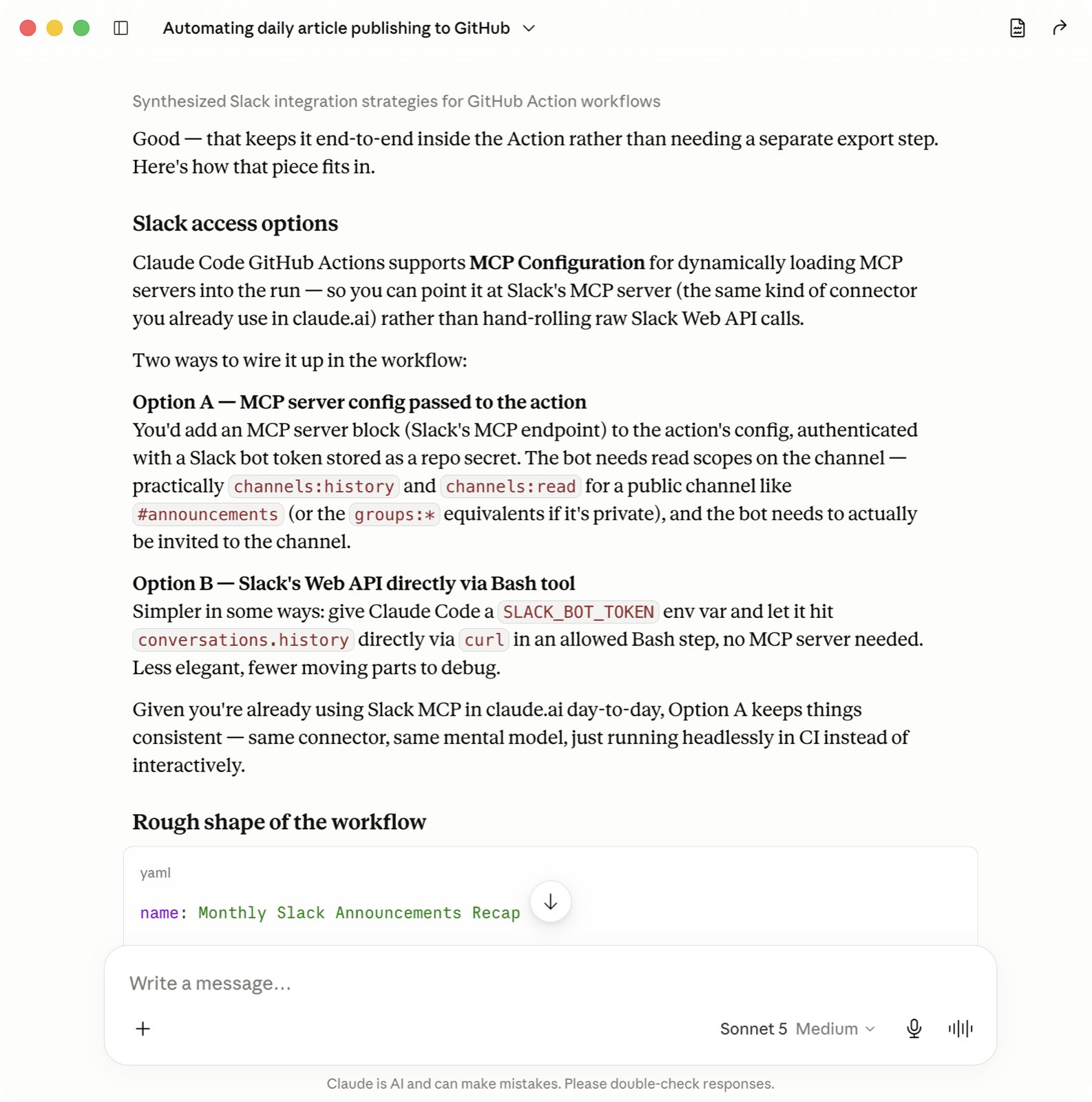
So instead of training them on the new system, I started with a simple conversation in Claude:
What's the best way to automate a monthly recurring blog article sourced from messages in a specific Slack channel?
Neither of us fully knew the answer going in, and talking it through with Claude is how I landed on the shape of it, source, scopes, and all, before a single line of it existed.
The whole system fits in five files
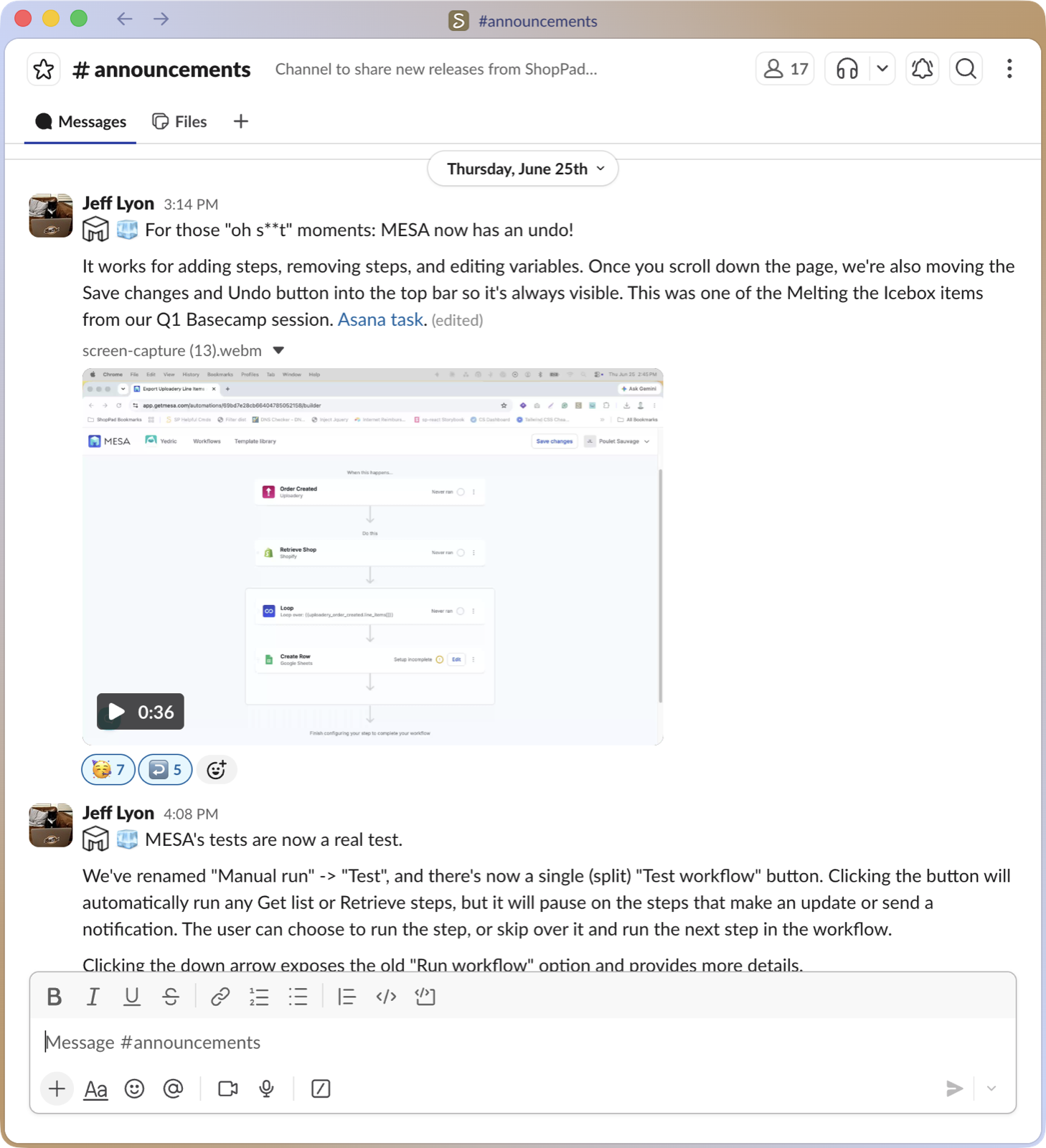
The source of truth was easy to agree on: #announcements, the internal Slack channel where product changes get posted as they ship. It's the same channel Marketing and Product had always pulled from by hand, so at least that part didn't change.
Everything downstream of that channel is five files, and that's the whole system:
monthly-blog-article.yml, a GitHub Actions workflow on a cron schedule for the 1st of each month, with a manual trigger input for a specific month so we can run it on demand too.fetch-slack.py, a small, deterministic script that fetches that month's Slack history, resolves display names, pulls out links and other key details, and downloads any image or video attachments. It makes zero editorial decisions, it just gathers.- A Claude Code step, defined right in the workflow file, that reads that raw dump and does the actual authoring: deciding what's customer-relevant, grouping it into sections, matching the site's existing voice, and embedding widgets and media references.
CONTENT_CHECKLIST.md, the same checklist every article on this site gets checked against, which Claude runs the draft through itself before anything opens.open-pr.sh, which commits the new blog article and opens the pull request, checklist results, flagged items, and all for human review.
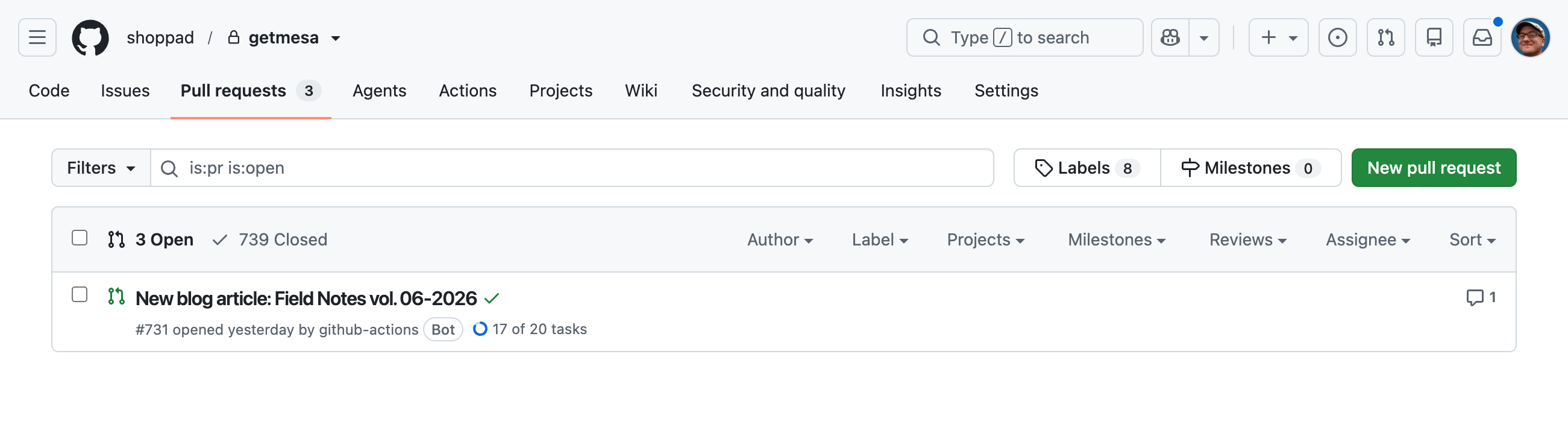
The pull request that comes out the other end is never labeled "ready to merge." It drafts brand-new prose from raw chat messages, not copy that's already finished, so every post gets read in full before it merges, not skimmed.
How this automation works
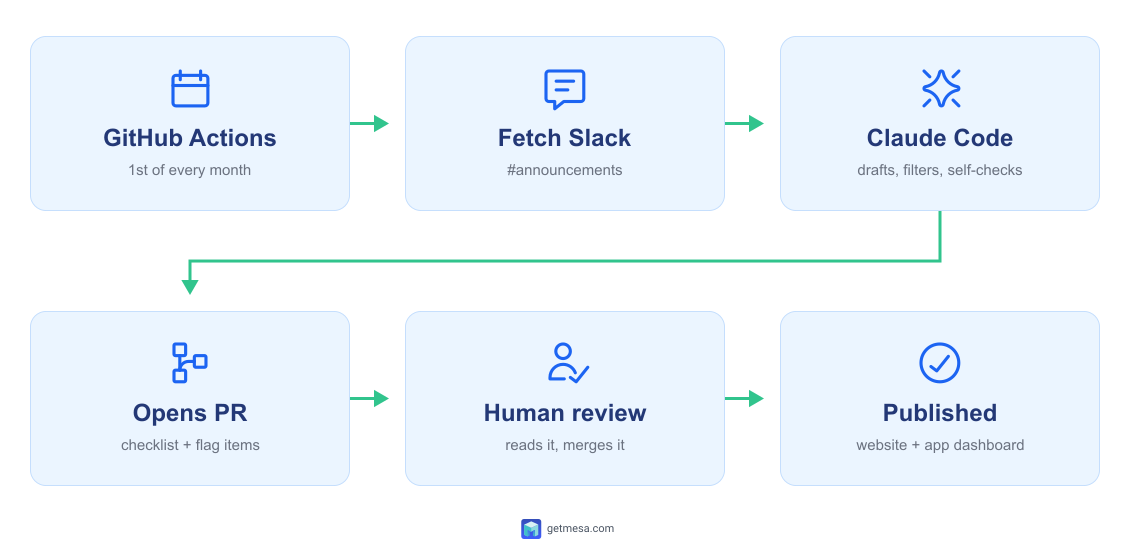
- GitHub Actions triggers the workflow. A cron schedule fires on the first of each month. There's also a manual trigger input for running a specific month on demand. The workflow file lives in
.github/workflows/alongside the Python script, and three repo secrets stored in Settings > Secrets and Variables provide the credentials each step needs:ANTHROPIC_API_KEY,SLACK_BOT_TOKEN, andSLACK_CHANNEL_ID. - Fetch Slack. The Python script connects to the Slack API using a custom Slack App Bot set up in the workspace with the right OAuth permission scopes (
channels:history,users:read,files:read) and invited to#announcements. It fetches that month's messages, resolves user IDs to display names, extracts links and metadata, and downloads any attached files. No editorial decisions anywhere in it, it just gathers. - Claude Code prompt. Defined directly in the
.ymlfile, the prompt reads the raw Slack dump and does the actual authoring: deciding what's customer-relevant, structuring sections, matching the site's voice, filtering out anything that shouldn't be public, and flagging anything it isn't sure about for human review instead of guessing.CONTENT_CHECKLIST.mdruns as part of the same step and gates the draft before anything moves forward. - Open PR.
open-pr.shcommits the new article, pushes to a new branch, and opens a pull request with the checklist status, flagged items, and a log of anything that was filtered out and why. - Human review. Actual staff reads the draft before it ships. This is our chance to confirm the details are accurate, catch anything that got missed in
#announcementsin the first place, and add any humanizing content sections that weren't derivable from a Slack export. - Publish. Merging the PR is the publish step. The site deploys automatically, and the newest Field Notes post surfaces inside the MESA dashboard.
Claude also wrote most of the scripts. Many times, I felt more like Claude's asisstant by handling the actions it couldn't perform on it's own. I described what the workflow needed to do and it identified the right Slack API scopes, suggested where to store the credentials and why (repo secrets, not hardcoded), and drafted the initial CONTENT_CHECKLIST.md by analyzing the existing articles in the repo. I layered in the judgment-call items after, the things a published article doesn't make obvious until you've had to catch one manually.
Gotchas learned
None of what follows was obvious going in. Most of it only showed up once real Slack history and a six-month backlog hit the automation.
Private files fight you every step of the way
Public, hosted image URLs are easy: download, rehost, done. Slack attachments aren't public like that, they sit behind url_private links that only resolve with the bot token's files:read scope, which we hadn't provisioned on the first pass. We had to add that scope and add a download step before any of it worked. If you're pulling from anything private, budget time for this. It's never as simple as the public-API case you tested against first.
It will publish your coworkers' email addresses if you let it
Screenshots and chat messages carry names. Running six months of backlog through the automation in one sitting turned up a real screenshot with real employee email addresses visible in it, onboarding screenshots with a personal name in frame, and a test store name that needed a second look before we trusted it wasn't a customer's. None of that made it into a post. We didn't leave this to chance: the instruction to exclude anything that could identify a person or a store is written directly into the prompt, not bolted on after the fact. If your source data is internal chat, assume it's dirtier than you think and check for it explicitly, don't just hope your filtering step catches it.
Teach it to stop and ask, not guess
When a Slack message announces a new MESA template but the link in it doesn't resolve to a real template slug, there's no reliable way to guess the right one from the text alone.
The fix: don't let the automation guess. It flags the message for a human to look up and resolve instead. A broken template link is worse than an incomplete draft, and "worse than incomplete" is the bar for anything you let an AI system decide on its own.
Automating the boring stuff surfaces bugs you weren't looking for
Working through the backlog also turned up a couple of small, unrelated bugs on pages nobody had looked at closely in months, the kind of thing that hides indefinitely until something forces you to open the file again. Fixing them wasn't the goal, but it's a common side effect of finally automating something you'd been avoiding.
Six months of backlog, gone before midnight
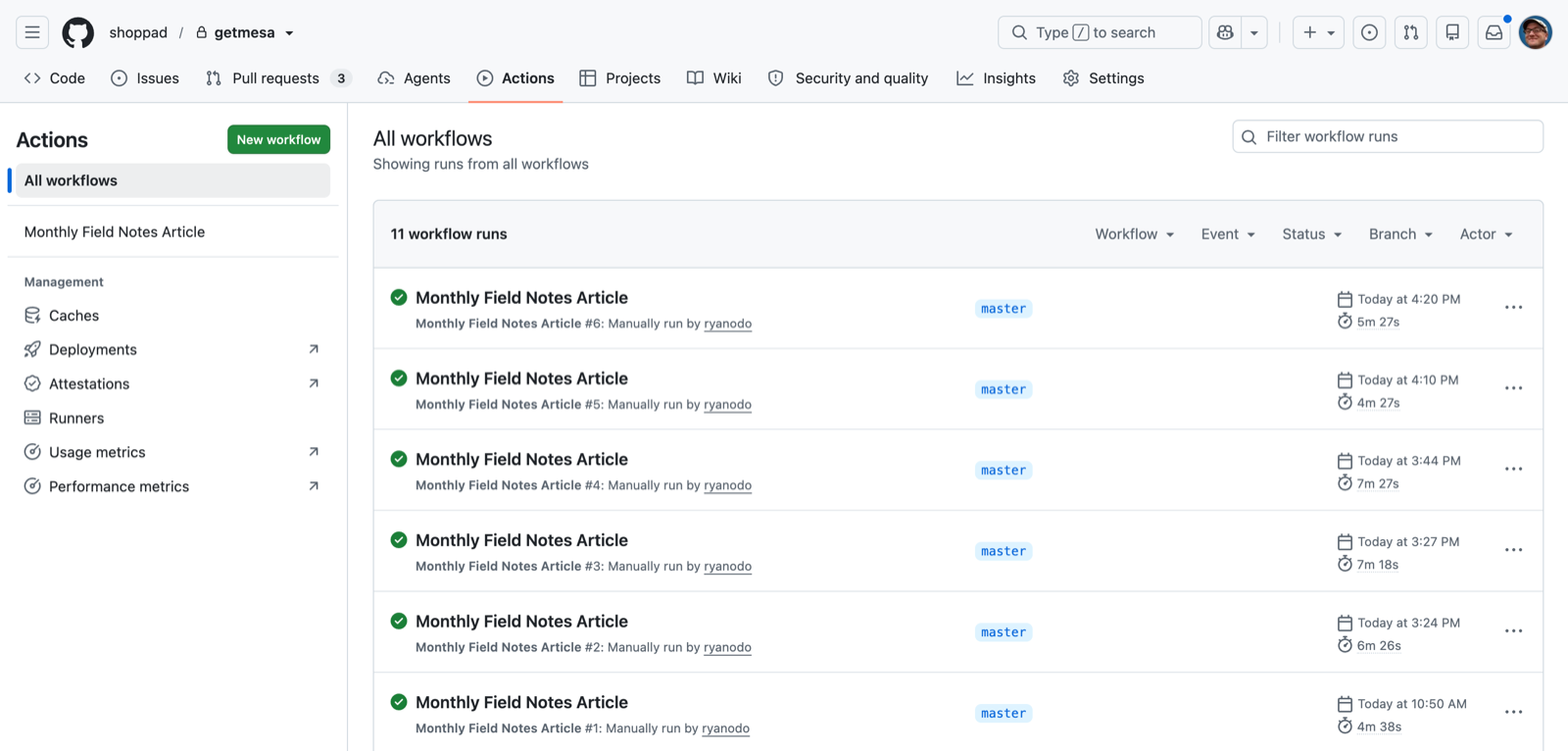
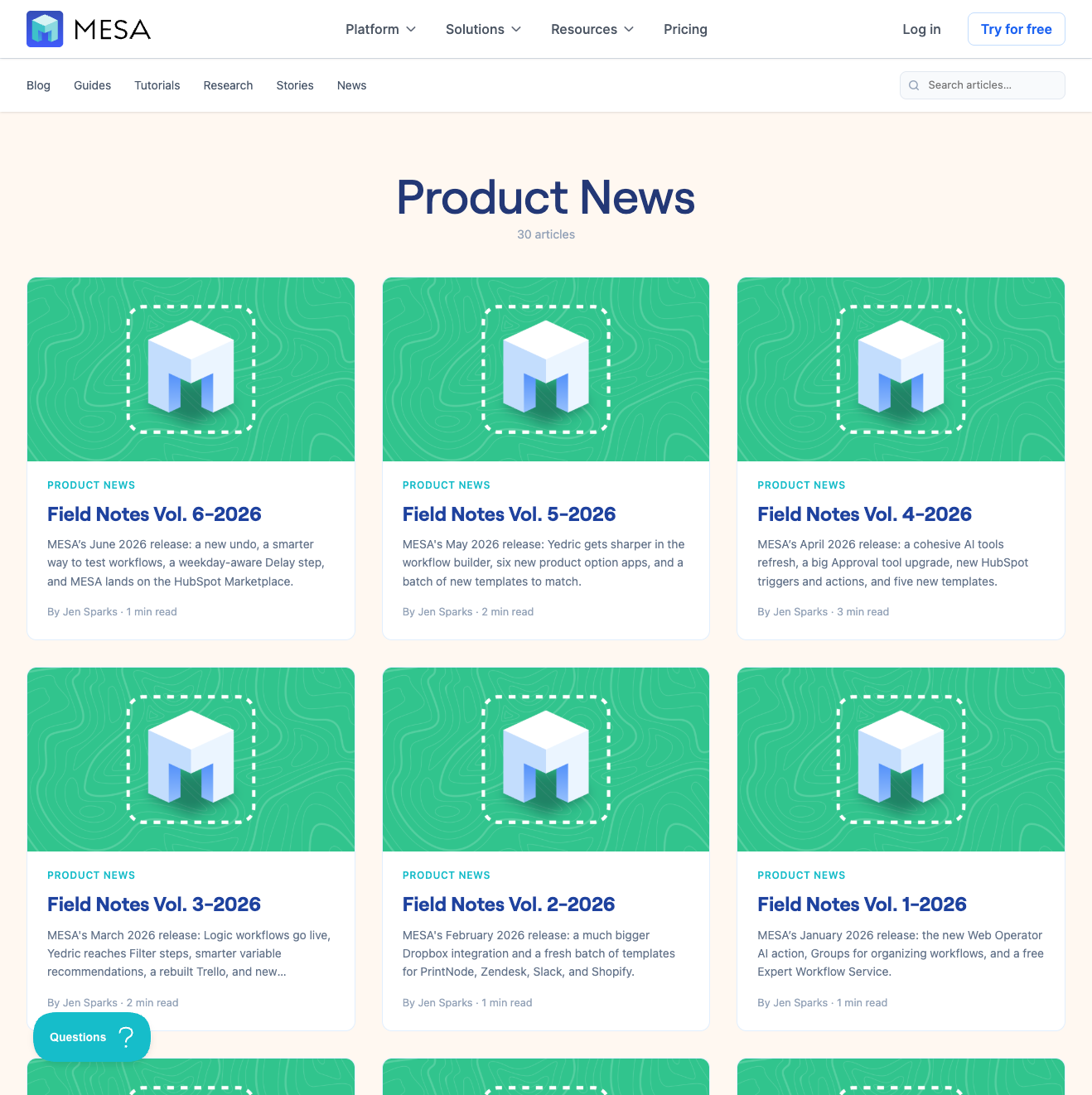
Once the automation itself was reviewed and merged, I ran it six times in a row, once for each month we'd missed. Each run opened its own pull request with its own checklist status and its own flagged list: what got filtered out and why, which content needed a second look, which screenshot got intentionally left out and why. Reading and merging six of those took an evening. Writing six of those by hand, at roughly a week apiece, would have taken most of a quarter.
The one thing we never let it touch
The prompt does not add one specific thing: our team's monthly, highly-curated, Spotify playlist at the bottom of each post. That's called out as a human editorial touch, not something derivable from a Slack export, and it's stays that way on purpose.
Everything tedious moved into the automation: fetching, filtering, drafting, checking the draft against our own publishing checklist, and flagging what it isn't sure about. What's left for a person is the part a checklist can't do for you: does this read like MESA and not like a generic summary, and is there anything else worth sharing with our customers?
So the next time you open MESA and this month's Field Notes is already waiting on your dashboard, that's this automation. It's finally timely, and someone still read the whole thing before it went out.