If you are comparing automation tools, the short version is this: Zapier is one of the easiest ways to automate tasks across a large app ecosystem, and it remains a strong choice for general business workflows. But for Shopify merchants and ecommerce operators, a broad automation platform is not always the fastest route to reliable store operations. When your automations affect orders, inventory, fulfillment, tagging, customer messaging, and revenue, the real question is not just “Can this connect?” but “Will this fit how ecommerce actually works?”
Here’s the practical answer: Zapier is a no-code automation platform that connects thousands of apps using triggers and actions. It’s best for cross-functional business automation, simple integrations, and teams that want to move quickly without code. However, merchants with heavier Shopify workflow needs often need a more commerce-aware platform like MESA’s Shopify automation platform, which is designed to automate store operations, reduce manual work, and let teams describe what they need accomplished in plain English.
What Zapier does well
Zapier’s core strength is accessibility. It gives non-technical teams a way to create automations between apps without needing custom development. In a typical Zapier overview, the same benefits come up again and again for good reason:
- large app library
- no-code workflow builder
- multi-step automations
- filters, paths, and logic
- webhooks and AI-assisted workflow creation
- support for internal business processes across marketing, sales, IT, and operations
For many companies, that is enough. If you need to move form entries into a spreadsheet, create Slack alerts, or sync lightweight data between SaaS tools, Zapier is often a fast and sensible choice.
"65% of organizations now use workflow automation platforms, achieving an average return on investment (ROI) of 400% within the first year."AdAI’s 2026 workflow automation statistics
That said, ecommerce teams usually face a different kind of complexity than a typical back-office automation buyer.
Why ecommerce teams evaluate Zapier differently
Shopify merchants do not just automate “tasks.” They automate revenue-critical operations:
- tag high-risk or VIP orders
- route fulfillment exceptions
- sync inventory across systems
- notify teams when product thresholds are hit
- trigger post-purchase follow-up
- update ERPs, CRMs, shipping tools, and support apps
- prevent overselling and stale data
Those workflows are rarely one clean trigger followed by one clean action. They usually involve conditions, retries, timing logic, app-specific edge cases, and human visibility when something breaks.
"As of July 1, 2026, the Shopify App Store hosts over 8,310 apps, with the average Shopify store utilizing 7.4 apps."Store Census Shopify app statistics
That number matters. The more apps a merchant uses, the more fragile operations become without purpose-built automation. This is exactly where a general-purpose tool can start to feel stretched.
Zapier features: the practical breakdown
1. Large integration ecosystem
Zapier’s biggest advantage is breadth. Its current messaging emphasizes 9,000+ app connections, making it one of the broadest automation ecosystems available. If your stack spans many departments, this is valuable.
For ecommerce teams, however, breadth is only part of the story. You also need depth in the systems that run your store every day.
2. Multi-step workflows
Zapier supports more than simple one-trigger automations. Paid plans allow multi-step flows with logic, formatting, delays, and branching. That makes it much more capable than entry-level automation tools.
This is useful for workflows like:
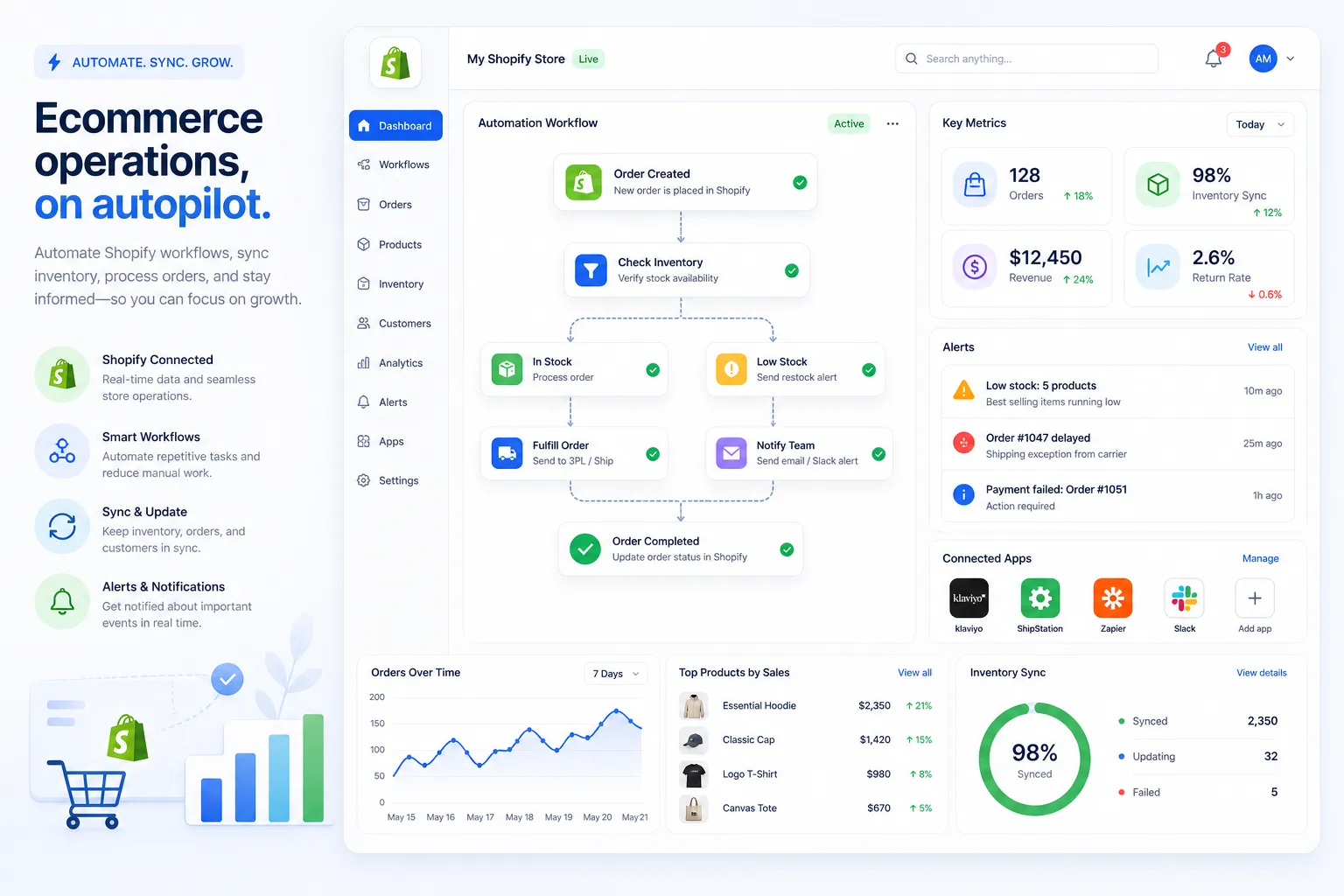
- when an order is created, check value
- if value exceeds threshold, tag order
- send alert to Slack
- update a spreadsheet
- notify support or ops team
3. AI workflow assistance
Zapier now includes AI features, AI fields, Agents, MCP, and workflow-building assistance. This reflects the broader shift from simple automation to AI orchestration.
Still, many ecommerce teams do not want to piece together AI features across separate products. They want to describe what they need accomplished and get a live workflow that fits Shopify operations quickly. That’s where MESA's AI stands out: it is built around turning plain-English requests into working automations for real store use cases.
4. Tables, Forms, and broader platform tooling
Zapier has expanded beyond classic Zaps. It now includes built-in forms, tables, and AI-related platform tools. That can reduce tool sprawl for some businesses.
For merchants, the question is whether these additions help with store operations or just expand the platform footprint. If your bottleneck is order management, fulfillment, inventory sync, or customer follow-up, ecommerce-specific workflow support often matters more than having more generic building blocks.
Zapier pricing: what buyers should watch carefully
Zapier pricing has evolved into a wider task-based model across workflows, AI steps, code, and related platform usage.
Here is the simplified view based on Zapier’s current public pricing:
Plan | Starting Price | Typical Fit | Key Limits / Notes |
|---|---|---|---|
Free | $0 | Testing and very simple automations | 100 tasks/month, two-step workflows |
Professional | From $19.99/month | Individuals and small teams | Multi-step workflows, premium apps, webhooks |
Team | From $69/month | Collaborative teams | Shared workflows, 25 users, SSO |
Enterprise | Custom | Large organizations | Governance, observability, advanced admin controls |
The real issue with task pricing
Task-based pricing is easy to understand at first and harder to predict later.
If you run a low-volume business process, the model feels affordable. But in ecommerce, every extra step in a workflow can multiply cost:
- one order event triggers multiple downstream actions
- each action may count separately
- errors, retries, or additional AI steps can increase usage
- high-order-volume stores can scale into expensive tiers quickly
This does not mean Zapier is overpriced for everyone. It means merchants should estimate usage based on actual order flow, exception handling, and reporting needs, not just the price shown on the plan page.
Pros and cons of Zapier
A fair zapier review should be clear about both sides.
Pros
- Very easy to start with: strong no-code experience for non-developers
- Massive app library: useful for companies with broad SaaS stacks
- Flexible workflow logic: multi-step automations, filters, paths, and webhooks
- Good for many departments: marketing, support, sales, IT, and ops can all use it
- Growing AI feature set: helpful for experimentation and broader orchestration use cases
Cons
- Costs can rise fast with volume: especially for stores with many order-triggered workflows
- Generic, not Shopify-first: broad app coverage does not automatically equal deep ecommerce fit
- Can become harder to govern over time: lots of small automations can create sprawl
- Workflow reliability depends on external apps and APIs: this is true of most automation tools, but it matters more when orders are involved
- Not always the fastest path for operational teams: if you need inventory sync, fulfillment logic, or post-purchase flows, a purpose-built option may reduce setup time and risk
Best use cases for Zapier
Zapier is a smart choice when you need:
Cross-functional SaaS automation
Examples:
- lead form to CRM
- Slack alerts for new tickets
- spreadsheet updates
- sales notifications
- handoffs between business tools
Lightweight ecommerce-adjacent workflows
Examples:
- send a notification when a Shopify order appears
- log order data in Google Sheets
- notify a team channel about support or product events
Fast experimentation
If your team wants to test process automation quickly without engineering help, Zapier is still one of the most accessible platforms available.
Where Zapier starts to fall short for Shopify merchants
This is where most competitor content stays too generic. They explain features, pricing, and integrations, but gloss over the daily reality of running a store.
What competitors get wrong
Most reviews treat all automation tools as interchangeable. They are not.
For an ecommerce operator, the evaluation should include questions like:
- How fast can my team automate repetitive Shopify tasks without a developer?
- Can the platform handle complex multi-step logic around orders, inventory, and fulfillment?
- Will it help reduce manual backlog, not just connect apps?
- Can it prevent errors like broken data flows, delayed alerts, or overselling?
- Is support actually helpful when workflows affect live operations?
- Can we launch proven workflows quickly instead of building every process from scratch?
General automation reviews often miss those questions because they are written for a broad business audience, not store operators.
Why MESA is often the better fit for ecommerce automation
If Zapier is the broad automation layer, MESA is the operational automation layer built for Shopify merchants.
That difference matters.
MESA is Shopify-first
MESA is designed around the workflows merchants actually run, including:
- order tagging and routing
- inventory sync
- post-purchase customer follow-up
- fulfillment operations
- reporting and alerting
- data movement across ecommerce systems
Instead of adapting a general-purpose tool to fit store operations, you use a platform already shaped around them.
You can describe what you need accomplished
This is one of the biggest practical advantages. MESA lets teams explain the outcome they want in plain English, then turns that request into a live workflow. That removes friction for busy operators who know the process they need, but do not want to spend hours designing every step manually.
It supports complex multi-step automations
As operations grow, workflows become less linear. You may need conditions based on order tags, customer segments, product types, inventory states, shipping events, or downstream app responses. MESA is built to support that complexity without requiring custom development.
It connects with the ecommerce stack merchants actually use
MESA supports 100+ apps and ecommerce tools, plus 300+ ready-made templates to accelerate setup. That makes it easier to automate common store processes without reinventing them from scratch.
If your focus is reducing manual work in Shopify operations, the MESA automation templates library can often get you live much faster than a blank-canvas approach.
It helps prevent operational errors
In ecommerce, bad automation is worse than no automation. A broken order flow, missed alert, or unsynced inventory count can create customer issues fast. MESA is designed to help merchants reduce those risks while scaling operational complexity more safely.
Human support is part of the value
One of the most overlooked buying criteria in automation is support quality. MESA provides real human help for workflow setup and optimization, which is especially important when automations affect customer experience and revenue.
Zapier vs MESA: a merchant-focused comparison
Category | Zapier | MESA |
|---|---|---|
Core positioning | General automation platform | Shopify-first ecommerce automation platform |
Best for | Broad SaaS workflows across departments | Store operations, order workflows, inventory, fulfillment, customer experience |
Workflow creation | No-code builder, AI assistance | Plain-English workflow creation plus Shopify-focused automation tools |
App ecosystem | Very broad | Focused on ecommerce-relevant integrations and workflows |
Templates | Yes | 300+ ready-made ecommerce templates |
Operational fit for Shopify | Moderate to good, depending on use case | Strong |
Support for merchants | Standard tiered support | Real human support for setup and optimization |
Ideal buyer | Cross-functional business team | Shopify merchant, ecommerce ops lead, fulfillment team, scaling brand |
For a more direct side-by-side breakdown, MESA also offers a detailed comparison of MESA vs Zapier for Shopify automation.
A realistic decision framework
If you are deciding between Zapier and a more specialized platform, use this framework:
Choose Zapier if:
- you need broad business automation across many non-commerce apps
- your workflows are relatively simple
- you want a familiar no-code automation tool with wide app coverage
- Shopify is only one part of a larger cross-department automation strategy
Choose MESA if:
- Shopify operations are central to your business
- your team wants to automate repetitive store work without a developer
- you need reliable multi-step workflows for orders, inventory, fulfillment, and customer follow-up
- you want to reduce manual operational backlog fast
- you would rather describe what you need accomplished than build every flow from scratch
- you want templates and human support tailored to ecommerce
Final verdict
Zapier is still a strong and credible automation platform. It is easy to use, widely adopted, and flexible enough for many business workflows. For general operations, it earns its place.
But if your search for a zapier review is really about finding the best automation platform for a Shopify business, the better answer may be to move past general-purpose tooling sooner. Ecommerce teams need more than connections. They need operational automation that matches how stores actually run.
That is why MESA is often the logical next step for growing merchants. It helps teams automate repetitive Shopify tasks without requiring a developer, launch workflows quickly from plain-English requests, reduce manual work, improve order handling and reporting, connect key apps, and scale with fewer operational bottlenecks.
If you are ready to automate store operations more efficiently, start with MESA’s free trial or explore its templates and ecommerce workflow solutions on getmesa.com.
FAQ
What are the features of Zapier?
Zapier’s main features include app integrations, multi-step workflows, triggers and actions, filters, paths, webhooks, AI tools, tables, and forms. It is designed to help non-technical teams automate work across many SaaS apps without custom code.
What are the pros and cons of Zapier?
The biggest pros are ease of use, a very large integration library, and flexible no-code automation. The main cons are task-based pricing that can rise quickly, workflow sprawl, and a less specialized fit for Shopify operations.
How does Zapier pricing work?
Zapier uses a task-based pricing model, where successful actions consume tasks from your monthly plan. As workflows become more complex or higher volume, usage can increase quickly, especially for ecommerce businesses with many order-driven automations.
Is Zapier more expensive than Make?
It depends on workflow complexity and volume. In many cases, Zapier can become more expensive at scale because each successful action contributes to task usage, while other platforms may price usage differently.
What are the four types of workflows?
A practical way to think about workflows is: linear workflows, conditional workflows, approval workflows, and event-driven workflows. Ecommerce teams often use a mix of all four for order routing, inventory sync, alerts, and customer follow-up.
