Slack Workflow Automation for Faster Team Ops
-
- •
- Jun. 21, 2026
- •
- 11 min read

If your team already lives in Slack, your operations should not have to leave it just to get work done. That is the promise of slack workflow automation: turning repetitive requests, approvals, alerts, and cross-tool updates into structured processes that run faster and with fewer mistakes.
For Shopify merchants and ecommerce operators, this matters even more. Order issues, inventory exceptions, fulfillment delays, fraud reviews, and customer follow-up often start as messages in Slack, but the actual work still gets handled manually across multiple tools. That disconnect creates backlog, missed handoffs, and preventable errors.
In simple terms: Slack workflow automation is the practice of using Slack as the front end for operational work, then triggering automated steps behind the scenes. The best setups collect the request in Slack, route it to the right people, connect it to the right systems, and complete the task without requiring a developer every time something changes.
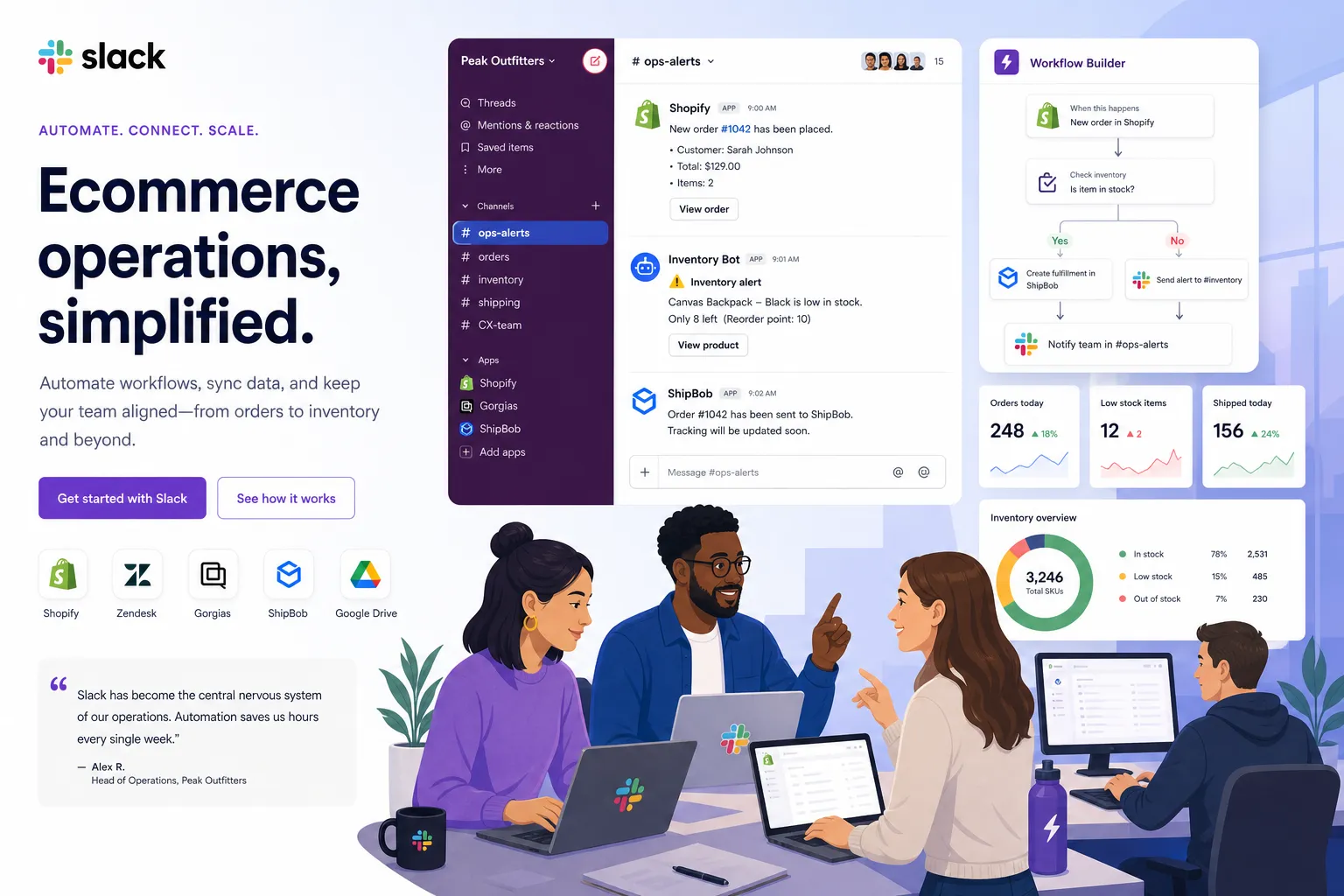
Table of Contents:
Why operations teams are leaning harder on Slack
Most teams do not need more notifications. They need fewer manual steps between spotting an issue and resolving it.
Competitor content from Slack and Ravenna gets one thing right: Slack is now a real operating surface for teams, not just a chat app. Common workflow use cases include approvals, access requests, onboarding, incident triage, and channel management. But for ecommerce brands, the bigger opportunity is operational: using Slack to coordinate the work that keeps revenue moving.
That includes:
-
notifying ops when high-risk orders appear
-
escalating low-stock products before overselling happens
-
routing fulfillment exceptions to the right warehouse or 3PL contact
-
posting daily performance summaries to shared channels
-
collecting approvals for refunds, reships, or discount exceptions
-
syncing updates between Shopify and tools like Google Sheets, ERPs, CRMs, and help desks
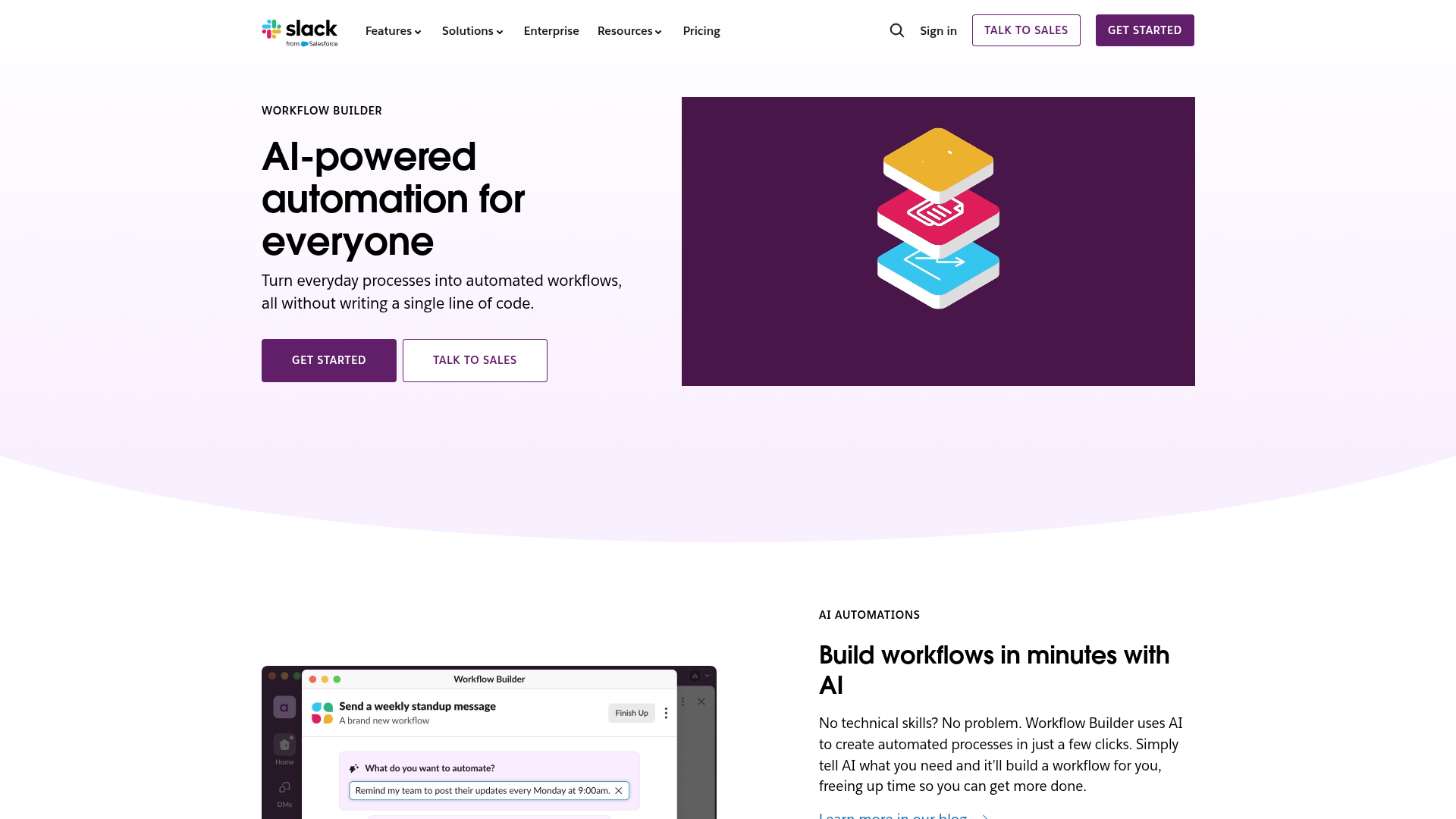
According to Slack’s Workflow Builder product page, 80% of users who build workflows in Slack are non-technical.
“80% of those who build Slack workflows are non-technical.” – Slack
That is a useful benchmark, but it only tells half the story. It explains why Slack workflows are popular. It does not explain how to make them durable when store operations get complicated.
Where the top-ranking articles are helpful, and where they stop short
The current top results tend to cluster around three themes:
-
Slack workflows reduce context switching.
-
Non-technical teams can automate routine tasks.
-
Built-in Workflow Builder is good for simple approvals, forms, and alerts.
All true. But they usually gloss over the operational reality ecommerce teams face:
-
workflows rarely stay inside Slack
-
actions often need to write back to Shopify or another system
-
exceptions matter more than happy-path tasks
-
teams need auditability, retries, error handling, and human support
-
“simple” requests often become multi-step processes fast
That is the biggest content gap. Most articles explain how Slack helps teams talk about work. Fewer explain how to actually complete the work reliably across an ecommerce stack.
What Slack handles well on its own
Slack’s native Workflow Builder has improved a lot. According to Slack’s August 2024 product announcement about new Workflow Builder enhancements, more than 3 million workflows were running per day, with templates, third-party triggers, and custom developer tools expanding what teams can do.
“More than 3 million workflows [are] running per day.” – Slack
For many teams, Slack is strong at:
-
collecting structured requests with forms
-
posting reminders and recurring updates
-
routing approvals
-
creating channels for incidents or projects
-
triggering simple downstream actions through connectors
-
keeping visibility high across teams
Here is a practical view of where Slack shines and where teams often need more.
|
Use case |
Native Slack workflow fit |
Where teams hit limits |
|---|---|---|
|
Approval requests |
Strong |
Conditional logic can get messy across systems |
|
Daily summaries |
Strong |
Harder when data must be transformed from multiple apps |
|
Incident intake |
Strong |
Limited if diagnostics or corrective actions must run |
|
Channel creation |
Strong |
Governance and downstream setup can expand quickly |
|
Ecommerce alerts |
Good |
Often needs write-backs to Shopify, ERP, WMS, or spreadsheets |
|
Inventory sync |
Limited |
Requires cross-system logic, validation, and retry handling |
|
Order exception handling |
Limited |
Usually multi-step, stateful, and dependent on app integrations |
The real ecommerce use case: Slack as the ops front end
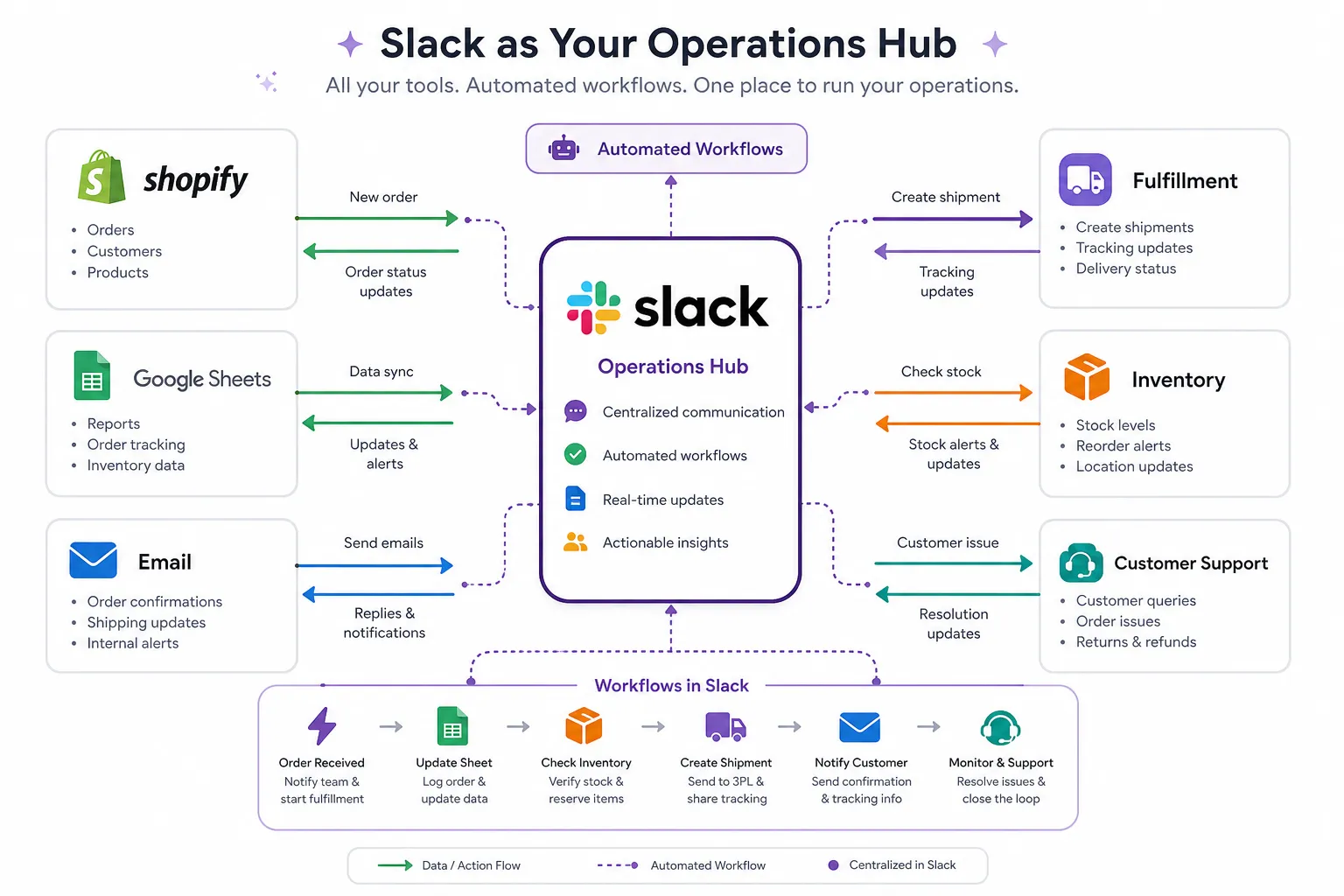
For merchants, Slack should not be the whole workflow. It should be the control surface.
A good pattern looks like this:
-
An event happens in Shopify or another system.
-
The right team gets notified in Slack with useful context.
-
A human can approve, reject, escalate, or enrich the request.
-
The workflow updates Shopify and any connected tools automatically.
-
The result is logged clearly so the team can trust what happened.
This is exactly where platforms like MESA fit. Instead of asking non-technical teams to “build integrations,” MESA lets operators describe what they need accomplished and turn that into working automation quickly. Because it is built for Shopify operations, it is much better aligned with the day-to-day work of merchants than a general-purpose workflow layer alone.
If your team needs Slack to coordinate store operations, MESA’s Slack integration for Shopify workflows gives you a practical path to connect alerts, approvals, updates, and actions without custom development.
What this looks like in a Shopify environment
Below are the workflow patterns that tend to create the most value for ecommerce teams.
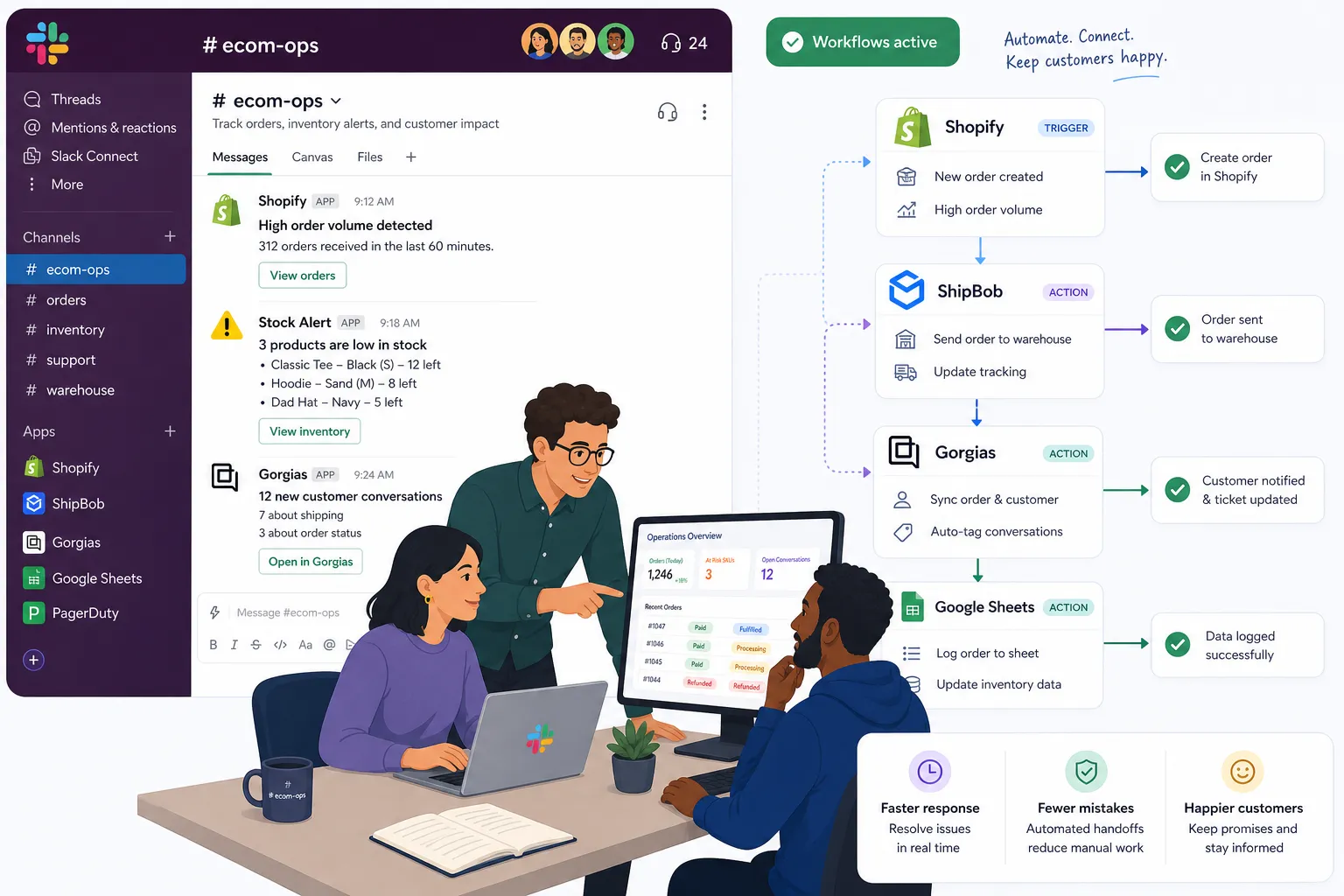
Order exception alerts that are actionable, not noisy
Many stores already send Slack alerts for large orders, fraud flags, or shipping delays. The problem is that basic alerts create awareness, not resolution.
A better workflow can:
-
include order value, tags, shipping method, and risk signals
-
route to a specific channel based on warehouse, market, or issue type
-
let a team lead approve a hold, expedite, or manual review in Slack
-
push the outcome back to Shopify automatically
-
notify support or fulfillment only when needed
This reduces latency and prevents your ops team from copying data between screens.
Inventory and merchandising coordination
Inventory issues are rarely just inventory issues. They affect customer experience, paid campaigns, merchandising, and support.
Slack workflow automation becomes more useful when it can:
-
alert merch and ops when stock drops below threshold
-
pause promotions or flag ad teams if a bestseller is at risk
-
sync stock-related notes to planning sheets
-
notify CX when backorders are likely
-
escalate only after validation, so teams are not flooded with false alarms
This is one of the clearest examples of why merchants outgrow simple one-step automations. A single low-stock event often needs branching logic, tool sync, and follow-up actions.
Refund, reship, and discount approvals
Approvals are a classic Slack use case, but ecommerce teams need more than a yes/no button.
The strongest workflows include:
-
order context pulled in automatically
-
refund amount thresholds by role
-
separate paths for reship vs. store credit vs. cash refund
-
logging to Sheets, ERP, or a support platform
-
customer notification after approval
That combination cuts manual work while keeping control in place.
Daily reporting and anomaly detection
Teams often ask for daily sales summaries in Slack, but static reporting is only marginally helpful.
A better ops workflow can:
-
pull KPI snapshots from Shopify and connected tools
-
compare performance to prior day or prior week
-
flag anomalies worth action
-
send different views to leadership, marketing, and fulfillment
-
trigger follow-up workflows if thresholds are crossed
This is where a platform with flexible data handling becomes important. MESA is particularly strong here because it can support reporting, alerts, and downstream action inside broader data integration workflows for Shopify operations.
Why manual work becomes expensive faster than most teams expect
The hidden cost of manual operations is not just labor. It is delay, inconsistency, and compounding error.
According to ChannelEngine, cited in its analysis of marketplace operations, manual marketplace tasks consumed 36% of sellers’ time.
“Manual marketplace tasks consumed 36% of sellers’ time.” – ChannelEngine
That is directionally consistent with what growing Shopify teams experience internally. As order volume rises, small repetitive tasks multiply: tagging, exporting, triaging, notifying, approving, updating, and checking. The result is often an ops team that looks busy all day but still struggles to stay ahead.
This is why MESA resonates with scaling merchants. It removes repetitive operational work without forcing teams into custom dev projects. You can describe what needs to happen in plain English, launch live workflows quickly, and still support complex multi-step automations when your process goes beyond a simple trigger-and-notify setup.
What competitors get wrong about automation maturity
A lot of workflow content assumes the challenge is getting teams to automate at all. For many ecommerce brands, that is no longer the challenge.
The real challenge is moving from:
-
isolated alerts to coordinated resolution
-
one-off automations to repeatable operating systems
-
brittle point-to-point setups to resilient workflows
-
tool sprawl to a process your team actually trusts
This is where simpler tools start to feel limiting. Not because they are bad, but because merchants eventually need more control over branching logic, error handling, retries, data mapping, approvals, and app coverage.
MESA is a strong next step because it is Shopify-first and operationally opinionated in the right ways. It is designed to automate the repetitive work merchants actually deal with: order handling, reporting, alerts, inventory sync, customer follow-up, and fulfillment coordination. It also helps reduce the risk of broken data flows or overselling by keeping systems synchronized and workflows structured.
How to design Slack workflows that operators will actually use
The best workflow is not the most impressive one. It is the one your team trusts enough to use every day.
Keep the Slack step lightweight
The Slack interaction should be easy:
-
approve
-
reject
-
request more info
-
escalate
-
mark complete
Do not make operators fill out long forms just to start a routine process.
Put complexity behind the scenes
If the workflow needs branching, app sync, data transformation, or conditional routing, that should happen in the automation layer, not in the user experience.
Build around exceptions
Routine work is easy to automate. The real value is handling non-routine situations cleanly: partial refunds, split shipments, delayed inventory receipts, VIP orders, or region-specific routing.
Log outcomes somewhere reliable
Slack is excellent for visibility, but not ideal as the system of record. Make sure completed actions write back to Shopify or the other systems your business depends on.
Make support part of the workflow strategy
One of the most overlooked differences between automation vendors is support. When a merchant is automating core operations, fast human help matters. MESA’s real support team helps merchants set up and optimize workflows so automation does not stall at the first edge case.
A practical stack: Slack plus MESA
Here is the simplest way to think about the division of labor.
|
Layer |
Best role |
|---|---|
|
Slack |
Intake, visibility, collaboration, approvals |
|
Shopify |
Source of commerce events and operational truth |
|
MESA |
Workflow execution, branching logic, app orchestration, write-backs |
|
Connected apps |
Specialized destinations like Sheets, ERPs, help desks, fulfillment tools, email, or CRM |
That structure gives teams the best of both worlds: Slack stays easy to use, while MESA handles the heavier operational logic in the background.
For merchants looking to reduce repetitive admin without hiring a developer, MESA’s Shopify automation platform is built for exactly this kind of cross-tool operational workflow.
When to use Slack alone, and when to bring in MESA
You do not need a bigger automation layer for every workflow.
Slack alone is usually enough when:
-
you are posting reminders or daily updates
-
a form collects information without downstream complexity
-
the workflow stays almost entirely inside Slack
-
there are few edge cases and little operational risk
Bring in MESA when:
-
Shopify data needs to trigger or update the workflow
-
the process touches multiple apps
-
approvals should cause real actions in other systems
-
you need templates to speed setup
-
operators want to describe what they need accomplished instead of building from scratch
-
mistakes could create real customer or inventory issues
That is the inflection point many growing brands hit. The cost of staying manual exceeds the cost of putting the right automation system in place.
Final verdict
Slack workflow automation is worth investing in because it shortens the distance between noticing work and completing work. For ecommerce teams, that can mean faster exception handling, cleaner handoffs, fewer missed updates, and less operational drag.
But Slack is not the entire answer. It is the interface. The real value comes from what happens after the message, form, or approval. If your store operations depend on Shopify and a stack of other apps, you need a workflow layer that can execute reliably behind the scenes.
That is where MESA stands out. It helps merchants automate repetitive Shopify tasks without requiring a developer, turn plain-English requests into live workflows quickly, connect with 100+ apps and ecommerce tools, and launch faster with 300+ ready-made templates. More importantly, it helps teams scale operations without adding unnecessary manual work or risking broken processes.
If your team has outgrown simple alerts and wants Slack to drive real operational outcomes, the next step is to explore MESA’s templates, integrations, and Shopify-first automation workflows at getmesa.com.