Klaviyo Shopify Flow: Best Uses for Smarter Growth
-
- •
- Jun. 18, 2026
- •
- 13 min read

If you are trying to understand what Klaviyo Shopify Flow actually does, the short answer is this: it lets Shopify events trigger smarter customer messaging and richer profile data inside Klaviyo. In practice, that means operational changes in your store – like a VIP tag being added, a preorder being placed, or a risky order being flagged – can automatically create marketing-ready events that power email, SMS, segments, and retention flows.
For busy Shopify teams, that matters because the real bottleneck is rarely “sending more campaigns.” It is getting accurate store data into the right workflow, at the right moment, without more manual work, spreadsheet cleanup, or developer backlog. That is exactly where connected automation becomes valuable.
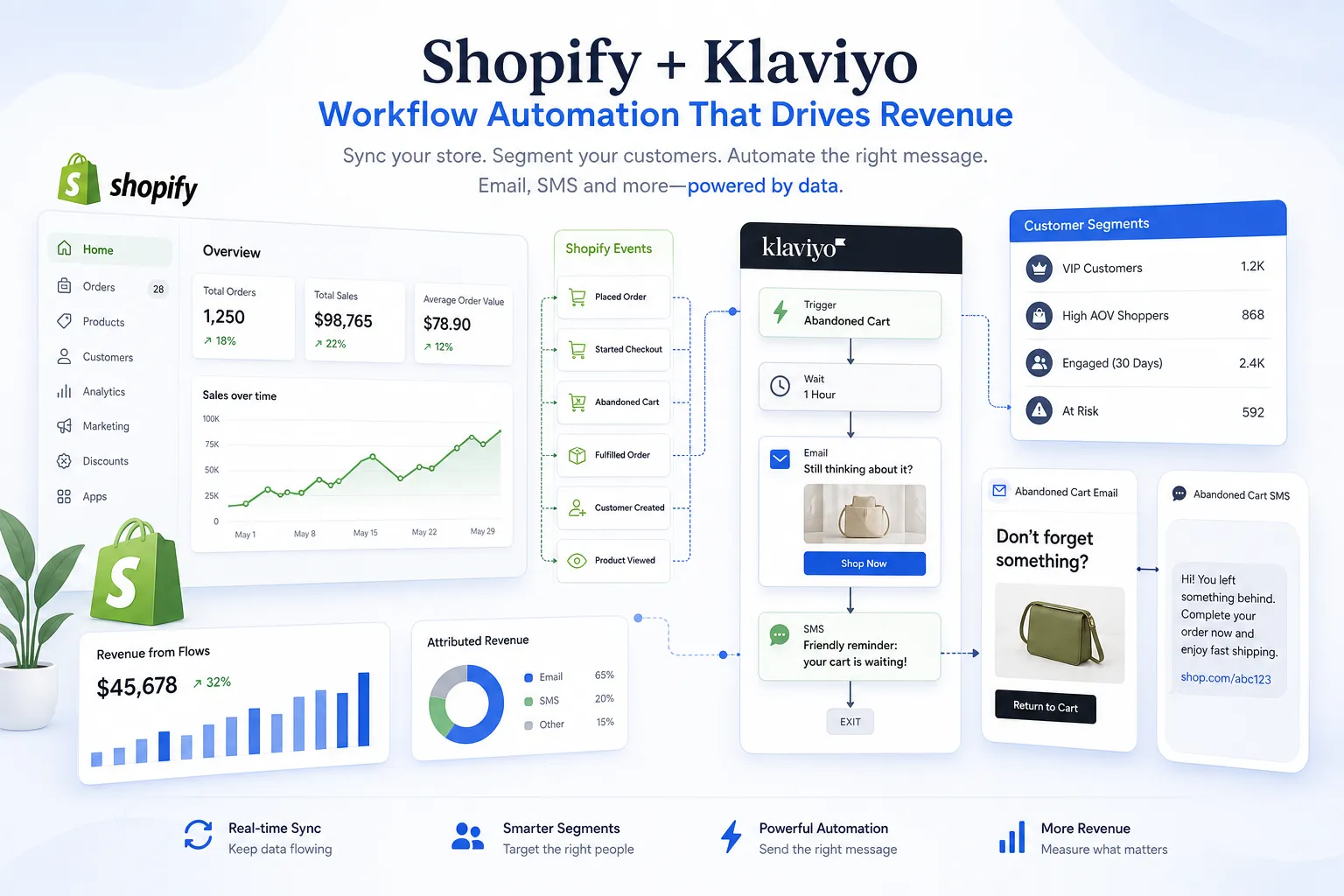
Table of Contents:
The simple definition merchants actually need
Klaviyo’s Shopify Flow connector lets you send data from Shopify Flow into Klaviyo as tracked events and profile properties. According to Klaviyo’s help documentation on Shopify Flow, the core action is Track an event, which means a store workflow can push customer or event data into Klaviyo and then use that data for segments, campaigns, or automated flows.
That sounds technical, but the business use is simple: Shopify handles the operational trigger, and Klaviyo turns that trigger into personalized marketing or lifecycle messaging.
Why this matters more than it first appears
A lot of merchants assume Klaviyo is mainly for campaigns, popups, and abandoned cart emails. That is only part of the picture. The real advantage shows up when store operations and marketing automation are connected.
For example:
-
a customer reaches VIP status in Shopify
-
an order contains a preorder item
-
a checkout collects birthday or preference data
-
a high-risk order should be excluded from promotional sends
-
a reorder opportunity appears based on product or order behavior
Without workflow automation, those scenarios often depend on someone exporting data, tagging customers manually, or asking a developer to build middleware. With the connector, Shopify events can become immediate Klaviyo triggers.
“According to Klaviyo’s 2025 benchmark report, the top 10% of email and SMS campaigns, which are highly personalized and relevant to their audience, achieve order rates more than five times higher than average, and repeat purchase rates seven times higher than average.” – Klaviyo
That is the real promise here: not just automation for its own sake, but better-timed, better-targeted messaging that reflects what is actually happening in the store.
What the Klaviyo connector in Shopify Flow actually does
According to Klaviyo’s guide to using Shopify Flow and the Klaviyo Connector, the connector supports a Track an event action. That action includes fields such as:
-
Klaviyo public API key
-
event name
-
customer email address
-
customer first and last name
-
customer properties
-
event properties
This lets you pass structured store data into Klaviyo in near real time.
What that means in plain English
Instead of waiting for a generic ecommerce event, you can create your own business-specific event such as:
-
VIP Tier Changed -
Preorder Placed -
Fraud Risk Flagged -
Welcome Coupon Used -
Birthday Captured at Checkout
Then inside Klaviyo, you can:
-
trigger a flow from that event
-
build a segment from the event or property
-
personalize email or SMS content based on the property
-
suppress or exclude customers from the wrong campaigns
-
measure the downstream revenue tied to that workflow
The best uses for smarter growth
Below are the use cases that consistently create the most value for Shopify merchants. These are the areas where connected automation moves from “nice to have” to “this saves us time and makes us money.”
1. Turn customer tags into revenue-ready segments
Klaviyo’s blog on Shopify Flow x Klaviyo use cases highlights customer tagging as one of the strongest applications. When Shopify adds a meaningful tag – VIP, wholesale, retail buyer, loyalty tier, or friends-and-family – you can pass that into Klaviyo as an event or profile property.
Why this works
Most teams already have customer states inside Shopify, but they do not always activate them in marketing fast enough. If the tag exists but nothing happens with it, the value is wasted.
With automation, you can:
-
send a VIP welcome flow when someone crosses a spend threshold
-
exclude wholesale buyers from DTC promotions
-
show different product recommendations by account type
-
trigger loyalty recognition emails without manual list building
Best-fit examples
|
Shopify event |
Data sent to Klaviyo |
Result |
|---|---|---|
|
Customer tagged VIP |
VIP tier property |
Launch VIP onboarding flow |
|
Customer tagged wholesale |
B2B flag |
Exclude from consumer discount campaigns |
|
Customer tagged retail store buyer |
Store location property |
Personalize regional messaging |
This is also where broader orchestration matters. If you want those tags to trigger downstream actions in support, spreadsheets, or ops systems too, a platform like MESA’s Shopify automation platform gives you more room to expand the workflow beyond a single connector.
2. Personalize welcome flows based on coupon use
This is one of the clearest examples from Klaviyo’s own use-case content: use Shopify Flow to understand whether a welcome offer was actually redeemed, then route customers into smarter follow-up messaging.
Why merchants like this use case
Too many welcome flows are static. They send the same sequence whether the subscriber already bought, already redeemed the offer, or ignored it completely.
A better system looks like this:
-
subscriber joins your list
-
welcome series sends an incentive
-
Shopify detects whether the code or discount was used
-
event is tracked in Klaviyo
-
follow-up path changes automatically
Smarter outcomes
If the offer was used:
-
send a thank-you email
-
recommend complementary products
-
accelerate the move into post-purchase nurture
If the offer was not used:
-
send a reminder before expiration
-
test a different subject line or timing
-
use SMS only if consent exists and intent is strong
That matters because generic messaging creates fatigue fast.
“According to the Baymard Institute’s analysis of 50 studies, the average global cart abandonment rate is 70.22%. This indicates that approximately 7 out of 10 online shopping carts are abandoned before the purchase is completed.” – Baymard Institute
While welcome-flow coupon behavior is not the same as cart abandonment, the takeaway is similar: intent is fragile. The more accurately you respond to real behavior, the more revenue you recover.
3. Trigger preorder and launch nurture automatically
Preorders create a special kind of customer: high intent, high anticipation, and high risk of frustration if communication is vague. Klaviyo’s blog points to preorder tracking as a valuable use case because it keeps these buyers informed and engaged.
What to automate
When an order contains a preorder item, trigger an event to Klaviyo that includes:
-
product name
-
expected ship window
-
preorder status
-
collection or launch category
-
customer email
Then you can build flows for:
-
order confirmation with preorder-specific expectations
-
launch story emails while customers wait
-
shipping delay communications
-
upsell recommendations relevant to the preorder item
-
review requests after fulfillment, not before
Why it is operationally valuable
Without automation, preorder communication often breaks because marketing and operations are using different systems. Customers get generic post-purchase messaging, ask support where their order is, and trust drops.
For stores with more moving parts, this is exactly where a more flexible automation layer helps. MESA is especially useful when the workflow needs to combine Shopify data with inventory, fulfillment, Google Sheets, Slack, or support tools in one sequence rather than only sending a single event into Klaviyo.
4. Capture checkout data and use it in Klaviyo flows
Klaviyo’s use-case article also covers collecting zero-party data at checkout. If your store captures birthdays, delivery preferences, account context, or other structured inputs during checkout, those details can become powerful lifecycle triggers.
High-value examples
-
birthday captured at checkout → birthday flow later
-
gifting checkbox selected → gift-focused post-purchase messaging
-
preferred channel captured → email vs SMS prioritization
-
special delivery note or region → fulfillment-specific expectations
The business impact
This is useful because it improves relevance without asking customers to fill out more forms after the fact. The store is already collecting intent-rich data. The missed opportunity is failing to activate it.
If you want to operationalize this kind of data across more than Klaviyo, MESA can also push it into spreadsheets, support tools, internal alerts, or custom follow-up workflows through its customer experience automation solutions.
5. Suppress bad actors and risky orders from marketing flows
One of the more underrated use cases from Klaviyo’s blog is fraud and bad-actor suppression. If Shopify Flow flags a risky profile or order, you can send that status into Klaviyo and stop inappropriate marketing touches.
Why this matters
Many merchants focus on growth automation but forget that bad data can quietly damage results. If a known fraudster or abuse-prone account keeps receiving offers, campaigns, or post-purchase flows, you waste spend and can create operational noise.
Common automations
-
mark suspicious profiles with a custom property
-
suppress flagged accounts from discount campaigns
-
trigger internal review alerts before future outreach
-
cancel or isolate certain promotions for risky segments
This is a good example of where “marketing automation” is really store-quality automation. Better data hygiene leads to better segmentation, cleaner reporting, and fewer avoidable headaches.
6. Create post-purchase flows based on operational events, not just order creation
This is a major content gap in competitor coverage. Most articles stop at customer tagging or coupon use. But some of the best uses happen after checkout, when operations and messaging need to stay aligned.
Better post-purchase triggers include
-
partial fulfillment
-
backorder detected
-
shipment delayed
-
subscription product included
-
first-time buyer vs repeat buyer
-
high-AOV order requiring white-glove follow-up
Why this is powerful
Instead of sending the same “thank you” sequence to everyone, you can create messaging that matches what the customer is actually experiencing.
For example:
|
Operational event |
Better Klaviyo message |
|---|---|
|
Partial fulfillment |
Explain split shipment and set expectations |
|
Backorder item |
Reassure customer and reduce WISMO tickets |
|
First order over threshold |
VIP-style concierge message |
|
Subscription added |
Education about cadence and account management |
That is where automation stops being cosmetic and starts improving support load, retention, and trust.
7. Use custom Shopify events to build smarter win-back and replenishment logic
Another gap in competitor content is the lack of emphasis on custom business events. You are not limited to broad lifecycle stages. You can track store-specific moments that become extremely useful for retention.
Strong examples
-
product likely running low based on past order interval
-
customer has not reordered within expected cadence
-
order contained consumables vs one-time items
-
customer bought from a specific collection that maps to a future campaign
-
high-value customer has gone quiet after support interaction
These are often easier to define in operations terms than in pure marketing terms. Once tracked, they can trigger:
-
replenishment reminders
-
win-back flows
-
category education sequences
-
support recovery messaging
-
SMS nudges for high-intent segments
What competitors get wrong
The top-ranking content around this topic is directionally useful, but it usually misses four important realities.
1. It treats the connector like the full strategy
Most articles explain the connector itself, but not the operating model around it. Sending an event to Klaviyo is only step one. The real value comes from deciding which store moments deserve automation and which downstream systems need to stay in sync.
2. It focuses on marketing examples but ignores operational workflows
Shopify merchants do not experience automation problems in neat departmental boxes. A single workflow often touches orders, inventory, support, fulfillment, and retention at the same time. Competitor content rarely addresses that.
3. It underplays data quality risk
Klaviyo’s help docs specifically note that event and customer properties must be valid JSON for data to sync correctly. That sounds minor until a broken payload silently stops the workflow. Merchants need to think not just about flow ideas, but about how to prevent brittle automations.
4. It assumes one connector is enough as complexity grows
For straightforward use cases, the native setup may be enough. But once you need conditional logic, multi-step branching, app-to-app orchestration, internal alerts, fallback handling, or richer reporting, you are outside simple territory.
That is where MESA becomes the logical next step: you describe what you need accomplished, and it helps turn that into a live Shopify-first workflow without custom development. For merchants comparing options as requirements get more complex, this is the practical difference between a basic connector and a broader Shopify Flow alternative built for more advanced automation.
When native Klaviyo + Shopify Flow is enough – and when it is not
This is the decision framework most merchants actually need.
Native setup is often enough if you need:
-
one Shopify trigger
-
one event sent to Klaviyo
-
basic segmentation or flow triggering
-
a few simple lifecycle automations
-
minimal branching or app handoffs
You likely need a broader automation layer if you need:
-
multi-step workflows across several apps
-
internal Slack or email alerts
-
Google Sheets logging or reporting
-
inventory-aware marketing actions
-
retries, exception handling, or queueing
-
support team notifications
-
advanced order routing and tagging
-
operational and marketing automations in one workflow
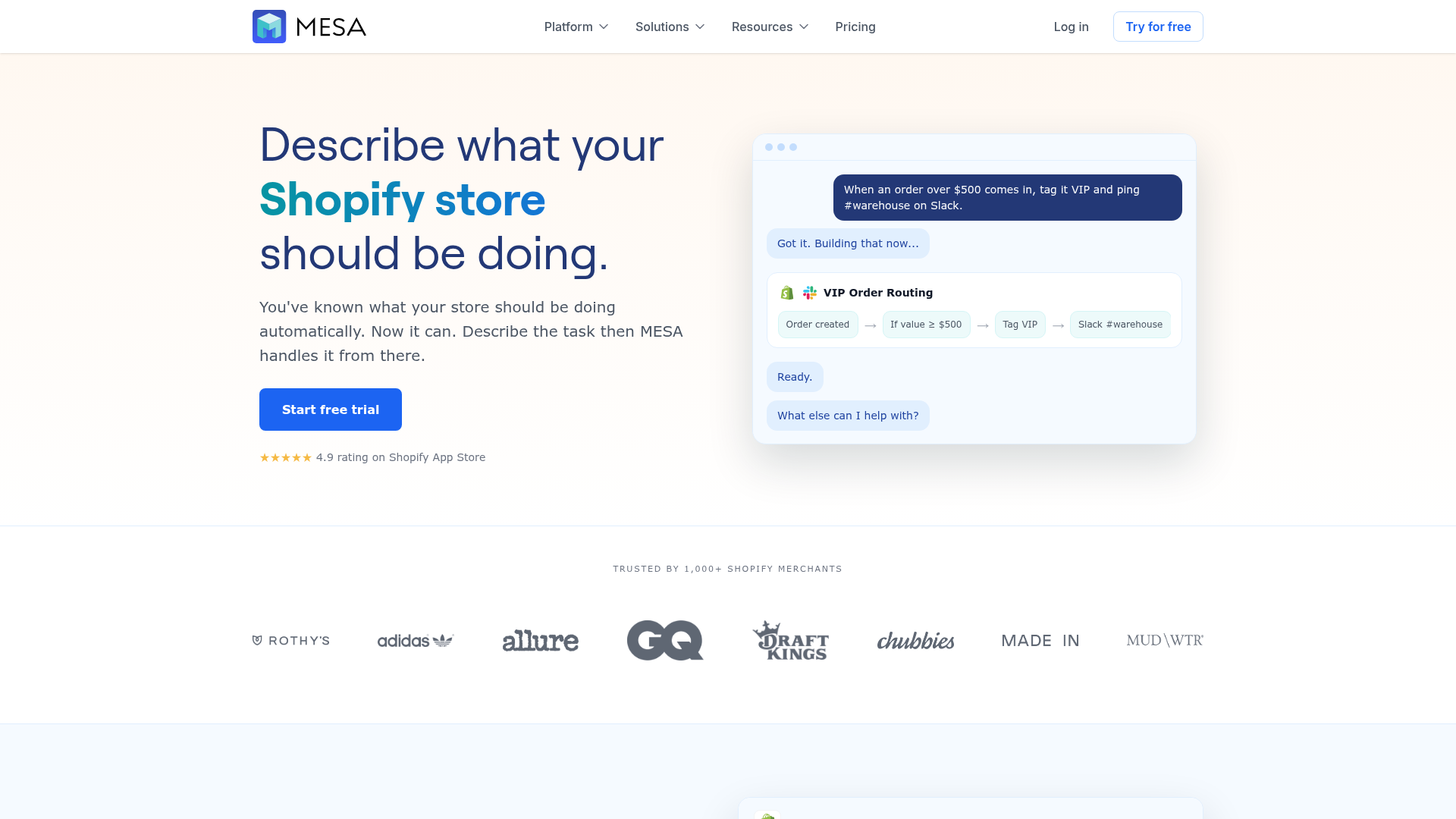
For example, many teams start with “send event to Klaviyo when order condition is met,” then quickly realize they also want to:
-
notify fulfillment
-
update a spreadsheet
-
create a support note
-
sync with another app
-
trigger a delay or approval step
-
branch based on stock, SKU, or customer value
That is exactly the kind of workflow MESA handles well, especially when you want to reduce manual operational work without pulling in developers.
Best practices for building these workflows well
Start with business events, not tools
Do not begin with “What can Shopify Flow do?” Start with “What store event should cause an action?” The clearer the trigger, the better the automation.
Examples:
-
when a first-time customer places a high-value order
-
when a preorder item enters a paid order
-
when a loyalty tier changes
-
when a delivery delay occurs
-
when a risky customer should be excluded from a campaign
Name events so your team understands them
Avoid vague event names. Use names that make reporting and flow logic obvious:
-
VIP Tier Changed -
Preorder Confirmation Needed -
High Risk Order Flagged -
Welcome Offer Redeemed
Keep properties useful, not excessive
Send the data Klaviyo needs to act. Too much noise makes segments and flows harder to maintain.
Good property examples:
-
tier
-
store location
-
preorder status
-
order value band
-
product category
-
first-order flag
Plan for failure cases
Competitor articles rarely mention this, but real automation needs guardrails:
-
what if the payload is malformed?
-
what if customer email is missing?
-
what if a product tag changes?
-
what if inventory status updates after the event fires?
This is another reason merchants graduate to a platform like MESA: it helps reduce broken data flows, supports more resilient multi-step logic, and gives access to real human support when a workflow needs refinement.
A practical rollout plan for Shopify teams
If you want to implement this without creating more complexity, use a phased approach.
Phase 1: quick wins
Start with 2–3 high-confidence use cases:
-
VIP tagging to Klaviyo segment
-
welcome coupon used vs unused
-
preorder event-triggered nurture
Phase 2: operational alignment
Expand into:
-
post-purchase event branching
-
delay or fulfillment expectation messaging
-
fraud suppression
-
support-aware lifecycle flows
Phase 3: cross-app orchestration
Add workflows that connect Shopify, Klaviyo, spreadsheets, Slack, or ERP tools so marketing and operations stop running on separate timelines. This is where MESA’s app ecosystem, template library, and AI-assisted workflow creation become especially valuable.
If you want to move faster, the easiest path is usually to start from proven patterns rather than blank-canvas building. MESA’s templates and guided setup help teams automate order handling, alerts, reporting, inventory sync, and customer follow-up without reinventing the process.
The real takeaway
Klaviyo Shopify Flow is most valuable when it is used to turn operational store events into timely, personalized customer communication. The best use cases are not abstract “automation” ideas – they are specific moments like VIP qualification, coupon redemption, preorders, risky orders, and post-purchase exceptions.
For simple cases, the native connector can do the job. But if your team needs to connect marketing automation with the rest of your operation – inventory, fulfillment, internal alerts, support, reporting, and multi-app workflows – then you have probably outgrown one-off connectors.
That is where MESA fits. It gives Shopify merchants a practical way to describe what they need accomplished, launch live workflows quickly, and scale operations with less manual work and fewer avoidable errors. If you are ready to go beyond isolated automations, explore MESA’s Shopify automation templates or start building a workflow that matches how your store actually runs.