Growing ecommerce teams usually do not have an automation problem first. They have an operations problem.
Orders need tagging. Inventory has to stay accurate across tools. Support needs alerts before issues escalate. Finance wants cleaner exports. Marketing wants customer segments updated without manual spreadsheet work. And nobody wants to file another “can engineering build this?” request just to connect Shopify to the rest of the business.
A great workflow automation app solves that backlog. It removes repetitive work, reduces human error, and helps teams scale processes across departments without adding headcount at the same pace as order volume. For Shopify merchants especially, the right tool should feel operational, not technical.
A concise answer: the best workflow automation app for a growing team is one that helps non-developers automate real operational work quickly, supports multi-step logic, connects cleanly with the tools they already use, and stays reliable as order volume and process complexity grow. For ecommerce teams, that usually means Shopify-first automation with templates, human support, and the ability to describe what needs accomplished in plain English.
Why growing teams hit an automation wall
Most teams start with lightweight tools and manual workarounds because they are fast enough in the early days. Then growth exposes the cracks:
- order routing depends on one ops manager who “just knows the process”
- customer support chases fulfillment issues by checking multiple systems
- inventory updates lag between Shopify and external tools
- finance teams export and reformat the same reports every week
- marketing and CX teams manually trigger post-purchase follow-up
The problem is not just time. It is consistency. When processes live in people’s heads, errors scale with revenue.
“Approximately 40% of operations team hours in sectors like e-commerce are dedicated to tasks that could be fully automated with existing tools.”Nuevexa automation research
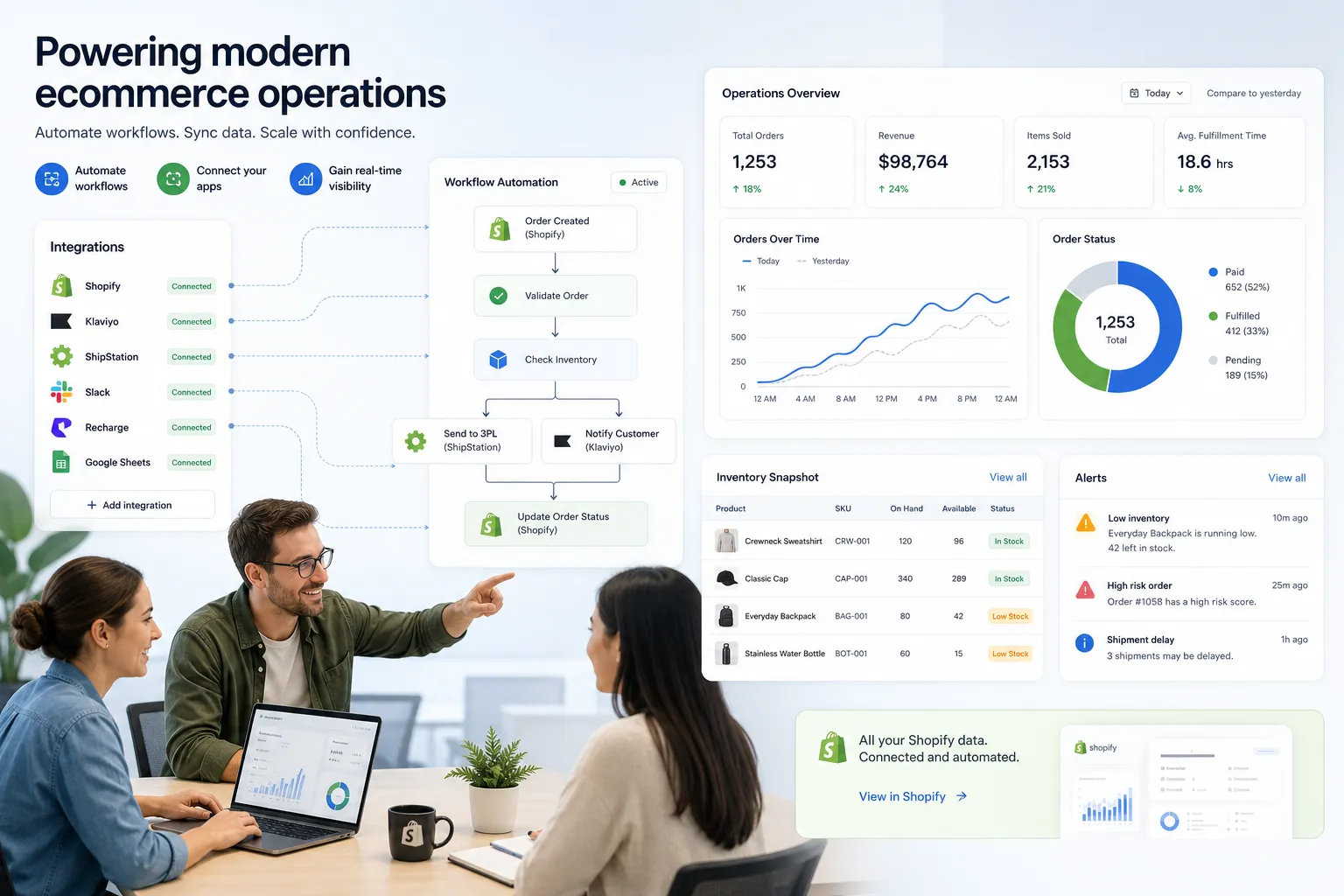
That is why growing brands eventually need more than simple app-to-app connections. They need operational workflows that can react to order data, customer events, exceptions, and timing rules across the full stack.
What actually makes a workflow automation app valuable
Competitor roundups tend to focus on generic software criteria: drag-and-drop builders, integrations, dashboards, and pricing tables. Those matter, but growing teams care about something more practical:
1. Speed from idea to live workflow
A useful workflow automation app should help a team go from “here’s our problem” to “this runs automatically now” in hours, not weeks.
For Shopify merchants, that means being able to describe what you need accomplished:
- “Tag wholesale orders over $500 and alert Slack”
- “If a subscription renewal fails twice, create a support ticket”
- “When inventory drops below threshold, update Google Sheets and notify purchasing”
- “When a VIP order ships late, alert CX and send a personalized follow-up path”
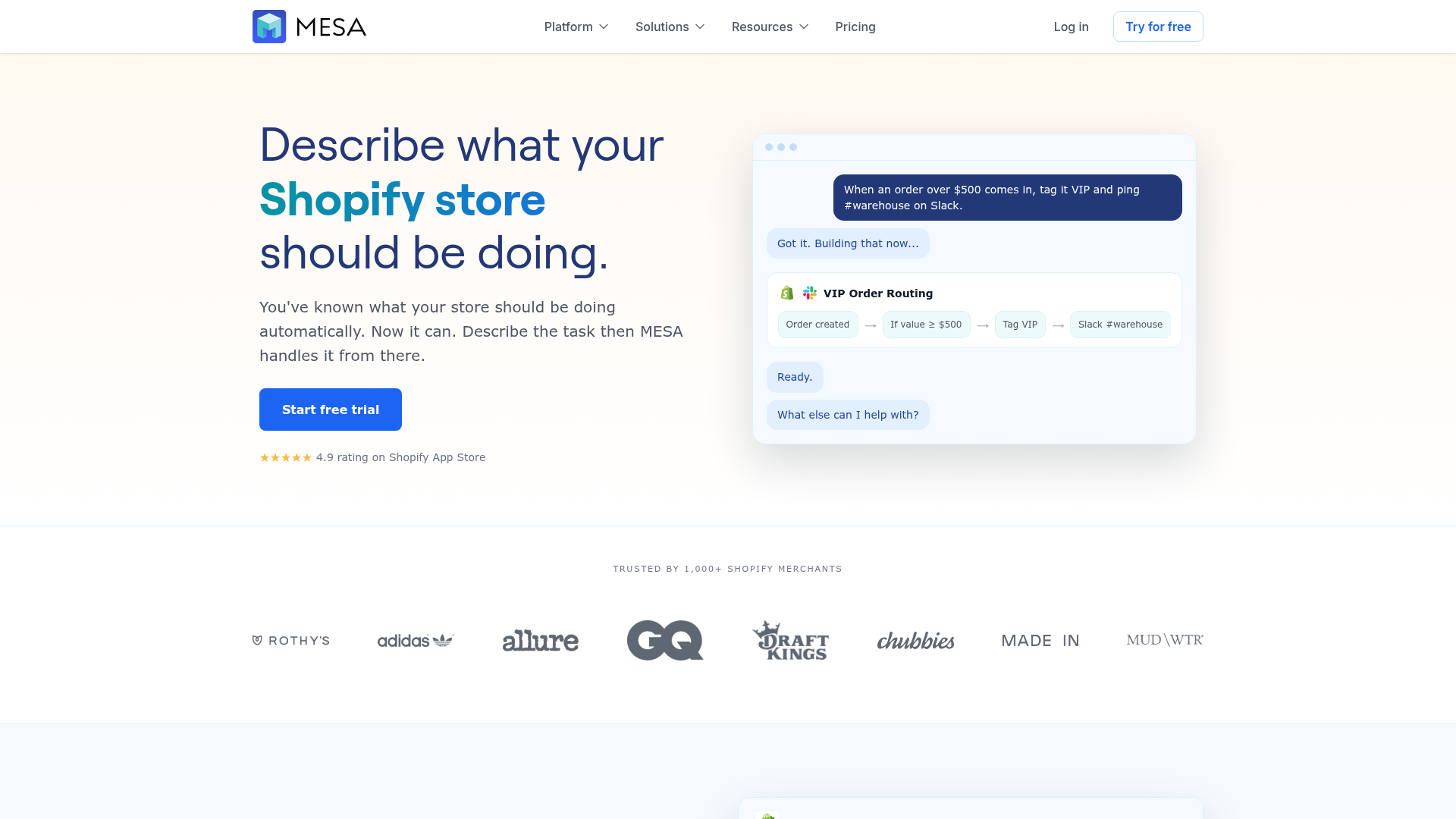
That plain-English-to-workflow experience is where MESA stands out. Its AI assistant helps merchants describe what they want done and turns that into a live automation much faster than traditional builder-first tools.
2. Multi-step logic, not just one trigger and one action
Many workflow automation apps are fine for simple notifications. Growing teams usually need more than that:
- conditions
- branching logic
- delays
- filters
- transformations
- error handling
- cross-app updates
The difference between a basic automation and a useful operations workflow is often in the middle. That is where order handling, inventory sync, customer segmentation, reporting, and exception management either work smoothly or break.
3. Shopify-first depth
This is where many “best automation software” lists miss the mark. They compare broad automation platforms as if all use cases are equal.
They are not.
A Shopify merchant needs an app that understands ecommerce events natively: orders, fulfillments, refunds, tags, metafields, inventory changes, subscription events, customer actions, and app ecosystem behavior. A general-purpose platform may technically connect tools, but a Shopify-first platform reduces friction dramatically.
MESA was built for that. It is designed specifically to help merchants automate operational work inside and around Shopify, while connecting to 100+ ecommerce apps and tools.
4. Reliability when workflows become business-critical
If your automations are driving alerts, fulfillment handoffs, inventory updates, and customer communication, reliability is not a nice-to-have. It is operational infrastructure.
The right platform should help prevent broken data flows, missed handoffs, duplicate actions, and overselling risks. That matters more than having the prettiest builder.
5. Real support from real humans
This is another gap in competitor content. Automation platforms are often judged as software alone, but for a busy operations team, support quality is part of the product.
When a workflow touches orders, customers, or fulfillment, teams want help from people who understand ecommerce operations, not generic ticket replies. MESA’s real human support is a meaningful differentiator here, especially for merchants building workflows that affect revenue and customer experience.
The capabilities that matter most for Shopify teams
Here is the checklist we recommend using when evaluating workflow automation apps.
Capability | Why it matters for growing teams | What to look for |
|---|---|---|
Shopify-native triggers | Lets workflows react to real store events | Orders, customers, fulfillments, refunds, tags, metafields |
Multi-step automation | Handles real operational complexity | Branching, filters, delays, transformations |
App ecosystem depth | Keeps your stack connected | Slack, Google Sheets, Klaviyo, Odoo, Airtable, ShipStation, HubSpot, and more |
Template library | Speeds up setup | Ready-made workflows for common merchant use cases |
Plain-English setup | Reduces dependency on technical builders | Ability to describe what you need accomplished |
Error prevention | Protects operations | Retry logic, validation, alerting, safer data handling |
Human support | Shortens time to value | Workflow setup help and optimization guidance |
Scalability | Supports growth without rebuilding | Handles more volume, more apps, and more teams |
What competitors get wrong
After reviewing top-ranking articles on workflow automation tools, there is a clear pattern: most are written for a broad business audience, not ecommerce operators.
That creates several content gaps.
They over-index on generic features
Competitor lists spend a lot of time on UI, task automation, and general business process language. They do not spend enough time on merchant-specific needs like fulfillment exceptions, post-purchase flows, inventory sync, and order-level logic.
They blur “project workflow” and “commerce operations”
A tool that automates project approvals is not automatically a strong fit for store operations. Many roundup articles treat workflow automation as one category, but Shopify teams need an app that can coordinate customer, order, inventory, and app data in real time.
They ignore support and implementation reality
In practice, teams do not buy automation because a canvas looks nice. They buy it because they need to reduce backlog and get workflows live without developer dependency. Competitor articles rarely talk about onboarding friction, template quality, or support depth.
They underplay the importance of templates
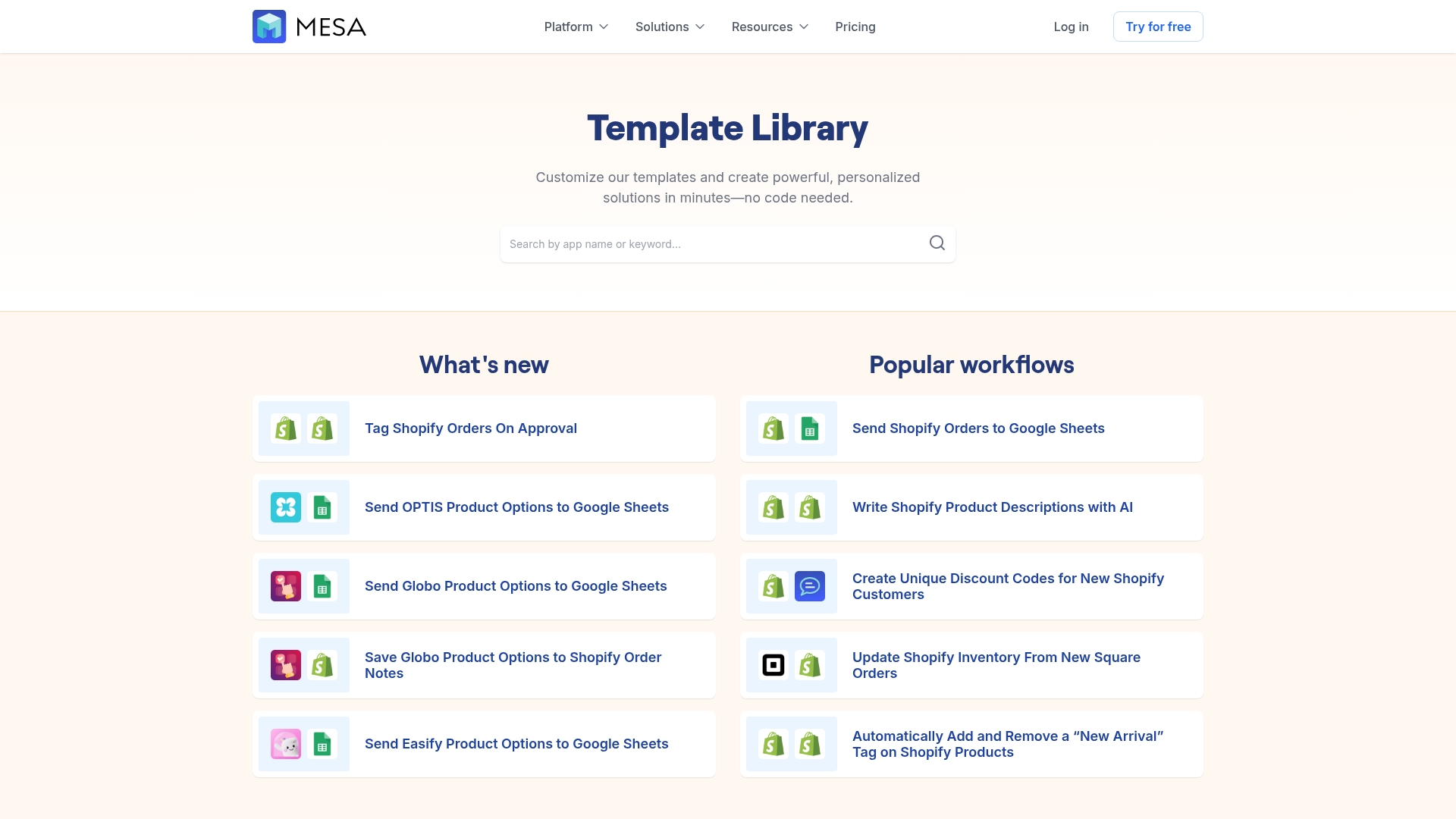
Growing teams do not want to build everything from scratch. A strong library of proven automations can cut setup time dramatically. MESA includes 300+ ready-made templates, which is a major operational advantage for teams that need results quickly.
Where MESA fits best
MESA is the logical next step for merchants who have outgrown simple, fragile automations but do not want to enter a custom development cycle every time a process changes.
It is especially strong for teams that need to:
- automate Shopify operations without hiring a developer
- reduce repetitive work across ops, CX, fulfillment, finance, and marketing
- describe what they need accomplished in plain English
- launch workflows quickly using templates instead of building from zero
- connect Shopify with spreadsheets, messaging tools, ERPs, CRMs, and support apps
- support complex multi-step logic without brittle workarounds
If your team is evaluating platforms, MESA’s Shopify automation platform is worth a close look because it is designed around merchant workflows, not generic productivity tasks.
Common use cases that show real value fast
The fastest way to judge a workflow automation app is by asking: can it solve the tedious, repetitive work my team is dealing with this week?
Here are examples where growing teams usually see immediate payoff.
Order handling and tagging
- tag orders based on product mix, value, shipping method, or customer type
- route special orders to Slack channels
- trigger internal QA for high-risk or VIP purchases
- split operational paths for wholesale, preorder, or subscription orders
Inventory sync and oversell prevention
- sync stock data between Shopify and connected systems
- alert teams before inventory problems turn into customer issues
- push low-stock thresholds to reporting sheets or planning tools
- protect against delayed manual updates across channels
For brands with increasing complexity, these are exactly the kinds of workflows covered in MESA’s inventory management automation solutions.
Post-purchase customer experience
- trigger follow-up based on fulfillment or delivery events
- notify support when shipments are delayed
- segment customers after purchase behavior changes
- route loyalty, review, or retention actions automatically
Reporting and data movement
- export order or customer data into Google Sheets automatically
- transform data before sending it to another system
- notify stakeholders when thresholds or anomalies appear
- keep dashboards current without manual pulls
Cross-functional alerts
- send fulfillment exceptions to ops
- notify finance of unusual refund activity
- alert marketing when VIP or influencer orders land
- keep leadership informed without requiring status meetings
How to compare workflow automation apps without getting lost
Not every platform needs to be ruled out. But they should be judged in the right order.
Start with use-case fit, not feature volume
A platform with 5,000 integrations is not automatically better if it makes common Shopify workflows harder to launch. Begin with the workflows your team actually needs in the next 90 days.
Ask who can build and maintain workflows
If every useful automation still depends on a technical specialist, the backlog does not really go away. The best workflow automation apps for growing teams empower operators and team leads, not just developers.
Measure template quality
Templates are not filler. They are a major factor in time to value. A large, well-organized template library helps teams launch faster and reduce mistakes by starting from proven workflows.
MESA’s automation templates library is especially useful here because it gives merchants a faster path from idea to implementation.
Evaluate support before you need it
If an automation affects revenue or customer experience, support quality matters before something breaks. Ask what help is available for workflow design, troubleshooting, and optimization.
A practical decision framework for growing teams
Use this simple model.
Choose a lighter tool if:
- you only need a few very simple notifications
- your processes are not yet tied deeply to Shopify events
- your app stack is still minimal
- you are experimenting, not operationalizing
Choose a more capable Shopify-first platform if:
- order volume is growing
- manual work is spreading across departments
- errors are becoming expensive
- teams need multi-step logic
- you want faster setup without developers
- workflows now impact CX, fulfillment, finance, and retention
That is where MESA tends to make the most sense. It is not about replacing every simple tool immediately. It is about giving growing merchants a better operational foundation when lightweight automation stops being enough.
The ROI case is stronger than most teams realize
Automation value is often underestimated because teams only count time savings. They should also count avoided errors, faster response times, cleaner data, and better customer experience.
“Marketplace sellers reported losing an average of 36% of their workweek to manual tasks such as updating listings, correcting errors, and adjusting pricing.”ChannelEngine’s report on the hidden cost of manual marketplace work
For a Shopify team, that lost time often shows up as delayed support, missed tags, inventory mistakes, inconsistent reporting, and slower decisions. A strong workflow automation app does not just save hours. It reduces operational drag across the business.
Why AI-assisted workflow creation changes the equation
Many automation tools still assume users want to build logic block by block from scratch. Sometimes that is fine. Often it is unnecessary.
A better approach is letting merchants describe what they need accomplished and then generating a working automation from that request. That lowers the barrier for non-technical teams and speeds up experimentation.
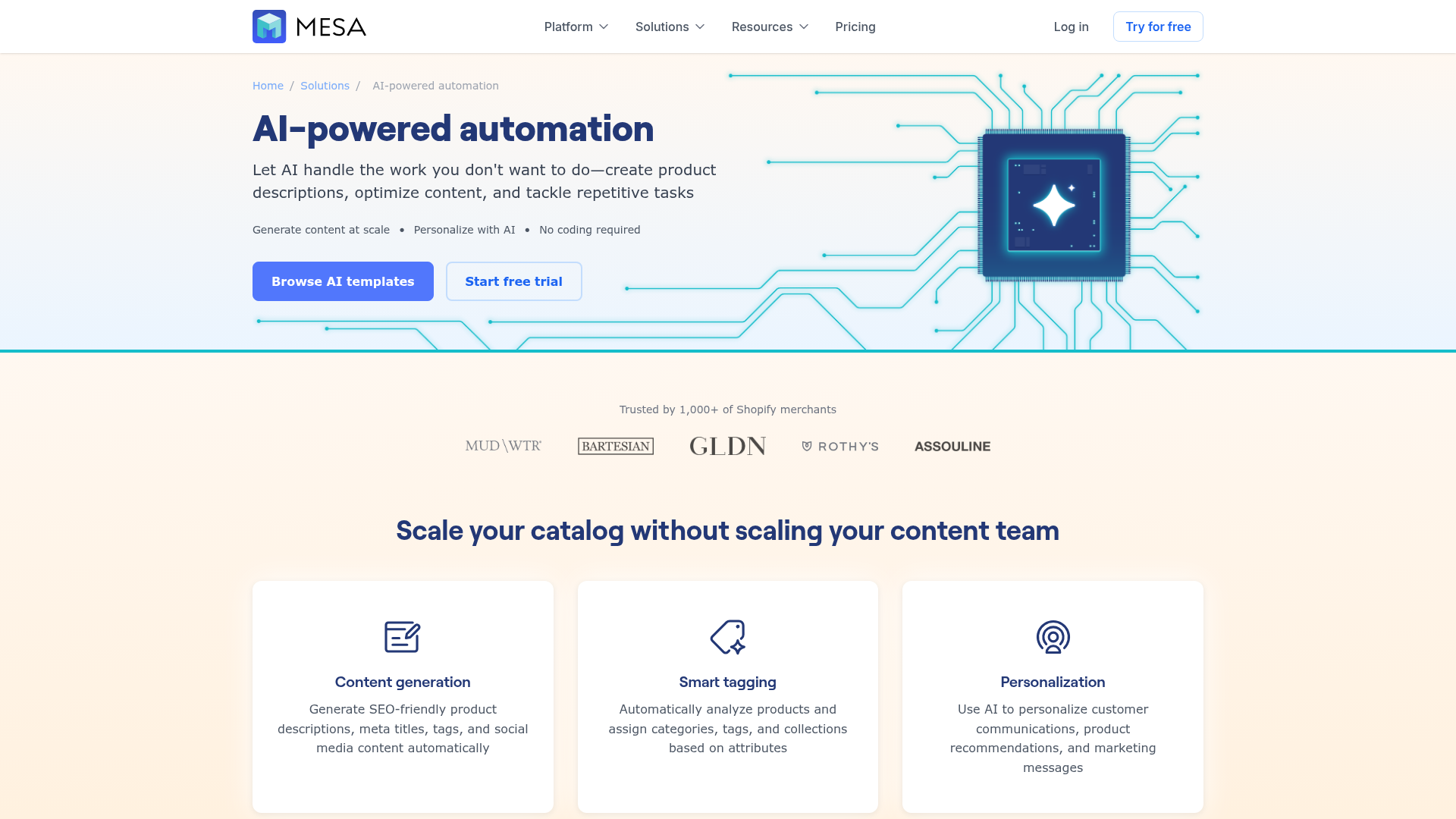
MESA’s AI-powered approach is particularly compelling for time-constrained teams. Instead of forcing operators to think like integration builders, it helps them think like operators: here is the rule, here is the exception, here is what should happen next.
That is a better fit for real ecommerce work.
Final verdict
The best workflow automation app for a growing team is not the one with the longest feature list. It is the one that helps your team remove repetitive work, launch useful workflows quickly, and keep operations scalable as complexity rises.
For Shopify merchants, that means prioritizing:
- Shopify-native depth
- multi-step logic
- fast setup
- operational reliability
- strong templates
- real human support
- AI assistance that lets you describe what you need accomplished
MESA checks those boxes in a way most general-purpose workflow automation apps do not. It helps merchants automate order handling, reporting, alerts, inventory sync, fulfillment coordination, and customer follow-up without needing a developer every time a process changes.
If your team has outgrown basic automations and wants a platform built for real ecommerce operations, the next step is simple: explore MESA’s templates, try a workflow, and see how quickly your manual backlog starts shrinking.
