Shopify Inventory Management for Growing Brands
-
- •
- Jun. 22, 2026
- •
- 13 min read

Growing brands usually don’t fail at inventory because they lack effort. They fail because the system they started with no longer matches the complexity of the business they’ve become.
If your team is manually updating stock counts, checking multiple apps before approving orders, or reacting to oversells after the fact, your Shopify inventory setup is already costing you time, margin, and customer trust. The fix is not always “buy an ERP.” More often, it’s choosing the right inventory operating model for your current stage, then automating the handoffs that break first.
A strong Shopify inventory management strategy gives you one reliable view of what’s available, what’s committed, what’s incoming, and what needs attention next. For growing brands, that usually means combining Shopify’s native tools with purpose-built automation so stock data stays accurate across products, locations, apps, and teams.
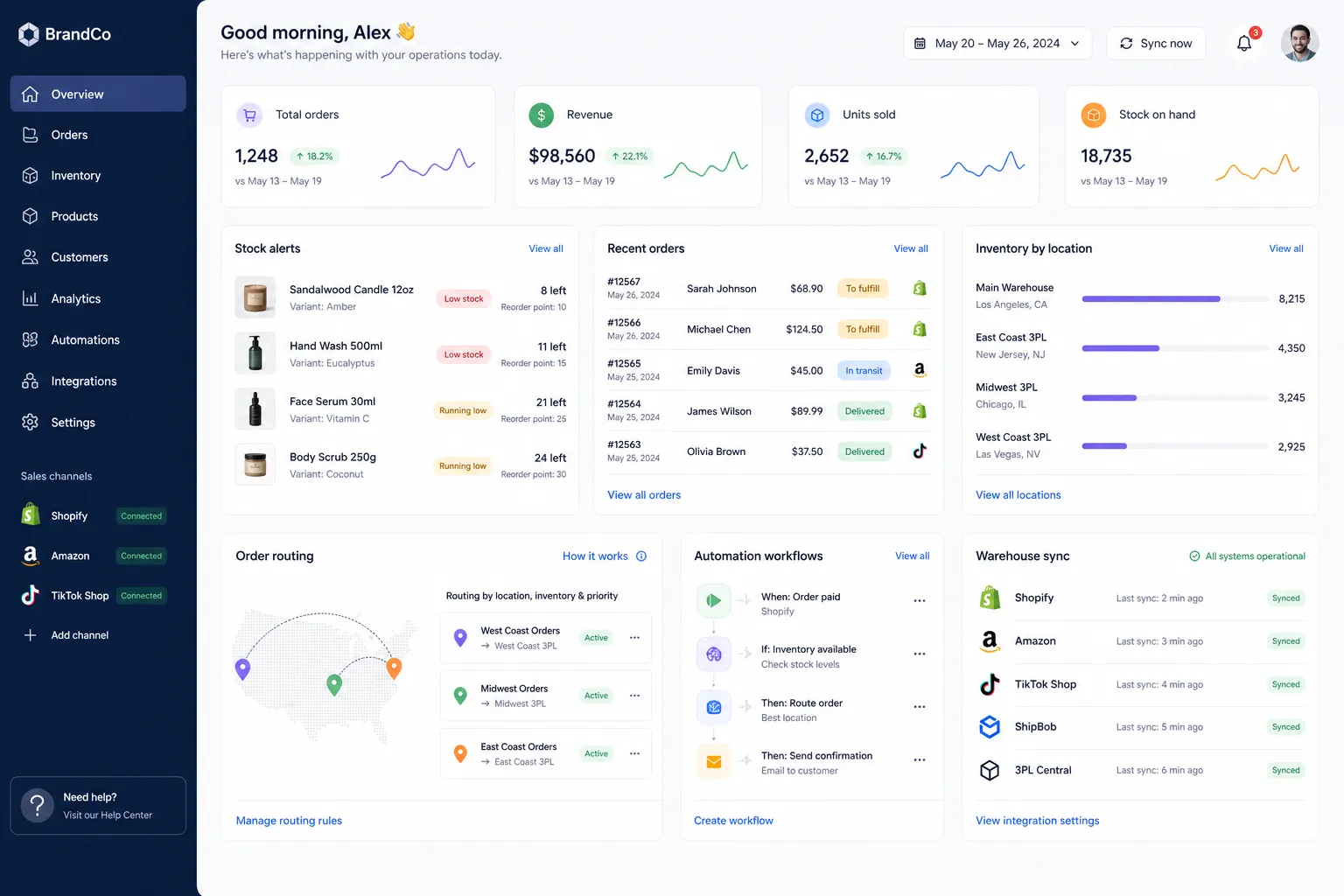
Table of Contents:
The real question: is Shopify enough for inventory?
For some merchants, yes. For many growing brands, not by itself.
Shopify handles basic inventory tracking well enough for simple catalogs, lighter order volume, and businesses selling primarily through one storefront. But once you add multiple locations, bundles, subscriptions, 3PLs, wholesale, or operational reporting needs, gaps start to appear.
That’s where operators start searching for better shopify inventory software, better visibility, and fewer manual patches.
A direct answer for busy operators
If you only need to track sellable stock in one store, Shopify may be enough. If you need inventory to trigger alerts, update other systems, notify your team, sync with fulfillment partners, or drive post-purchase actions, you need automation on top of Shopify.
That’s the difference between having an inventory count and having an inventory system.
What the top-ranking articles get right
The leading articles from Shopify, Brahmin, and Carro all agree on a few important points:
-
inventory mistakes hurt customer experience and margins
-
spreadsheets break as order volume and channels grow
-
different business models need different tools
-
automation matters more than manual stock review
-
manufacturers, multi-channel sellers, and warehouse-heavy brands need more than basic counts
Those are solid points. But they also tend to split into extremes:
-
Shopify’s own content understandably emphasizes built-in functionality
-
manufacturing platforms focus on BOMs, production, and raw materials
-
dropship-focused tools frame inventory as “avoid owning stock”
All useful, but incomplete for the average scaling Shopify brand.
What competitors get wrong
Most competitor content skips the messy middle.
That middle is where most merchants actually live: not tiny, not enterprise, not a full manufacturer, but absolutely beyond “just update stock in Shopify.”
Here’s what often gets glossed over:
1. Inventory problems are usually workflow problems first
Overselling is rarely caused by one bad number alone. It usually happens because:
-
a return was restocked in one system but not another
-
a 3PL updated fulfillment after a delay
-
a bundle sold, but components didn’t adjust correctly
-
a team member made a manual exception with no downstream sync
-
low-stock alerts existed, but nobody saw them in time
In other words, shopify and inventory management is not just about storage of quantities. It’s about what happens when stock changes.
2. Many brands don’t need to replace tools – they need to automate the gaps
A lot of merchants jump from “Shopify feels limited” to “we need a massive platform.” Often, that’s too much, too soon.
A better next step is to keep Shopify as the commerce hub and automate the operational handoffs around it: alerts, syncs, tagging, reporting, exception handling, and cross-app updates.
That’s where a platform like MESA’s inventory management automation solution fits especially well. Instead of forcing a full replatform, it lets merchants describe what they need accomplished and turn that into live workflows that reduce manual work quickly.
3. Inventory reporting is only useful if it leads to action
Lots of tools show data. Fewer tools act on it.
A good shopify inventory system should not only show low stock. It should trigger the right next step:
-
notify the right team in Slack
-
log exceptions to Google Sheets
-
tag risky orders
-
hold orders until stock is confirmed
-
alert customer support before complaints happen
-
sync details to ERP, WMS, or accounting tools
That operational layer is where fast-growing brands win.
Where Shopify inventory management starts to break down
Shopify has strong native commerce infrastructure. But inventory complexity grows faster than most teams expect.
Single-store simplicity vs operational reality
Here’s the shift most brands go through:
|
Stage |
What works |
What starts breaking |
|---|---|---|
|
Early store |
Native Shopify tracking |
Minimal issues |
|
Growing DTC brand |
Shopify + a few apps |
Manual checks, delayed updates |
|
Multi-location brand |
Shopify locations + 3PLs + returns + subscriptions |
Conflicting stock data |
|
Scaling operator |
Multiple channels, bundles, custom rules |
Overselling, slow decisions, exception backlog |
The problem isn’t that Shopify is “bad at inventory.” It’s that growth introduces dependencies Shopify alone wasn’t meant to orchestrate.
Common friction points
Multi-location stock visibility
You may know total stock, but not confidently know what is actually available at each location in real time.
Bundles and kits
A bundle can look in stock while one component is already constrained.
Returns and restocks
Returned items often distort available inventory if the return platform, WMS, or support team is not updating Shopify cleanly.
3PL and warehouse lag
Even a short sync delay can create false availability during high-volume periods.
Internal communication
Inventory changes often matter to support, fulfillment, merchandising, and finance at the same time, but most stores don’t notify those teams automatically.
What good Shopify inventory control looks like
Strong shopify inventory control is less about one feature and more about operational discipline supported by automation.
A healthy setup usually includes:
-
one source of truth for sellable inventory
-
clear rules for available, committed, incoming, and reserved stock
-
fast exception handling
-
automated alerts instead of manual checks
-
syncs between Shopify and the rest of the stack
-
audit trails for changes and edge cases
That doesn’t require the most expensive software. It requires the right design.
The inventory maturity model for growing brands
Use this model to identify what kind of setup you actually need.
Level 1: Basic tracking
Best for:
-
single-channel stores
-
simpler catalogs
-
low SKU complexity
What you need:
-
Shopify quantity tracking
-
low-stock monitoring
-
basic inventory reports
-
manual reorder process
This is often enough in the early stage.
Level 2: Coordinated operations
Best for:
-
growing DTC brands
-
teams with support, ops, and fulfillment roles
-
stores using several apps
What you need:
-
automated low-stock alerts
-
returns-to-restock workflows
-
order tagging based on stock status
-
syncs to Sheets, Slack, ERP, or helpdesk tools
-
exception handling for backorders or location-specific rules
This is where many merchants need a better shopify inventory management app rather than a full system replacement.
Level 3: Scaled control
Best for:
-
multi-location brands
-
high-SKU operations
-
heavy promotions and launches
-
operational teams managing edge cases daily
What you need:
-
cross-system syncing
-
workflow automation across apps
-
reserved stock logic
-
custom routing and alerts
-
reporting automation
-
stronger governance around stock changes
This is often the point where merchants outgrow basic native workflows and start needing more flexible Shopify automation tools.
Level 4: Complex or enterprise operations
Best for:
-
large catalog brands
-
enterprise merchants
-
wholesale plus DTC operations
-
ERP, WMS, and 3PL-heavy stacks
What you need:
-
advanced orchestration
-
multi-step workflow logic
-
cross-team approvals
-
integrations with business systems
-
exception-based automation at scale
This is where shopify plus inventory management becomes less about a single feature set and more about how reliably your systems coordinate.
Native Shopify tools: what they do well
To be fair, Shopify already provides useful inventory capabilities.
According to Shopify’s inventory management guide, merchants can track quantities, manage locations, review inventory reports, and use automation tools like Shopify Flow for certain threshold-based actions.
That’s valuable. Especially for merchants who need a straightforward starting point.
Shopify strengths
-
built-in stock tracking
-
location support
-
solid admin experience
-
native reporting access
-
ecosystem of apps
-
Shopify Flow for eligible use cases
Where merchants still hit limits
-
complex multi-step logic across systems
-
non-technical teams needing faster setup
-
app-to-app coordination outside native workflows
-
custom alerts and operational branching
-
inventory-triggered customer or team follow-up
-
flexible workflows for unique store rules
That’s why many brands use Shopify as the center and MESA as the automation layer around it.
Why automation matters more than another dashboard
Most teams don’t need more places to look. They need fewer things to remember.
If your ops team is opening Shopify, Slack, Google Sheets, the 3PL portal, returns software, and email just to decide what to do next, the bottleneck is not visibility alone. It’s execution.
The best automation opportunities in inventory operations
Here are the workflows that usually create immediate value:
|
Use case |
Manual version |
Automated version |
|---|---|---|
|
Low stock alerts |
Someone checks reports daily |
Alert sent instantly to ops in Slack/email |
|
Oversell prevention |
Team notices after order is placed |
Order tagged or held when risk conditions appear |
|
Returns restock |
Team updates systems manually |
Return event updates inventory and logs action |
|
Bundle monitoring |
Team checks components manually |
Workflow checks component thresholds automatically |
|
Daily stock reporting |
Export and format by hand |
Scheduled report sent to stakeholders automatically |
|
Vendor or ERP sync |
Copy/paste across tools |
Live updates to connected systems |
These are exactly the kinds of repetitive tasks MESA was built to automate without requiring a developer.
A practical stack for Shopify inventory management
There is no one perfect stack for every merchant. But there is a practical framework.
If you’re early-stage
Use:
-
Shopify native inventory
-
basic reports
-
manual reorder processes
-
simple alerts
Don’t overcomplicate it.
If you’re growing fast
Use:
-
Shopify as the commerce core
-
automation for alerts, reporting, and sync
-
app integrations for fulfillment, returns, and support
-
clear rules for stock exceptions
This is the sweet spot for order and operations automation with MESA.
If you’re operationally complex
Use:
-
Shopify for storefront and transactional core
-
specialized systems for warehouse, ERP, or manufacturing if needed
-
MESA to coordinate events, alerts, handoffs, and cross-app logic
That approach avoids forcing one tool to do everything.
Real examples of inventory workflows that save time
Let’s make this concrete.
Low-stock escalation
When inventory for a top-selling SKU falls below a threshold:
-
tag the product internally
-
send a Slack alert to the operations channel
-
log the SKU and quantity to Google Sheets
-
email the buyer if it stays below threshold for 24 hours
That’s better than “someone should check tomorrow.”
Oversell risk handling during promotions
When an order comes in for a SKU with low available stock:
-
compare ordered quantity to available inventory
-
tag the order for review
-
notify fulfillment and support
-
pause downstream messaging until the order is confirmed
That prevents a customer from getting a shipping confirmation before your team knows whether the item can ship.
Returns-to-restock automation
When an approved return is marked resellable:
-
update inventory in Shopify
-
notify merchandising if the SKU was previously out of stock
-
record the restock in a tracking sheet
-
trigger a restock email or merchandising action if needed
Daily reconciliation snapshot
At the end of each day:
-
export stock levels for priority SKUs
-
compare against the last known warehouse or system count
-
flag discrepancies
-
send a summary to operations
These are not theoretical use cases. They’re the kind of operational cleanup that prevents backlog and customer-facing errors.
The metrics that actually matter
Many inventory articles stay too high-level. If you’re running operations, these are the numbers worth watching:
Inventory accuracy
How often does system stock match physical or fulfillment reality?
Time-to-detect exceptions
How long does it take your team to notice a problem?
Time-to-act
Once detected, how fast does the right person get notified?
Sell-through by SKU
Are you replenishing wisely or carrying dead stock?
Oversell incident rate
How often do orders exceed real availability?
Return-to-restock cycle time
How long until a sellable return is back in inventory?
“In 2025, U.S. retail returns were projected to reach $849.9 billion, accounting for 15.8% of annual sales.” – OpenSend
That matters because returns are not just a CX issue. They are an inventory accuracy issue too.
Inventory accuracy is still the foundation
No workflow can save a store if the underlying inventory inputs are wildly unreliable.
According to the 2024 GS1 US reporting cited by Forthcast, RFID implementations can improve inventory accuracy to over 95%.
“Implementing RFID technology can improve inventory accuracy to over 95%.” – GS1 US, cited by Forthcast
You may not need RFID specifically, but the takeaway is important: better inputs create better automation outcomes.
If stock data is delayed, incomplete, or scattered, even the best shopify stock management process will struggle. If stock data is timely and trustworthy, automation becomes a force multiplier.
A balanced comparison: native tools vs apps vs automation layers
|
Option |
Best for |
Pros |
Limits |
|---|---|---|---|
|
Shopify native inventory |
Simple stores |
Built-in, easy to start, familiar UI |
Limited cross-system execution |
|
Specialized inventory app |
Stores with specific stock needs |
More features, reporting, planning |
Can create another silo |
|
ERP/WMS-heavy stack |
Large or complex operations |
Deep operational control |
Expensive, slower to implement |
|
Automation layer like MESA |
Growing brands bridging systems |
Fast setup, flexible logic, non-dev friendly, app integrations |
Depends on having clear workflow goals |
The important question is not “what is the most powerful tool?” It’s “what removes the most manual operational work with the least disruption?”
How to choose the right Shopify inventory management software
When evaluating any shopify inventory management software, ask these questions:
1. What breaks most often today?
Don’t shop for features. Shop for relief.
Is the problem:
-
overselling
-
delayed low-stock response
-
bundle complexity
-
3PL sync issues
-
poor reporting
-
restock confusion after returns
Start there.
2. Who needs to act on inventory data?
If multiple teams depend on inventory changes, your solution must trigger communication, not just tracking.
3. Can non-developers maintain it?
This is a huge one. A workflow nobody can safely update becomes technical debt.
MESA is especially useful here because teams can describe what they need accomplished in plain English and quickly turn that into working automations, with human support available when workflows need refinement.
4. Does it connect with your existing stack?
If inventory actions must reach Slack, Google Sheets, ERPs, 3PLs, support tools, or email systems, integration flexibility matters.
5. Will it scale with edge cases?
The real test is not the happy path. It’s what happens when:
-
stock is low at one location but not another
-
a return should restock only if inspection passes
-
a VIP order needs manual approval
-
a bundle sells when one component is near depletion
A simple decision framework
Use this to choose your next step:
|
If this sounds like you… |
Your likely next step |
|---|---|
|
“We mostly sell through one store and can manage stock manually.” |
Stay mostly native |
|
“We keep missing low-stock issues and reacting too late.” |
Add alert automation |
|
“We have too many apps and data doesn’t stay in sync.” |
Add workflow orchestration |
|
“We use warehouse, returns, and support tools that don’t talk cleanly.” |
Add app-connected automation |
|
“We have complex inventory rules across teams and locations.” |
Build a broader automated operating layer |
Where MESA fits for growing brands
MESA is not trying to be your warehouse system or your ERP. It solves a different problem: operational friction between the tools you already use.
That makes it a strong fit for merchants who need better shopify inventory tracking in practice, not just better charts.
Why operators choose MESA
-
no developer required for most workflows
-
describe what you need accomplished in plain English
-
AI-assisted workflow creation through Yedric
-
100+ app integrations across ecommerce operations
-
300+ templates for faster setup
-
support for multi-step logic and exception handling
-
real human help for setup and optimization
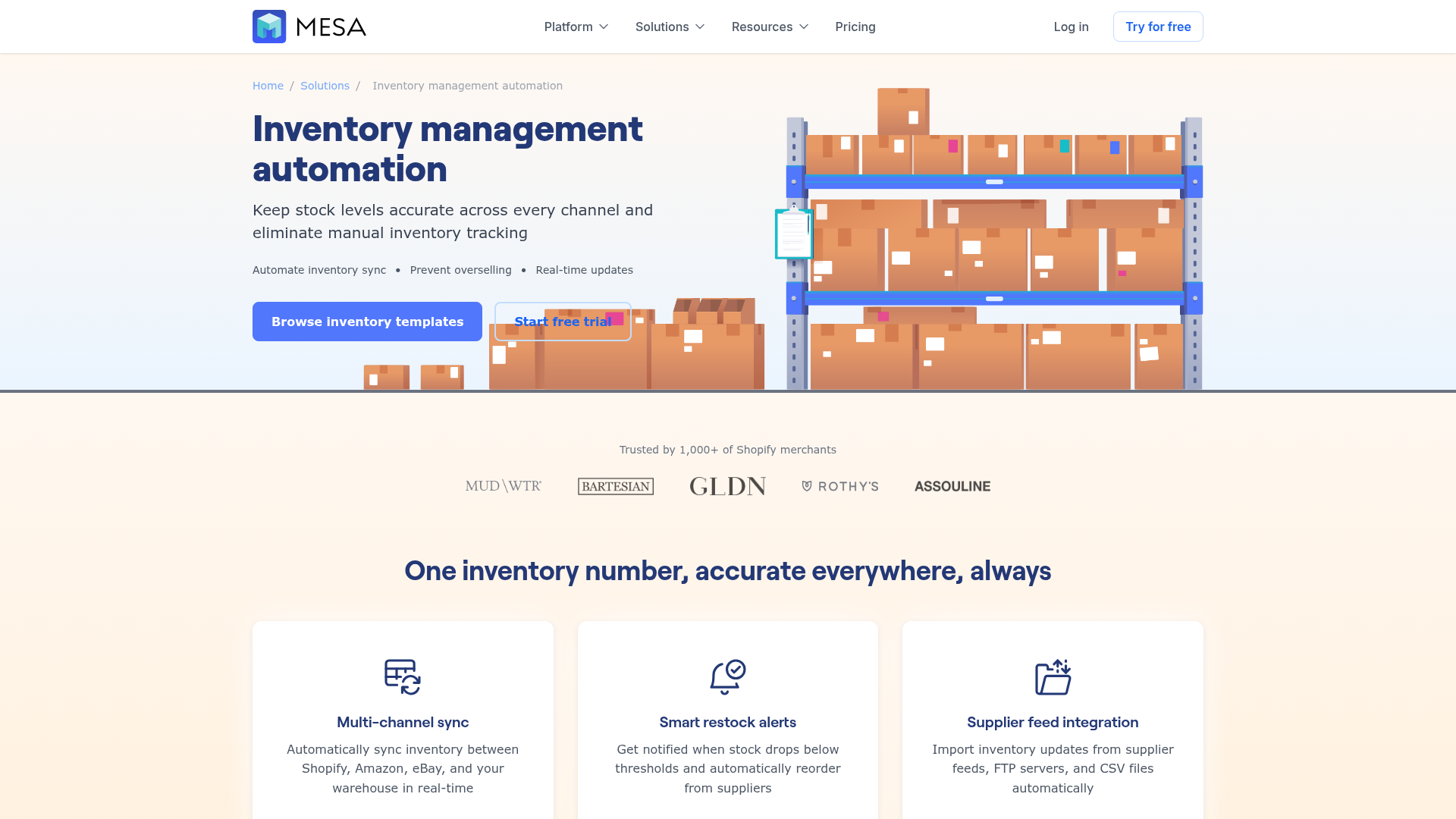
Typical inventory-adjacent workflows merchants automate with MESA
-
low-stock alerts to Slack or email
-
order tagging based on stock conditions
-
inventory sync to Google Sheets
-
returns-triggered restock workflows
-
fulfillment exception alerts
-
post-purchase customer follow-up when stock changes affect delivery
-
internal reporting snapshots
-
app-to-app updates that keep teams aligned
This is especially useful for brands that have outgrown simpler rule-based tools but are not looking to launch a full custom integration project.
Final verdict
Shopify is a strong foundation for inventory management. But for growing brands, the real challenge is not simply counting stock. It’s coordinating everything that should happen when stock changes.
That’s where many merchants get stuck between basic tools and overbuilt systems.
The smartest next step is usually not replacing Shopify. It’s adding the missing operational layer: automated alerts, syncs, order handling, reporting, and exception management that keep inventory accurate and teams responsive.
If your team is still chasing stock updates manually, cleaning up preventable errors, or juggling disconnected apps, MESA is the logical next step. It helps you automate repetitive Shopify tasks, reduce operational backlog, and scale more confidently without waiting on developers.
Explore MESA’s workflow library, try a ready-made template, or start with a use case you already know is painful. The fastest win is often just one workflow away.