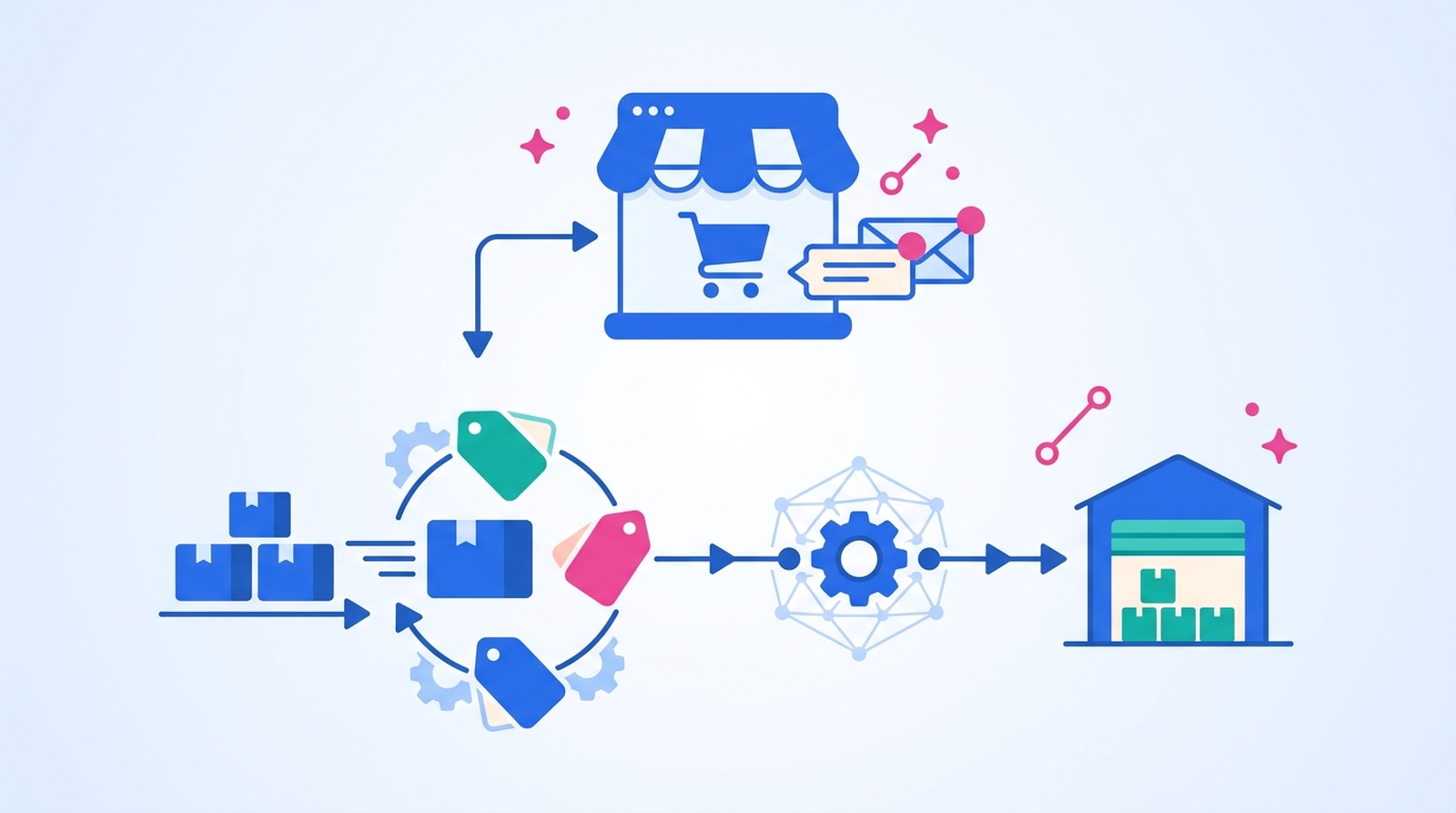
If you are tagging orders by hand and re-keying stock counts into a spreadsheet after every sale, you already know how quickly that work piles up — and how easily it breaks the moment volume spikes. Both jobs are rules-based, repetitive, and predictable, which makes them two of the best candidates for automation in any store.
This guide walks through exactly how to automate each one, how to connect them so they run as a single hands-off process, and where to start if you have never built a workflow before.
TL;DR: there's a template for that
The short answer
You automate order tagging by creating a rule that watches for an order event (such as order created or order paid), checks a condition (order value, product, shipping speed, or customer type), and applies a tag automatically. You automate inventory syncing by connecting Shopify to your other sales channels, warehouse, or 3PL so that a stock change in one place updates everywhere in near real time. Both can be built without code using Shopify Flow, a dedicated tagging or inventory app, or an automation platform like MESA that handles the tagging and the sync in one workflow.
Why doing this manually costs you
Manual order tagging is slow and inconsistent: two people on the same team will tag "VIP," "vip," and "high-value" three different ways, and the tag only gets added if someone remembers to open the order. Manual inventory updates are worse, because the cost of getting them wrong lands on the customer.
According to research cited by inventory platform Cin7, nearly 70% of shoppers say their perception of a brand is negatively affected when an item they were told was in stock turns out to be unavailable, and 40% of sellers cancel at least one in every ten orders because of stock issues. On marketplaces the penalty is concrete — Amazon expects sellers to keep their cancellation rate below 2.5%, and oversell-driven cancellations count against it. Every one of those problems traces back to stock counts that did not update fast enough.
Automation fixes the root cause. Tags get applied the same way every time, the instant an order comes in, and stock levels stay accurate across every place you sell without anyone touching a spreadsheet.
How to automate order tagging
Every order-tagging automation follows the same three-part shape:
- Trigger — the store event that starts the workflow, usually order created or order paid.
- Condition — the filter that decides which orders get tagged (for example, order total over $250, contains a pre-order SKU, or ships express).
- Action — the tag that gets applied, plus anything else you want to happen at the same time, like a Slack alert.
Here are a few rules that pay off almost immediately:
- High-value orders → tag
VIPwhen the order total crosses your threshold, so fulfillment and support can prioritize them. - Fraud review → tag
reviewand hold fulfillment when Shopify flags an order as high risk. - Shipping speed → tag
expeditedwhen a customer pays for express shipping, so it never sits in the standard queue. - Product type → tag
pre-orderorsubscriptionbased on the SKUs in the cart, so those orders route to the right process.
You have three main ways to build these. Shopify Flow is Shopify's own automation tool and is free on every Shopify plan, from Basic up through Plus — you build the trigger-condition-action logic visually (a handful of advanced actions, like sending an HTTP request, do require Grow, Advanced, or Plus). If you would rather use a simpler dedicated tool instead, an app such as Omega Auto Tag gives you a comparable rule builder for orders and customers. And a broader platform like MESA lets you describe the rule in plain English and then runs it alongside your other automations, which matters once tagging is only one step in a longer process.
The key is to keep each rule focused on one job. A separate workflow for high-value orders and another for gifts is far easier to debug than one giant rule trying to handle everything.
To set up the Slack side of that action, see how to automate Slack messages for your team, so tagged VIP or high-risk orders reach the right channel right away.
How to automate inventory syncing
Inventory syncing means keeping one accurate stock number no matter how many places you sell. When you sell a unit on your Shopify storefront, that same count needs to drop on your point of sale, your marketplaces, and your warehouse or 3PL system — automatically, and fast enough that you never sell something you cannot ship.
There are three patterns worth automating:
- Channel-to-channel sync — connect Shopify to your other sales channels (POS, Amazon, eBay, a second Shopify store) so an order on any one of them decrements stock everywhere. MESA has ready-made templates for exactly this, such as syncing stock levels between Shopify and Square or between two Shopify stores.
- 3PL and warehouse sync — when your fulfillment partner ships or receives units, push those changes back into Shopify so your on-hand count reflects reality instead of yesterday's export.
- Low-stock alerts and guardrails — trigger a Slack message when a product runs low, pause ad spend on a nearly sold-out item, or auto-hide products that hit zero so shoppers never add them to a cart.
The difference between "we email someone when stock is low" and real inventory automation is that the latter updates the downstream systems too — the marketplace listing, the reorder sheet, the ad audience — so the low count actually prevents an oversell instead of just reporting one after it happens.
Connect the two into one workflow
Tagging and inventory are usually treated as separate problems, but they are strongest together. A single workflow can tag an incoming order, check the stock of the items in it, and branch based on what it finds. For example:
- Order paid → tag by value and shipping speed → if any line item is below its safety threshold, tag
backorderand alert the ops team in Slack → sync the new stock count out to your other channels.
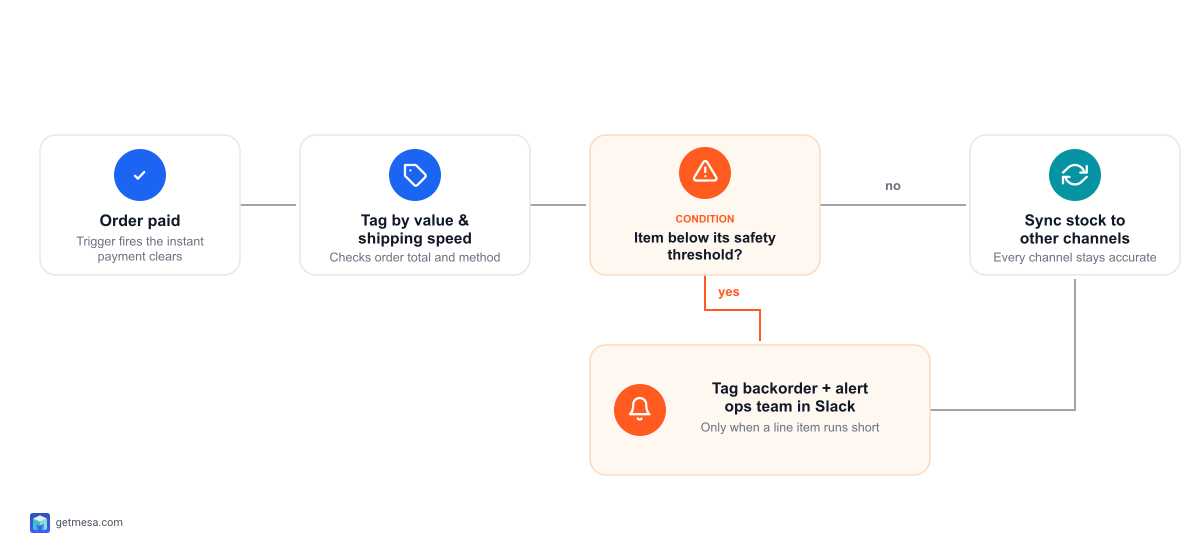
Building that as one connected process is where a Shopify-first automation platform earns its keep. This is the gap MESA is built for: you describe the outcome you want in plain English, MESA turns it into a working workflow, and you connect Shopify to 100+ other apps with 300+ ready-made templates as a starting point — so the tag, the alert, and the inventory sync all fire from the same trigger instead of living in three disconnected tools.
For the bigger picture on both halves, see our guides on how to automate Shopify orders and making Shopify your inventory source of truth.
Where to start
You do not need to automate everything at once. A sensible order:
- Pick one tagging rule you do by hand every day — high-value or high-risk orders are the usual first win — and automate just that.
- Confirm it behaves on a few live orders before adding more rules, so you trust the tags downstream teams will act on.
- Automate your single most painful inventory sync next, usually the channel where overselling has already burned you.
- Connect them once both run reliably on their own, adding alerts and downstream updates so the workflow prevents problems instead of just recording them.
Start narrow, prove it works, then expand. Within a couple of weeks the manual tagging and the spreadsheet reconciliation that used to eat your mornings simply stop being your job.
FAQs
How can I automate order tagging and inventory syncing for my online store?
Automate order tagging with a rule that fires on an order event (like order created), checks a condition such as order value or product type, and applies the tag automatically. Automate inventory syncing by connecting Shopify to your other channels, warehouse, or 3PL so a stock change in one place updates everywhere in near real time. You can build both without code using Shopify Flow, a dedicated tagging or inventory app, or a platform like MESA that runs the tagging and the sync as one workflow.
Do I need Shopify Plus to automate order tagging?
No. Shopify Flow is included free on every Shopify plan, from Basic up through Plus — it is not a Plus-only feature (only a few advanced actions, like sending an HTTP request, require Grow, Advanced, or Plus). You can also get the same rule-based order and customer tagging from a dedicated app or from an automation platform like MESA, which works on any Shopify plan.
How do I stop overselling when I sell on more than one channel?
Overselling happens when one channel sells stock that another channel already sold. The fix is real-time inventory sync: connect every channel to a single source of truth so each sale decrements the shared count immediately, and add low-stock guardrails that pause listings or ad spend before an item hits zero.
Can one workflow both tag an order and update inventory?
Yes. On a platform like MESA a single workflow can tag an incoming order by value or risk, check the stock of the items in it, alert your team, and sync the updated count to your other channels — all from the same trigger, so the two tasks run as one hands-off process.
