Welcome to our monthly field notes of the latest enhancements and updates for MESA! Each month, our team works diligently to bring you new features, improvements, and integrations designed to make your work easier to accomplish.
Let's jump in to see July's adventures.
✨ New Feature: Duplicate steps
You can now duplicate actions! Click on the Step Options icon then, Duplicate.
✨ Template: Shopify orders to database
Save orders to a database for use in other workflows or connecting with systems.
Save Shopify Orders to a DatabaseEasily manage your order data by capturing new Shopify orders and storing them in a searchable database. This MESA workflow template records order details in an organized data table, simplifying order tracking and enabling you to trigger additional workflows as needed. Enhance your order management process, save time on daily tasks, and focus on growing your business with efficient data organization.
https://youtu.be/7uv8xwXd0hc
✨ Template: Shopify customers to database
Easily backup your customer data to database or to easily connect it with workflows.
Save New Shopify Customers to a DatabaseEffortlessly manage customer data by capturing new Shopify customers and storing their information in a searchable database. This MESA workflow template creates an organized data table, making it easy to track, search, and trigger additional workflows using customer details. Simplify customer management, streamline daily tasks, and focus on growing your business with an efficient data solution.
https://youtu.be/f55AlWmMqyc
✨ Template: Tag an order when a specific discount code is applied
Use Shopify tags to analyze discount effectiveness, segment your customers, and track sales performance effortlessly. Try this template:
Tag Shopify Orders When Specific Discount Codes Are AppliedGain valuable insights into discount performance by tagging orders when a specific discount code is used. This MESA workflow template automatically applies a custom tag to Shopify orders with designated discount codes, allowing you to analyze promotion effectiveness, segment customers, and track sales trends with ease. Streamline order management and make data-driven marketing decisions.
https://youtu.be/Q77FHWSLkWc
✨ Template: Create an order fulfillment from a new row in Google Sheets
Do you use Google Sheets to manage your tracking numbers? Ever want to auto-fulfill those orders in Shopify when you do? Check out this new workflow:
Generate Shopify Order Fulfillments from New Google Sheets RowsStreamline your order fulfillment process by using Google Sheets to trigger fulfillments in Shopify. When a team member adds tracking information to a new row in Google Sheets, this MESA workflow template automatically creates the order fulfillment in Shopify. Save time on manual updates and let your team manage shipments effortlessly, allowing you to focus on other essential business tasks.
https://youtu.be/_cqqJ0ECUJk?si=q6zdUT4Us4CnvMXT
🔎 Improvement: Shopify search
Performance: We are using GraphQL to search more efficiently with a single API call. This approach retrieves only the fields we are searching for, making the experience faster.
Search capabilities: For orders, you can search by order name, order ID, and email. For customers, you can search by email, customer ID, and phone.
🛠️ Improvement: Google apps
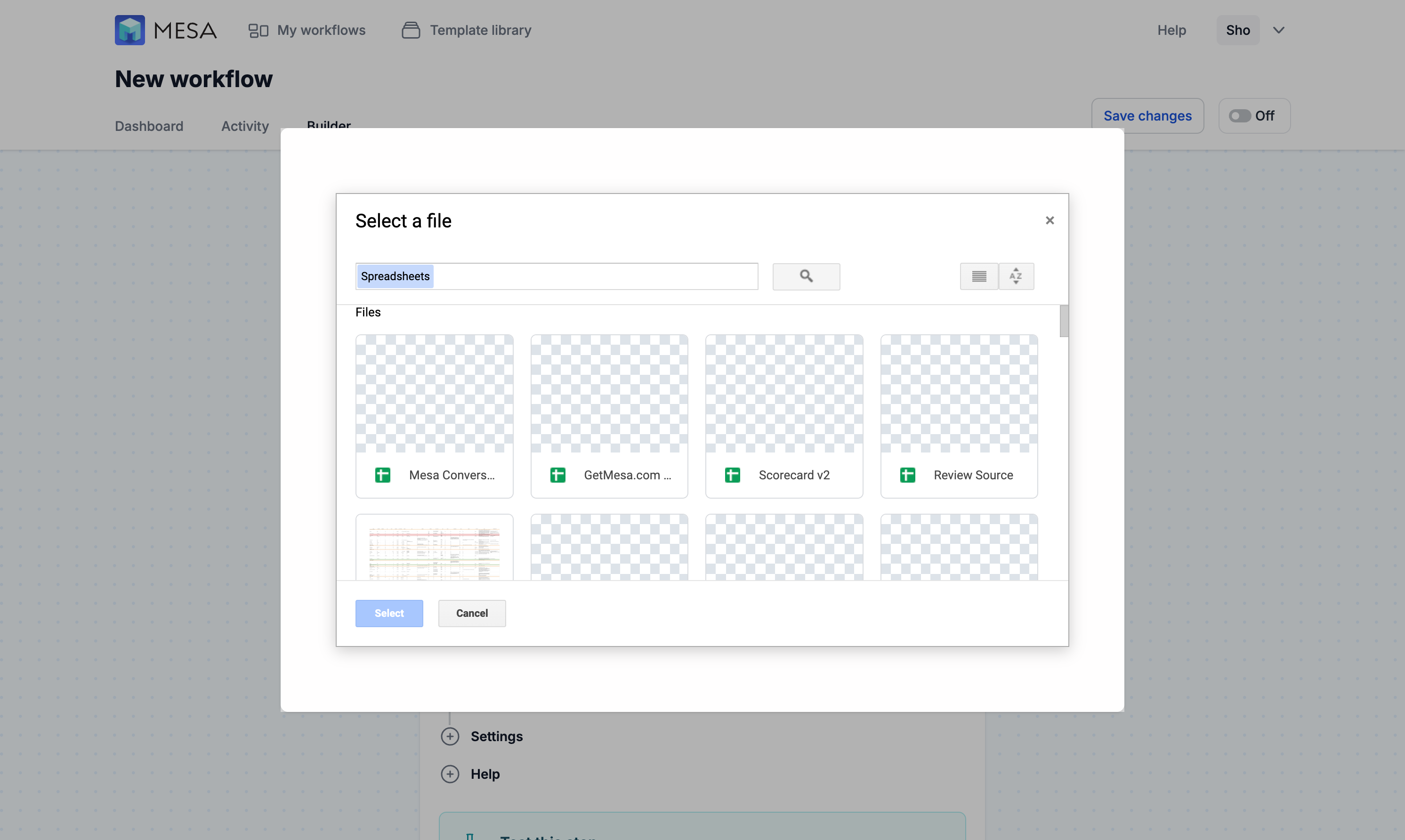
Google apps (Google Drive and Google Sheets specifically) reclassified the requested permissions to be considered "Restrictive" permissions. This update should not impact any workflow, except for the typeahead of Google Spreadsheet ID. It now uses an iframe, allowing you to select the Google Sheet you are targeting.
🛒 Improvement: Shopify Plus
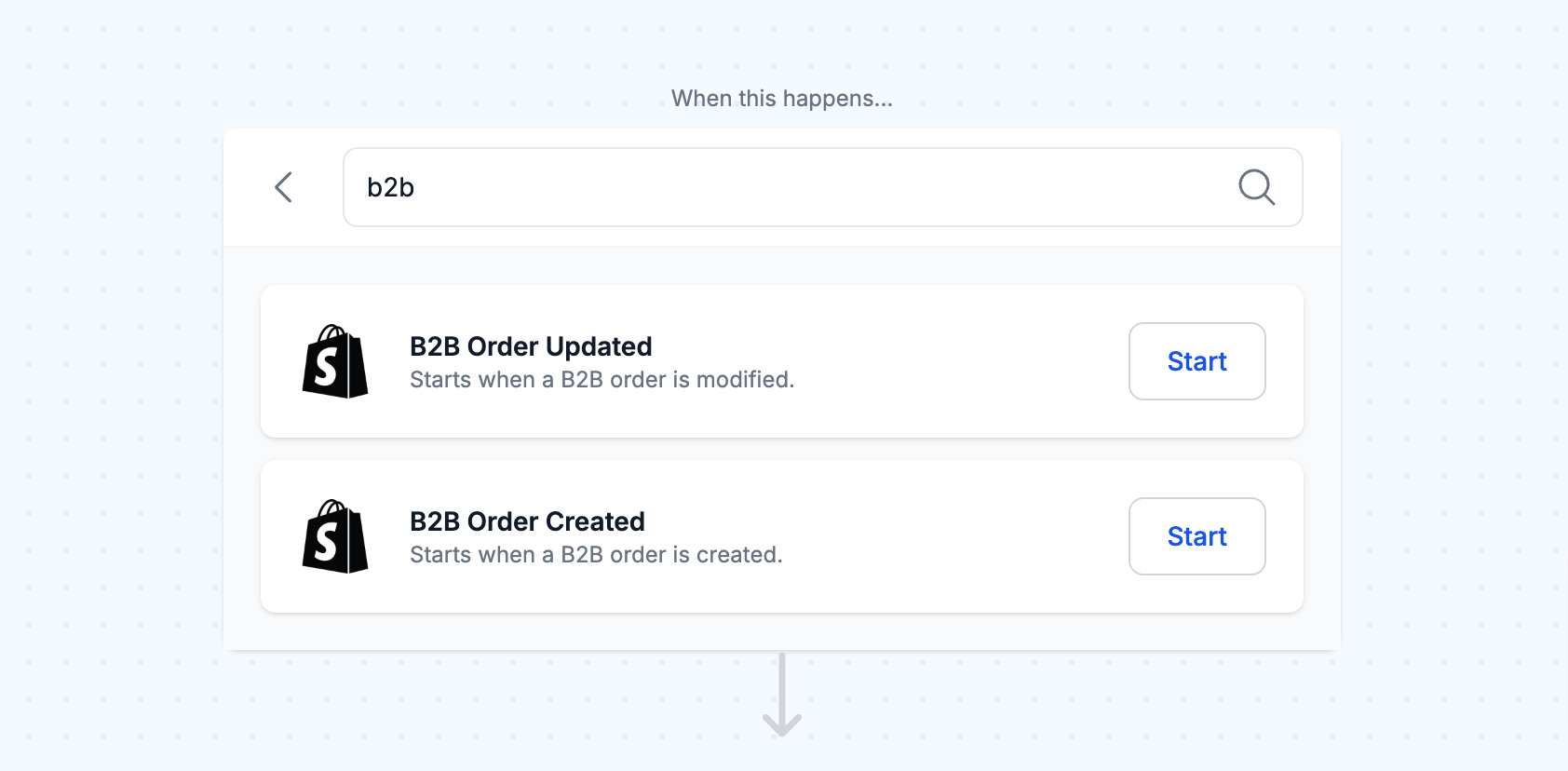
We added the ability to create B2B orders/draft orders through our Shopify Plus app. You can also trigger workflows whenever a B2B order/draft order is created or updated. Creating B2B orders requires company information. As a refresher, Shopify Plus app can only be used by stores on a Shopify Plus plan.
🎵 For your ears: Summer Slow Jams
Light the grills and crack a beer! Enjoy our Spotify playlist for July featuring summertime slow jams.
What to do next…
The fastest way to automate anything is to start with a single task.