🚀 May was all about capturing more of what happens on your store. MESA's AI assistant picked up some sharper instincts in the workflow builder, six new product option apps joined the MESA library, and a fresh batch of templates arrived to put them to work.
Here's everything new with MESA this month:
🤖 MESA's AI gets sharper in the workflow builder
MESA's built-in assistant picked up a handful of upgrades that make building workflows — and coming back to them — a lot smoother.
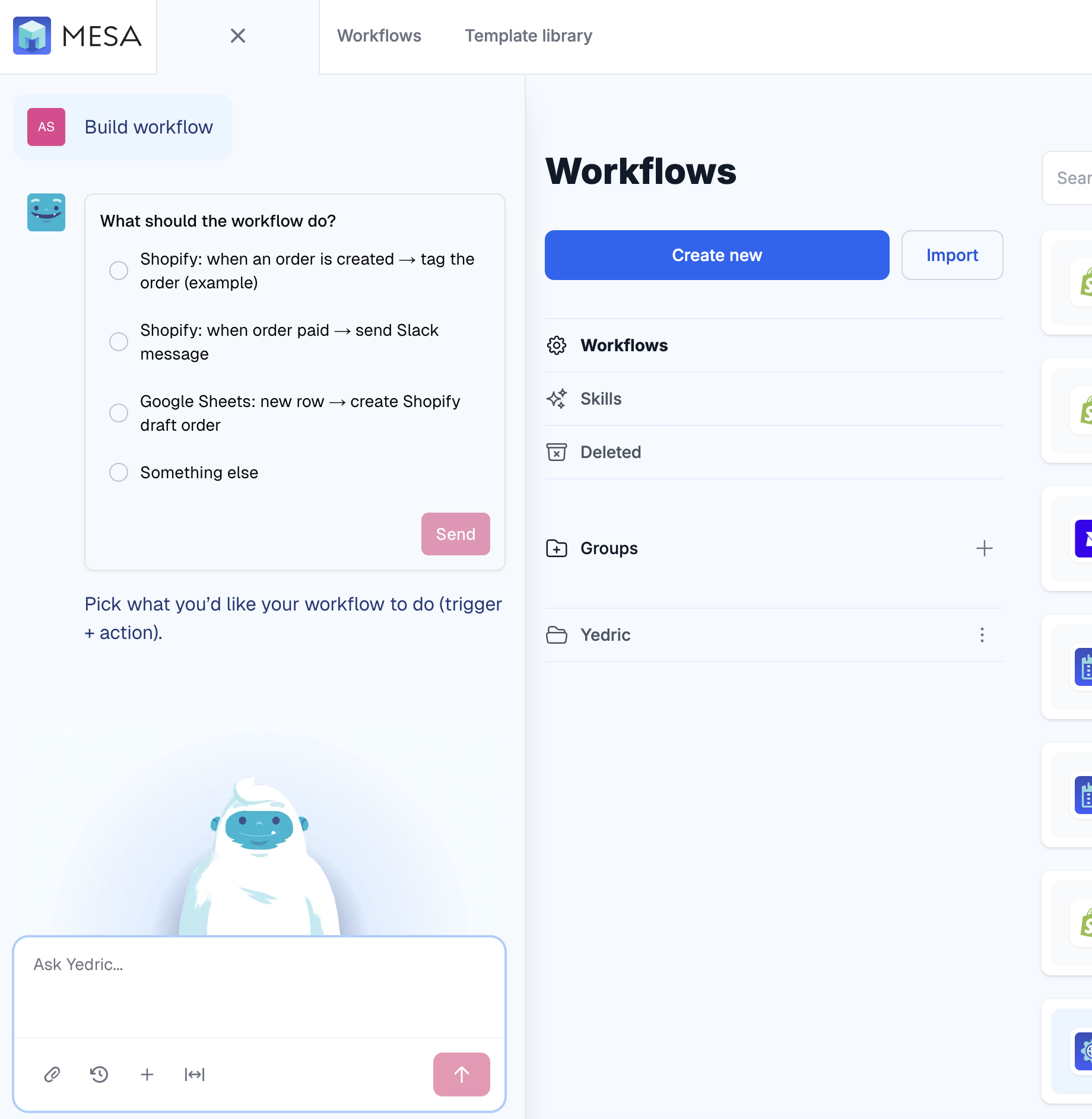
First, it can now ask you a quick question instead of leaning on text alone. When it needs direction, it can offer a short set of choices, so pointing it at the right trigger and action is a click rather than a paragraph.
There's also a new New chat from here button that lets you branch a fresh conversation off any point in an existing chat — handy when you want to test the same thing a few different ways without losing your place.
Under the hood, it now has a better read on how a workflow is structured, which sharpens its ability to update steps, fields, and especially Liquid variables.
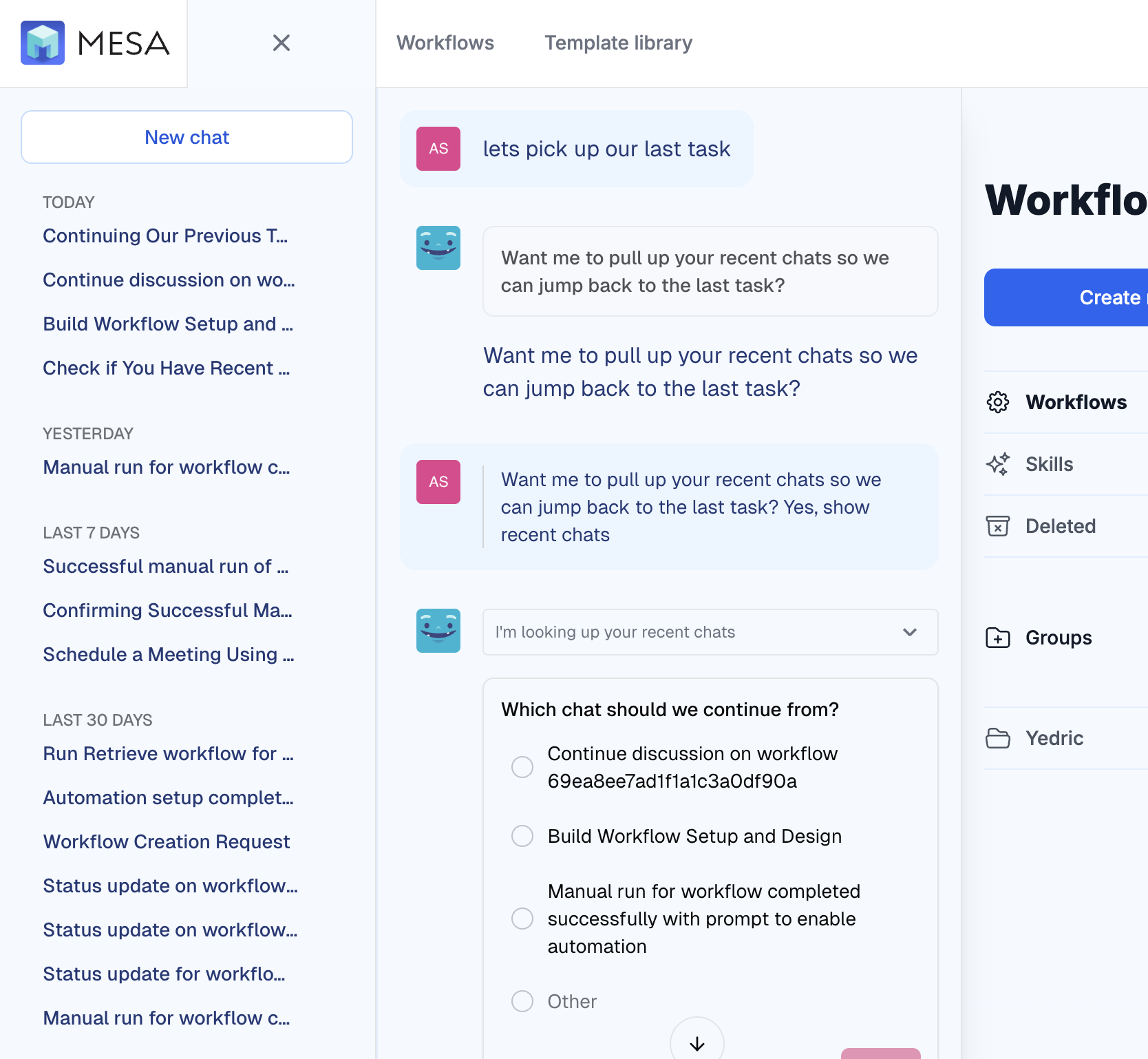
And it can now search your recent conversation history, making it easier to pick up right where you left off.
🧩 Six new product option apps
We've added six new product option apps to MESA, each with its own trigger and action: Globo Product Options, Easify Product Options, OPTIS Product Options, Avis Product Options, Hulk Product Options, and Qikify Product Options.
They work much like our Infinite Options integration, with one difference: they don't yet pull an app's line item property names into a typeahead. You can still filter orders by specific line item properties right in the trigger or action — and if you leave that filter empty, every order that carries line item properties will flow through your workflow.
📋 New templates to put them to work
To help you get value from those apps right away, we've published a set of ready-to-install templates. Most pair with the new product option apps — saving option data to your Shopify order notes or exporting it to Google Sheets — plus a new one for sending Judge.me reviews straight to a spreadsheet.
Save Globo Product Options to Shopify Order NotesCapture customer choices from Globo Product Options and send them directly to Shopify order notes. Perfect for custom products, personalized items, or complex product configurations. Your fulfillment team gets all the details they need without jumping between apps or missing important customization requests. Leave the template as is to preserve all options in the order notes or filter for select options in the trigger.
Send Globo Product Options to Google SheetsSend Globo Product Options data directly to Google Sheets whenever customers place orders. Track custom product selections, add-ons, and personalization choices in organized spreadsheets. Monitor order trends, analyze popular options, and share customer preferences with your team without manual data entry. Leave the template as-is to capture all orders containing any line item properties, or filter for specific line item properties in the trigger if you only want the workflow to run for certain options.
Save Easify Product Options to Shopify Order NotesCapture customer product customizations from Easify and send them directly to Shopify order notes. Keep all special requests, add-ons, and custom selections visible in your order management system so you never miss important details when fulfilling orders. Leave the template as is to preserve all options in the order notes or filter for select options in the trigger.
Send Easify Product Options to Google SheetsSend Easify Product Options data to Google Sheets automatically every time a customer places an order. Keep a running record of custom selections, add-ons, and personalization choices — all organized and ready to share with your team. Spot order trends, see which options are most popular, and ditch the manual data entry. Use the template as-is to log all orders with line item properties, or add a filter to the trigger if you only want to track specific options.
Save OPTIS Product Options to Shopify Order NotesCapture every product customization from OPTIS and send it directly to your Shopify order notes. When customers select colors, sizes, or add-ons through OPTIS, those choices appear in your order details automatically. Perfect for fulfillment teams who need complete product specifications without switching between apps or missing critical customization details. Leave the template as is to preserve all options in the order notes or filter for select options in the trigger.
Send OPTIS Product Options to Google SheetsSend OPTIS product options directly to Google Sheets whenever customers place orders. Track custom product selections, add-ons, and personalization choices in organized spreadsheets. Monitor order trends, analyze popular options, and share customer preferences with your team without manual data entry. Leave the template as-is to capture all orders containing any line item properties, or filter for specific line item properties in the trigger if you only want the workflow to run for certain options.
Save Avis Product Options to Shopify Order NotesCapture every Avis product option your customers purchase and send those details directly to your Shopify order notes. No more guessing what options they selected—see exactly what color, size, or style they want right in your order management system. Perfect for businesses using Avis Product Options who need those critical details preserved where their fulfillment team can easily find them. Leave the template as is to preserve all options in the order notes or filter for select options in the trigger.
Send Avis Product Options to Google SheetsSend Avis product options data directly to Google Sheets whenever customers place orders. Track custom selections, add-ons, and personalization choices in organized spreadsheets. Spot order trends, see which options are most popular, and keep your team in the loop on customer preferences — all without manual data entry. Leave the template as-is to capture all orders containing any line item properties, or filter for specific line item properties in the trigger if you only want the workflow to run for certain options.
Save Hulk Product Options to Shopify Order NotesCapture every Hulk Product Options selection your customers purchase and send those details directly to your Shopify order notes. No more guessing what options they selected—see exactly what color, size, or style they want right in your order management system. Perfect for businesses using Hulk Product Options who need those critical details preserved where their fulfillment team can easily find them. Leave the template as is to preserve all options in the order notes or filter for select options in the trigger.
Send Hulk Product Options to Google SheetsExport your Hulk Product Options data directly to Google Sheets for easy tracking and analysis. Every time a customer selects product options, this workflow captures that information and sends it to your spreadsheet. Perfect for inventory planning, understanding customer preferences, and creating detailed product reports without manual data entry. Leave the template as-is to capture all orders containing any line item properties, or filter for specific line item properties in the trigger if you only want the workflow to run for certain options.
Save Qikify Product Options to Shopify Order NotesCapture every product customization from Qikify and send the details directly to your Shopify order notes. When customers add personalization, custom text, or special options through Qikify, this workflow ensures their choices appear in your order management system. Stop losing track of custom requests and give your fulfillment team the complete picture they need to process orders correctly. Leave the template as is to preserve all options in the order notes or filter for select options in the trigger.
Send Qikify Product Options to Google SheetsTrack customer product options by automatically sending Qikify product option selections to Google Sheets. Every time a customer picks size, color, engraving text, or other options, their choices appear in your spreadsheet instantly. Perfect for inventory planning, production scheduling, and understanding which customizations drive the most sales. Leave the template as-is to capture all orders containing any line item properties, or filter for specific line item properties in the trigger if you only want the workflow to run for certain options.
Send Judge.me Reviews to Google SheetsAutomatically collect Judge.me product reviews and send them directly to a Google Sheets spreadsheet. Perfect for tracking customer feedback, analyzing review trends, and creating reports without manual data entry. Set up once and watch your review data populate in real-time, giving you organized insights to improve your products and customer experience.
🌍 Favorite Non-English Track to Bump playlist
Here is your "Favorite Non-English Track to Bump" playlist 🌍🎵. A love letter to bangers that hit harder when you may or may not know the words.
What to do next…
The fastest way to automate anything is to start with a single task.