🚀 March was all about making MESA smarter to build in. Logic workflows are officially live, MESA's AI turned up in even more corners of the builder, variable recommendations got a lot sharper, and our Trello integration came back rebuilt from the ground up.

Here's everything new with MESA this month:

🛠️ Building workflows just got smarter

We shipped a batch of improvements aimed squarely at the workflow builder — whether you're starting from a blank workflow or fine-tuning a single step.

Logic workflows are live

The refreshed onboarding we've been demoing is now live, and it brings Logic workflows with it. From the New Workflow screen, you describe what you want in plain English and MESA's AI assistant builds a Logic workflow with you — no blank canvas to stare down.
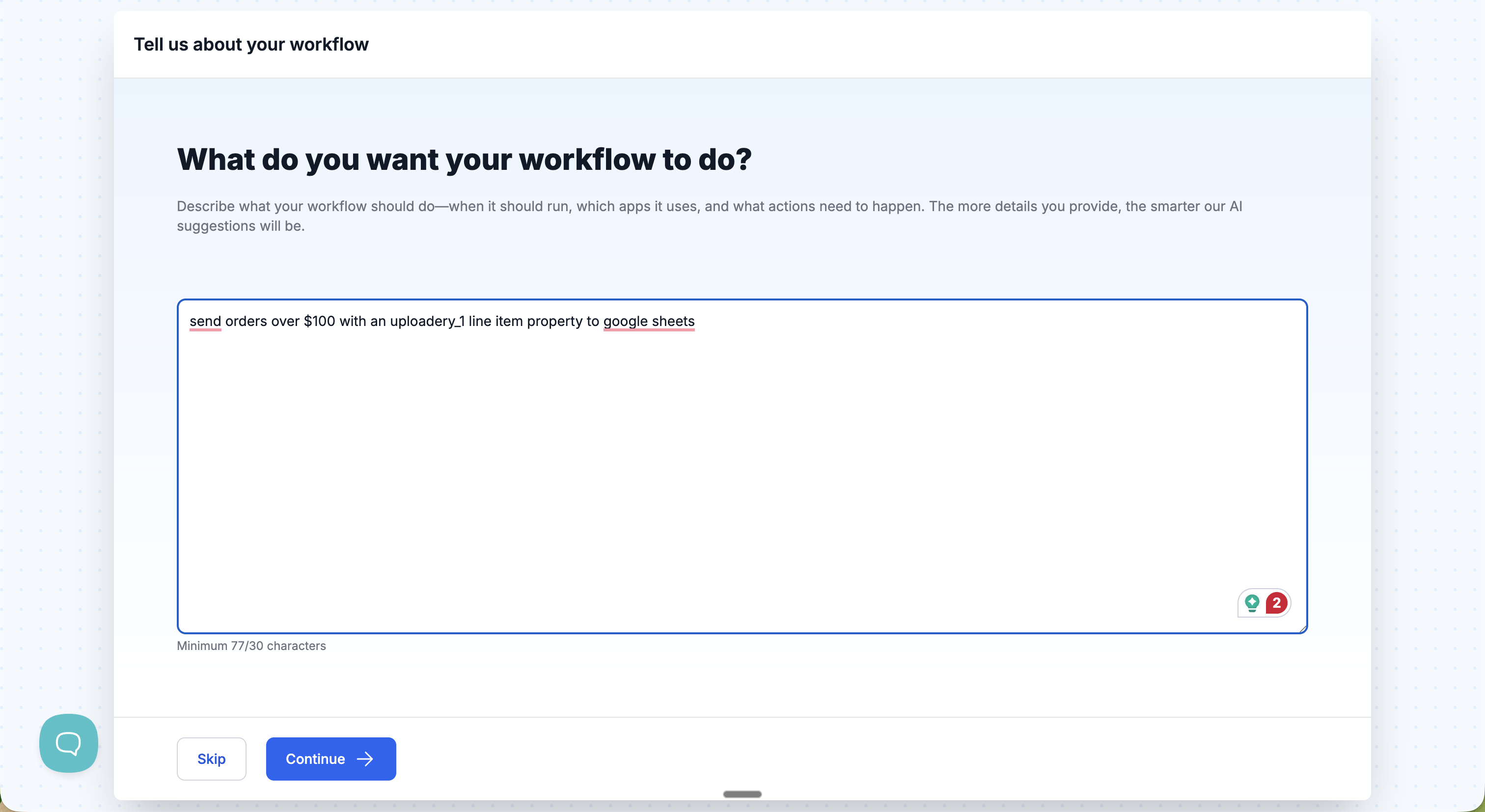
MESA's New Workflow screen asking 'What do you want your workflow to do?' with a plain-English description typed into the prompt box

MESA's AI assembles the pieces — reading the order, building the row, encoding the CSV, and handing off to the next step — so you can go from a sentence to a working Logic workflow in one pass. Want the full breakdown? Check out the Logic step docs.
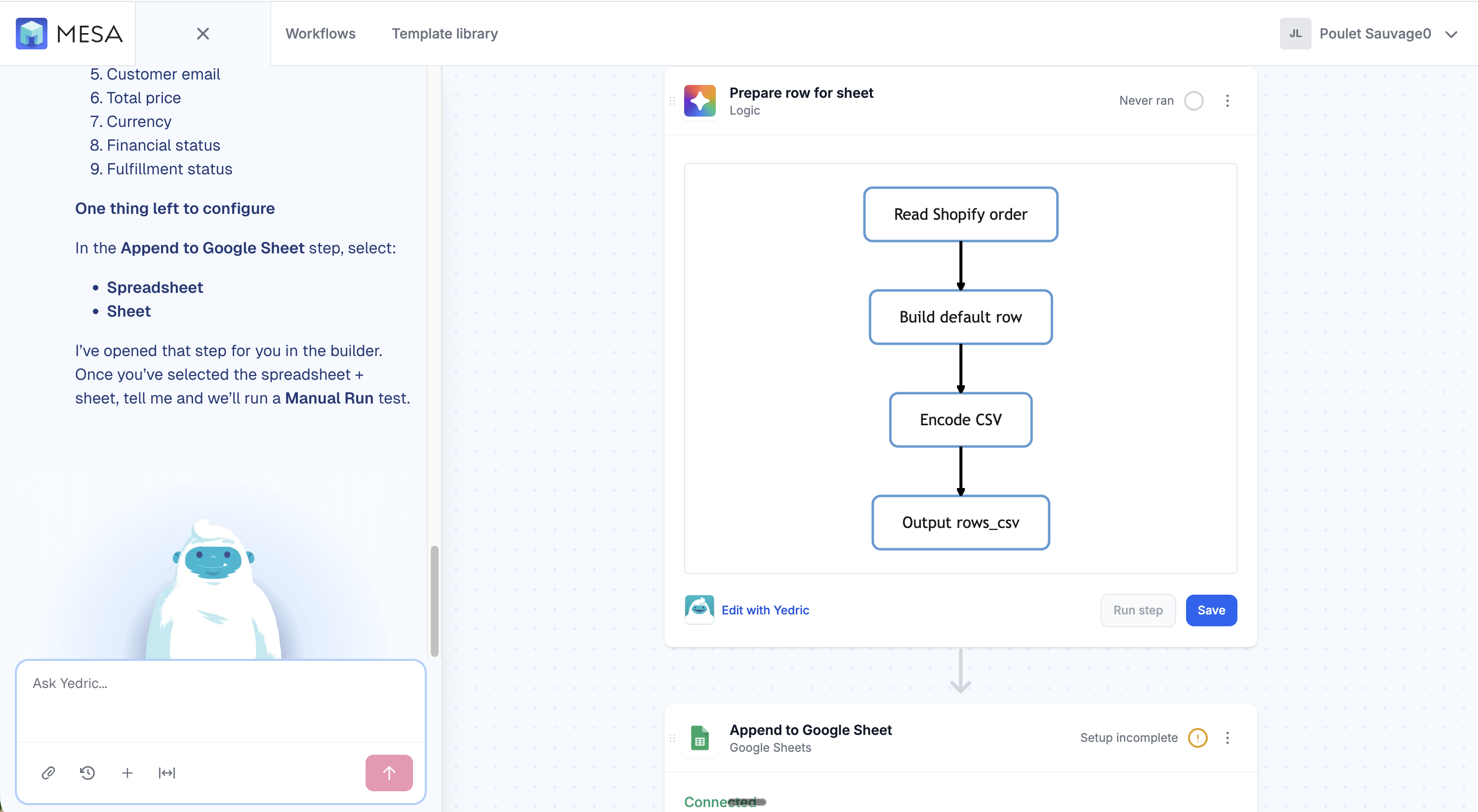
A Logic step open in the MESA workflow builder, chaining Read Shopify order, Build default row, Encode CSV, and Output rows_csv, with an Edit link

Configure Filter steps with MESA's AI

MESA's AI now shows up on Filter steps, too. The new Configure with AI link works just like Edit with AI on Logic steps: describe the condition you're after — say, orders over $100 tagged with vip — and it turns it into the right rules for you.
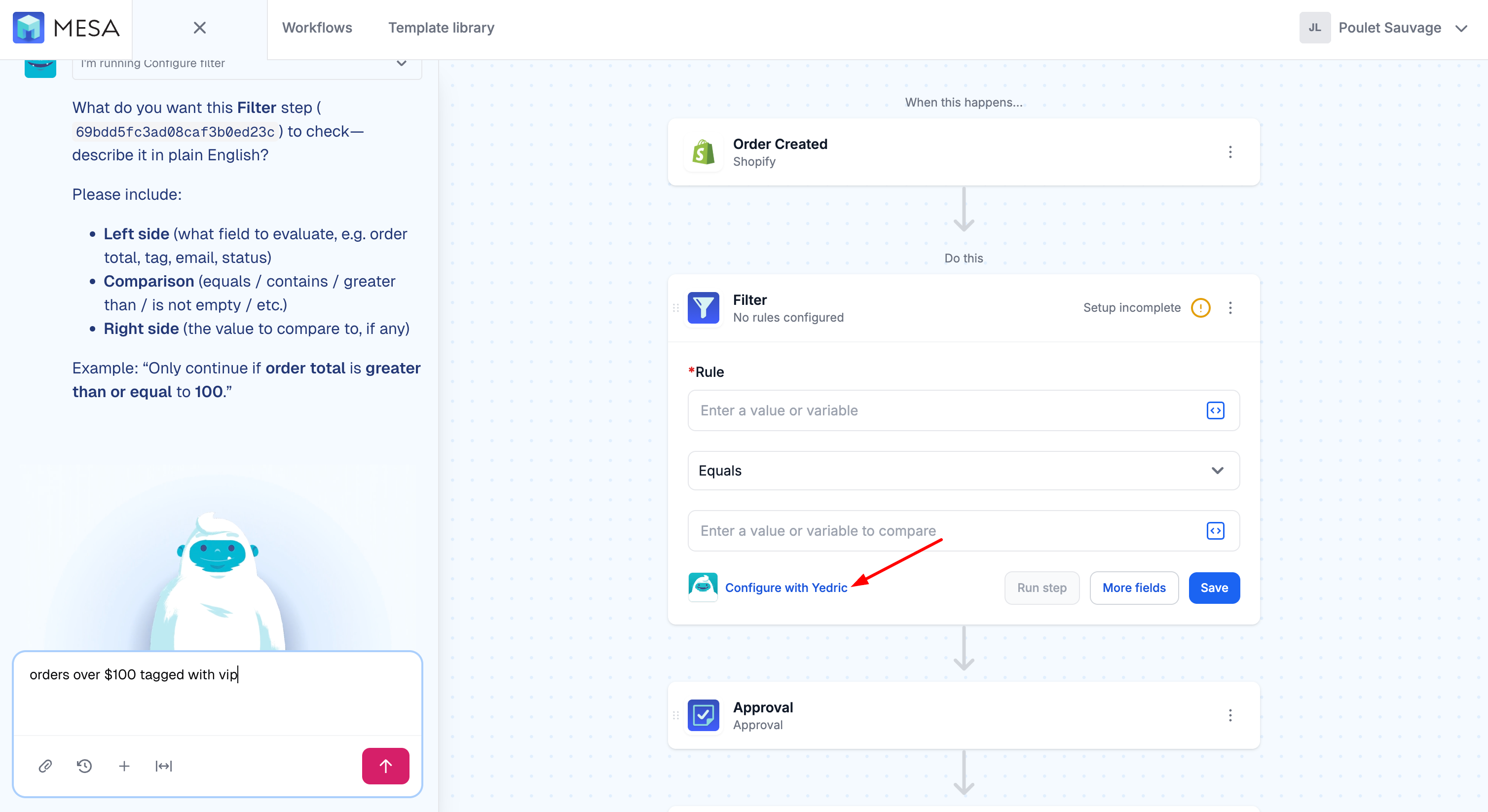
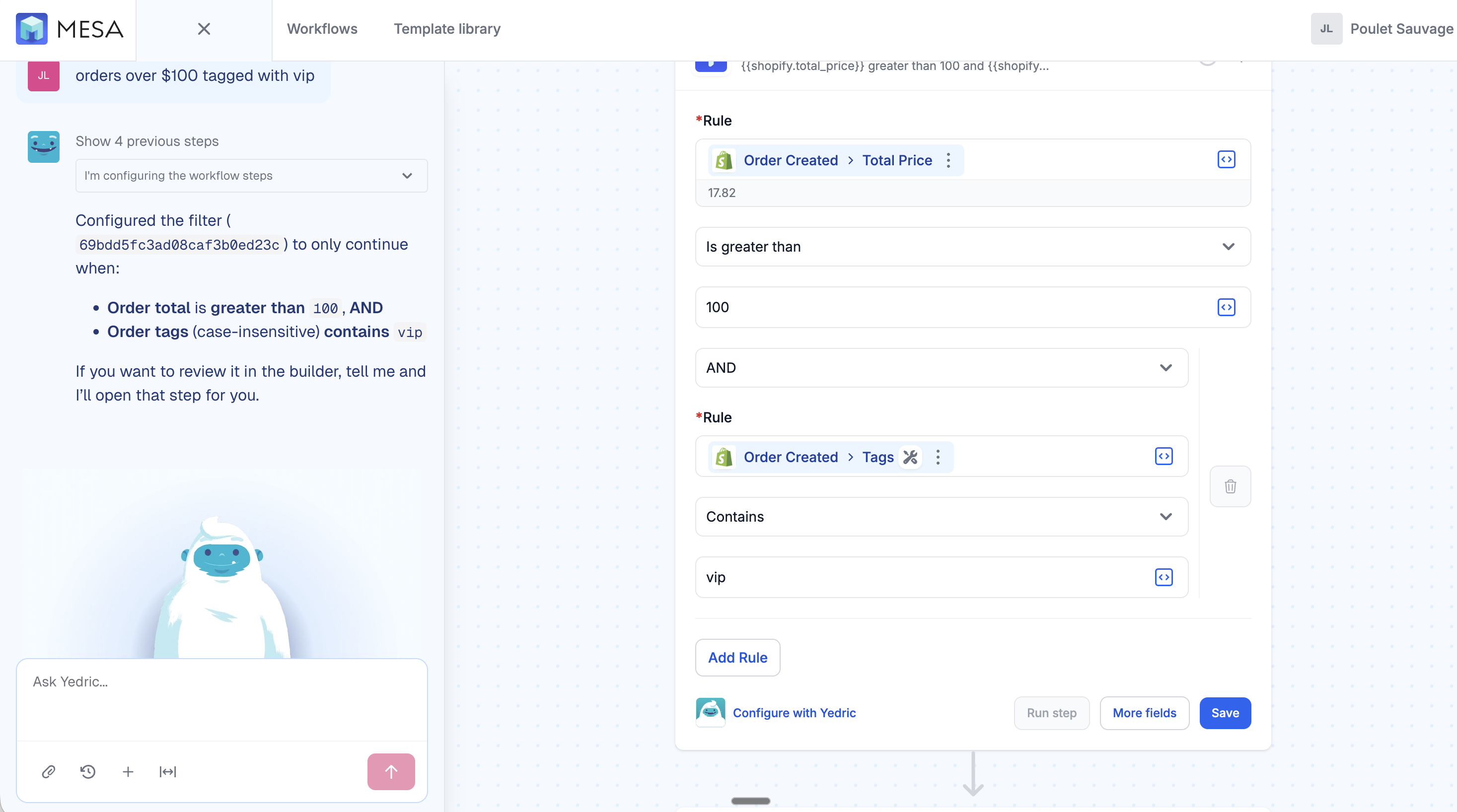
A Filter step in the MESA workflow builder with the new Configure with MESA's AI link highlighted
MESA's AI translating a plain-English request into Filter rules — order total greater than 100 and order tags containing vip — in the MESA builder

Sharper variable recommendations

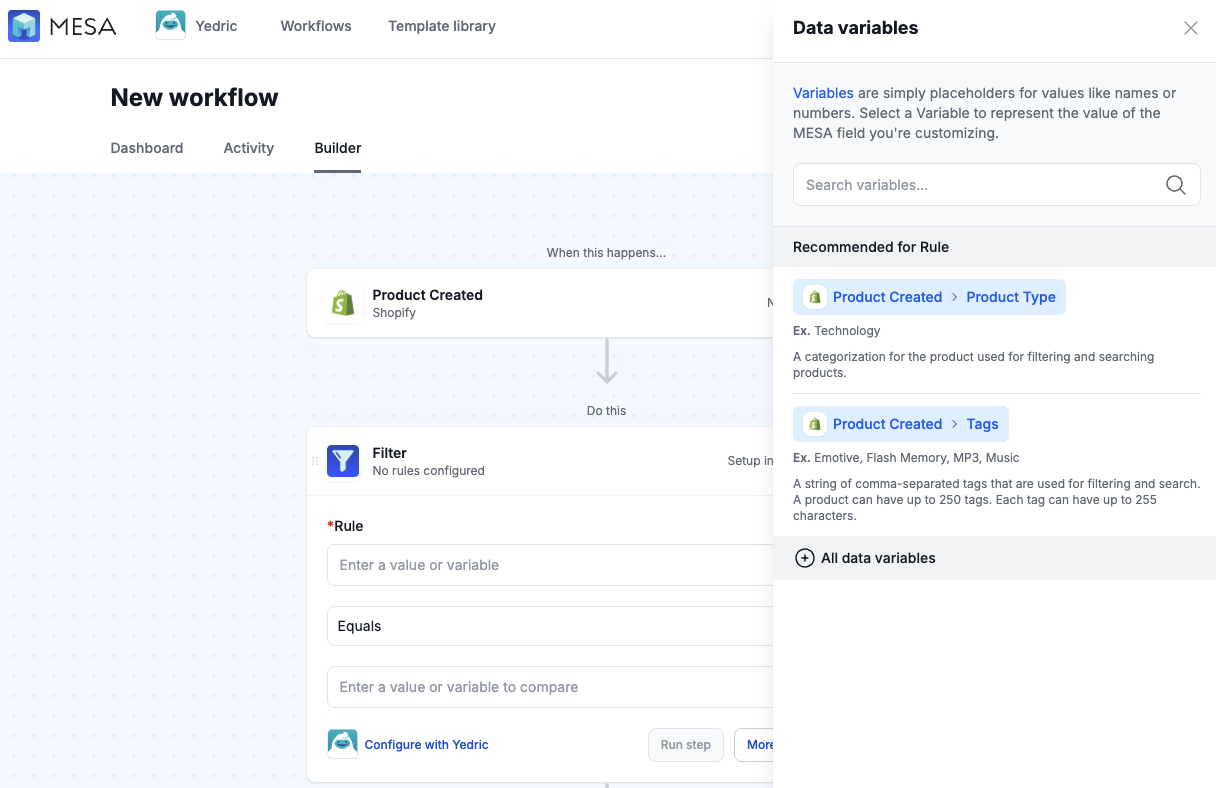
Picking the right variable is quicker now. The builder surfaces smarter recommendations based on the step you're configuring and the trigger you're working from, so the fields you actually reach for — line items, discount codes, product tags, and more — rise to the top of the list.
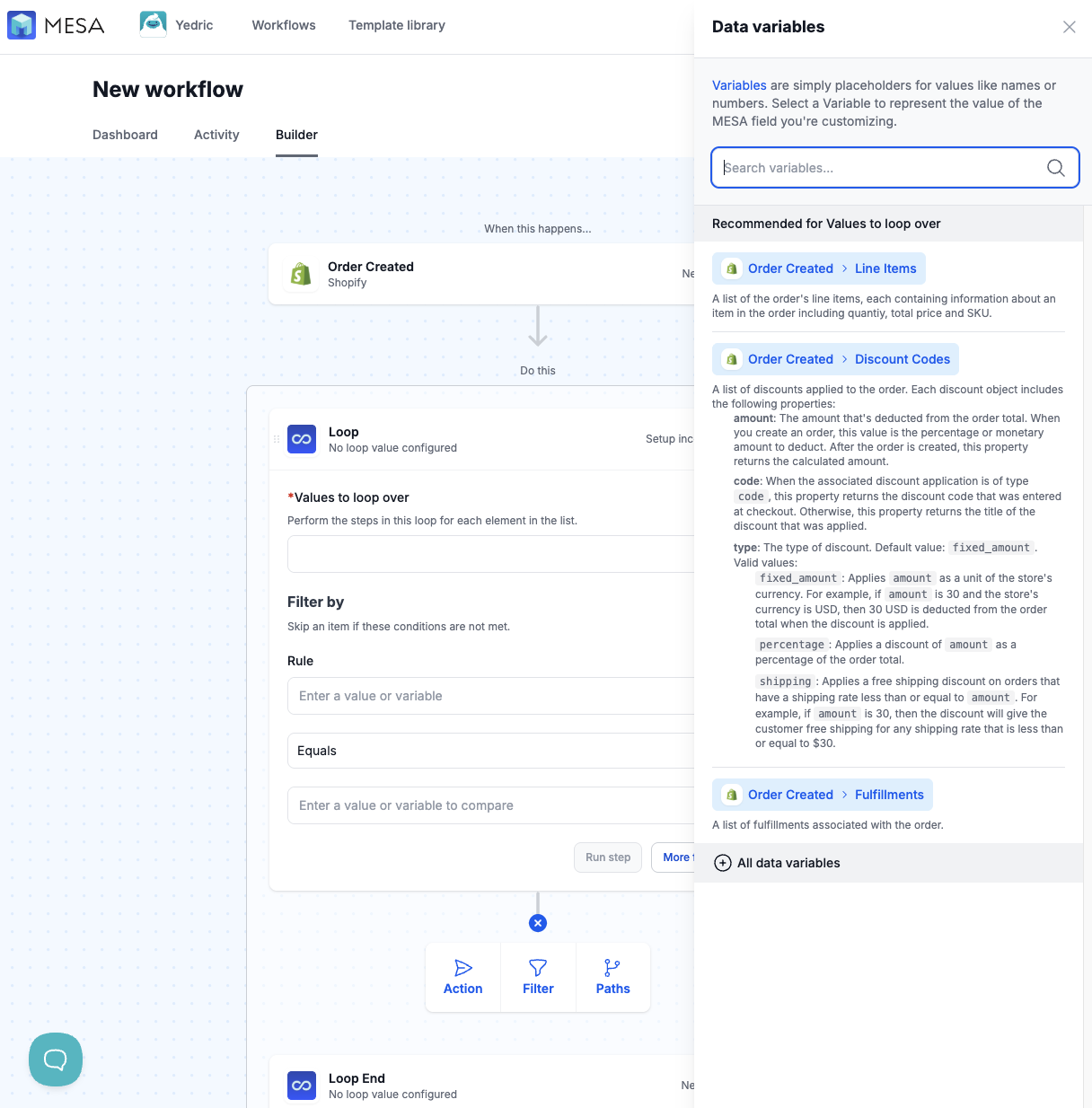
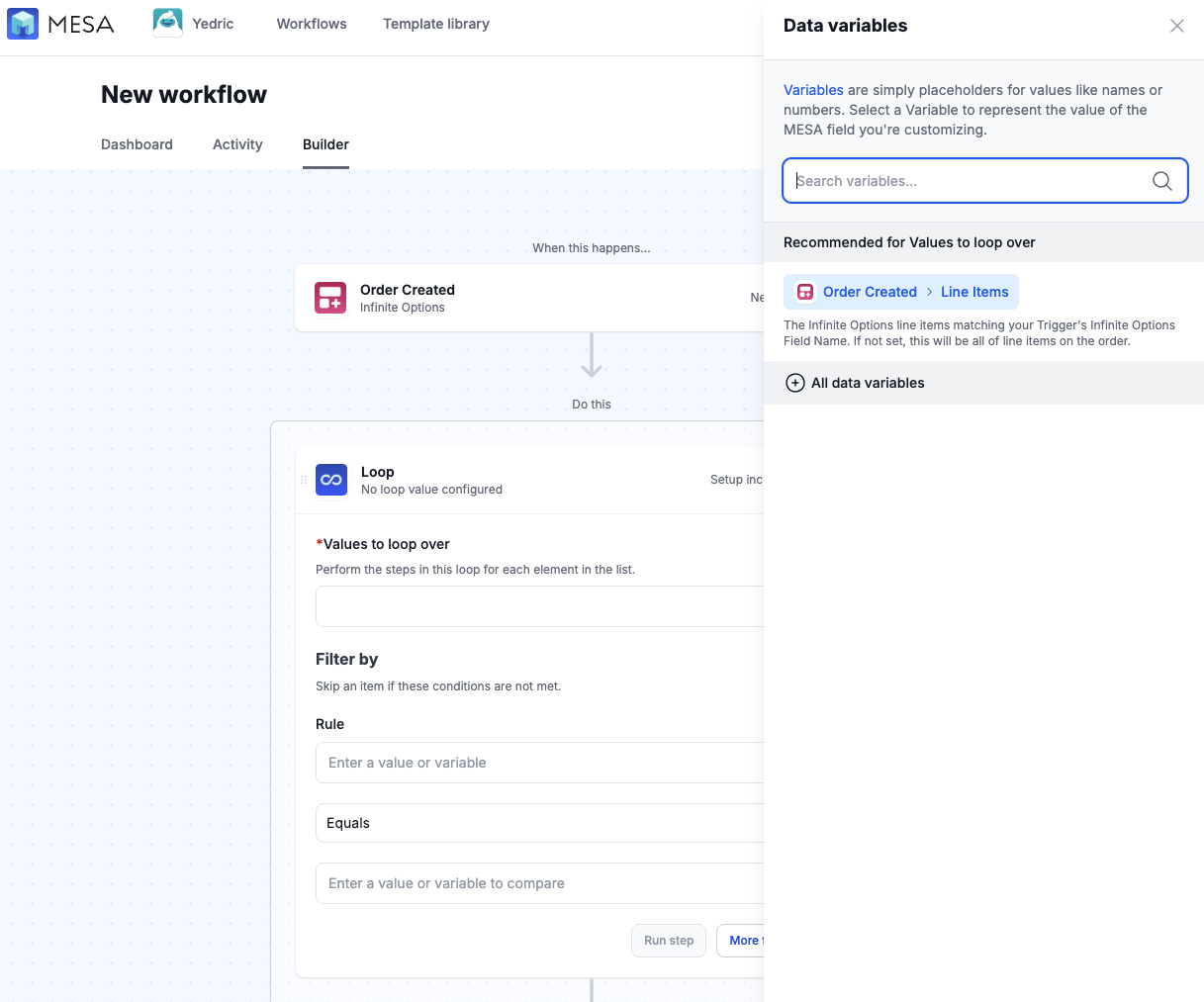
MESA's Data variables panel showing recommended variables for a Loop step, including Order line items, discount codes, and fulfillments
MESA's Data variables panel recommending Product Type and Tags variables for a Filter rule on a Product Created trigger
MESA's Data variables panel recommending the Infinite Options line items variable for a Loop step

🔗 Trello, rebuilt

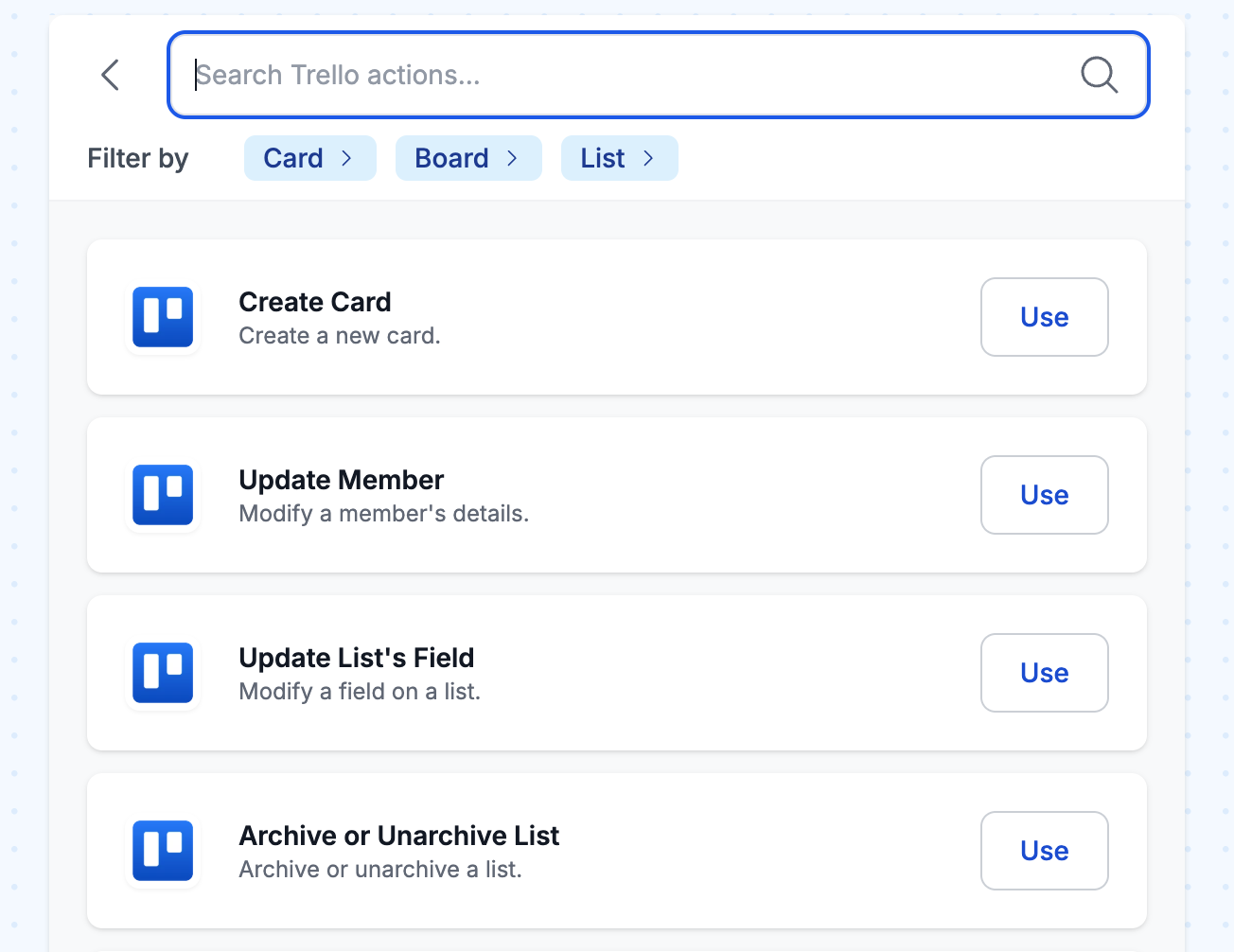
We re-released our Trello integration with more triggers, better actions, and typeaheads all over the place to make setup easier. The new triggers cover the full range of card, board, and list activity, and the expanded action set lets you create cards, update members, update a list's field, archive lists, and more.
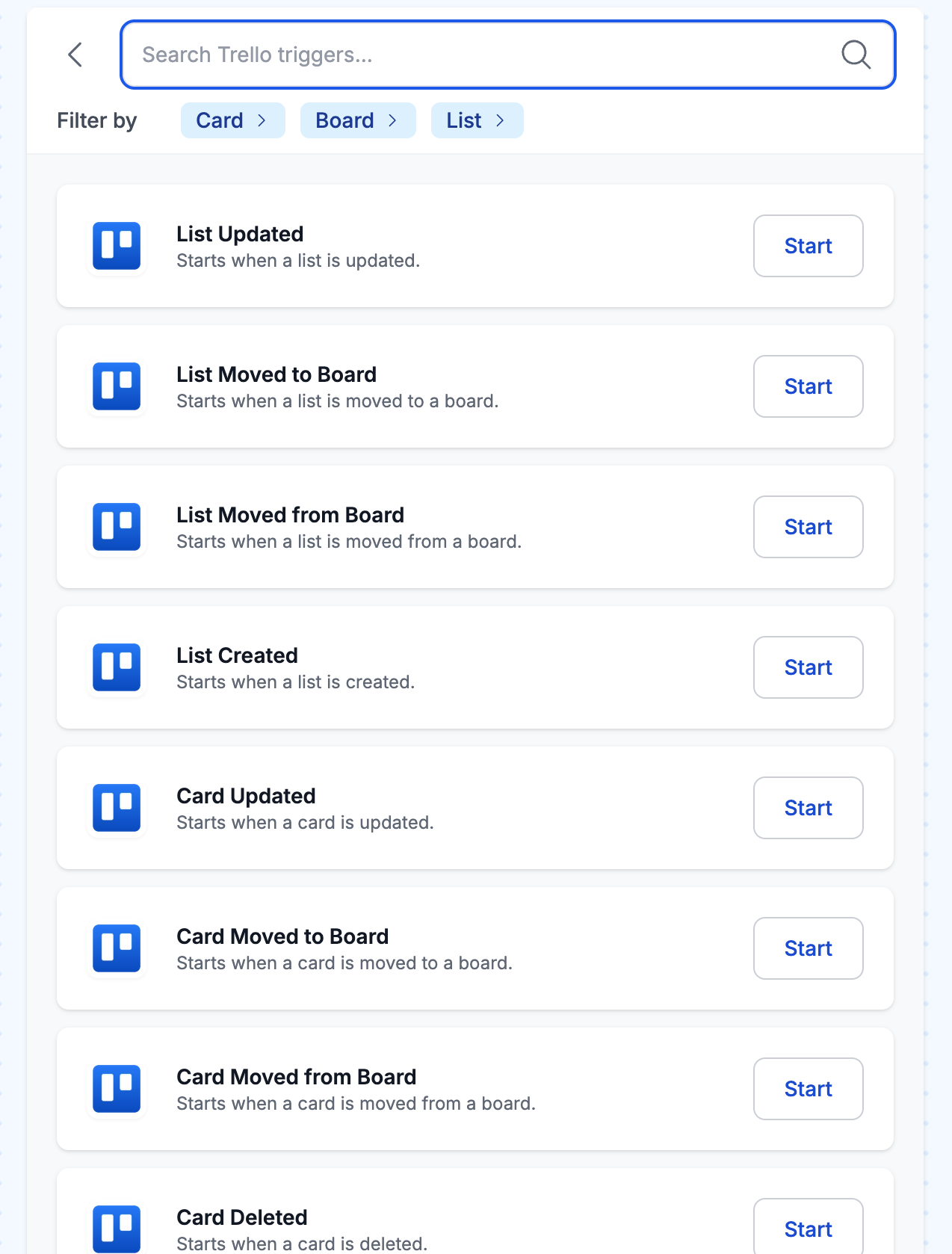
MESA's Trello trigger picker listing triggers like List Updated, Card Updated, and Card Moved to Board
MESA's Trello action picker listing actions like Create Card, Update Member, and Archive or Unarchive List

📋 New templates this month

We added a fresh set of ready-to-install templates this month, spanning AI, Airtable, Recharge, Shopify, and Slack — from summarizing your highest-priority feedback to keeping the team in the loop the moment a Recharge subscription payment fails.

High-Priority Feedback Summarizer This workflow triggers when a MESA Form response is received, capturing name, email, feedback, and a priority designation through a customizable form. It then checks whether the submission is marked high priority and, if so, uses MESA’s AI tool, powered by ChatGPT, to generate a concise summary of the feedback and email it to the appropriate stakeholder. Built entirely with MESA’s native tools and no external connectors, this template highlights how you can collect, prioritize, and act on feedback quickly and efficiently.

Create Shopify Products from Airtable Records Turn your Airtable product data into live Shopify listings without manual copying. This workflow reads new records from your Airtable base and creates corresponding products in your Shopify store, including title, description, price, and inventory. Perfect for managing product catalogs in Airtable while keeping your store up to date.

Send Slack Alert When Recharge Payment Fails Get instant Slack notifications when Recharge subscription payments fail so your support team can reach out to customers immediately. This workflow sends payment failure details directly to your support channel, helping you reduce churn and maintain customer relationships. Never miss a failed payment again with automatic alerts that include customer information and failure reasons.

Send SMS Alerts When Recharge Subscription Payments Fail Never miss a failed subscription payment again. This workflow sends instant SMS notifications to your support team whenever a Recharge subscription payment fails, so you can reach out to customers quickly and recover lost revenue. Perfect for subscription businesses that want to stay on top of payment issues without constantly monitoring their dashboard.

Tag Shopify Customer When Recharge Subscription Payment Fails Keep your customer service team informed when subscription payments don't go through. This workflow watches for failed Recharge payments and adds a tag to the customer's Shopify profile, making it easy to spot payment issues and reach out with personalized support before you lose subscribers.

🕔 Clock Strikes 5 playlist

Here's your go-to happy hour track for when the clock strikes 5pm.