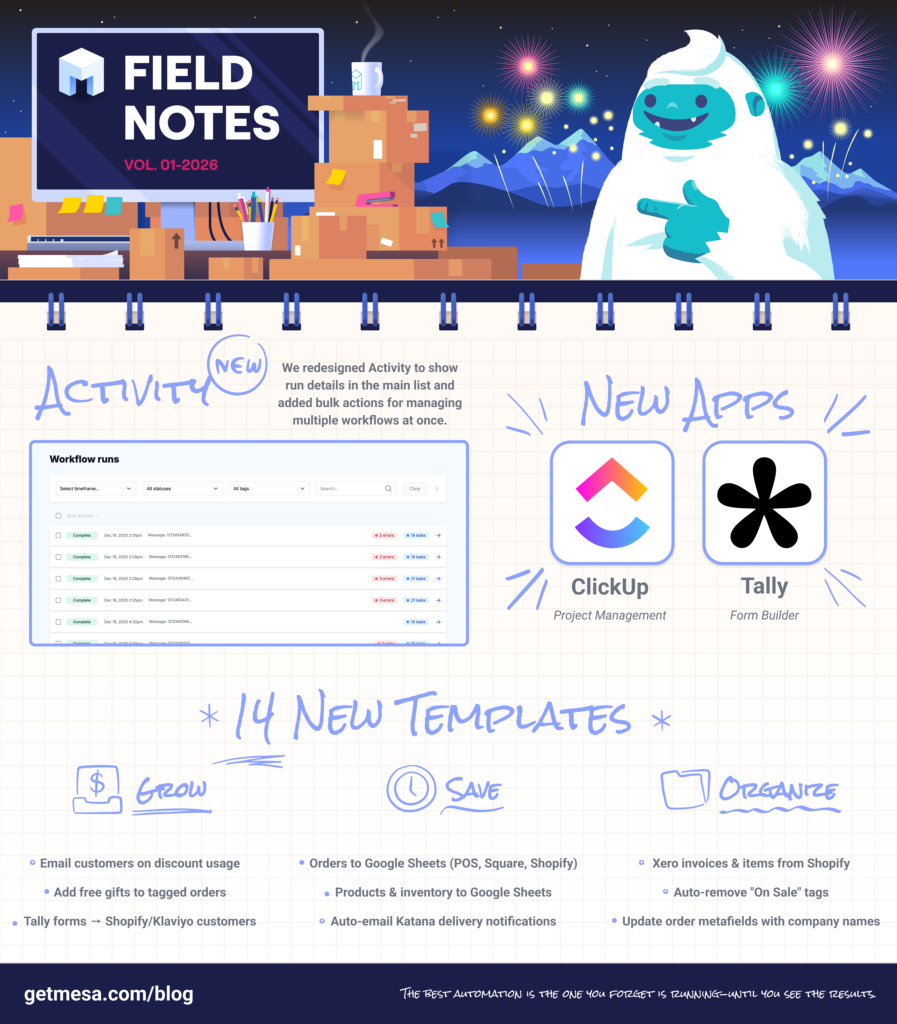
🚀📢 Big things just landed! Activity view now shows run data upfront with powerful bulk actions, MESA’s AI gets a permanent home in your sidebar, and 14 new templates arrive to help you grow revenue, save time, and stay organized. Plus, two new app integrations join the MESA ecosystem.
Here's everything new happening with MESA this month:
⚡ Activity view overhaul
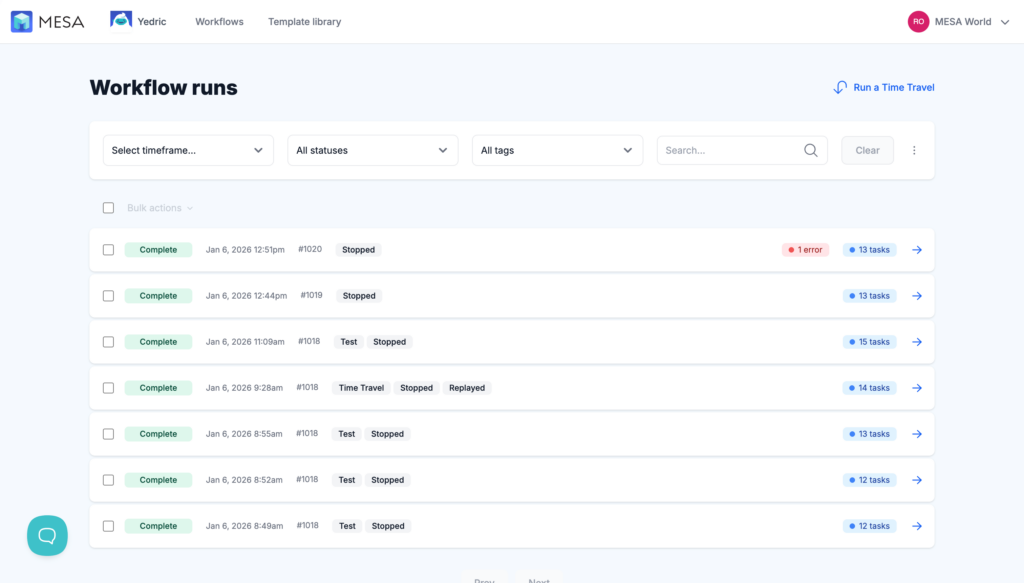
We've redesigned Activity view to show run details in the main list and added bulk actions for managing multiple runs at once.
Workflow activity view
Run data now surfaces upfront, while task-specific details live on dedicated pages you can access by clicking any workflow run. New bulk actions let you manage multiple runs simultaneously, and we've fine-tuned search and filtering. On the Run Detail page, nested items stay expanded by default, plus updates to the Variables sheet, Time Travel, and more.
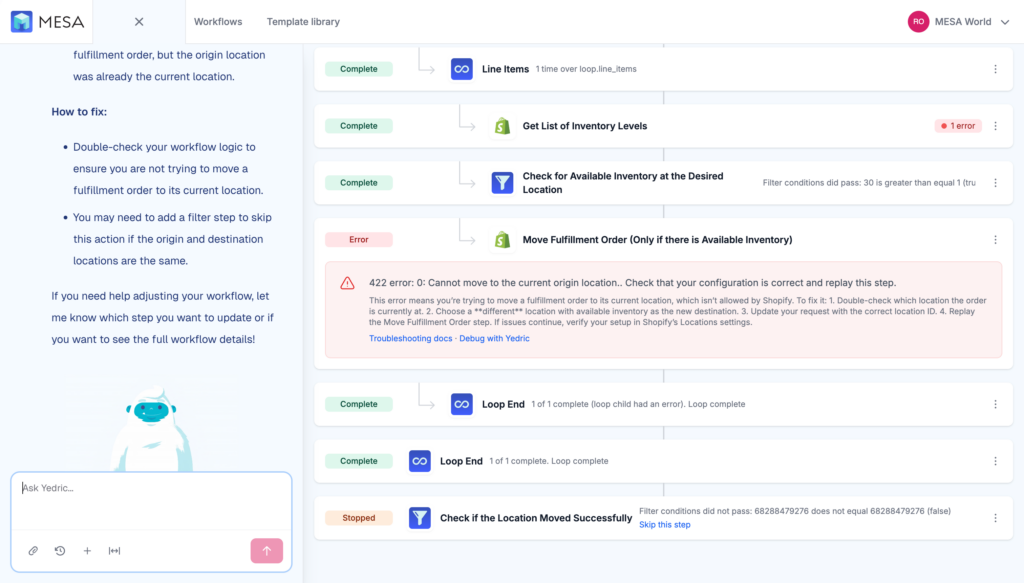
Debug with MESA’s AI is available. Not sure what an error means? It can explain and help resolve it.
🤖 MESA’s AI in the sidebar
You might have noticed some changes to MESA’s AI! That cute little face now lives in the topnav.
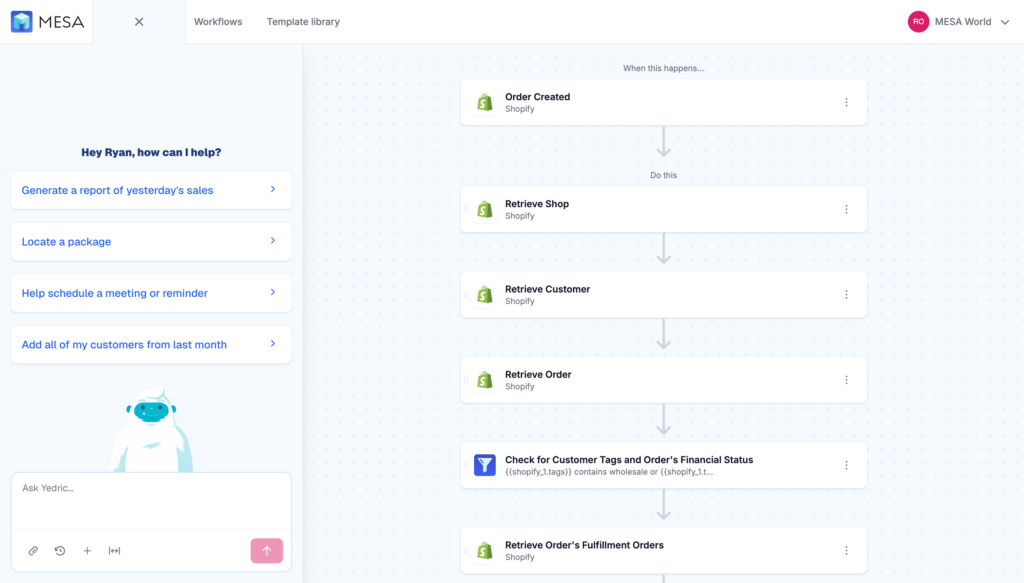
MESA’s AI is accessible from any page in MESA to help build and troubleshoot any workflow.
Click on MESA’s AI and the chat window appears next to your dashboard (go fullscreen anytime with the button next to submit). The sidesheet becomes the canvas for exciting new MESA features in Q1, from getting started with MESA to debugging errors, side-by-side building in the Workflow Builder, and yes, maybe one day even writing your custom code.
💰 14 new templates to multiply your impact
This month's templates focus on three outcomes: growing revenue, saving time, and staying organized.
Grow revenue (5 templates)
Send an Email When a Specific Discount is UsedGet notified the instant someone uses a specific discount code on your store. This workflow sends you an email alert whenever a customer applies a chosen promo code at checkout. It's perfect for tracking exclusive or influencer codes, monitoring VIP offers, and seeing which deals drive the most sales. Stay on top of your marketing campaigns without constantly refreshing your dashboard.
Add Free Gift to Tagged Customer Order in ShopifyGive your best customers something extra. This workflow watches for new Shopify orders from customers with specific tags (like VIP or loyalty member) and automatically adds a free gift item to their order. Perfect for rewarding repeat buyers, celebrating milestones, or surprising your most valued customers with minimal effort.
Create or Update Shopify Customer from New Tally SubmissionsConvert Tally form responses into Shopify customer profiles without lifting a finger. When someone fills out your Tally form, MESA automatically creates a new customer record in Shopify or updates an existing one with fresh information. Perfect for lead capture forms, newsletter signups, or customer feedback surveys that need to flow directly into your Shopify store's customer database. Please note that your Tally form requires the collection of an email address and first and last name, which will be used to create or update a Shopify customer.
Add Emails from Tally Form Submissions to Klaviyo Email ListCapture subscribers from your Tally forms and sync them to a Klaviyo email list automatically. When a form is submitted, the workflow checks whether the email already exists in Klaviyo—if it does, the profile is added to your chosen list; if it doesn’t, a new Klaviyo profile is created first and then added to the list. This ensures every submission is captured correctly, so you can grow and nurture your audience from lead magnets, newsletter signups, and contact forms without any manual data entry.
Save time (5 templates)
Send Shopify POS Orders to Google SheetsCapture every in-store sale by sending your Shopify POS order data directly to Google Sheets. Track sales patterns, analyze customer behavior, and create custom reports without manual data entry. Perfect for store owners who need real-time visibility into their retail performance and want to build comprehensive sales dashboards.
Send Square Orders to Google SheetsTrack every Square sale in a Google Sheets spreadsheet without manual data entry. Each new order from your Square POS automatically adds a separate row for every line item in that order—capturing item details, quantities, payment amounts, and timestamps. It’s perfect for business owners who want accurate sales reporting, detailed inventory tracking, or insights into customer purchasing patterns without switching between platforms.
Save New Shopify Products to Google SheetsExport your Shopify product catalog to Google Sheets instantly. This workflow sends product names, prices, inventory levels, and descriptions to a spreadsheet whenever you add items in your store. Perfect for inventory tracking, price analysis, and sharing product data with your team without manual copying.
Send Shopify Product Inventory Updates to Google SheetsKeep your product inventory organized outside Shopify by sending stock levels, SKUs, and product details directly to Google Sheets. Perfect for sharing inventory data with team members, creating custom reports, or maintaining backup records. This workflow sends your current inventory whenever products are updated, so your spreadsheet stays current without manual data entry.
Email Customers via Gmail When Katana Sales Orders are DeliveredSend personalized delivery confirmation emails to customers the moment their Katana sales order status changes to delivered. This workflow connects your Katana manufacturing system with Gmail to ensure that customers receive timely updates about their order completion, eliminating the need for manual work from your team.
Stay organized (4 templates)
Create Xero Items from Shopify ProductsBridge the gap between your online store and accounting software with seamless product data transfer. This automation template creates corresponding Xero inventory items whenever you add new products to Shopify, maintaining consistent SKUs, pricing, and product details across both platforms. Eliminate duplicate data entry and reduce accounting discrepancies while keeping your financial records current with your product offerings.
Create Xero Invoices for New Shopify OrdersWhenever a new order is placed in your Shopify store, this workflow automatically creates a matching invoice in Xero, complete with customer details and line items. If the customer isn’t already in Xero, the workflow adds them first, then generates the invoice. This eliminates manual data entry and ensures your ecommerce orders flow directly into your accounting system, keeping your financial records accurate and up to date.
Remove "On Sale" Product Tag When Compare-at Price Equals Regular PriceStop showing misleading sale tags on your products. This workflow checks your product prices and removes the "On Sale" tag whenever your compare-at price matches or is lower than your regular price. No more accidentally displaying sale badges on full-price items or confusing customers with incorrect discount signals.
Update Shopify Order Metafield with Customer Company NameAutomatically capture your customer's company name from each new Shopify order and store it in order metafields. This workflow enriches your order data with business identifiers, making it easier to track and report on B2B accounts, manage wholesale relationships, and analyze order activity by customer organization. Perfect for merchants selling to multiple business clients who need accurate company-level insights for operations, fulfillment, and customer service.
🆕 Featured apps: Tally & ClickUp
Tally
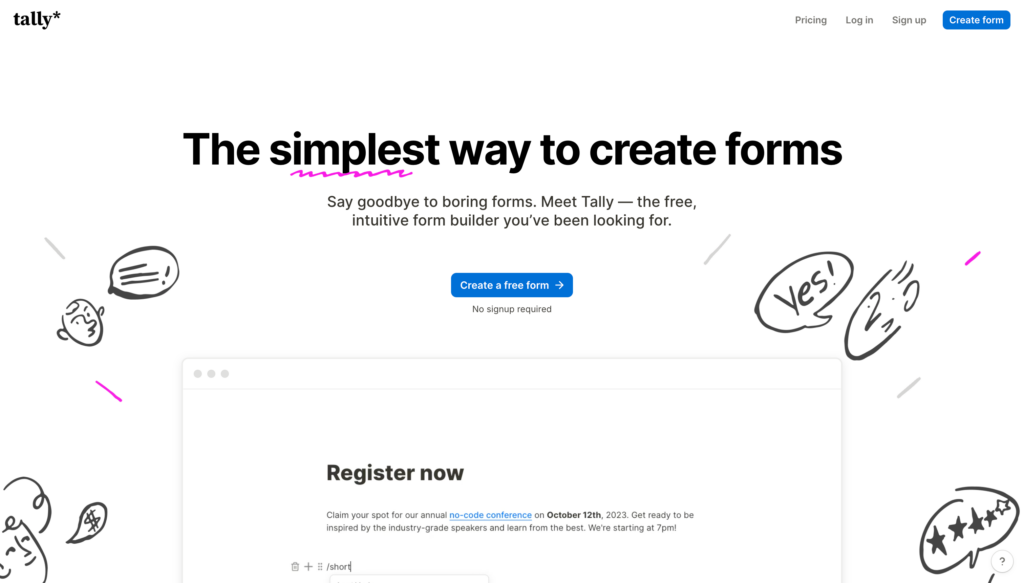
Tally is a simple, no-code tool for creating online forms that feel as easy as writing a document. Build surveys, sign-up forms, or questionnaires quickly, with powerful features like logic, payments, and integrations built in by default. Use Tally submissions to trigger MESA workflows that update customers, sync to marketing lists, or create records across your tech stack.
ClickUp
ClickUp is a project and task management tool (similar to Asana) that helps teams organize work, track progress, and collaborate more effectively. Connect ClickUp to MESA to automatically create tasks from orders, sync project updates, or trigger notifications based on workflow activity.
🔉 December '25 Playlist
This month's playlist is a team effort—everyone at ShopPad submitted 1-2 songs, and we curated them into one gloriously unpredictable mix. From Vince Guaraldi's holiday jazz to Warren G's West Coast classics, Taylor Swift ballads to electronic experiments from Lorn, this playlist has zero chill and even less genre coherence. It's what happens when you let the entire ShopPad family DJ. Press play if you're ready for some delightful whiplash.
🖼️ Shareable infographic
btw, Happy New Year!
What to do next…
The fastest way to automate anything is to start with a single task.