Ecommerce Automation Tools That Scale Smarter
If your team is still routing orders by hand, updating inventory across apps manually, or copying customer data from Shopify into spreadsheets, you are not just losing time. You are creating bottlenecks that slow growth, increase mistakes, and make scaling far more expensive than it needs to be.
Ecommerce automation solves that problem. The right ecommerce automation software helps Shopify merchants reduce repetitive operational work, connect disconnected systems, and keep orders, inventory, fulfillment, reporting, and customer communication moving without constant human intervention.
For growing brands, this is no longer optional. As order volume rises, manual processes break first.
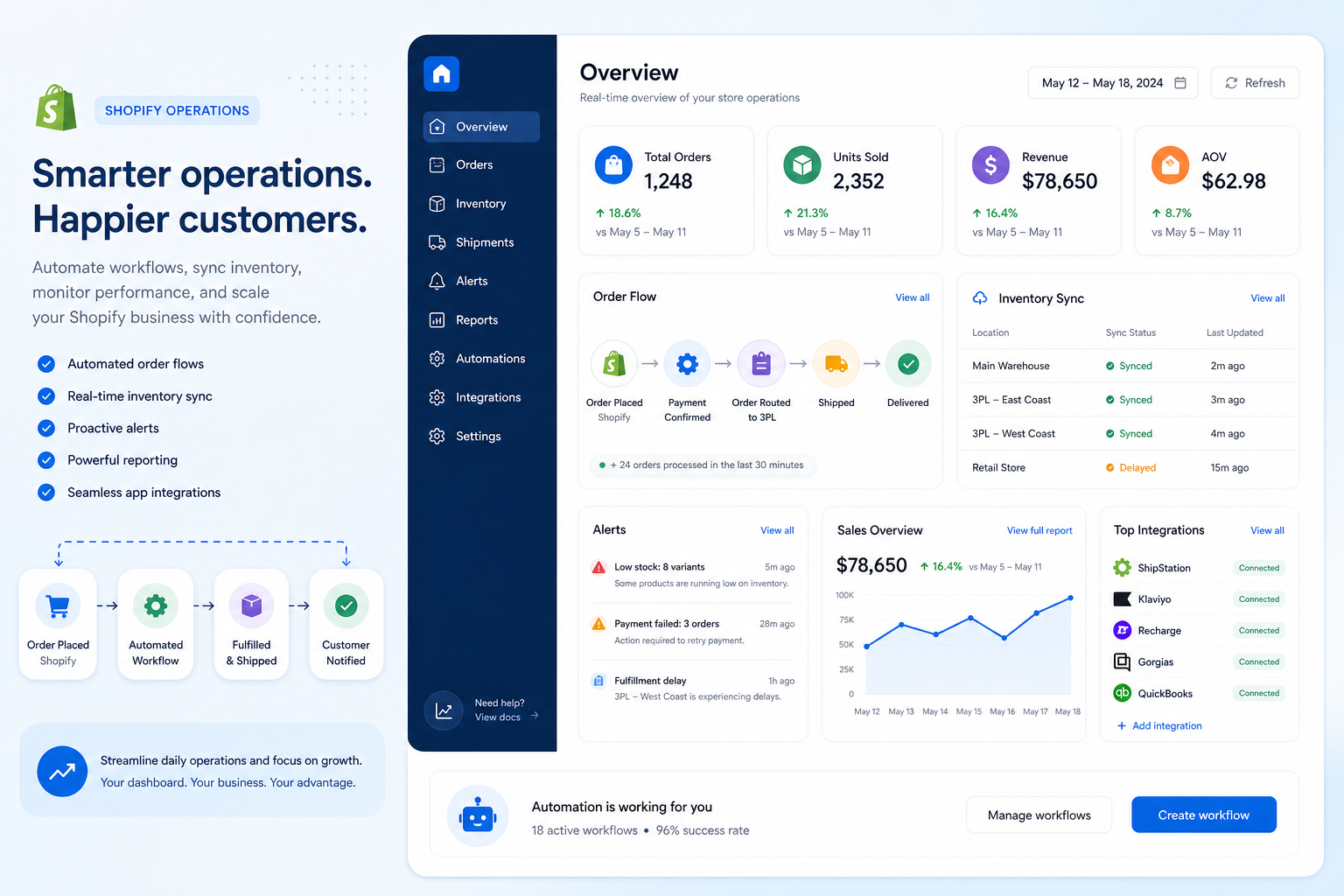
In this guide, we will break down:
what ecommerce automation actually means in practice
which processes are worth automating first
what to look for in an ecommerce automation platform
how Shopify merchants can scale faster with fewer operational headaches
why MESA stands out for brands that want flexible automation without custom development
What Is Ecommerce Automation?
Ecommerce automation is the use of software, workflows, triggers, and app integrations to handle repetitive store operations automatically.
Instead of assigning someone to watch for an event and then perform the next step manually, automation lets the system do it for you.
That can include actions like:
tagging high-value customers after purchase
sending order data to fulfillment or ERP systems
updating inventory across connected tools
triggering internal Slack alerts for risky orders
syncing customer data to Klaviyo, HubSpot, or Google Sheets
notifying teams when stock falls below a threshold
generating follow-up emails after delivery
routing orders based on product type, destination, or fulfillment rules
In short, ecommerce automation software turns operational logic into repeatable workflows.
Why Ecommerce Automation Matters More as You Grow
Small stores can get away with manual work for a while. Growth changes everything.
As SKU count increases, app stacks expand, and order volume rises, operations become more fragile. One missed sync can oversell inventory. One broken handoff can delay fulfillment. One manual export can create reporting errors that affect planning.
"Automating workflows leads to a 20% increase in productivity across sectors such as retail, manufacturing, and transportation & logistics." - Business Wire
"The average cart abandonment rate in 2026 is approximately 70.22%." - Ringly
Those two realities live side by side in ecommerce: operational inefficiency behind the scenes, and revenue leakage in the customer journey. A strong ecommerce automation platform helps address both.
The Core Areas Ecommerce Automation Tools Improve
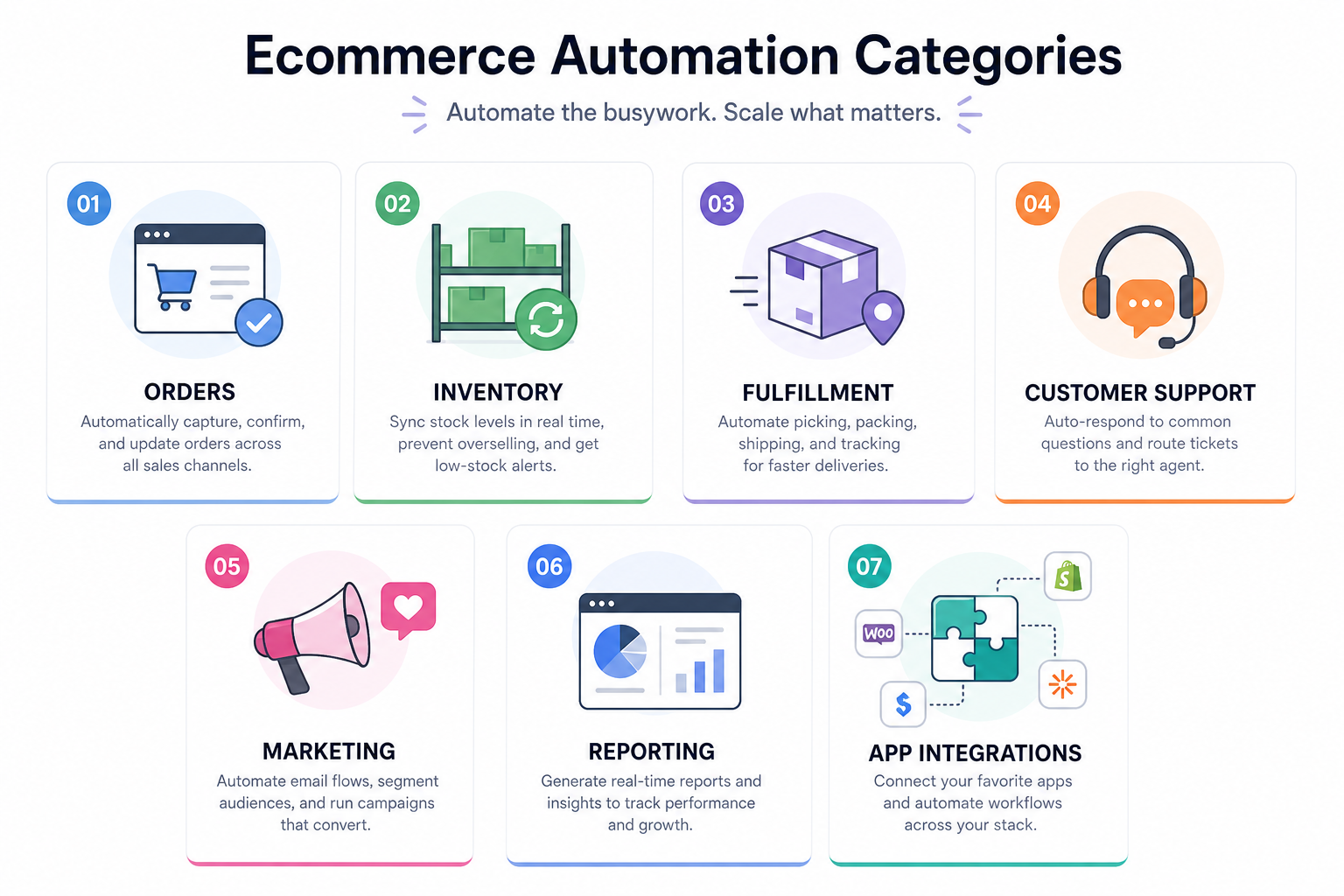
Most competitor articles talk broadly about automation, but they often blur operational automation with marketing automation. In reality, merchants need both, and the biggest wins usually come from connecting them.
Order Management
Automation can:
tag, route, or prioritize orders based on conditions
split orders by warehouse, vendor, or SKU
hold suspicious orders for review
send order details to downstream systems automatically
trigger post-purchase tasks without staff intervention
Inventory and Product Data
Automation helps prevent overselling and bad customer experiences by:
syncing stock between Shopify and external systems
updating low-stock alerts in real time
pushing SKU changes to connected tools
monitoring discrepancies before they become costly
Fulfillment and Shipping
This is where automation removes hours of repetitive work.
Common use cases include:
sending orders to 3PLs or shipping tools
generating warehouse notifications
routing orders by shipping method or destination
updating tracking data across systems
escalating delayed shipments internally
Customer Experience and Retention
Automation is not only about back-office efficiency. It also improves responsiveness and consistency.
Examples include:
follow-up emails after delivery
loyalty tagging and segmentation
customer support notifications
refund and return workflow triggers
personalized outreach based on actions or order history
Reporting and Internal Alerts
Teams often underestimate the value of automated visibility.
Automation can send:
daily order summaries to Slack
inventory exception reports to email or Sheets
finance-ready exports to accounting tools
alerts for failed payments, refund spikes, or integration issues
Manual Operations vs Automated Ecommerce Workflows
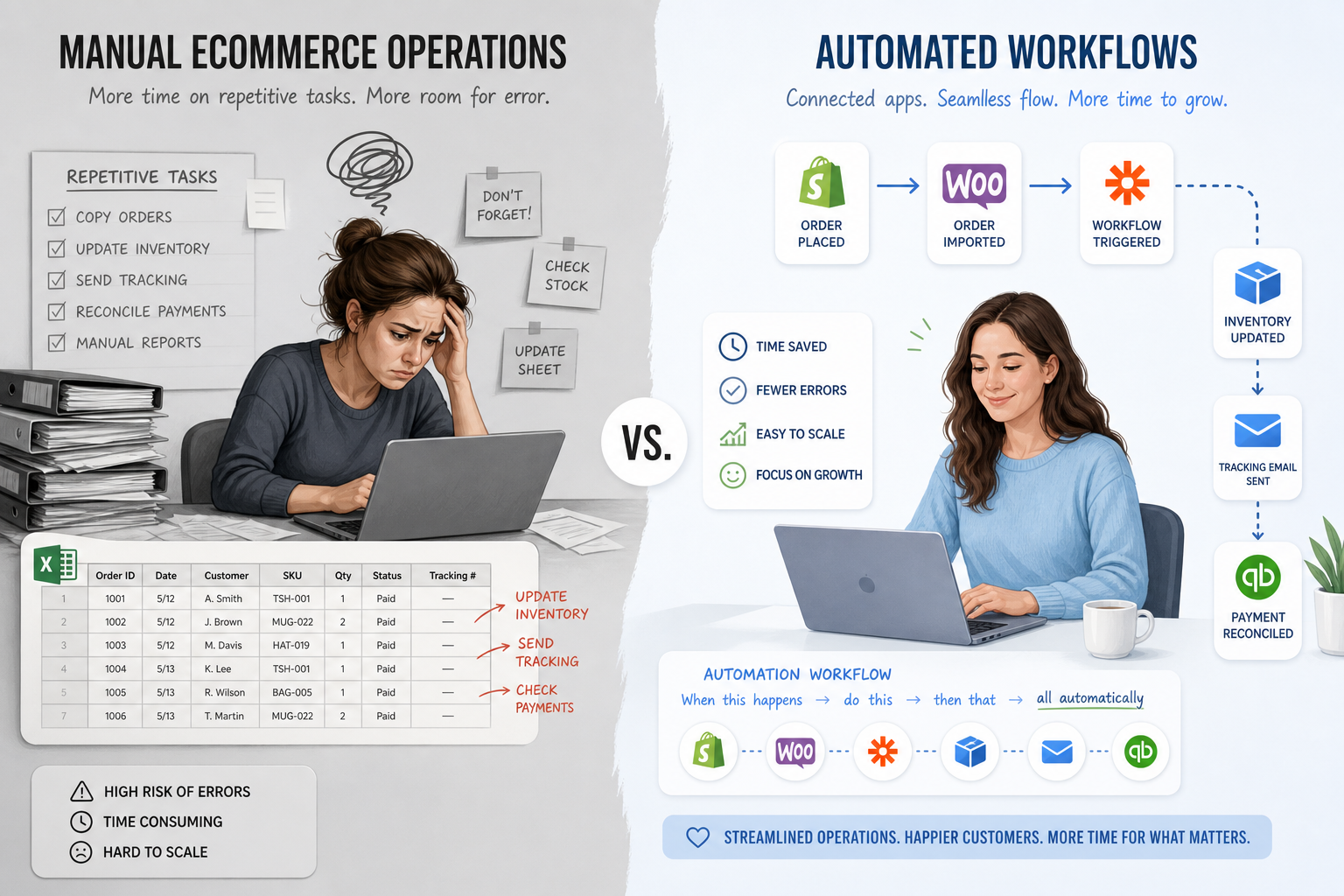
The difference becomes obvious once your store starts scaling.
Area | Manual Process | Automated Process |
|---|---|---|
Order routing | Staff review every order and assign next steps | Rules route orders instantly based on product, risk, or fulfillment needs |
Inventory updates | Teams update counts across tools manually | Inventory syncs automatically across connected systems |
Reporting | Exports built by hand in spreadsheets | Reports and alerts generated on schedule or by trigger |
Customer follow-up | Staff remember to send emails or updates | Workflows trigger messages automatically |
App connectivity | Teams re-enter data between platforms | Data moves between apps without manual intervention |
Error prevention | Problems discovered after damage is done | Conditions, alerts, and exception handling catch issues early |
What To Look For in Ecommerce Automation Software
Not all ecommerce automation tools are built for the same depth of operational complexity.
Some are limited to basic email flows or simple if-this-then-that actions. Others are built to orchestrate multi-step processes across your full app stack.
If you are evaluating an ecommerce automation platform, focus on these capabilities.
1. Shopify-First Depth
Many tools support Shopify. Fewer are designed around how Shopify merchants actually operate.
A strong solution should understand Shopify events, objects, order logic, fulfillment states, tags, metafields, and app ecosystems deeply enough to support real operational workflows.
2. No-Code or Low-Code Workflow Building
Your operations team should not need engineering resources to automate everyday work.
The best platforms let non-technical teams create workflows visually or with plain-English instructions.
3. Multi-Step Logic
Basic automation is easy. Real-world operations are not.
Look for a platform that can handle:
branches and conditions
delays and scheduling
app-to-app data mapping
exception handling
internal approvals
multi-system updates from a single trigger
4. Broad Integration Coverage
Automation only works if your systems can actually connect.
A good ecommerce automation platform should support the apps you already use across:
marketing
shipping
ERP
customer support
analytics
spreadsheets and databases
communication tools like Slack
5. Templates for Fast Setup
Prebuilt workflows save time and lower risk. A rich template library helps merchants launch quickly without rebuilding common logic from scratch.
6. Real Support
This is a major gap in many competitor articles. Automation adoption does not fail because merchants do not want it. It fails because teams get stuck translating messy operations into clean workflows.
The best platforms do not just provide software. They provide human support to help configure, optimize, and troubleshoot automations as your business evolves.
Where Many Ecommerce Automation Articles Fall Short
A lot of content on this topic makes automation sound generic: connect apps, save time, scale faster.
That is true, but incomplete.
The real questions merchants ask are more practical:
Which workflows should I automate first?
How do I avoid breaking existing processes?
Can my ops team do this without developers?
What happens when workflows need exceptions?
How do I connect Shopify to the rest of my stack without creating more complexity?
That is where platform choice matters. Smart automation is not about adding more tools. It is about reducing manual work without creating a brittle system.
The Most Valuable Ecommerce Automations for Shopify Merchants
Automating Order Handling
Order operations are one of the fastest places to unlock ROI.
Useful examples include:
auto-tagging wholesale, VIP, or subscription orders
routing orders by warehouse or vendor
sending fraud review alerts
splitting workflows based on shipping method
creating internal tasks for custom or pre-order items
These small automations remove repetitive operational clicks at scale.
Automating Inventory Sync
Inventory issues create some of the most visible ecommerce failures. Overselling damages trust. Delayed stock updates create preventable support tickets.
Automations here can:
sync Shopify inventory with ERPs and WMS tools
push alerts when stock drops below thresholds
flag discrepancies between systems
trigger merchandising or purchasing workflows
Automating Customer Follow-Up
Marketing automation often gets attention, but operational follow-up matters just as much.
Examples include:
notifying customers when backordered items ship
triggering review requests after delivery
updating customer segments after purchase milestones
syncing order data to retention and loyalty tools
Automating Reporting and Alerts
Instead of waiting for someone to notice a problem, automation can surface it immediately.
This includes:
Slack alerts for high-risk orders
email summaries for daily sales or refunds
Google Sheets updates for finance or planning
alerts when workflows fail or inventory drifts
Why MESA Is Built for Smarter Ecommerce Automation
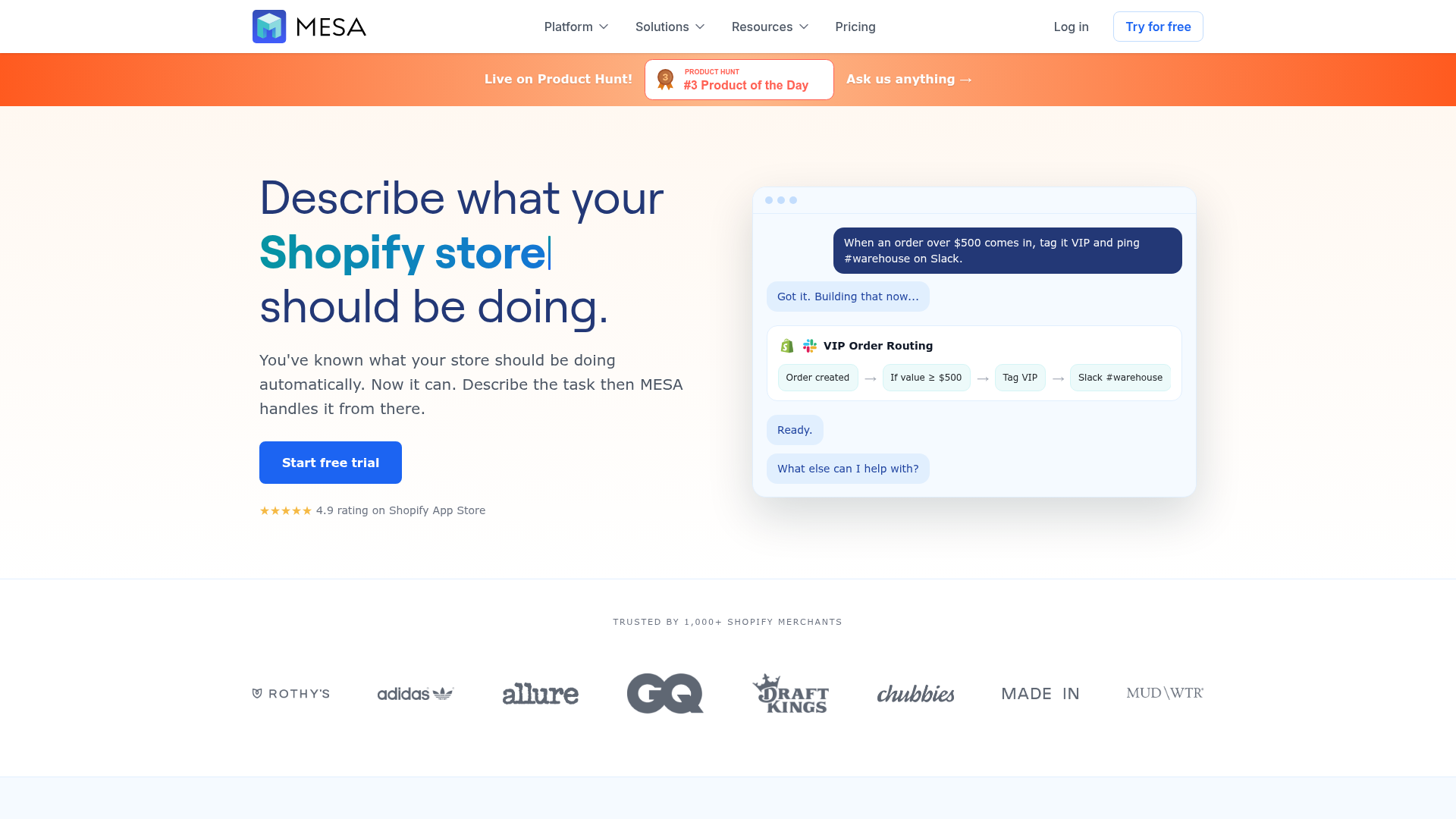
For Shopify merchants, MESA is more than a general automation tool. It is a Shopify-first ecommerce automation platform designed to remove repetitive operational work and help brands move faster without leaning on developers for every workflow request.
What makes MESA especially compelling is how practical it is for real store operations.
Plain-English Workflow Creation
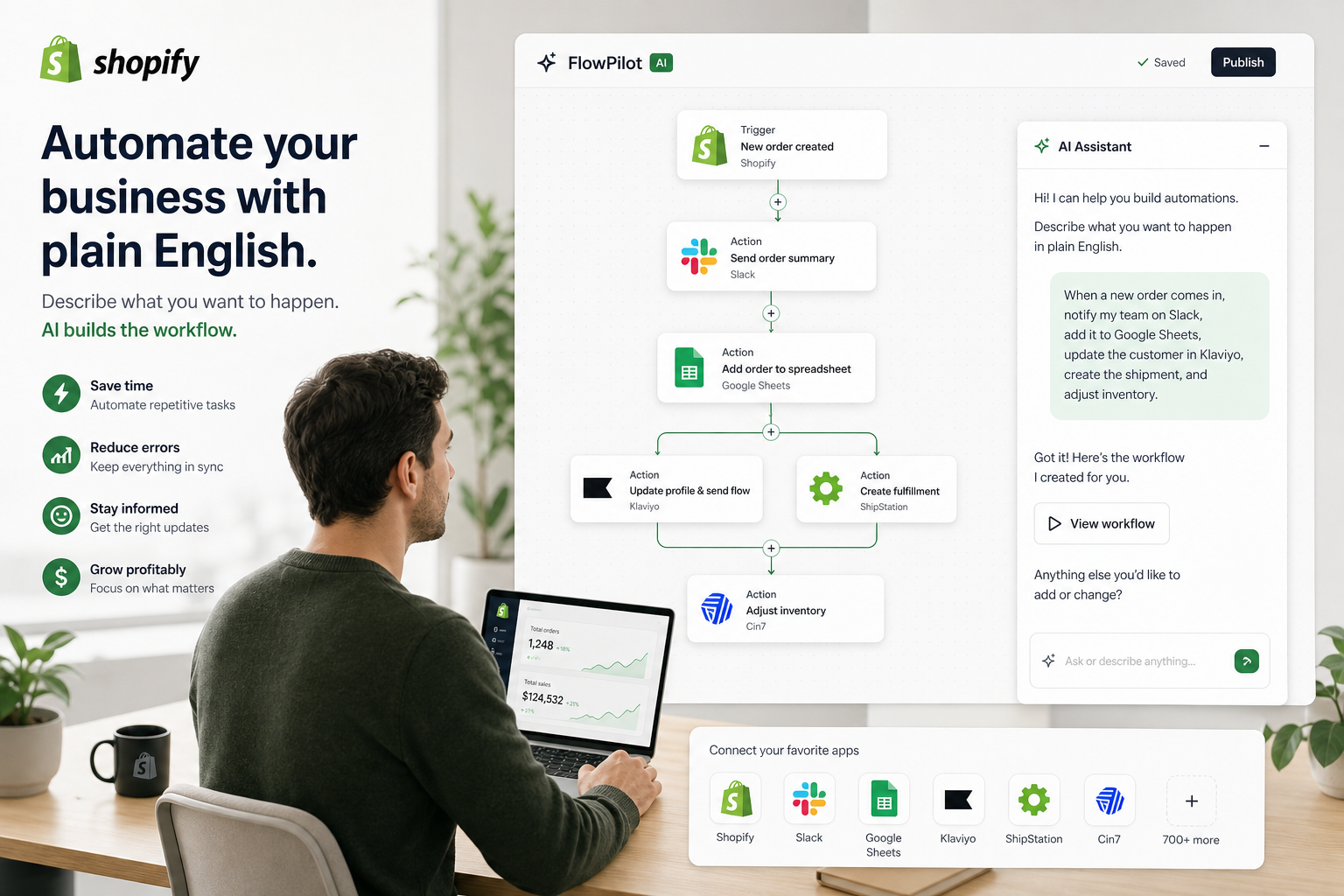
MESA helps merchants turn plain-English requests into live workflows quickly. That means your team can describe what should happen in simple terms and build automation without writing custom code.
This is especially valuable for operations teams that know the process deeply but do not have technical resources available.
Built for Complex, Multi-Step Automations
Many stores do not need one trigger and one action. They need workflows that span apps, conditions, timing, routing, and exception logic.
MESA supports complex multi-step automations for use cases like:
order routing and tagging
inventory sync and low-stock alerts
customer follow-up and segmentation
reporting and exception notifications
ERP, WMS, helpdesk, and spreadsheet connectivity
100+ Integrations and Ecommerce-Ready Connectivity
A useful ecommerce automation platform has to fit into your current stack.
MESA connects Shopify with 100+ apps and ecommerce tools, including systems merchants already rely on such as Slack, Google Sheets, Klaviyo, Airtable, Odoo, ShipStation, and HubSpot. That makes it easier to keep data synchronized and workflows moving across teams.
300+ Ready-Made Templates
Speed matters. MESA includes 300+ ready-made templates so merchants can launch common automations quickly instead of building from scratch every time.
That is a major advantage for lean teams that want fast time to value.
Real Human Support
One of MESA’s strongest differentiators is real human support for workflow setup and optimization.
That matters because automation is not just software configuration. It is operational design. Having support available helps merchants prevent broken data flows, reduce implementation friction, and get more value from their automations sooner.
How MESA Compares to Generic Automation Approaches
Capability | Generic Automation Tool | MESA |
|---|---|---|
Shopify depth | Often broad but shallow | Shopify-first and built for store operations |
Workflow setup | Can require technical setup | Plain-English requests can become live workflows quickly |
Operational use cases | Often limited or generic | Strong for orders, inventory, alerts, reporting, and follow-up |
App ecosystem | Varies widely | 100+ app integrations focused on ecommerce workflows |
Templates | Often limited | 300+ ready-made templates |
Support | Self-serve in many cases | Real human support for setup and optimization |
Scaling complexity | Can become hard to manage | Designed to support complex multi-step automations |
A Practical Framework for Choosing the Right Ecommerce Automation Platform
If you are trying to choose the right tool, use this framework.
Start With Your Biggest Operational Bottleneck
Ask which of these is creating the most drag right now:
order routing delays
inventory mismatch
fulfillment handoff issues
customer follow-up gaps
reporting backlog
app disconnection and manual data transfer
The best first automation is the one that removes the most repeated friction.
Prioritize Reliability Over Feature Count
A flashy feature list means little if the workflows break easily or require engineering help to maintain.
Look for stability, visibility, and support.
Make Sure the Tool Matches Your Team
If your ops team is owning automations, they need something accessible. If your workflows are complex, the platform must still support advanced logic.
This is where MESA’s combination of no-developer setup, plain-English workflow creation, and operational depth becomes especially valuable.
Think in Systems, Not Individual Tasks
A smart ecommerce automation strategy does not just automate isolated actions. It connects systems so data flows cleanly across operations, marketing, fulfillment, and customer experience.
That is how brands scale smarter instead of simply doing the same work faster.
Common Ecommerce Automation Mistakes To Avoid
Even strong teams can create automation debt if they move too fast without a plan.
Automating Broken Processes
Do not automate chaos. If a process is inconsistent or poorly defined, automation will only make the problem happen faster.
Using Too Many Point Solutions
Adding separate tools for every small workflow often increases complexity. A centralized ecommerce automation platform is usually easier to manage.
Ignoring Exception Handling
Orders do not always follow ideal logic. Good automations need paths for edge cases, alerts, and human review where necessary.
Forgetting Cross-Team Visibility
If support, ops, fulfillment, and marketing all depend on the same data, workflows should not live in silos.
Treating Automation as a One-Time Project
Automation should evolve with your business. New products, new channels, new apps, and new customer expectations will change what your workflows need to do.
Final Verdict: Scale Smarter, Not Harder
Ecommerce automation is not just about saving time. It is about building an operation that can grow without becoming slower, messier, and more error-prone every quarter.
The best ecommerce automation tools help merchants:
reduce manual work
improve accuracy
prevent overselling and broken handoffs
speed up fulfillment and reporting
create better customer experiences
scale without constantly adding operational headcount
For Shopify brands in particular, MESA stands out because it makes powerful automation more accessible. It removes the need for custom development in many common scenarios, turns plain-English requests into live workflows quickly, supports complex multi-step processes, and connects Shopify to the rest of your ecommerce stack with 100+ integrations and 300+ ready-made templates.
If your team is buried in repetitive work, stuck managing app disconnects, or trying to scale with manual processes that no longer hold up, MESA gives you a smarter path forward.
Try MESA if you want an ecommerce automation platform that helps your Shopify store run faster, cleaner, and with far less operational drag.
