Automation in Ecommerce: Benefits and Top Uses
-
- •
- May. 17, 2026
- •
- 13 min read

Table of Contents:
Automation in Ecommerce: Benefits and Top Uses
If your team is still updating orders by hand, checking stock across multiple systems, sending repetitive customer emails, and patching together reports in spreadsheets, you’re already feeling the cost of manual operations. That’s exactly why automation in ecommerce has become essential – not just for enterprise brands, but for growing Shopify stores that need to move faster without adding more operational overhead.
The best automation for ecommerce doesn’t just save time. It reduces mistakes, keeps inventory and order data in sync, improves customer communication, and helps your business scale without turning your ops team into a bottleneck.
In this guide, we’ll cover what ecommerce automation is, why it matters, where it creates the biggest operational wins, and how to choose a platform that works with your Shopify stack. We’ll also show where many tools fall short – and why Shopify-first platforms like MESA are increasingly attractive for merchants who want advanced workflows without relying on a developer.
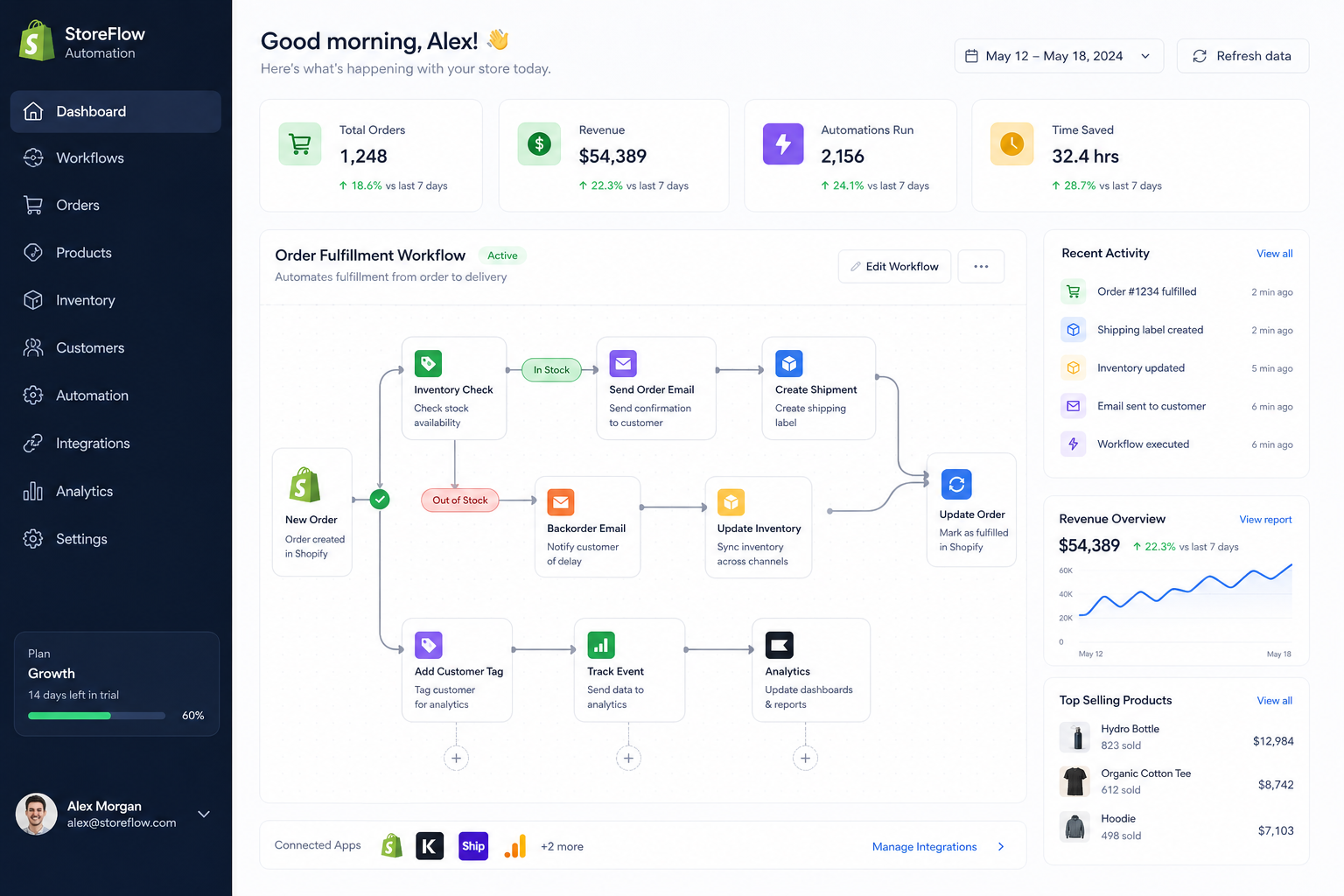
What is ecommerce automation?
Ecommerce automation is the use of software to handle repetitive, rules-based tasks across your store operations. Instead of manually performing the same actions every day, you set up workflows that trigger automatically when something happens in Shopify or another connected app.
That could mean:
-
tagging high-value customers automatically
-
notifying your fulfillment team when a rush order comes in
-
syncing inventory between Shopify and external systems
-
sending low-stock alerts before you oversell
-
pushing order data into Google Sheets, Slack, Klaviyo, HubSpot, Airtable, or your ERP
-
following up with customers after delivery or return events
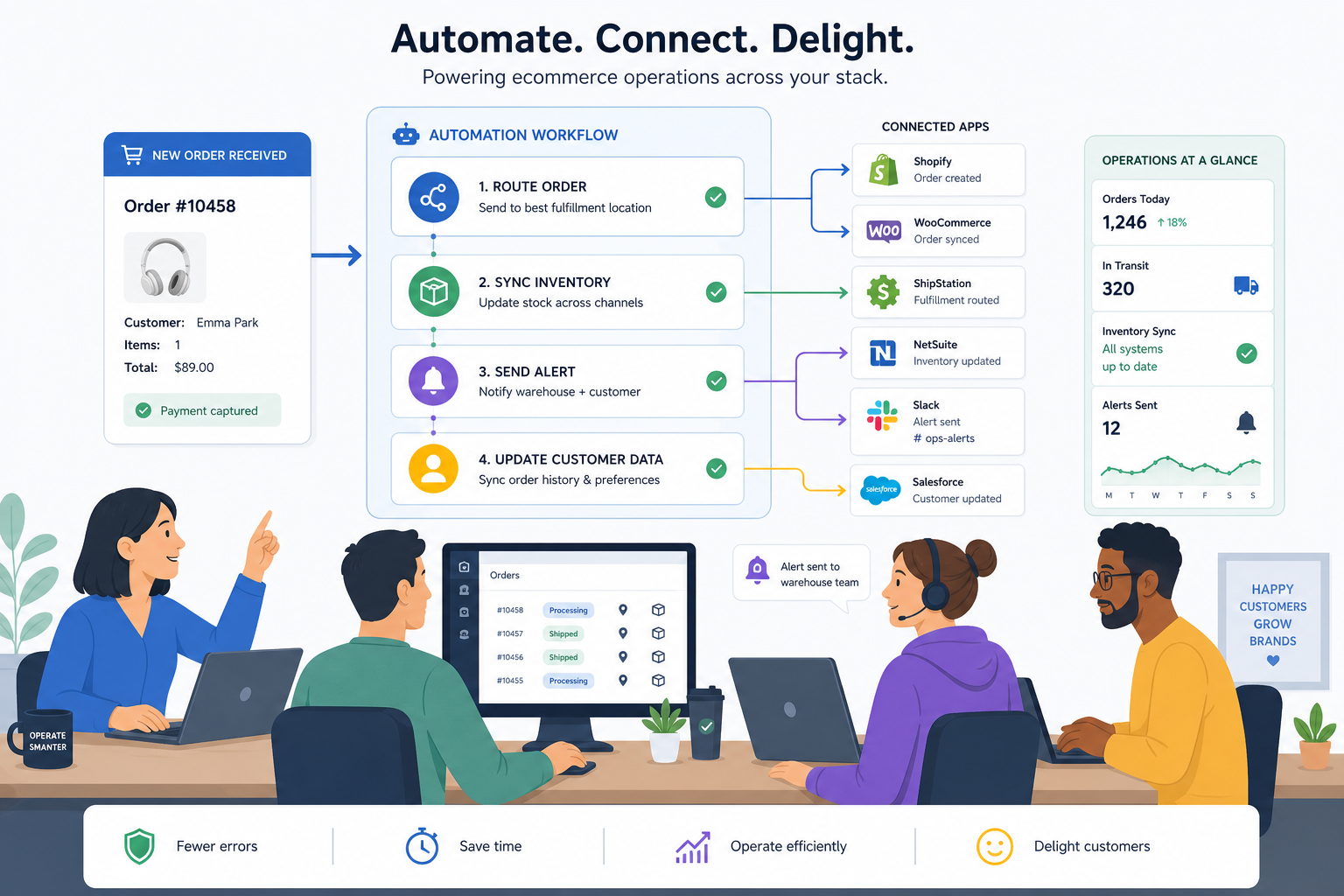
At its best, automation is not just task replacement. It’s process orchestration. It connects apps, data, teams, and decision points so the business runs consistently as order volume grows.
Why automation for ecommerce matters now
Ecommerce businesses are dealing with more complexity than ever: more channels, more tools, more customer expectations, and less tolerance for delays or errors. Manual work may feel manageable at low volume, but it breaks down quickly when your order count, SKU count, or app stack grows.
“E-commerce businesses face an average cart abandonment rate of approximately 70%, leading to significant revenue loss. Implementing automated recovery sequences can reclaim 12–18% of these abandoned carts.” – Source
“80% of consumers are more likely to purchase from brands that offer personalized experiences.” – Source
Those two facts explain the modern pressure on ecommerce teams: you need to move faster operationally and become more personalized commercially. Manual workflows make both harder.
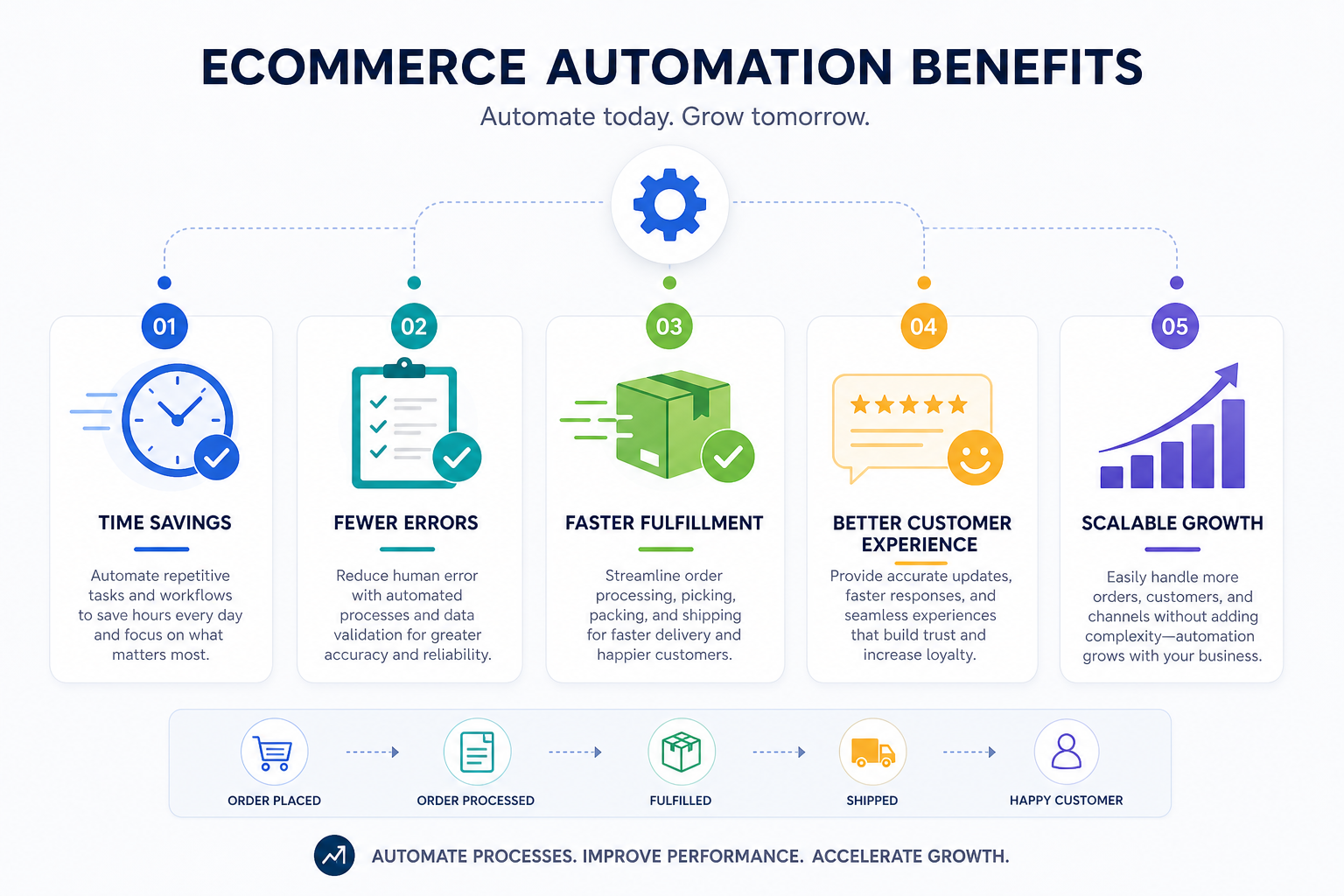
The biggest benefits of automation in ecommerce
1. Less manual work
The most immediate benefit is obvious: your team stops wasting time on tasks software can do better and faster. That includes data entry, tagging, status updates, notifications, routing, and reporting.
2. Fewer operational errors
Manual workflows introduce missed alerts, inconsistent tags, delayed fulfillment, and data mismatches between systems. Automation helps prevent issues like:
-
overselling out-of-stock items
-
broken handoffs between teams
-
inaccurate reports
-
duplicate records
-
missed post-purchase follow-up
-
incorrect order routing
3. Faster order processing
When orders are automatically tagged, prioritized, assigned, exported, or pushed into fulfillment systems, your store moves faster without more headcount.
4. Better customer experience
Customers don’t see your internal workflows, but they absolutely feel the results. Faster updates, more relevant messaging, accurate delivery communication, and fewer support mistakes all improve trust.
5. Easier scaling
The real value of ecommerce automation appears when growth hits. If your workflows are automated, doubling order volume doesn’t require doubling repetitive labor.
6. Better visibility across teams
Automation can send alerts to Slack, write logs to sheets or databases, and keep marketing, ops, support, and fulfillment aligned around the same data.
7. Stronger app connectivity
Most ecommerce businesses run on a stack, not a single platform. Automation connects Shopify to the tools you already use, so data flows where it needs to go.
Common ecommerce workflows that should be automated first
A lot of competitors explain what automation is, but gloss over where merchants should actually start. In practice, the best first automations are the ones that are high-frequency, error-prone, and easy to standardize.
Here’s a practical prioritization framework:
|
Workflow area |
Why automate it first |
Typical outcome |
|---|---|---|
|
Order tagging and routing |
High volume, repetitive, time-sensitive |
Faster fulfillment and cleaner operations |
|
Inventory alerts and sync |
Prevents overselling and stock surprises |
Better stock accuracy |
|
Customer notifications |
Improves service consistency |
Fewer support tickets |
|
Internal team alerts |
Keeps ops teams aligned in real time |
Faster decisions |
|
Reporting and exports |
Removes spreadsheet drudgery |
Better visibility |
|
Post-purchase follow-up |
Drives retention and reviews |
Higher lifetime value |
Top uses of automation for ecommerce
1. Order management automation
Order workflows are one of the easiest places to create immediate ROI. If your team is manually checking order attributes, tagging orders, or forwarding them to specific teams, you’re spending time on work that should run automatically.
Typical use cases
-
tag orders based on product type, shipping method, or customer segment
-
route orders to different vendors or fulfillment partners
-
flag high-risk or high-value orders
-
notify staff when expedited orders come in
-
restock and cancel orders based on risk rules
-
update downstream systems when order status changes
Why it matters
As volume grows, order operations become less about processing one order and more about maintaining consistency across hundreds or thousands.
With MESA, Shopify merchants can automate these workflows without custom development. Instead of waiting on technical resources, teams can describe the desired behavior in plain English and turn it into a live workflow quickly – especially useful when order logic changes often.
2. Inventory automation
Inventory mistakes are expensive. Competitor articles mention stock alerts, but they often stop there. In reality, inventory automation should include monitoring, syncing, publishing logic, and fallback actions.
What inventory automation can handle
-
low-stock alerts to purchasing or operations teams
-
syncing stock across systems
-
hiding or unpublishing out-of-stock products
-
re-enabling products when inventory returns
-
pushing stock updates into ERPs, spreadsheets, or vendor tools
-
alerting teams when inventory thresholds are hit by location or SKU
Why it matters
This is where automation helps prevent overselling, poor customer experiences, and internal fire drills. For brands selling across multiple channels or locations, synced inventory workflows are no longer optional.
3. Customer communication automation
Many stores still rely on manual follow-up for things that should be trigger-based. Automation helps ensure customers get the right message at the right time – without your support or marketing teams chasing every event manually.
Common workflows
-
welcome emails after first purchase
-
win-back emails for inactive customers
-
review requests after delivery
-
VIP customer recognition flows
-
return and refund status updates
-
support alerts based on tags or order events
Why it matters
Good customer communication is partly a marketing function and partly an operations function. When those systems are disconnected, customer experience suffers.
4. Marketing automation
Competitor content often focuses heavily on email, but strong ecommerce marketing automation goes beyond scheduled campaigns. It uses transactional and behavioral data to trigger relevant messaging.
Practical marketing automations
-
abandoned cart reminders
-
browse abandonment flows
-
replenishment reminders
-
cross-sell or upsell messaging after purchase
-
segmenting customers based on SKU, order value, or frequency
-
syncing Shopify customer events into Klaviyo, HubSpot, or ad platforms
Why it matters
The more relevant the trigger, the better the conversion opportunity. Automated marketing works best when it’s connected directly to real store activity.
5. Fulfillment and shipping automation
Operations teams often carry the burden of fulfillment exceptions manually. Automation reduces delays by routing information instantly.
Use cases
-
send order details to ShipStation or 3PL tools
-
alert warehouse teams about special handling requirements
-
separate pre-orders from ready-to-ship inventory
-
notify teams when orders are partially fulfilled
-
update customers based on shipment milestones
Why it matters
This is where faster internal communication turns into faster customer delivery.
6. Reporting and analytics automation
A major gap in many articles is the role automation plays in operational reporting. Reporting is often treated as a separate BI topic, but in ecommerce it’s often just another workflow problem.
What to automate
-
export paid orders into Google Sheets
-
send daily summary reports to Slack or email
-
log refund, return, or fulfillment events in Airtable
-
update finance or operations dashboards automatically
-
create exception reports for failed syncs or incomplete data
Why it matters
When teams trust the data flow, they can make faster decisions. Manual reporting is slow, inconsistent, and difficult to scale.
7. Customer support automation
Support automation isn’t just chatbots. It includes workflow actions that reduce support volume in the first place.
Useful support workflows
-
proactive shipping and delay notifications
-
tagging customers with issue history
-
creating support tickets based on order events
-
notifying agents when VIP customers submit issues
-
triggering refund or replacement workflows under defined rules
Why it matters
Automation helps support teams focus on exceptions and empathy – not repetitive administrative tasks.
8. Data synchronization across apps
This is the hidden engine of ecommerce automation. Most operational friction comes from systems not talking to each other properly.
Examples
-
Shopify to Slack
-
Shopify to Google Sheets
-
Shopify to Klaviyo
-
Shopify to HubSpot
-
Shopify to Airtable
-
Shopify to Odoo
-
Shopify to ShipStation
Why it matters
Disconnected data creates duplicate work and broken customer experiences. A strong automation platform keeps the app stack aligned.
What competitors usually miss about ecommerce automation
After reviewing competitor coverage, the recurring themes are clear: they define automation well, list benefits, and share examples. But several content gaps remain.
Gap 1: They underplay operational complexity
Many articles give simple examples like “send a Slack alert for a new order.” Useful, yes – but not enough for real Shopify operations. Growing merchants need multi-step workflows with conditions, branching, error handling, and app-to-app synchronization.
Gap 2: They don’t explain automation maturity
Not all automation is equal. There’s a big difference between:
-
a single trigger-action task
-
a multi-step ops workflow
-
a cross-functional system connecting support, fulfillment, inventory, and CRM
The more your store grows, the more you need orchestration, not isolated automations.
Gap 3: They overlook implementation risk
Poorly configured automation can create broken data flows, duplicate actions, or inaccurate inventory behavior. Good automation should reduce risk, not create new failure points.
Gap 4: They rarely address support
Many merchants don’t need another tool – they need help designing the right workflow. Real human support is often the difference between an installed app and a working automation system.
How MESA fits into modern Shopify automation
For Shopify merchants, generic automation tools can work – but they often require more setup, more technical interpretation, and more trial-and-error than store teams want.
MESA is built specifically for Shopify automation, which gives it a practical advantage for ecommerce operations teams.
What makes MESA different
-
No developer required: automate repetitive Shopify tasks without custom coding
-
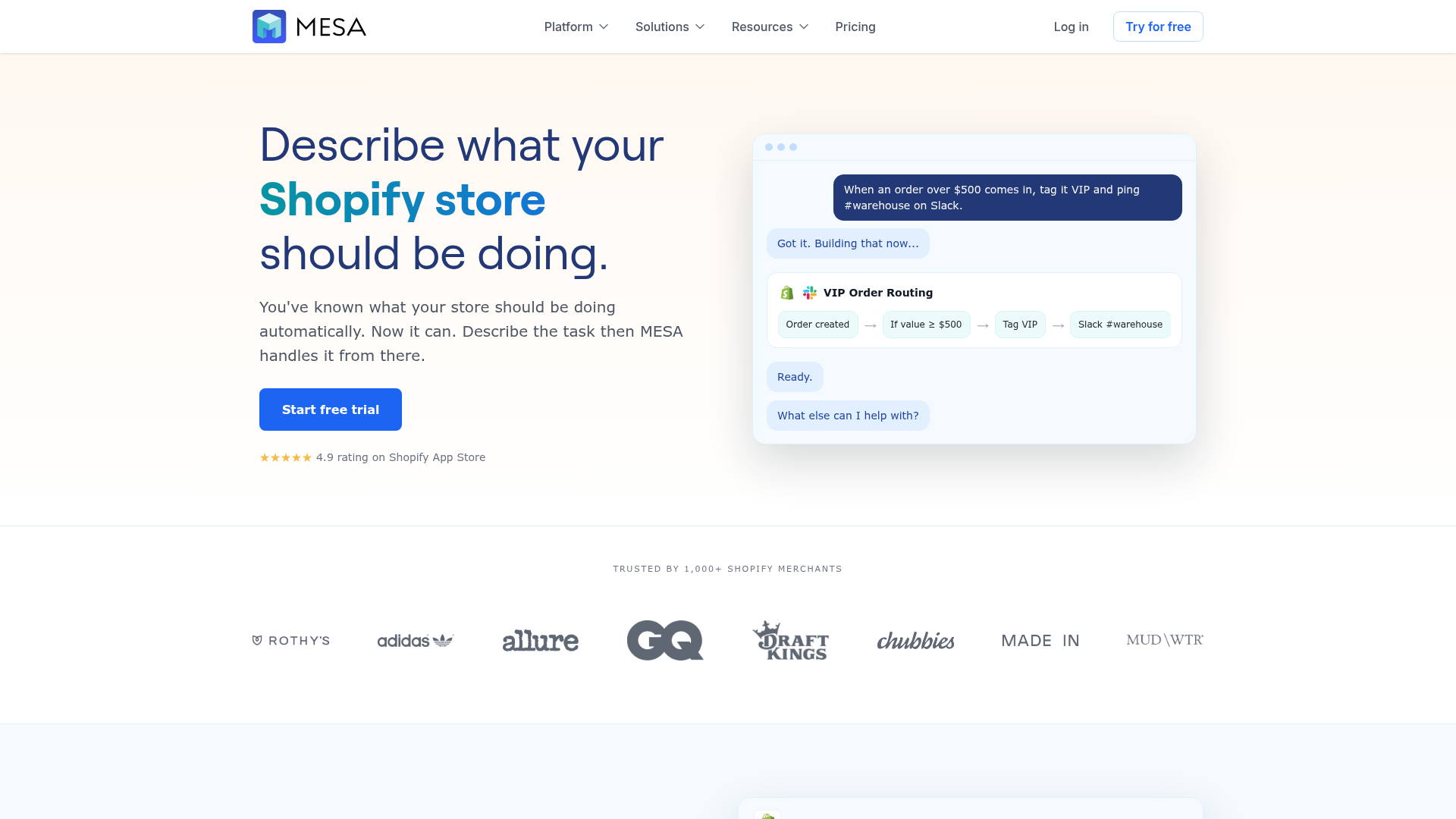
Plain-English workflow creation: describe what you want your store to do, and MESA can turn it into a live workflow quickly
-
Complex multi-step automation support: useful for sophisticated operational logic
-
300+ ready-made templates: faster setup for common ecommerce use cases
-
100+ app integrations: connect Shopify with tools like Slack, Google Sheets, Klaviyo, Odoo, Airtable, ShipStation, and HubSpot
-
Operational coverage: improve order handling, reporting, alerts, inventory sync, and customer follow-up
-
Error prevention: reduce the risk of missed steps, broken data flows, or overselling
-
Human support: get help building and optimizing workflows for your store
For merchants with growing backlogs of manual ops work, that combination matters. It means you can go from “we should automate this” to “this is live and working” much faster.
How to choose the right ecommerce automation platform
Not every tool is built for the same level of complexity. Some are great for simple one-step tasks. Others are better for full operational workflows.
Here’s what to evaluate.
1. Shopify depth
If Shopify is the center of your business, your automation platform should be deeply aligned with Shopify events, objects, and operational logic.
2. Ease of setup
Can non-technical team members build and update workflows? Or does every change require engineering support?
3. Template availability
Templates speed up implementation and reduce the burden of starting from scratch.
4. Integration ecosystem
The platform should connect with the tools you already use, not force you to replace them.
5. Multi-step workflow capability
Look for conditions, branching, data mapping, filters, and support for more advanced logic.
6. Monitoring and reliability
You need confidence that workflows are running correctly and that failures can be caught quickly.
7. Support quality
Human guidance is especially important when workflows touch orders, fulfillment, and inventory.
Quick comparison: what to look for in automation for ecommerce
|
Feature |
Basic automation tool |
Shopify-first automation platform like MESA |
|---|---|---|
|
Shopify-specific workflows |
Limited |
Strong |
|
No-code usability |
Varies |
Strong |
|
Plain-English workflow creation |
Rare |
Yes |
|
Multi-step logic |
Sometimes |
Strong |
|
Template library |
Limited to moderate |
300+ templates |
|
Ecommerce app integrations |
Varies |
100+ integrations |
|
Ops-focused use cases |
Partial |
Strong |
|
Human workflow support |
Often limited |
Yes |
A simple framework for implementing ecommerce automation
If you want results quickly, don’t try to automate everything at once.
Step 1: Audit repetitive tasks
List the manual tasks your team repeats every day or week. Focus on tasks that are high-frequency and rules-based.
Step 2: Identify failure points
Where do delays, errors, or handoff issues happen most often? Those are prime automation candidates.
Step 3: Prioritize by business impact
Start with workflows tied to revenue protection, order speed, inventory accuracy, and customer experience.
Step 4: Launch small but meaningful automations
Examples:
-
low-stock Slack alert
-
auto-tagging orders by fulfillment rule
-
syncing new orders to reporting tools
-
review request flow after delivery
Step 5: Add multi-step workflows
Once the basics are working, layer in branching logic, app syncing, and exception handling.
Step 6: Monitor and optimize
Automation should be reviewed like any operational system. Improve logic as your store changes.
Best practices for successful automation in ecommerce
Keep workflows documented
Even no-code workflows need documentation so the team understands what is running and why.
Avoid over-automation
Not every judgment call should be automated. Use automation for repeatable logic, not nuanced customer decisions that need human oversight.
Build for exceptions
Strong workflows account for edge cases, not just ideal paths.
Start with clean data
Bad inputs create bad outputs. Clean customer, product, and order data improves workflow performance.
Assign ownership
Someone should own automation strategy, even if multiple teams benefit from it.
Final verdict
The case for automation in ecommerce is no longer theoretical. If your Shopify store is growing, manual workflows will eventually slow fulfillment, create reporting gaps, increase errors, and limit your ability to deliver a consistent customer experience.
The right automation for ecommerce helps you do more than save time. It gives your team operational leverage.
For Shopify merchants, MESA stands out because it combines Shopify-first workflow depth with accessibility. You can automate repetitive tasks without requiring a developer, build workflows from plain-English requests, connect your existing app stack, launch from ready-made templates, and get real human support when workflows need to be optimized.
If you want to reduce manual work, eliminate operational bottlenecks, and scale your store more efficiently, MESA is one of the most practical places to start.
FAQ
What are the top 5 automation tools?
The top automation tools depend on your stack, but common leaders include MESA for Shopify-first automation, Zapier for broad app connections, Shopify Flow for native Shopify workflows, HubSpot for marketing automation, and Klaviyo for ecommerce messaging. For merchants focused on Shopify operations, MESA is especially strong because it supports multi-step workflows, plain-English setup, and deep ecommerce use cases.
What is the 80 20 rule in ecommerce?
The 80/20 rule in ecommerce usually means that a small share of products, customers, or channels drives most revenue or profit. In automation strategy, it suggests focusing first on the repetitive workflows that create the biggest operational impact, such as order processing, inventory alerts, and customer follow-up.
What are the 5 C’s of ecommerce?
The 5 C’s are commonly described as customer, content, commerce, community, and convenience. Automation supports all five by improving personalization, syncing data, speeding up operations, and creating a smoother buying experience.
What are 10 advantages of automation?
Ten key advantages include time savings, fewer errors, faster fulfillment, better reporting, stronger personalization, improved customer experience, inventory accuracy, lower operational overhead, better team visibility, and easier scaling. In ecommerce, these benefits directly support both growth and profitability.
What are the 4 types of automation?
In ecommerce, four practical types of automation are marketing automation, operational automation, customer support automation, and data integration automation. Together, they help connect Shopify with the rest of your tools and reduce repetitive manual work across the business.