Process Automation Tools for Smarter Workflows
-
- •
- Jun. 26, 2026
- •
- 12 min read

If your Shopify team is still copying order data between apps, chasing fulfillment updates in Slack, fixing inventory mismatches by hand, or building reports in spreadsheets late at night, you do not have a people problem. You have a workflow problem.
That is exactly where process automation helps. A good process automation system removes repetitive operational work, keeps your app stack in sync, and reduces the small manual mistakes that quietly create customer issues, stock problems, and team backlog. For ecommerce operators, the goal is not “more tech.” It is fewer handoffs, fewer broken processes, and more time for work that actually grows the business.
A practical definition: process automation is the use of software to run repeatable business workflows automatically based on triggers, rules, and actions. In ecommerce, that usually means things like tagging high-risk orders, syncing inventory across systems, sending alerts when data changes, routing fulfillment exceptions, and updating reporting without someone doing it manually every day.
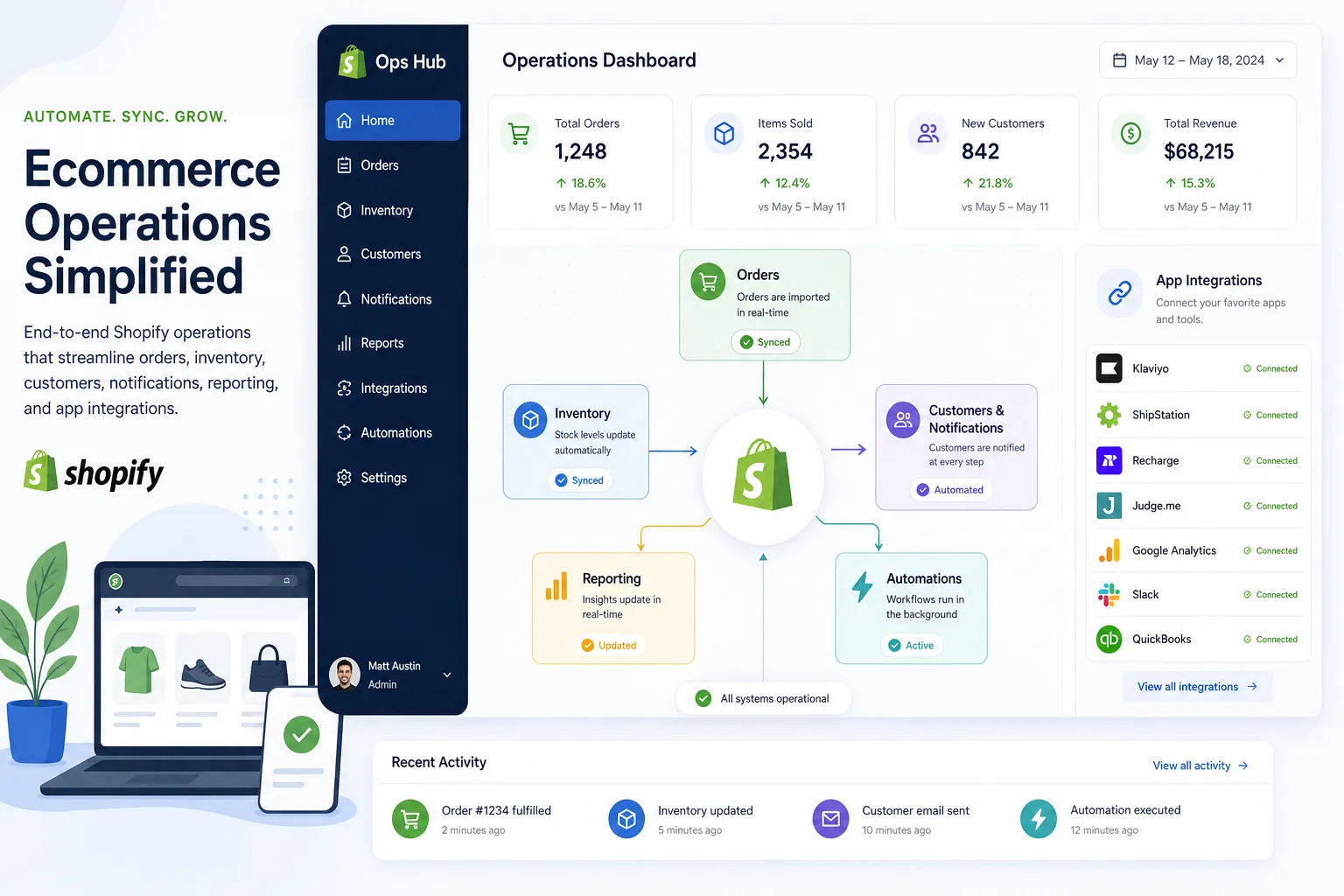
Table of Contents:
Why automation matters more in ecommerce than most teams realize
Ecommerce operations look simple from the outside. Orders come in, products ship, customers get updates. But behind the scenes, merchants are coordinating storefront data, subscriptions, returns, ERPs, 3PLs, help desks, email platforms, spreadsheets, and finance tools. The more you grow, the more fragile those workflows become.
According to Katana’s 2024 merchant inventory report covered by Business Wire, inventory and production coordination is a widespread problem for Shopify merchants.
“98% of Shopify merchants have difficulty aligning inventory and production with changing consumer demand.” – Business Wire reporting on Katana
That stat matters because inventory problems are rarely just inventory problems. They spill into overselling, delayed shipping, support tickets, refund volume, and reporting inaccuracies. This is why process automation software earns its keep fastest in operations-heavy stores.
According to Camunda’s 2025 process orchestration report, process complexity itself is now becoming a major business risk.
“82% of organizations fear digital chaos as business process complexity increases.” – Camunda
For Shopify brands, “digital chaos” often looks like this:
-
An order is tagged in Shopify but never updated in the ERP
-
A return is approved but the warehouse team is not notified
-
A subscription event changes customer status but marketing never sees it
-
A low-stock threshold is crossed but nobody acts until overselling starts
-
Customer support has to look across five systems to answer one order question
Those are not isolated annoyances. They are signs your store needs a smarter operational layer.
What process automation actually looks like in a Shopify business
A lot of articles talk about automation in vague, enterprise language. Ecommerce teams need something more concrete.
A process automation tool for Shopify usually works like this:
-
A trigger happens
Example: a new order is created, inventory drops, a return is opened, or a support tag is added. -
The workflow checks conditions
Example: only wholesale orders, only international shipments, only VIP customers, or only products from a certain vendor. -
The system takes actions
Example: tag the order, alert Slack, update Google Sheets, create a task, sync data to an external system, or notify the warehouse. -
The workflow logs or retries if something fails
This is the difference between a toy automation and a process automation system you can trust.
That is where MESA fits especially well for merchants. Instead of forcing operators to think like developers, MESA lets you describe what you need accomplished and turn that into a live workflow. It is built for Shopify-first operations, supports complex multi-step automations, and helps connect the store to the rest of your stack without custom development.
If your team is trying to automate order handling, reporting, alerts, sync jobs, or post-purchase follow-up, MESA’s Shopify automation platform is designed for exactly that operational layer.
The four big outcomes teams should expect from process automation
1. Less manual work
This is the obvious win, but it is bigger than “saving time.” Removing repetitive tasks also reduces context switching. Teams make fewer errors when they are not bouncing between tabs all day doing small updates.
Common examples:
-
Auto-tagging orders by attributes
-
Sending fulfillment alerts to the right team
-
Updating spreadsheets automatically
-
Creating internal notifications for exceptions
-
Routing post-purchase tasks without human follow-up
2. Better data consistency
When the same order or customer information lives across Shopify, email, support, finance, and fulfillment systems, hand-entered updates will drift. Process automation software keeps those systems synchronized.
Examples:
-
Sync Shopify orders to Google Sheets
-
Pass customer or order data to HubSpot
-
Update Slack when a high-priority order enters a new stage
-
Keep operational dashboards current without manual exports
3. Fewer operational errors
Automation helps prevent overselling, missed alerts, broken handoffs, and stale reports. A good process automation system should not just move data; it should help catch issues before they become customer-facing problems.
Examples:
-
Alert your team when inventory falls below threshold
-
Escalate orders with address or fraud flags
-
Retry failed steps instead of silently dropping them
-
Prevent incomplete data from moving downstream
4. Easier scaling
Headcount does not need to grow linearly with order volume if your workflows are well designed. Automation gives operators leverage. That matters when sales spikes, seasonal peaks, or channel expansion increases process load faster than your team can hire.
Where most teams should automate first
If you are skeptical of process automation tools, start with workflows that are easy to validate and painful to do manually.
Order operations
Good first automations include:
-
Tagging orders based on product, channel, or value
-
Splitting internal notifications by order type
-
Escalating high-risk or expedited orders
-
Sending order data into reporting tools or spreadsheets
MESA is especially strong here because it was built around Shopify operations. Its order automation workflows help merchants reduce repetitive handling without needing a developer to stitch together one-off scripts.
Inventory and product sync
Inventory drift causes some of the most expensive ecommerce mistakes. Automating low-stock alerts, cross-system sync, and exception monitoring is usually high ROI.
Examples:
-
Sync inventory between Shopify and external systems
-
Alert the team before overselling starts
-
Update restock or merchandising sheets automatically
-
Trigger internal actions for discontinued items
Customer experience and support
Automation can improve response time and consistency without making support feel robotic.
Examples:
-
Notify support when a VIP order is delayed
-
Trigger post-purchase communication based on fulfillment status
-
Add customer notes or tags based on events
-
Route issues to the right channel faster
Reporting and internal visibility
Many operators waste hours exporting CSVs or updating spreadsheets for daily visibility. This is one of the easiest places to automate.
Examples:
-
Push order or product data to Sheets
-
Send summary reports into Slack
-
Track exceptions in a central doc
-
Maintain live operational dashboards
How to evaluate process automation tools without getting distracted
Not every tool that claims automation is built for ecommerce operations. Some are general-purpose. Some are too simplistic. Some require too much technical setup for a lean team. The right choice depends on workflow complexity, Shopify depth, and how much support you need.
Here is a practical comparison framework:
|
Evaluation area |
What to look for |
Why it matters for Shopify teams |
|---|---|---|
|
Shopify depth |
Native Shopify triggers and actions |
Generic tools often miss ecommerce-specific needs |
|
Ease of setup |
Plain-English or no-code workflow creation |
Operators should not need engineering for every change |
|
Multi-step logic |
Conditions, branching, delays, retries |
Real store operations are rarely one-step automations |
|
App ecosystem |
Integrations with your stack |
Data has to move beyond Shopify |
|
Templates |
Ready-made workflows |
Faster time to value |
|
Reliability |
Error handling, logs, monitoring |
Silent failures create operational risk |
|
Support |
Real humans who understand workflows |
Teams need help optimizing processes, not just docs |
Many competitors focus on broad business process automation, but ecommerce teams usually need deeper operational specificity. MESA stands out because it combines Shopify-first logic, 100+ app integrations, 300+ templates, and real support from people who understand merchant workflows.
If you are comparing options, MESA’s perspective on automation alternatives to Zapier is helpful when you have outgrown simpler, task-based automations but do not want to move into a heavy enterprise implementation.
What competitors get wrong
The top-ranking content in this category usually does a decent job defining automation and listing tools. But it often misses the operational reality of a scaling Shopify business.
Here are the biggest gaps:
They talk about “workflow automation” like every workflow is the same
A generic HR approval flow is not the same as an ecommerce order exception flow. Shopify teams need tools that understand inventory, orders, fulfillment, subscriptions, support, and customer communications.
They overemphasize breadth and underemphasize reliability
A giant integration list looks good in a comparison table. But merchants care more about whether workflows are resilient, visible, and easy to fix when something changes.
They assume the buyer is technical
A lot of automation content is written for IT, RevOps, or developers. Ecommerce operators want results: fewer manual tasks, cleaner handoffs, and predictable processes. They do not want to become workflow engineers.
They skip the messy middle
Most brands are not choosing between “no automation” and “full enterprise orchestration.” They are in the middle. They have some simple automations already, but those tools are now creating sprawl, brittleness, or limits. That is where MESA becomes the logical next step: more capable than lightweight tools, but still fast and accessible for operators.
The difference between a basic automation and a real process automation system
This distinction matters.
A basic automation might do one task:
-
When an order is created, send a Slack message.
A real process automation system handles the workflow around that event:
-
When an order is created, check if it is international, above a certain value, contains restricted SKUs, or uses expedited shipping.
-
If yes, notify the right operations channel.
-
Update a spreadsheet.
-
Tag the order.
-
Create an internal follow-up step.
-
Retry or log any failed sync.
-
Alert a human if a critical step does not complete.
That is the level most growing merchants eventually need. They do not just need notifications. They need process control.
Why MESA is a strong fit for Shopify merchants
MESA is not trying to be everything for everyone. That is part of its advantage.
It is purpose-built for Shopify merchants that want to automate real store operations without writing custom code. You can describe what you need accomplished in plain English, and MESA can help turn that into a live workflow. That lowers the barrier for teams that know their operations deeply but do not have developer bandwidth.
What makes it especially useful:
-
Shopify-first workflow design
-
AI-assisted creation through Yedric
-
Support for complex multi-step logic
-
100+ app and ecommerce integrations
-
300+ templates for fast setup
-
Human support for setup and optimization
-
Strong coverage for order handling, reporting, alerts, sync, and customer follow-up
That last point matters more than most vendors admit. Automation is not just about launching a workflow. It is about making sure it reflects how your store actually operates.
For teams that want to move quickly, MESA’s automation templates library gives you a practical starting point for common ecommerce workflows instead of forcing every process to start from scratch.
Real use cases that usually pay off fast
Below are examples where process automation software typically produces visible operational wins.
Order tagging and routing
-
Tag wholesale, B2B, or VIP orders automatically
-
Notify the right fulfillment queue
-
Create exception paths for suspicious or urgent orders
Inventory monitoring and sync
-
Alert Slack when low-stock conditions appear
-
Sync product or inventory changes across systems
-
Reduce lag between storefront and backend systems
Post-purchase coordination
-
Trigger follow-up messaging after fulfillment milestones
-
Notify support about delays or failed deliveries
-
Update customer systems based on order status changes
Reporting and operational dashboards
-
Send Shopify data into Google Sheets
-
Build daily summaries automatically
-
Keep internal tracking accurate without CSV exports
Customer support handoffs
-
Route special order events to support
-
Add notes or tags based on shipping, subscription, or return events
-
Help support teams answer faster with current information
A smart rollout plan for skeptical teams
If your team has been burned by automation projects before, do not start with a giant transformation plan. Start with a contained workflow that is painful, repetitive, and easy to measure.
A practical rollout sequence:
Step 1: Pick one high-friction workflow
Good candidates:
-
Low-stock alerts
-
Order tagging
-
Reporting exports
-
Fulfillment exception notifications
Step 2: Define success in plain language
For example:
-
“No manual export needed for daily order report”
-
“VIP orders are always tagged and routed correctly”
-
“Low-stock alerts hit Slack before overselling happens”
Step 3: Build with guardrails
Your process automation tool should support conditions, testing, logs, and recovery paths.
Step 4: Expand to adjacent workflows
Once one flow is stable, extend the automation around it rather than creating disconnected one-off tasks.
Step 5: Standardize
Use templates, naming conventions, and documentation so workflows remain manageable as the store grows.
This is another area where MESA helps. Because it combines ready-made templates with human guidance, teams can move from one useful automation to a coordinated operating layer much faster than they usually expect.
The business case: what better workflows actually change
The value of process automation is not only labor savings. The bigger gains often show up in quality and speed:
-
Faster order handling
-
Fewer preventable support tickets
-
Better visibility across systems
-
Less time spent reconciling data
-
Reduced risk of overselling
-
More predictable execution during peak demand
-
Higher team capacity without proportional hiring
For time-constrained ecommerce leads, that is the real decision. Not “should we automate?” but “which workflows are costing us the most by staying manual?”
Final verdict
Process automation is no longer a nice-to-have for Shopify merchants with growing operational complexity. If your store depends on multiple apps, recurring manual steps, or fragile handoffs between teams, the cost of doing nothing compounds fast.
The best process automation tools do more than connect systems. They reduce operational drag, improve accuracy, and give your team room to scale without living in spreadsheets and Slack threads. That is why Shopify merchants that have outgrown lightweight automations often move toward a platform with deeper workflow logic, stronger Shopify context, and real support.
MESA is a strong next step if you want to automate repetitive Shopify tasks, describe what you need accomplished in plain English, and launch workflows quickly without depending on a developer. If you are ready to reduce backlog, prevent operational errors, and make your store run more cleanly behind the scenes, explore MESA’s platform or start with a template that matches one of your most painful workflows.