Business Process Automation Tools for Growth
-
- •
- Jun. 25, 2026
- •
- 12 min read

If you’re evaluating business process automation tools for growth, you’re probably not trying to “digitally transform” in the abstract. You’re trying to stop wasting time on repeatable work: tagging orders, syncing inventory, alerting the right team, updating spreadsheets, fixing broken handoffs between apps, and chasing preventable errors after they happen.
For Shopify merchants and ecommerce operators, that’s where business process automation becomes practical. The right platform doesn’t just automate one isolated task. It helps you reduce manual work across operations, connect Shopify to the rest of your stack, and scale without building a larger back-office team. If your current setup still depends on copy-paste work, brittle point-to-point automations, or a growing queue of “we should fix this later,” this guide will help you compare your options clearly.
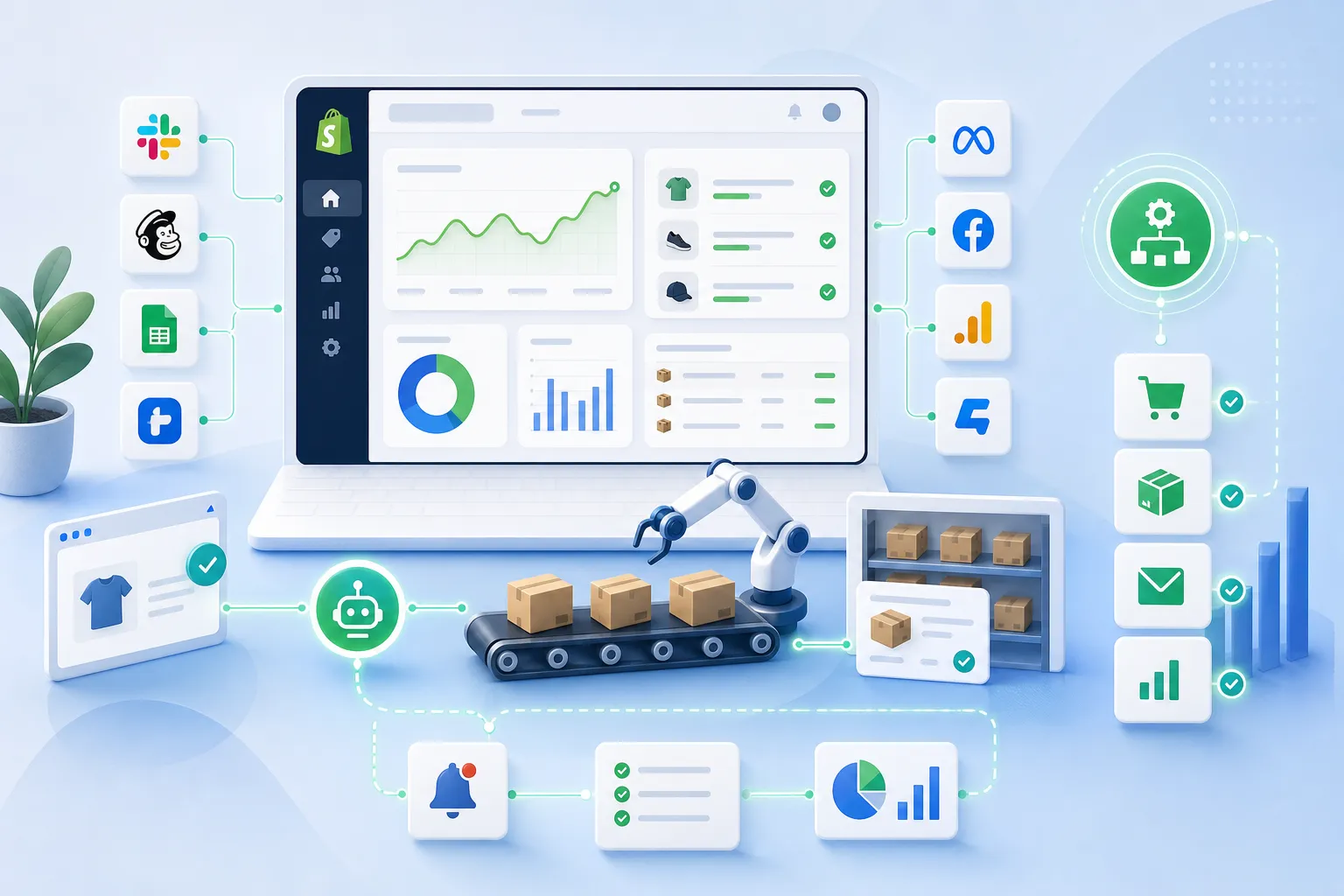
Table of Contents:
A quick answer: what is business process automation?
Business process automation is the use of software to handle repetitive, rules-based, multi-step operational work with less manual effort. Instead of having staff move data, trigger follow-ups, assign tasks, or update systems by hand, automation tools execute those workflows consistently across apps and teams.
For ecommerce businesses, that usually means automating processes like order handling, inventory sync, fulfillment alerts, customer follow-up, reporting, and exception management. The goal is not just speed. It’s fewer errors, better visibility, and a business that can grow without piling on operational complexity.
Why growth makes manual operations break
A lot of businesses don’t feel the pain at 20 orders a day. They feel it at 200, 2,000, or when they add more channels, warehouses, subscriptions, B2B workflows, or a more complex app stack.
At that point, the problems usually look familiar:
-
Orders need different actions based on tags, products, locations, or customer type
-
Inventory must stay accurate across multiple systems
-
Fulfillment teams need instant alerts when exceptions happen
-
Finance, CX, and ops all rely on the same data, but it lives in different places
-
Reporting depends on manual exports
-
Small mistakes turn into overselling, delays, refund issues, or broken customer experiences
“Over 25% of organizations estimate they lose more than USD 5 million annually due to poor data quality.” – IBM Institute for Business Value
That matters in ecommerce because bad data doesn’t stay theoretical. It turns into wrong inventory counts, missed order routing, broken post-purchase flows, and support tickets your team didn’t need.
What the best business process automation software actually does
The strongest business process automation software does more than trigger a basic “if this, then that” action. It should help your team manage real operational logic across multiple systems.
Core capabilities to look for
|
Capability |
Why it matters for growth |
|---|---|
|
Multi-step workflows |
Real processes rarely stop at one action |
|
Conditional logic |
Different orders, customers, and products need different handling |
|
App integrations |
Your automation is only as useful as the systems it can work with |
|
Error handling and logs |
You need to know when a workflow fails and why |
|
Templates |
Faster setup for common use cases |
|
Human support |
Non-technical teams need help designing better workflows |
|
AI-assisted setup |
Faster path from idea to working automation |
|
Scalability |
Your workflows should survive higher order volume and complexity |
Ecommerce examples that create immediate value
A capable automation platform should support workflows like:
-
Tag high-risk or VIP orders automatically
-
Route orders by SKU, location, or shipping method
-
Sync Shopify data to Google Sheets, ERPs, or CRMs
-
Alert Slack channels when fulfillment exceptions occur
-
Trigger post-purchase customer messages after specific order events
-
Prevent overselling by keeping inventory synchronized
-
Create reporting exports on a schedule
-
Push returns, subscription, or support events into downstream systems
This is where a Shopify-first platform can outperform more generic tools. Instead of forcing merchants to build everything from scratch, it understands store operations natively.
The major categories of business process automation tools
Not every automation category solves the same problem. Competitor articles often blur these lines, which makes tool evaluation harder than it should be.
1. Workflow automation tools
These tools are designed to automate actions between apps and internal processes. They’re often the fastest route to removing manual work from operations.
Best for:
-
Cross-app workflows
-
Alerts and notifications
-
Operational routing
-
Scheduled reporting
-
Shopify-centric automation
2. BPM and enterprise orchestration platforms
These are broader business process automation solutions focused on modeling, governing, monitoring, and optimizing end-to-end processes across departments.
Best for:
-
Large enterprises
-
Formal process governance
-
Deep compliance or approval chains
-
Complex organization-wide orchestration
Tradeoff:
-
Powerful, but often heavier to implement than ecommerce teams need
3. RPA tools
Robotic process automation tools mimic user actions inside interfaces, often where direct integrations are limited.
Best for:
-
Legacy systems
-
UI-based repetitive tasks
-
Environments with poor API access
Tradeoff:
-
Often less elegant than native integration-based automation
-
Can become fragile if interfaces change
4. Low-code automation platforms
These sit between simple no-code tools and developer-led custom systems. They allow teams to build more advanced workflows without full engineering involvement.
Best for:
-
Growing businesses with complex requirements
-
Cross-functional teams
-
Faster iteration without a dev backlog
Where MESA fits for Shopify merchants
For ecommerce teams, the challenge is rarely “how do we automate in general?” It’s “how do we automate our actual store operations without needing a developer every time something changes?”
That’s where MESA’s Shopify automation platform is built to be different.
MESA is designed for merchants who want to describe what they need accomplished and get live workflows running quickly. Instead of treating automation as a developer-only project, it gives operators practical tools to automate repetitive Shopify tasks, reduce manual operational work, and keep critical systems in sync.
Why that matters in practice
With MESA, merchants can:
-
Build multi-step workflows without custom development
-
Use plain-English requests to create automations faster
-
Connect Shopify with 100+ apps and ecommerce tools
-
Launch quickly with 300+ ready-made templates
-
Improve order handling, alerts, reporting, customer follow-up, and inventory sync
-
Prevent costly operational issues like broken data flows or overselling
-
Get real human support for workflow setup and optimization
If your team has outgrown simple automations but doesn’t want to hand every operations fix to engineering, that middle ground is valuable.
A good next place to explore is MESA’s order automation solutions for Shopify, especially if order routing, tagging, notifications, and exception handling are slowing your team down.
What competitors get wrong about business process automation
Most competitor content gets the definition right. But it often misses how automation buying decisions actually happen inside growing ecommerce businesses.
They focus on technology categories, not operational outcomes
A lot of articles compare BPA, BPM, and RPA in abstract terms. That’s useful to a point, but operators usually care more about outcomes:
-
Can this reduce manual work next week?
-
Can it handle my real order logic?
-
Can it connect to the apps I already use?
-
What happens when a workflow breaks?
-
Who helps us set this up correctly?
They underplay implementation friction
Many tools sound powerful in a comparison table. Fewer articles talk honestly about setup burden, workflow maintenance, or the risk of needing technical talent for every update.
The truth: the best business process automation services are not just software features. They also include support, templates, clear observability, and fast time to value.
They ignore Shopify-specific complexity
General automation software can work for ecommerce, but generic doesn’t always mean efficient. Merchants often need platform-specific logic around:
-
Order events
-
Fulfillment states
-
Tags and metafields
-
Subscription workflows
-
Returns
-
Inventory sync
-
Customer communication timing
That’s why Shopify-first automation often produces better results than forcing a broad enterprise tool into a retail workflow.
How to compare business process automation solutions realistically
If you’re evaluating platforms, don’t start with marketing claims. Start with three to five workflows that already create pain.
A practical evaluation framework
|
Question |
Why it matters |
|---|---|
|
Can it handle multi-step logic? |
Single-step automations break down quickly |
|
Does it integrate with our current stack? |
App coverage determines adoption |
|
How fast can non-technical users launch workflows? |
Speed matters more than feature sprawl |
|
Are there templates for common ecommerce use cases? |
Faster wins, lower setup cost |
|
Can we monitor failures and troubleshoot easily? |
Reliability is essential at scale |
|
Is there human support? |
Important for optimizing complex workflows |
|
Will this scale with store growth? |
Avoid replatforming later |
Red flags to watch for
-
Requires developers for routine workflow changes
-
Limited support for Shopify events and objects
-
Weak error logging or observability
-
Too many manual workarounds between apps
-
No reusable templates
-
Poor support during implementation
The ROI case for automation is usually obvious
Teams often delay automation because they think the pain is “annoying but manageable.” But repetitive work compounds quickly.
“Office workers spend more than 40% of their day on manual digital administrative processes.” – Automation Anywhere global study reported by PR Newswire
For ecommerce teams, that time gets buried in:
-
Updating spreadsheets
-
Checking order conditions manually
-
Copying data between systems
-
Sending status messages
-
Fixing preventable mistakes
-
Following up on exceptions that should have triggered an alert automatically
When you automate those actions well, the return usually shows up in four places:
1. Labor efficiency
Your team spends less time on repeatable tasks and more time on exceptions, strategy, and customer experience.
2. Fewer operational errors
Consistent workflows reduce missed steps, data mismatches, and delays.
3. Faster scaling
More orders don’t require a proportional increase in manual work.
4. Better customer experience
Accurate data, timely updates, and fewer fulfillment problems improve trust.
Common use cases that deliver fast wins
The best automation projects start with painful, frequent tasks. Not moonshots.
Order management
-
Auto-tag orders based on products, channels, or risk factors
-
Split fulfillment flows by warehouse or shipping rule
-
Notify teams when urgent conditions are met
-
Trigger downstream actions for subscriptions or wholesale orders
Inventory management
-
Sync stock data between Shopify and external systems
-
Alert teams when thresholds are hit
-
Prevent overselling caused by delayed updates
-
Reconcile product or variant data across tools
For merchants dealing with stock accuracy issues, MESA’s inventory management automation solutions are especially relevant.
Customer experience
-
Send internal alerts for VIP customers
-
Trigger follow-up messages after fulfillment or delivery milestones
-
Route support-related events into CX systems
-
Personalize post-purchase workflows based on order behavior
Reporting and data operations
-
Export Shopify data to Google Sheets automatically
-
Push order or customer updates into CRMs and ERPs
-
Schedule recurring operational reports
-
Keep teams aligned with shared, current data
Fulfillment and exception handling
-
Alert the right team when orders stall
-
Route orders with special handling requirements
-
Create internal tasks from fulfillment exceptions
-
Keep operations moving without inbox monitoring
When you’ve outgrown simpler tools
Some businesses start with lightweight automation tools and get real value from them. That’s normal. But growth exposes their limits.
You may have outgrown a simpler tool if:
-
Your workflows need branching logic and multiple steps
-
You need deeper Shopify context
-
Your automations are becoming hard to maintain
-
Errors are hard to trace
-
The app stack keeps expanding
-
Operations depends on workflows that “mostly work”
That doesn’t mean simpler tools are bad. It means your business needs a better fit now.
For merchants comparing platforms directly, MESA also provides practical alternatives pages like MESA vs Zapier, which can help clarify when a Shopify-first approach makes more sense.
How to implement business process automation without overcomplicating it
The best rollouts are operational, not theoretical.
Step 1: Audit repetitive work
List recurring tasks your team performs weekly. Look for work that is:
-
Repetitive
-
Rules-based
-
High-volume
-
Error-prone
-
Spread across multiple apps
Step 2: Prioritize by pain and frequency
Don’t start with the most impressive workflow. Start with the one that wastes the most time or creates the most avoidable issues.
Step 3: Standardize the process first
If the process is unclear, automation will just accelerate confusion. Document the logic before building it.
Step 4: Launch from templates where possible
Templates reduce setup time and lower the chance of design mistakes. This is one of the biggest practical advantages of mature platforms.
Step 5: Monitor and refine
Even strong workflows need tuning. Watch logs, edge cases, and operational outcomes, especially in the first few weeks.
Step 6: Expand to connected workflows
Once core automations are stable, add connected processes across inventory, CX, fulfillment, and reporting.
Why AI-assisted workflow creation changes the buying decision
A major shift in modern automation is that teams no longer have to build everything manually from scratch.
With MESA’s AI assistant, Yedric, merchants can describe what they need accomplished in plain English and turn that into a live workflow much faster. That matters because most operations teams know the process they want. They just don’t want to translate it into a technical build specification.
This reduces the friction between “we should automate this” and “it’s actually live.”
It also makes advanced automation more accessible to the people closest to store operations, not just developers or consultants.
Final verdict
The best business process automation tools for growth do three things well: they reduce manual work, handle real operational complexity, and help your team move faster without increasing technical dependence.
For general business automation, there are plenty of capable platforms on the market. But for Shopify merchants and ecommerce teams, the strongest choice is usually the one that understands store operations natively, supports complex multi-step workflows, and helps non-technical teams launch automation without waiting on developers.
That’s why MESA is a logical next step for merchants who have outgrown simpler tools. It combines Shopify-first automation, 100+ app integrations, 300+ ready-made templates, AI-assisted workflow creation, and real human support in a way that matches how ecommerce teams actually work.
If you want to scale operations more efficiently, reduce errors, and stop spending valuable time on repeatable tasks, start with a platform built for the workflows your store already runs every day. Explore MESA’s template library, try a free workflow, or see how quickly your team can describe what needs to happen and put it into action.
FAQ
What is the 80 20 rule for automation?
The 80/20 rule for automation usually means focusing first on the small set of repetitive processes that create the biggest operational impact. In ecommerce, that often includes order routing, inventory sync, alerts, and reporting, where a few automations can eliminate a large share of manual work.
What are some business process automation tools?
Common business process automation tools include workflow automation platforms, BPM suites, low-code automation software, and RPA tools. For Shopify merchants, MESA stands out because it is built specifically to automate store operations, connect apps, and launch multi-step workflows without needing a developer.
What are the top 3 RPA tools in the market?
Well-known RPA tools often include vendors such as UiPath, Automation Anywhere, and Blue Prism. However, for ecommerce operators, integration-based automation platforms are often a better fit than RPA because they are less fragile and more aligned with Shopify workflows.
What is the 80 20 rule for automation?
The 80/20 rule suggests automating the highest-volume, most repetitive tasks first instead of trying to automate everything at once. That approach delivers faster ROI and helps teams prove value before expanding into more advanced workflows.
Which automation tool is trending now?
Right now, the most relevant automation tools are platforms that combine AI-assisted workflow creation, app integrations, and multi-step operational logic. For Shopify brands, MESA is especially compelling because merchants can describe what they need accomplished and quickly turn that into live workflows for real store operations.