Customer Service Automation for Faster Support
-
- •
- Jun. 11, 2026
- •
- 13 min read

Customer support is no longer just a help desk function. For Shopify brands, it is tightly connected to order updates, returns, inventory questions, shipping delays, subscription issues, loyalty programs, and post-purchase follow-up. When those tasks stay manual, support slows down, agents burn time on repetitive work, and customers feel the friction immediately.
A practical customer service automation strategy helps ecommerce teams answer faster, reduce ticket volume, and keep service consistent without hiring a much larger team. The right customer service automation platform does more than send canned replies. It connects Shopify to the rest of your stack, triggers actions when customers need help, and keeps data moving cleanly between systems. And with customer service automation AI, teams can now describe what they need accomplished in plain English and launch useful workflows much faster than they could with traditional setup.
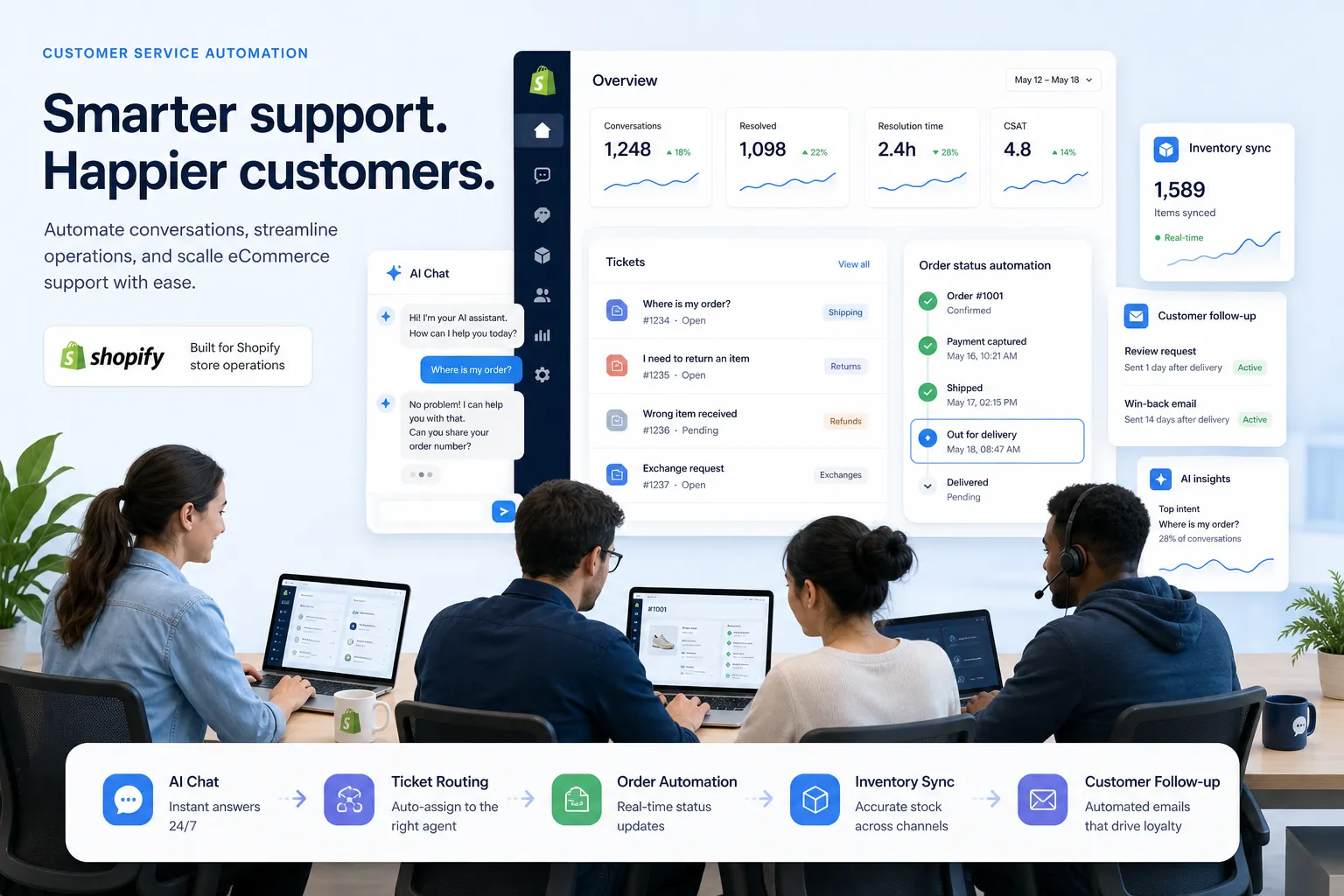
Table of Contents:
Quick answer: what is customer service automation?
Customer service automation is the use of software, AI, and connected workflows to handle repetitive support tasks without requiring a person to do each step manually. In ecommerce, that usually means automatically answering common questions, routing tickets, updating order data, syncing systems, sending alerts, and triggering follow-up actions so customers get faster, more accurate support.
Why this matters more for Shopify merchants than generic support teams
Most articles define automation well enough, but they stop at chatbots and ticket routing. That misses how support actually works in ecommerce.
For a Shopify merchant, many support requests are operational:
-
“Where is my order?”
-
“Why was this item oversold?”
-
“Can I edit my shipping address?”
-
“Has my return been approved?”
-
“Why didn’t my loyalty points update?”
-
“Why did this subscription renew unexpectedly?”
These issues are rarely solved by a chatbot alone. They require systems to talk to each other. Support quality depends on whether Shopify, your help desk, inventory tools, email platform, fulfillment apps, and internal alerts stay synchronized.
That is why ecommerce brands need a support automation approach tied to operations, not just conversations.
“According to a 2026 report by Ringly.io, 88% of customers expect faster response times than they did just one year ago.” – Ringly.io
What a customer service automation platform actually does
A modern customer service automation platform helps your team automate the actions behind support, not just the messages in front of it.
Core functions to look for
|
Capability |
What it does |
Ecommerce example |
|---|---|---|
|
Ticket routing |
Sends issues to the right queue or person |
Refund questions go to billing, shipping delays go to fulfillment |
|
Event-triggered workflows |
Starts actions when something happens |
If an order is delayed, notify support and send a proactive email |
|
Data sync |
Keeps apps aligned |
Sync Shopify order tags to your help desk or CRM |
|
Alerts and escalations |
Notifies teams when exceptions happen |
Flag high-value orders with failed fulfillment |
|
Self-service support actions |
Lets customers resolve common issues faster |
Trigger order status emails or return confirmations automatically |
|
AI-assisted workflow setup |
Lets operators describe what they need accomplished |
Build a post-purchase support workflow from a plain-English request |
For growing brands, the difference between a basic tool and a scalable platform is flexibility. You do not just want a bot that can answer. You want a system that can take action across your stack.
That is where Shopify-first automation becomes more valuable than generic support software. With MESA, merchants can automate repetitive workflows across support, orders, inventory, and fulfillment without relying on a developer or building custom middleware. If your team has outgrown simple one-step tools, MESA gives you a more operationally useful path forward through Shopify automation workflows.
How customer service automation AI changes the workflow
The biggest shift is not that AI can write a reply. It is that customer service automation AI can help teams turn intent into working operations.
Instead of manually stitching together triggers, filters, and actions, teams can now describe what they need accomplished, such as:
-
Tag VIP orders that generate support tickets
-
Send Slack alerts when a customer mentions a missing package
-
Update Google Sheets when returns exceed a threshold
-
Trigger follow-up emails after delivery issues are resolved
-
Notify operations when inventory mismatches may cause overselling
That matters because most ecommerce operators are not developers. They do not want to learn a complex integration builder. They want to explain the outcome they need and launch it quickly.
MESA’s AI assistant, Yedric, is built around exactly that approach. Merchants can describe what they want their Shopify store to do in plain English, and MESA helps convert that request into a live workflow. Combined with support for complex multi-step automations and real human guidance, that removes a major bottleneck for lean teams.
The 5 most valuable support automations for ecommerce teams
1. Order status and shipping issue automation
A huge share of support volume comes from order visibility. Customers ask where an order is, whether it shipped, or why tracking has not updated.
Useful automations include:
-
Auto-send shipping confirmations and delay notices
-
Tag at-risk orders when tracking stalls
-
Alert support when VIP or expedited shipments go off track
-
Route “where is my order” conversations based on carrier or fulfillment status
This reduces repetitive tickets and helps your team act before frustration escalates.
2. Return and refund workflow automation
Returns create back-and-forth when status updates are unclear. Automation can simplify this by:
-
Sending return received notifications
-
Updating order tags when a refund is processed
-
Notifying finance or support when refund thresholds are exceeded
-
Triggering apology or retention offers after problem orders
3. Inventory sync to prevent support problems
Support often inherits problems caused elsewhere. If inventory data is delayed or inaccurate, customers buy unavailable products and agents handle the fallout.
That is why support automation should include operations. For brands managing multiple tools, inventory automation workflows can help prevent overselling, mismatched stock counts, and fulfillment confusion before they create tickets.
4. Internal alerts for high-risk customer issues
Some support issues should never sit unnoticed in a queue. For example:
-
Negative sentiment from a repeat customer
-
Chargeback or fraud-related inquiries
-
Delays on high-value orders
-
Subscription complaints from top customers
Automated alerts can notify Slack, email, or internal systems instantly so the right team steps in fast.
5. Post-resolution follow-up and retention flows
Good support does not end when a ticket closes. Smart teams automate what happens after resolution:
-
Send satisfaction surveys
-
Ask for a review after a successful fix
-
Trigger a make-good offer for poor delivery experiences
-
Re-engage customers who had subscription or fulfillment friction
These flows help turn a support interaction into a retention opportunity.
What competitors get wrong about customer service automation
Most competitor articles from large CX vendors and enterprise platforms cover the same basics:
-
Chatbots
-
IVR
-
Knowledge bases
-
Ticket routing
-
24/7 availability
-
Cost reduction
All of that is true. But they usually gloss over four important realities for ecommerce teams.
They over-focus on conversations and under-focus on operations
A customer issue is often caused by broken data, delayed syncing, or disconnected apps. If your automation cannot update order fields, trigger internal alerts, or sync systems, the chatbot is only covering symptoms.
They treat automation like a one-time setup
Support automation works best when it evolves with your store. New products, shipping policies, sales channels, subscription programs, and fulfillment partners create new support patterns. You need a platform you can adjust quickly.
They assume technical teams will build everything
Many merchants do not have engineering time for custom support workflows. They need tools that operations, CX, and ecommerce managers can actually use.
They rarely explain how support connects to the rest of ecommerce
Support is tied to fulfillment, inventory, subscriptions, returns, reporting, and customer marketing. The best automations span all of those areas, which is why MESA’s broader customer experience automation solutions are often more practical for Shopify teams than standalone support widgets.
Benefits of customer service automation for fast-growing brands
Faster response times
Automation handles repetitive tasks immediately, so customers are not waiting for an agent to manually check order details, assign a ticket, or send a common update.
Better consistency
Workflows follow rules every time. That reduces variation between agents and helps your brand deliver a more reliable support experience.
Lower manual workload
Instead of hiring just to keep up with repetitive work, teams can remove operational drag and focus on higher-value issues.
Fewer preventable errors
Automations can reduce broken handoffs, missing updates, bad data syncs, and overselling-related issues that often create customer frustration.
Easier scaling during peak periods
Promotions, launches, and holiday surges create more tickets. Automation helps support teams absorb more volume without service quality falling apart.
“According to a 2025 report by Zendesk, 90% of customer experience leaders reported a positive return on investment from implementing AI tools in customer service.” – Zendesk
Where customer service automation AI works best, and where it still needs humans
AI is extremely useful for speed, routing, summarization, classification, and workflow setup. But it is not a complete replacement for human judgment.
Best use cases for AI
-
Categorizing support requests
-
Drafting or sending standard responses
-
Detecting urgency or sentiment
-
Suggesting next actions
-
Launching workflows based on plain-English requests
-
Summarizing conversations for handoff
Cases where humans should stay involved
-
Sensitive refunds or exceptions
-
Complex delivery failures
-
High-emotion complaints
-
VIP retention scenarios
-
Policy edge cases
-
Situations requiring negotiation or empathy
The right model is not “AI or humans.” It is AI for repetitive operational work, with humans focused where judgment matters.
A practical framework for setting up customer service automation
Here is the simplest way for a Shopify team to get started without overcomplicating it.
Step 1: audit your top support triggers
Review your most common tickets over the last 30 to 90 days. Group them by root cause, not just by wording.
Typical buckets include:
-
Order status
-
Shipping delay
-
Return request
-
Refund question
-
Inventory issue
-
Subscription confusion
-
Address change
-
Loyalty or discount problem
Step 2: identify what can be automated behind the scenes
Ask:
-
Does this require pulling data from Shopify?
-
Does it need to update another app?
-
Can we alert a team automatically?
-
Can we send a proactive message before the customer asks?
That will show where workflow automation can remove the most friction.
Step 3: start with one high-volume, low-risk workflow
Good starter projects include:
-
Delay notification workflows
-
Auto-tagging orders tied to support issues
-
Slack alerts for urgent tickets
-
Google Sheets reporting for recurring support problems
-
Follow-up emails after refunds or returns
Step 4: connect support to the rest of your operations
Do not isolate support. Make sure the workflow can interact with Shopify, email, messaging, fulfillment, spreadsheets, or your help desk as needed.
Step 5: improve based on outcomes
Track whether the automation reduced ticket volume, improved response speed, cut manual work, or prevented repeat issues.
Example workflows Shopify merchants can automate with MESA
MESA is especially strong when support automation needs to extend beyond one app or one step.
Here are realistic examples:
|
Workflow |
Trigger |
Automated actions |
|---|---|---|
|
Delayed shipment escalation |
Tracking stalls for 48 hours |
Tag order, notify Slack, update sheet, send support alert |
|
High-value order issue |
Ticket created for VIP customer |
Prioritize internally, alert CX lead, send personalized follow-up |
|
Refund reporting |
Refund processed in Shopify |
Log details to Google Sheets, notify finance, tag customer record |
|
Inventory-risk prevention |
Stock threshold drops unexpectedly |
Alert ops, pause promotion workflow, notify support of potential ticket spike |
|
Post-support recovery |
Ticket marked resolved after issue |
Send apology or retention offer, request feedback, update CRM |
|
Subscription support handoff |
Renewal complaint arrives |
Route by tag, add context from Shopify, notify retention team |
If your team does not want to build these from scratch, MESA also offers 300+ ready-made templates to speed setup and reduce trial-and-error.
How to choose the right customer service automation platform
Not all platforms are built for ecommerce operations. Use the checklist below before you commit.
Evaluation checklist
|
Question |
Why it matters |
|---|---|
|
Does it work well with Shopify? |
Generic platforms may not handle store-specific events cleanly |
|
Can non-developers use it? |
Your ops and CX teams need to own workflows |
|
Does it support multi-step automations? |
Real support issues usually span several systems |
|
Can it connect to 100+ tools? |
Your stack likely includes more than just a help desk |
|
Can AI help create workflows from plain-English requests? |
Faster setup means faster ROI |
|
Is there real human support? |
Complex workflows often need guidance |
|
Does it help prevent errors, not just respond to them? |
The best automation reduces ticket creation upstream |
For Shopify merchants, that last point is key. You do not just want automation that responds faster. You want automation that stops avoidable support problems before they hit the inbox.
Common mistakes that make automation feel worse, not better
Automating broken processes
If the underlying workflow is messy, automation will scale the mess. Fix ownership and rules first.
Using AI only for canned replies
The real value comes when AI helps power actions, routing, prioritization, and connected workflows.
Ignoring exception handling
Every automation needs rules for when something fails, changes, or needs a human review.
Leaving support disconnected from operations
Support teams cannot move faster if fulfillment, inventory, and customer data remain siloed.
Choosing tools that are too simple for current complexity
Basic tools are useful early on, but many brands eventually outgrow one-step automations. At that point, you need a platform that can support branching logic, multiple apps, conditional actions, and operational depth.
Final takeaway
The best customer service automation strategy is not about replacing your support team. It is about removing repetitive work, speeding up accurate responses, and connecting support to the operational systems that actually shape customer experience.
For Shopify brands, that means using a customer service automation platform that understands ecommerce reality: orders, fulfillment, returns, inventory, subscriptions, reporting, and app-to-app coordination. And with customer service automation AI, teams no longer need to wait on developers to make improvements. They can describe what they need accomplished and launch workflows much faster.
If your team is juggling manual support tasks, disconnected apps, and too many preventable tickets, MESA is a strong next step. It helps merchants automate complex Shopify workflows without custom development, connect 100+ ecommerce tools, use ready-made templates for fast wins, and get real human help when workflows need fine-tuning. If you are ready to reduce support backlog and scale service more efficiently, explore MESA’s platform, template library, or start a free trial at getmesa.com.
FAQ
How to automate customer support?
Start by identifying repetitive, high-volume support tasks like order status updates, ticket routing, refund notifications, and follow-up emails. Then use a platform that connects Shopify with your app stack so those actions can run automatically, while human agents handle sensitive or complex cases.
What is the 10/5/3 rule in customer service?
The 10/5/3 rule is a service guideline often used in hospitality and retail: acknowledge a customer within 10 feet, greet them within 5 feet, and begin a direct interaction within 3 feet. It is about proactive engagement, though digital support teams usually translate that idea into fast acknowledgment and timely follow-up.
Which AI tool is best for automating customer support?
The best tool depends on your workflow complexity, but for Shopify merchants the strongest option is usually one that combines AI-assisted workflow creation, Shopify-first automation, multi-step logic, and deep app integrations. MESA stands out when you need to describe what you need accomplished and turn that into live operational workflows without custom development.
What are the 3 C’s of customer service?
The 3 C’s are commonly defined as communication, consistency, and care. Automation supports all three by speeding up responses, standardizing routine actions, and freeing human agents to focus on the moments where empathy matters most.
What are the 4 P’s that improve customer service?
A useful version of the 4 P’s is promptness, professionalism, personalization, and problem-solving. Customer service automation improves these by reducing delays, keeping workflows consistent, using customer data intelligently, and resolving repetitive issues faster.