Store Automation: What It Is and Why It Matters
-
- •
- May. 19, 2026
- •
- 14 min read

Table of Contents:
Store Automation: What It Is and Why It Matters
If you run a Shopify store, you already know the problem: growth creates operational drag. More orders mean more tagging, more fulfillment updates, more inventory checks, more customer follow-up, more spreadsheet work, and more opportunities for mistakes. That is exactly where store automation comes in.
Store automation is the practice of using software to handle repetitive ecommerce tasks automatically instead of relying on manual work. For Shopify merchants, that can mean routing orders, syncing inventory, sending alerts, updating customers, pushing data between apps, and triggering follow-up actions the moment something happens in the store.
The appeal is simple: less busywork, fewer errors, faster response times, and a business that can scale without adding chaos.
For growing brands, operations teams, and enterprise merchants, automation is no longer a nice-to-have. It is becoming the foundation of efficient ecommerce operations.
“According to a 2025 survey by NVIDIA, 91% of organizations in the retail and consumer packaged goods sectors are either using or evaluating AI, with 90% planning to increase their AI budgets that year.” – Source
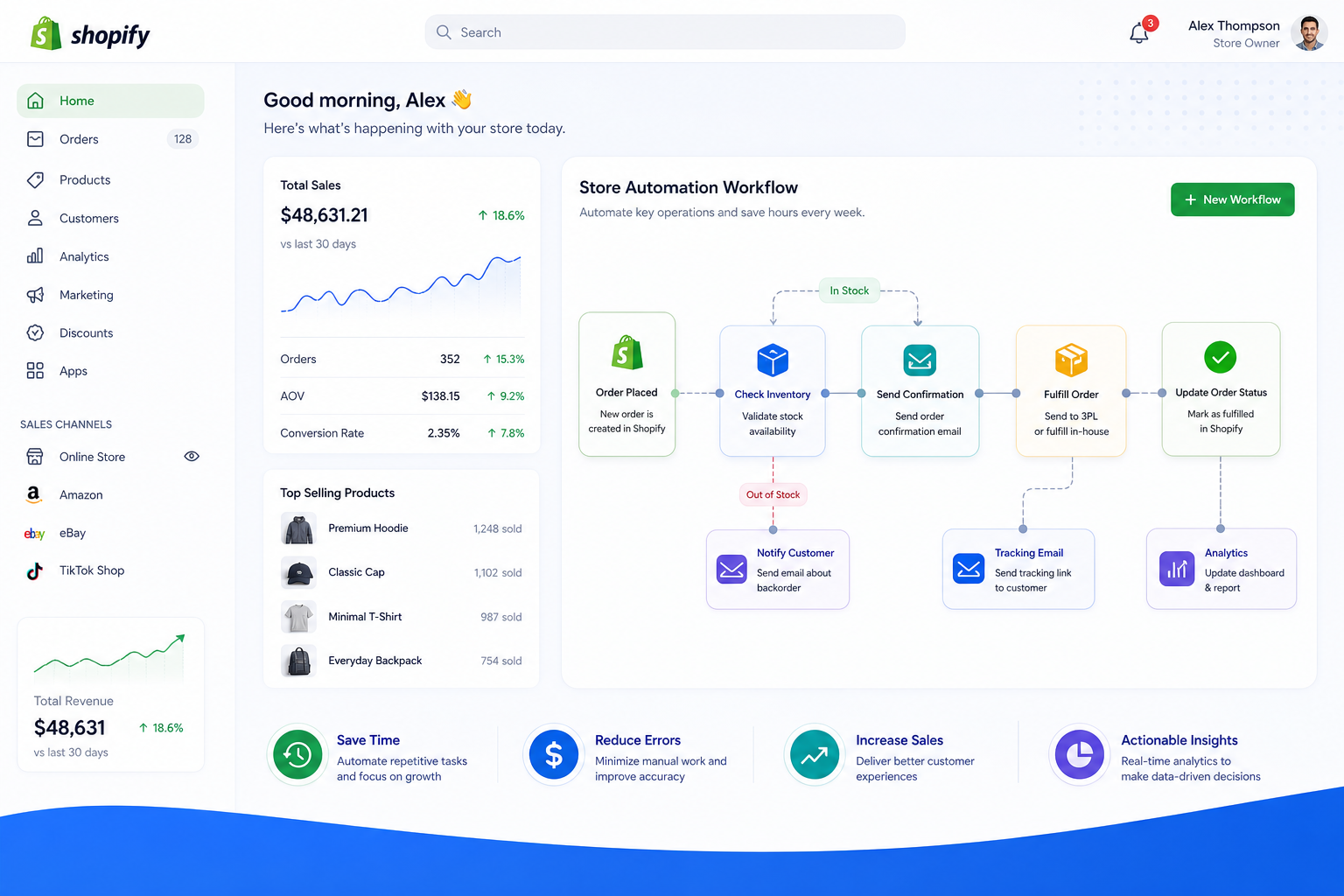
What Is Store Automation?
At its core, store automation means using technology to automatically perform operational tasks inside your ecommerce business.
Instead of someone on your team manually checking conditions and completing actions, automation tools watch for events and execute workflows based on rules, logic, or triggers.
Simple examples of store automation
A Shopify store can automate tasks like:
-
Tagging high-value customers after purchase
-
Sending Slack alerts for urgent orders
-
Routing orders to different fulfillment partners
-
Syncing inventory across apps and systems
-
Updating Google Sheets or Airtable with order data
-
Triggering Klaviyo emails after specific order events
-
Flagging possible fraud or fulfillment exceptions
-
Creating internal tasks when orders need review
-
Notifying customers when backordered items are available
-
Preventing overselling by keeping stock data synchronized
What store automation is not
Store automation does not mean replacing your team. It means removing the repetitive, rules-based work that slows them down.
Your team should spend less time copying data, checking statuses, and fixing avoidable mistakes – and more time on strategy, customer experience, merchandising, and growth.
Why Store Automation Matters More Than Ever
Modern ecommerce runs across multiple systems. Shopify is the center, but most merchants also rely on email tools, fulfillment software, customer support platforms, ERPs, shipping systems, spreadsheets, CRMs, and internal communication tools.
The more apps you use, the more manual gaps appear.
Without automation, teams often end up doing things like:
-
Copying order data from Shopify into back-office tools
-
Checking inventory manually before launching campaigns
-
Sending internal alerts by hand
-
Updating customers one by one
-
Troubleshooting broken handoffs between systems
-
Cleaning up data after errors spread downstream
That approach does not scale well.
The operational pressure on Shopify merchants
As stores grow, the pressure compounds in a few familiar ways:
|
Challenge |
What happens without automation |
Business impact |
|---|---|---|
|
Higher order volume |
More manual processing |
Slower fulfillment and team backlog |
|
More apps in the stack |
Data lives in silos |
Broken workflows and duplicate work |
|
Inventory complexity |
Stock updates lag |
Overselling and poor customer experience |
|
Customer expectations |
Delays in communication |
Support tickets and lower trust |
|
Team scaling limits |
More repetitive work per employee |
Lower efficiency and rising costs |
Store automation matters because it helps merchants build systems that can handle complexity without constant manual intervention.
“The global retail automation market is projected to reach USD 44.84 billion by 2030, growing at a compound annual growth rate (CAGR) of 9.3% from 2024 to 2030.” – Source
The Core Benefits of Store Automation
Most top-level articles mention speed and efficiency. Those are real benefits, but they only tell part of the story. The real value of store automation is operational leverage.
1. It saves time on repetitive work
This is the most obvious win. If your team repeats the same action dozens or hundreds of times per week, that process is a prime automation candidate.
Examples include:
-
Order tagging
-
Status notifications
-
Customer segmentation updates
-
Spreadsheet exports
-
Low-stock alerts
-
Fraud review flags
-
Internal handoff messages
Small time savings add up quickly when they happen on every order, every day.
2. It reduces manual errors
Manual work breaks in predictable ways:
-
Someone forgets a step
-
Data is copied into the wrong field
-
An alert is not sent
-
Inventory is updated too late
-
A customer receives the wrong follow-up
Automation reduces these avoidable mistakes by making the process consistent every time.
3. It improves response speed
Automation works instantly. A workflow can fire the moment an order is created, a tag is added, inventory changes, or a support event happens.
That means faster:
-
Order routing
-
Exception handling
-
Customer communication
-
Internal alerts
-
Inventory reactions
For merchants, speed is not just operational. It directly affects customer satisfaction.
4. It helps stores scale efficiently
When volume grows, manual processes multiply. Automation breaks that pattern.
Instead of hiring simply to keep up with repetitive tasks, teams can use automation to absorb more volume with fewer bottlenecks. That makes growth more sustainable.
5. It creates more reliable operations
One overlooked benefit of store automation is consistency. When workflows are documented in software instead of tribal knowledge, your business becomes less dependent on who is online, who remembers the process, or who is available at the moment.
That is especially important for:
-
Larger teams
-
Multi-location brands
-
Enterprise merchants
-
Stores with complex fulfillment flows
-
Fast-growing Shopify businesses
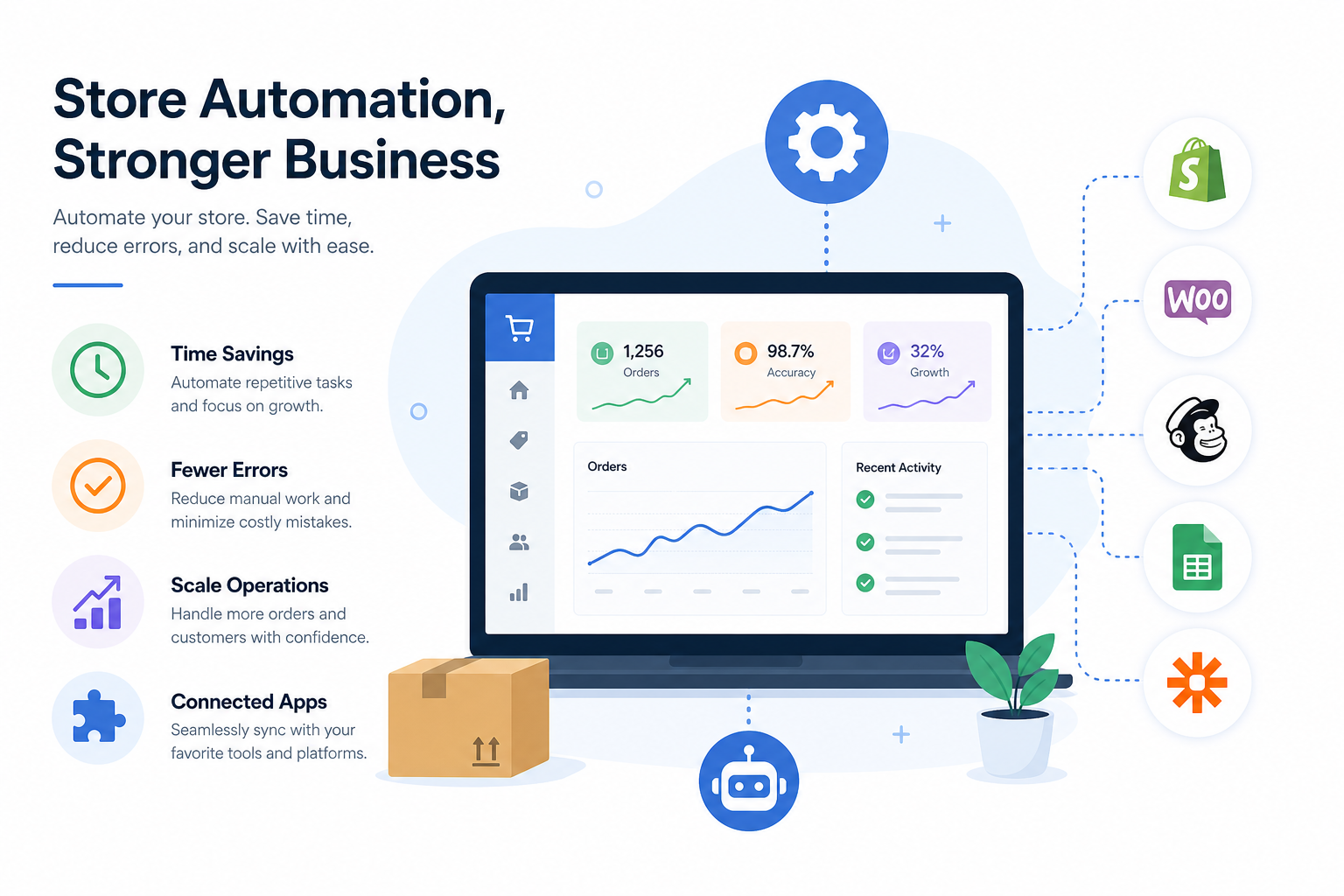
How Store Automation Works in a Shopify Business
Most store automation follows a simple framework:
Trigger → Logic → Action
Here is what that looks like in practice:
-
Trigger: An event happens in Shopify or another app
-
Logic: The system checks conditions or business rules
-
Action: One or more tasks happen automatically
Example workflow
A customer places an order with expedited shipping and a high order value.
-
Trigger: New Shopify order created
-
Logic: If order total is over a threshold and shipping method is expedited
-
Action: Tag the order, notify fulfillment in Slack, send data to a spreadsheet, and create a VIP follow-up sequence in your email platform
That is store automation in action: one event, multiple automated outcomes, no manual intervention.
Common Types of Store Automation for Ecommerce Teams
Competitor articles often stay broad. For Shopify merchants, it helps to break automation down by operational area.
Order automation
Order automation keeps post-purchase operations moving without manual handling.
Common use cases:
-
Auto-tagging orders by product, shipping method, or value
-
Splitting workflows for wholesale vs. DTC orders
-
Sending alerts for risky or unusual orders
-
Routing orders to fulfillment partners
-
Triggering internal review tasks
Inventory automation
Inventory errors are expensive. Automation helps reduce stock mismatches and delayed updates.
Common use cases:
-
Low-stock alerts
-
Back-in-stock workflows
-
Inventory sync across connected tools
-
Product availability updates
-
Oversell prevention logic
Customer communication automation
Customers expect proactive communication. Automation helps you stay responsive without creating extra support work.
Common use cases:
-
Post-purchase notifications
-
Delay or exception messaging
-
Review requests
-
Replenishment reminders
-
VIP customer follow-up
-
Win-back or loyalty triggers
Reporting and data automation
Many ecommerce teams still use manual exports and spreadsheets to track performance. Automation can eliminate much of that.
Common use cases:
-
Exporting Shopify data to Google Sheets
-
Sending daily sales summaries to Slack
-
Logging operational events in Airtable
-
Updating dashboards
-
Creating audit trails across systems
Internal operations automation
Some of the best automation wins are invisible to customers but valuable to teams.
Common use cases:
-
Escalation alerts
-
Task creation
-
Team notifications
-
Workflow approvals
-
Exception handling for failed payments or incomplete data
Signs Your Store Needs Automation
Not every task needs to be automated. But many merchants wait too long and normalize inefficiency.
If any of these sound familiar, automation should be on your roadmap:
-
Your team spends hours per week on repetitive Shopify admin work
-
Orders need manual review or routing every day
-
Data has to be copied between multiple apps
-
You rely heavily on spreadsheets to keep operations running
-
Inventory errors or overselling happen too often
-
Customer follow-up depends on someone remembering to send it
-
Internal alerts are handled inconsistently
-
Growth is creating operational backlog
-
Your app stack is expanding, but your workflows are not connected
In short: if your business runs on recurring manual steps, there is likely an automation opportunity.
What Competitor Articles Often Miss About Store Automation
Many articles explain automation in broad retail terms, but they gloss over some of the details ecommerce operators actually care about.
Gap 1: The difference between basic automation and workflow orchestration
Sending a single email or applying a simple tag is useful, but serious store automation usually requires multi-step workflows across systems.
For example:
-
When an order is placed, update a spreadsheet, alert Slack, tag the customer, trigger an email flow, and sync data to an ERP
That is more than a one-click automation. It is orchestration.
Gap 2: The integration problem
Automation is only valuable if it connects the tools you already use. Merchants do not need another isolated app. They need a way to connect Shopify with the rest of the business stack.
That includes tools like:
-
Slack
-
Google Sheets
-
Klaviyo
-
HubSpot
-
Airtable
-
ShipStation
-
Odoo
-
Fulfillment and support platforms
Gap 3: Speed of setup
Many automation tools promise power but require technical work to get started. For busy ecommerce teams, the real question is: How fast can we go from idea to live workflow?
That is where modern tools are changing the game.
Gap 4: Human support still matters
Automation should reduce dependency on developers, but merchants still need guidance when building higher-value workflows. The best platforms do not just offer a builder. They offer support that helps teams set up, troubleshoot, and optimize automation over time.
Why Shopify Merchants Need a Shopify-First Automation Platform
A generic automation tool can work for some use cases. But Shopify businesses often have store-specific logic, data structures, and ecommerce scenarios that are easier to handle with a platform built for Shopify operations.
That includes:
-
Order triggers
-
Product and variant logic
-
Inventory events
-
Customer tags and segments
-
Fulfillment workflows
-
App ecosystem connectivity
-
Ecommerce-specific exceptions
A Shopify-first platform is typically better suited to fast-moving operational workflows than a broad general-purpose tool.
Where MESA Fits In
For Shopify merchants, MESA is built to make store automation practical, fast, and scalable.
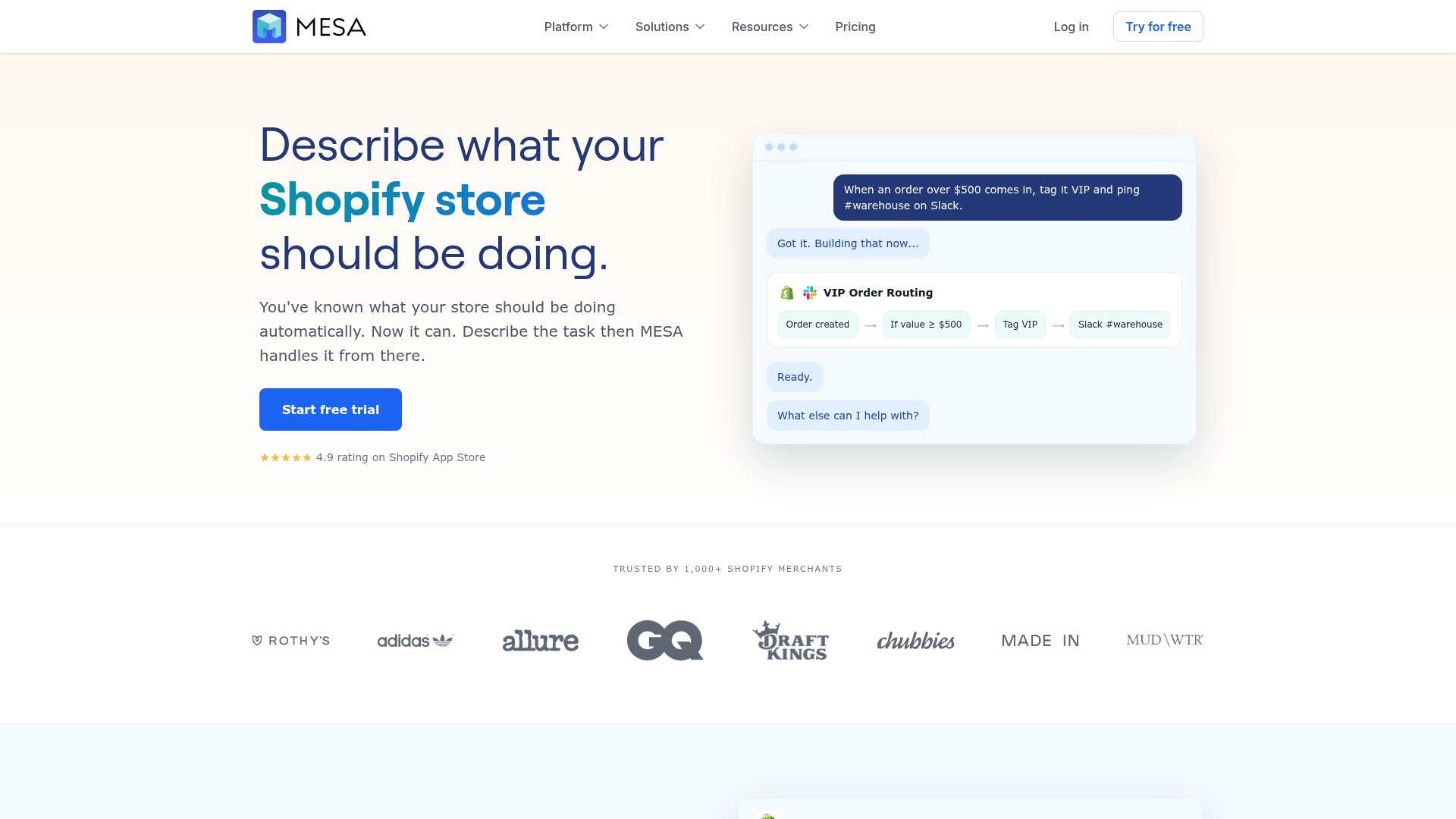
Instead of forcing teams into custom development or complicated setup, MESA helps merchants automate repetitive Shopify workflows without needing a developer. One of its biggest advantages is that you can describe what you want in plain English and turn that request into a live workflow quickly.
What makes MESA especially useful for store automation
-
No developer required for many operational workflows
-
Plain-English workflow creation with AI assistance
-
Support for complex multi-step automations
-
100+ app integrations and ecommerce tools
-
300+ ready-made templates to speed up setup
-
Shopify-first design for real merchant use cases
-
Human support for workflow setup and optimization
That combination matters because most merchants do not just need automation in theory. They need it in production, connected to real apps, handling real edge cases.
Real Store Automation Use Cases With MESA
To make the concept concrete, here are a few practical examples of what store automation can look like with a Shopify-first platform like MESA.
Automating order handling
When an order comes in, MESA can help merchants:
-
Tag it based on value, product type, shipping method, or destination
-
Send internal alerts for rush or exception orders
-
Route information to external systems
-
Kick off customer communication automatically
This reduces operational lag between checkout and fulfillment.
Automating inventory sync
If inventory changes in Shopify or another connected system, MESA can trigger updates to help keep data aligned. That is especially valuable for merchants managing multiple tools and sales workflows where stale data can lead to overselling or broken downstream processes.
Automating reporting and alerts
Many teams still gather operational data manually. MESA can automate exports, notifications, and summaries so teams get the information they need without chasing it.
Examples include:
-
Daily order summaries in Slack
-
Shopify data sent to Google Sheets
-
Exception alerts for failed processes
-
Notifications when specific products hit stock thresholds
Automating customer follow-up
Post-purchase engagement is often delayed because it depends on manual work. MESA can help trigger communications based on events like purchases, fulfillment milestones, delays, tags, or customer actions.
This makes follow-up faster and more consistent.
Store Automation Examples by Team
Different stakeholders care about different outcomes. Here is how store automation creates value across the business.
|
Team |
Automation opportunities |
Main benefit |
|---|---|---|
|
Ecommerce managers |
Workflow coordination, app connectivity, reporting |
Better visibility and less manual oversight |
|
Operations teams |
Order routing, exception handling, internal alerts |
Faster throughput and fewer bottlenecks |
|
Fulfillment teams |
Shipping triggers, pick/pack notifications, rush order flags |
Improved speed and accuracy |
|
Marketing teams |
Customer segmentation, post-purchase triggers, retention flows |
More timely and relevant campaigns |
|
Support teams |
Status updates, issue alerts, customer notifications |
Lower ticket volume and better response times |
|
Leadership |
Reporting automation, operational consistency, scalability |
Stronger margins and cleaner growth |
What to Automate First
One of the biggest mistakes merchants make is trying to automate everything at once. A better approach is to start with workflows that are repetitive, high-frequency, and error-prone.
Good first automation candidates
Start with tasks that are:
-
Done many times per day or week
-
Based on clear rules
-
Time-consuming but low-value
-
Common sources of mistakes
-
Involving multiple tools or team handoffs
Examples of strong “first wins”
-
Auto-tagging orders
-
Internal Slack alerts for order events
-
Low-stock notifications
-
Exporting order data to Google Sheets
-
Triggering post-purchase workflows
-
Syncing operational data across apps
These early wins build confidence and free up time quickly.
How to Evaluate a Store Automation Tool
If you are comparing options, do not just look at feature lists. Look at operational fit.
Questions to ask
-
Can non-technical users build workflows?
-
Does it support Shopify deeply, not just generically?
-
Can it handle multi-step logic and branching?
-
Does it connect to the apps we already use?
-
How fast can we launch useful automations?
-
What happens when a workflow fails?
-
Is human support available when we need help?
A tool may look powerful on paper, but if it is too hard to implement or maintain, adoption will stall.
Best Practices for Successful Store Automation
Automation works best when it is approached as operational design, not just software setup.
Map the process before you automate it
If a process is unclear, automation will not fix it. Document:
-
What triggers the workflow
-
What rules should apply
-
What actions should happen
-
What exceptions need handling
-
Who should be notified if something breaks
Start small, then expand
Begin with one or two high-value workflows. Once those are stable, add more layers.
Focus on failure prevention
Good automation does not just move faster. It reduces the chance of bad outcomes like:
-
Broken data flows
-
Missed customer communication
-
Inventory mismatches
-
Fulfillment delays
-
Inconsistent internal processes
Review workflows regularly
As your store evolves, workflows should evolve too. Promotions, app changes, product expansions, and fulfillment updates can all affect how automation should work.
The Future of Store Automation
Store automation is moving beyond simple task replacement. It is becoming more intelligent, more connected, and more accessible to non-technical teams.
The biggest shifts include:
-
More AI-assisted workflow creation
-
Faster no-code setup
-
Better cross-app orchestration
-
More proactive alerts and exception handling
-
Stronger use of automation in analytics and decision support
For Shopify brands, this means automation is no longer reserved for developers or enterprise IT teams. It is increasingly available to operators who know the business best.
That shift is a big reason platforms like MESA are gaining traction. When merchants can describe a workflow in plain English and launch it quickly, automation becomes much easier to adopt across the organization.
Final Verdict: Why Store Automation Matters
Store automation matters because ecommerce complexity is rising faster than most teams can manage manually.
If your Shopify business depends on repetitive tasks, disconnected apps, or team members constantly patching together processes, you are already paying the cost of not automating. That cost shows up in wasted time, preventable errors, slower response times, operational backlog, and limited scalability.
The right automation approach gives your team leverage. It helps you connect systems, reduce manual work, improve reliability, and grow more efficiently.
For Shopify merchants, MESA stands out because it turns automation into something practical. You do not need to start with custom development. You can launch workflows quickly, use ready-made templates, connect to 100+ apps, support complex multi-step processes, and get real human help when you need it.
If you want to scale your store without scaling operational chaos, MESA is a smart place to start.
FAQ
What are the 4 D’s of automation?
The 4 D’s of automation are commonly used to identify tasks that should be automated: dull, dirty, dangerous, and dear or costly. In ecommerce, the most relevant are dull and costly tasks like repetitive order handling, inventory updates, reporting, and customer follow-up.
What is automation and why is IT important?
Automation is the use of software or systems to complete tasks automatically based on triggers and rules. It is important because it saves time, reduces manual errors, improves consistency, and helps businesses scale operations without adding unnecessary complexity.
What are the top 10 automation tools?
The best automation tools depend on your stack and goals, but common categories include workflow automation platforms, email automation tools, CRMs, shipping tools, reporting tools, and inventory systems. For Shopify merchants, a Shopify-first platform like MESA is especially valuable because it supports store-specific workflows, multi-step automations, broad app integrations, templates, and human support.