Email Workflow Automation for Faster Team Ops
-
- •
- May. 18, 2026
- •
- 13 min read

Table of Contents:
Email Workflow Automation for Faster Team Ops
Email workflow automation helps ecommerce teams stop treating the inbox like a never-ending to-do list.
If your team is manually forwarding order issues, chasing follow-ups, copying data from Gmail into Shopify, updating spreadsheets, or sending the same operational emails over and over, the problem usually is not effort. It is workflow design.
For Shopify merchants, email is still where a huge amount of real work happens: supplier updates, fulfillment exceptions, customer replies, returns, fraud checks, VIP notifications, inventory confirmations, and internal approvals. The faster your store grows, the more those messages create delays, missed handoffs, and operational risk.
That is where email workflow automation comes in. It turns inbox activity into structured, repeatable processes so your team can move faster without adding headcount or creating more manual overhead.
With the right setup, you can:
-
route incoming emails automatically
-
trigger alerts based on email content
-
sync Gmail activity with Shopify and other tools
-
launch customer or internal follow-ups instantly
-
reduce repetitive inbox work across operations, support, and fulfillment
-
prevent simple mistakes like missed updates, stale spreadsheets, or overselling
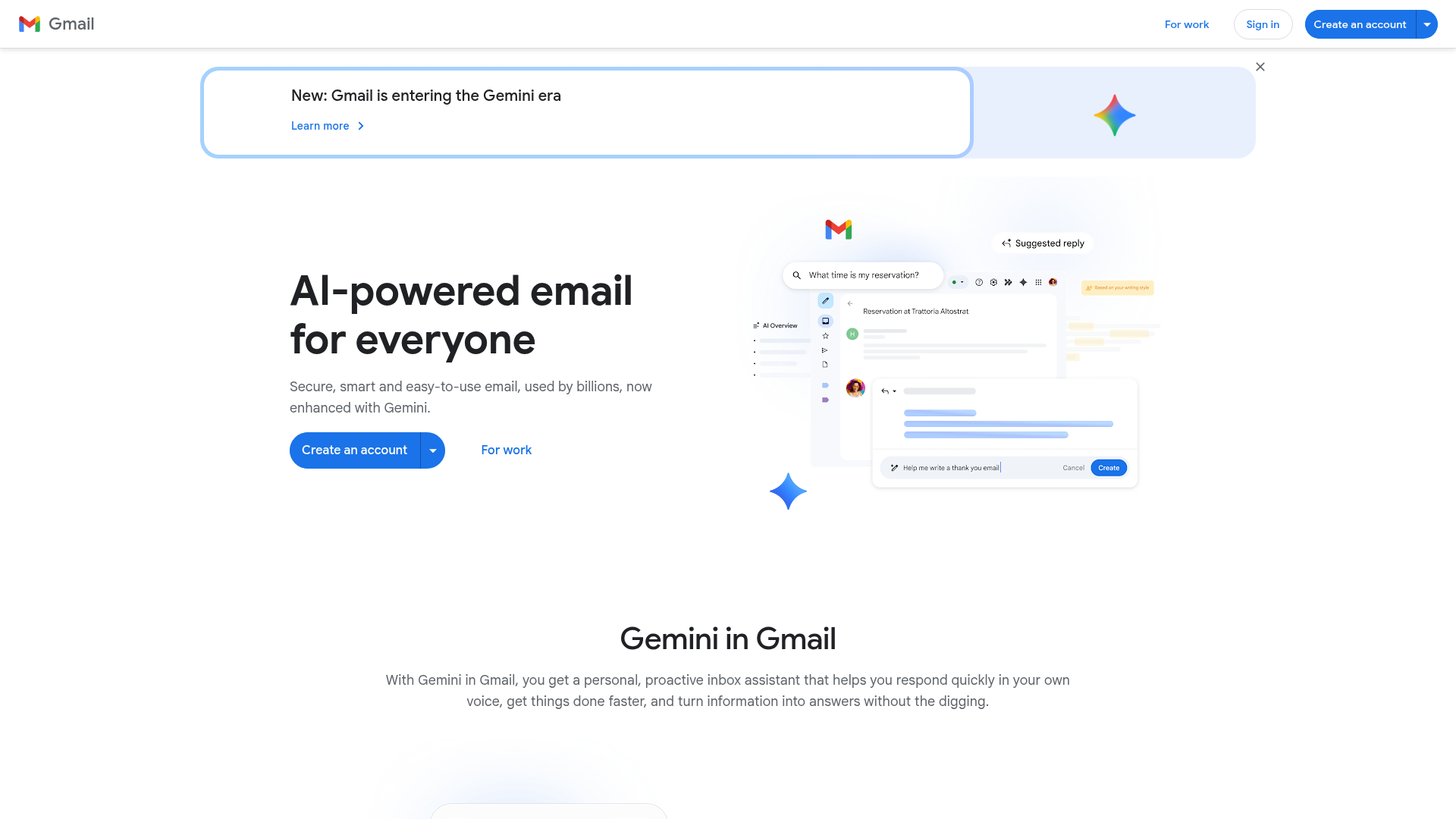
For teams using Google Workspace, gmail workflow automation is often the easiest practical starting point. It lets you automate work inside a tool your team already uses every day, then connect that activity to Shopify, Slack, Klaviyo, Google Sheets, ERPs, and more.
Why Email Workflow Automation Matters in Ecommerce Operations
Most articles talk about email automation like it is only a marketing tool.
That is too narrow.
For ecommerce brands, the bigger opportunity is often operational. Email is where key decisions and exceptions get handled. A delayed message can mean a delayed shipment, a missed restock window, a lost customer response, or a reporting error that ripples into multiple systems.
When teams rely on manual inbox habits, common problems show up fast:
-
emails sit unassigned
-
important order issues get buried
-
updates are copied into the wrong app
-
internal teams work from outdated information
-
customers wait too long for follow-up
-
staff spend hours every week on repetitive coordination work
“Automated emails achieved 52% higher open rates, 332% higher click rates, and 2,361% better conversion rates compared to standard broadcasts.” – Source
Even though that stat is often framed around marketing performance, the larger lesson is relevance and timing. Automated communication works better because it happens when it should, not when someone finally gets around to sending it.
“In 2026, the average professional spends approximately 3.1 hours per day managing email.” – Source
For ecommerce teams, that daily email load is not just communication. It is operations.
What Email Workflow Automation Actually Means
At a practical level, email workflow automation means using triggers, conditions, and actions to move work forward automatically.
A workflow usually starts with an event such as:
-
a new email arriving in Gmail
-
an order being created in Shopify
-
a tag being added to a customer
-
a spreadsheet row being updated
-
a fulfillment exception being detected
-
a support email matching specific keywords
That trigger can then launch actions like:
-
labeling or routing the email
-
notifying the right team in Slack
-
updating Shopify order data
-
logging the event in Google Sheets or Airtable
-
sending a follow-up email
-
creating a task in a project tool
-
syncing data to your ERP or CRM
The best workflows do not just automate one step. They automate the full handoff.
How Gmail Workflow Automation Fits Into the Bigger Stack
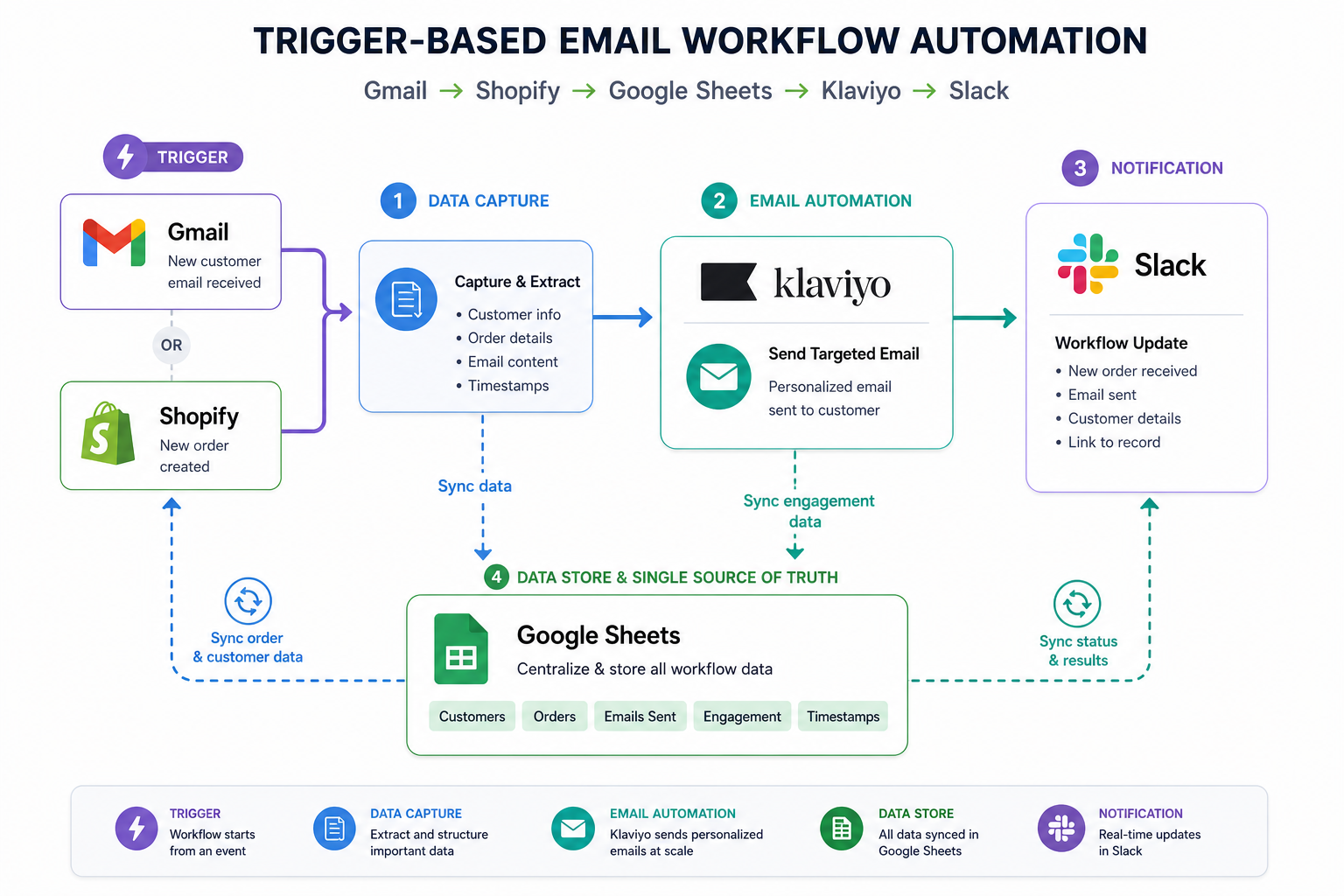
Gmail is often the front door for operational work.
A supplier reply lands in Gmail. A customer writes about a missing package. A warehouse partner sends an exception notice. A team member forwards a request for a refund review. The inbox becomes the intake layer for the business.
Gmail workflow automation helps you turn that intake layer into a system instead of a bottleneck.
Common Gmail automation actions
Inside or around Gmail, you can automate:
-
labels and categorization
-
forwarding by rules
-
alerts based on keywords or sender
-
message parsing for structured data
-
response triggers
-
task creation
-
archiving and status updates
-
syncing message data into Shopify or external apps
Why this matters for Shopify stores
For a Shopify merchant, Gmail is rarely isolated. It touches:
-
order management
-
inventory coordination
-
support operations
-
finance approvals
-
returns and exchanges
-
vendor communication
-
marketing escalations
-
internal reporting
That is why point solutions often fall short. You do not just need inbox rules. You need workflows that connect Gmail to the rest of the ecommerce stack.
The Core Components of a Strong Email Automation Workflow
A reliable workflow usually has five parts.
|
Component |
What it does |
Example |
|---|---|---|
|
Trigger |
Starts the workflow |
New Gmail message with “address change” in subject |
|
Filter or condition |
Determines relevance |
Only continue if customer has an open Shopify order |
|
Action |
Executes the task |
Add order note, alert fulfillment team, tag customer |
|
Sync step |
Updates connected tools |
Log change to Google Sheets and Slack |
|
Safeguard |
Prevents errors |
Require approval for high-value orders |
This is where operational automation becomes much more useful than simple autoresponders. You are not only sending email. You are coordinating business logic.
High-Impact Use Cases for Email Workflow Automation in Ecommerce
Below are the areas where email workflow automation creates the most operational value for Shopify teams.
Order issue routing
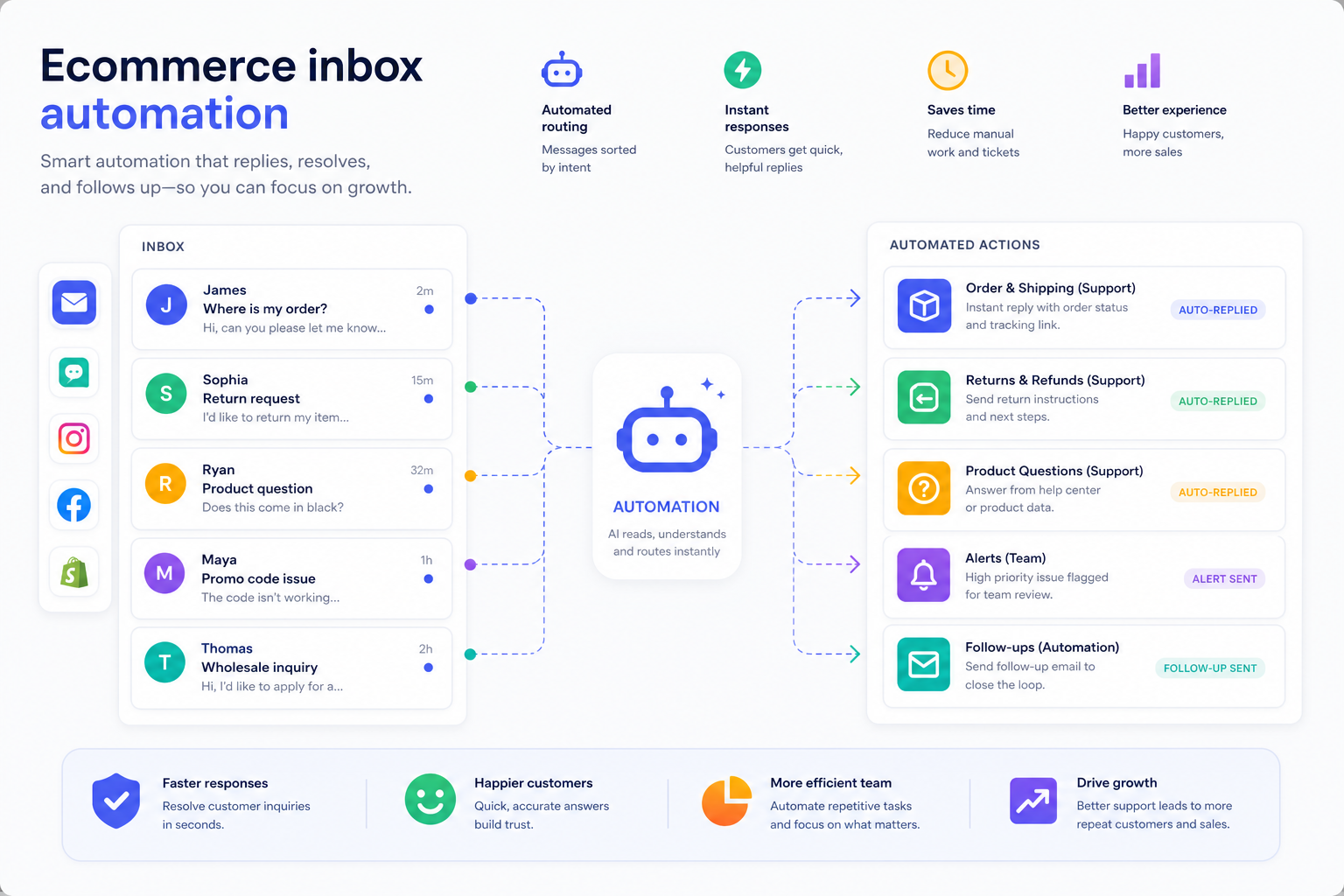
When a customer emails about a damaged item, missing package, address change, or duplicate order, the message should not depend on someone noticing it in a crowded inbox.
A workflow can:
-
detect the issue type from the message
-
look up the order in Shopify
-
notify the right team
-
add an internal note
-
create a task or send a templated reply
Supplier and vendor communications
Brands working with multiple suppliers often manage availability, purchase orders, shipment confirmations, and delays over email.
Automation can:
-
parse supplier replies
-
route urgent exceptions
-
update inventory trackers
-
notify procurement or operations
-
log communication history
Inventory and restock alerts
A message from a supplier or warehouse can trigger updates that help prevent stockouts or overselling.
Automation can connect incoming email signals to:
-
Shopify inventory actions
-
low-stock alerts
-
replenishment spreadsheets
-
Slack notifications
-
ERP records
Customer follow-up after operational events
Not every customer message should be answered manually from scratch.
For example, if a return is approved or a replacement ships, a workflow can send the next email automatically while also syncing the customer timeline across apps.
Internal approvals
High-value refunds, unusual order edits, wholesale exceptions, or fraud reviews often need escalation.
Email workflow automation can:
-
send the request to the right approver
-
capture status
-
remind if no action happens
-
update the underlying system once approved
Reporting and audit trails
A lot of teams still rely on copy-paste work to report what happened in the inbox.
Automation can log message events into tools like:
-
Google Sheets
-
Airtable
-
HubSpot
-
Odoo
-
Slack
-
BI dashboards
Email Workflow Automation vs Traditional Email Automation
A lot of competing articles blur two different ideas together. It helps to separate them.
|
Type |
Primary goal |
Common tools |
Example |
|---|---|---|---|
|
Marketing email automation |
Drive engagement and sales |
ESPs, CRM, lifecycle tools |
Welcome series, abandoned cart |
|
Operational email workflow automation |
Reduce manual team work and coordinate processes |
Workflow automation tools, Gmail, Shopify integrations |
Route issue emails, sync data, trigger internal actions |
Both matter. But if your team is drowning in inbox tasks, operational automation is often the faster win.
What Most Competitor Content Misses
Many articles explain triggers and best practices, but skip the part ecommerce operators actually care about: how email workflows connect to the systems already running the store.
That is the real content gap.
The most valuable email workflow automation strategy is not just “send an email when X happens.” It is:
-
detect work from email
-
connect that work to Shopify data
-
trigger downstream actions across your apps
-
create a clean audit trail
-
reduce the chance of human error
That is where MESA is especially useful.
Why MESA Fits Shopify Email Workflow Automation So Well
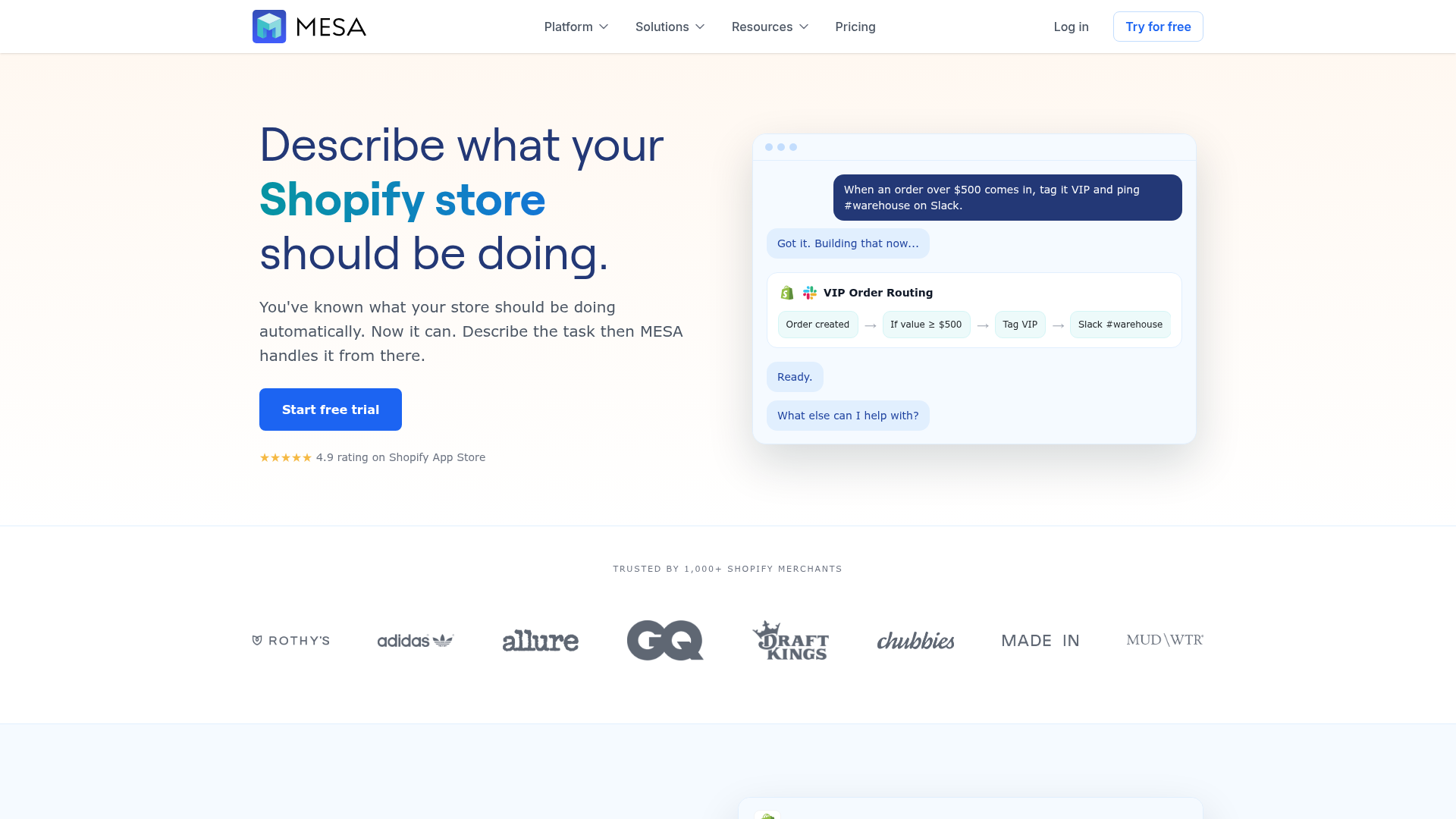
MESA is built for merchants who want to automate store operations without waiting on custom development.
Instead of stitching together fragile workarounds, MESA gives Shopify teams a practical way to create real workflows fast.
What makes MESA different
-
Shopify-first design built around real ecommerce operations
-
Plain-English workflow creation so you can describe what you want and turn it into a live automation quickly
-
Yedric AI assistant to help translate ideas into working multi-step workflows
-
100+ app integrations across ecommerce and operations tools
-
300+ ready-made templates for faster setup
-
Support for complex multi-step logic beyond simple if-this-then-that automations
-
Real human support for setup, troubleshooting, and optimization
For example, instead of saying, “We need an engineer to connect Gmail, Shopify, Slack, and Sheets,” an ops team can describe a workflow in plain English and get moving far faster.
That matters when your backlog is full and your team needs operational relief now, not after a development sprint.
Practical Examples of Gmail Workflow Automation for Shopify Teams
Here are some practical ways ecommerce teams can use email automation in the real world.
Route shipping exception emails automatically
If Gmail receives an email from a 3PL or carrier containing terms like “delivery exception,” “damaged,” or “return to sender,” a workflow can:
-
identify the order reference
-
match it in Shopify
-
notify the fulfillment or CX team in Slack
-
add an order note
-
log the event in a tracking sheet
Sync customer email events to Shopify
When a customer sends a message about changing an address or updating delivery details, the workflow can:
-
detect the request type
-
look up open orders
-
create an internal review step
-
notify the right team
-
track the request until completed
Turn vendor emails into operational data
If a supplier sends updated availability or shipment timing, the workflow can:
-
extract the key data
-
update Google Sheets or Airtable
-
alert the merchandising or purchasing team
-
trigger inventory planning follow-up
Auto-escalate high-priority inbox items
A VIP customer complaint, wholesale partner request, or urgent fraud signal can skip the queue automatically.
The workflow can:
-
label the message
-
send a Slack or SMS alert
-
create a task
-
assign the right owner
-
record the SLA clock
Trigger follow-up communication after internal action
Once a refund is approved or a replacement is processed, the workflow can send the appropriate customer email automatically and update downstream systems at the same time.
Gmail Alone vs Connected Workflow Automation
Gmail filters are useful, but limited.
They can organize the inbox. They usually cannot orchestrate the rest of the business.
|
Capability |
Gmail rules/filters |
Connected workflow automation with MESA |
|---|---|---|
|
Label incoming messages |
Yes |
Yes |
|
Forward emails by condition |
Yes |
Yes |
|
Trigger Shopify actions |
No |
Yes |
|
Sync data to Sheets, Slack, Klaviyo, ERP |
Limited |
Yes |
|
Add business logic and branching |
Minimal |
Yes |
|
Multi-step operational workflows |
No |
Yes |
|
Human approval checkpoints |
No |
Yes |
|
Cross-app reporting and logging |
Limited |
Yes |
That difference is what separates inbox cleanup from actual operations automation.
How Email Workflow Automation Reduces Errors
Operational mistakes in ecommerce are often small at the start and expensive by the end.
Examples include:
-
a customer’s address update not reaching fulfillment
-
a vendor restock email never making it into inventory planning
-
a customer complaint sitting unseen for two days
-
a spreadsheet not being updated after an email-confirmed shipment change
-
a team member manually re-entering data incorrectly
A well-built automation system reduces those risks by making actions consistent and visible.
MESA is especially valuable here because it helps merchants automate across Shopify and connected tools without relying on brittle custom scripts. That lowers the chance of broken data flows and helps teams prevent issues like overselling, outdated reporting, or missed operational handoffs.
Best Practices for Building Email Automation Workflows
If you want workflows that actually help your team, not just add more complexity, follow these principles.
Start with the most repetitive inbox task
Look for work your team repeats daily or weekly, such as:
-
tagging and routing emails
-
sending standard internal notifications
-
logging messages into Sheets
-
escalating shipping issues
-
triggering follow-up emails
Do not begin with the most complex edge case.
Map the handoff, not just the email
The key question is not “what email do we send?”
It is “what work needs to happen after this message appears?”
Use approval steps for risky actions
For refunds, order edits, fraud reviews, or high-value exceptions, add a human checkpoint before the workflow takes the final action.
Keep naming and logging consistent
Every automated process should leave a trace:
-
what triggered it
-
what it did
-
who was notified
-
what system was updated
Build for the stack you already use
The best automations connect to your real operating environment. For many Shopify teams, that means Gmail plus tools like Slack, Google Sheets, Klaviyo, HubSpot, ShipStation, Airtable, or Odoo.
MESA’s broad integration ecosystem makes that much easier than trying to force everything through isolated email logic.
Review workflows regularly
As operations evolve, so should the workflow. A process that worked at 200 orders a week may break at 2,000.
Where AI Improves Email Workflow Automation
AI is useful in email workflows when it removes interpretation work, not just when it generates text.
In ecommerce operations, AI can help by:
-
identifying intent from incoming messages
-
classifying issue types
-
extracting structured information from unstructured email content
-
suggesting next steps
-
helping build workflows from plain-English descriptions
That is one of the strongest parts of MESA’s approach. With Yedric, teams can describe the workflow they want in natural language and get to a working automation much faster. That makes advanced automation more accessible to operations teams that do not have developer resources available for every project.
A Simple Roadmap for Getting Started
If your team wants to implement email workflow automation without overwhelming everyone, use this rollout plan.
Phase 1: Identify friction
Find the top 3 inbox tasks consuming the most time.
Phase 2: Choose one workflow
Start with a narrow, high-volume process like routing shipping issue emails or syncing Gmail activity to a tracker.
Phase 3: Connect the tools
Make sure Shopify, Gmail, and the apps involved in the handoff are part of the workflow.
Phase 4: Add safeguards
Set conditions, exceptions, and approval rules where needed.
Phase 5: Measure the result
Track:
-
time saved
-
response speed
-
error reduction
-
number of manual touches removed
Phase 6: Expand carefully
Once one workflow is reliable, move to adjacent processes such as customer follow-up, reporting, inventory alerts, or internal approvals.
What Faster Team Ops Actually Looks Like
When email workflow automation is done well, the result is not just fewer clicks.
It is a store that runs with less friction.
Your team gets:
-
faster routing of important messages
-
fewer manual status updates
-
more consistent customer communication
-
cleaner reporting across systems
-
less dependency on tribal knowledge
-
less backlog in operations and support
-
better scalability as order volume grows
That is especially important for growing Shopify brands. Headcount does not always scale at the same pace as order volume, channel complexity, or app sprawl. Automation helps close that gap.
Final Verdict: Email Workflow Automation Should Be an Ops Priority
If your ecommerce team is still handling core inbox work manually, you are likely paying for it in delays, mistakes, and avoidable operational drag.
Email workflow automation is no longer just a nice-to-have for marketing teams. It is a practical operations lever for modern Shopify brands. And gmail workflow automation is often the easiest place to start because it sits at the center of so many operational processes already.
But the real value appears when email automation connects to Shopify and the rest of your stack.
That is why MESA stands out.
MESA helps merchants automate repetitive Shopify tasks without requiring a developer, turn plain-English requests into live workflows quickly, support complex multi-step automations, and connect Shopify with 100+ apps and ecommerce tools. With 300+ ready-made templates, real human support, and a Shopify-first platform built for operational scale, MESA gives teams a faster path from “we do this manually every day” to “this now runs automatically.”
If your goal is to reduce inbox busywork, speed up team operations, and build a more scalable store, MESA is one of the smartest places to start.