No Code Workflow Automation for Faster Growth
-
- •
- May. 16, 2026
- •
- 13 min read

Table of Contents:
No Code Workflow Automation for Faster Growth
Growing a Shopify store is exciting right up until daily operations start stealing your team’s time.
Orders need tagging. Inventory needs syncing. Fraud checks need routing. Customer data needs updating across email, support, ERP, and fulfillment tools. Reports need pulling. Alerts need sending. And somehow all of that still has to happen accurately, on time, and without creating more tech debt.
That is exactly where no code workflow automation becomes a growth lever instead of just a productivity hack.
With the right platform, you can build a no code workflow that connects Shopify to the rest of your stack, automates repetitive work, reduces operational bottlenecks, and helps your team scale without waiting on developers for every process change.
For ecommerce brands, this matters even more. Manual work does not just slow the team down. It can create overselling, delayed fulfillment, broken customer communication, and disconnected reporting. In other words: revenue-impacting problems.
MESA was built to solve that for Shopify merchants. Instead of forcing teams to stitch together generic tools, MESA gives ecommerce teams a Shopify-first way to automate complex workflows using plain English, ready-made templates, and direct integrations with 100+ apps and ecommerce systems.
“According to a 2026 report by Automation Atlas, the median first-year return on investment (ROI) for workflow automation is between 200% and 400%, primarily driven by labor savings (60-80% of benefits) and error reduction (15-25%).” – Source
“As of 2026, 77% of enterprises have adopted low-code or no-code platforms, marking a 12 percentage point increase from 65% in 2024.” – Source
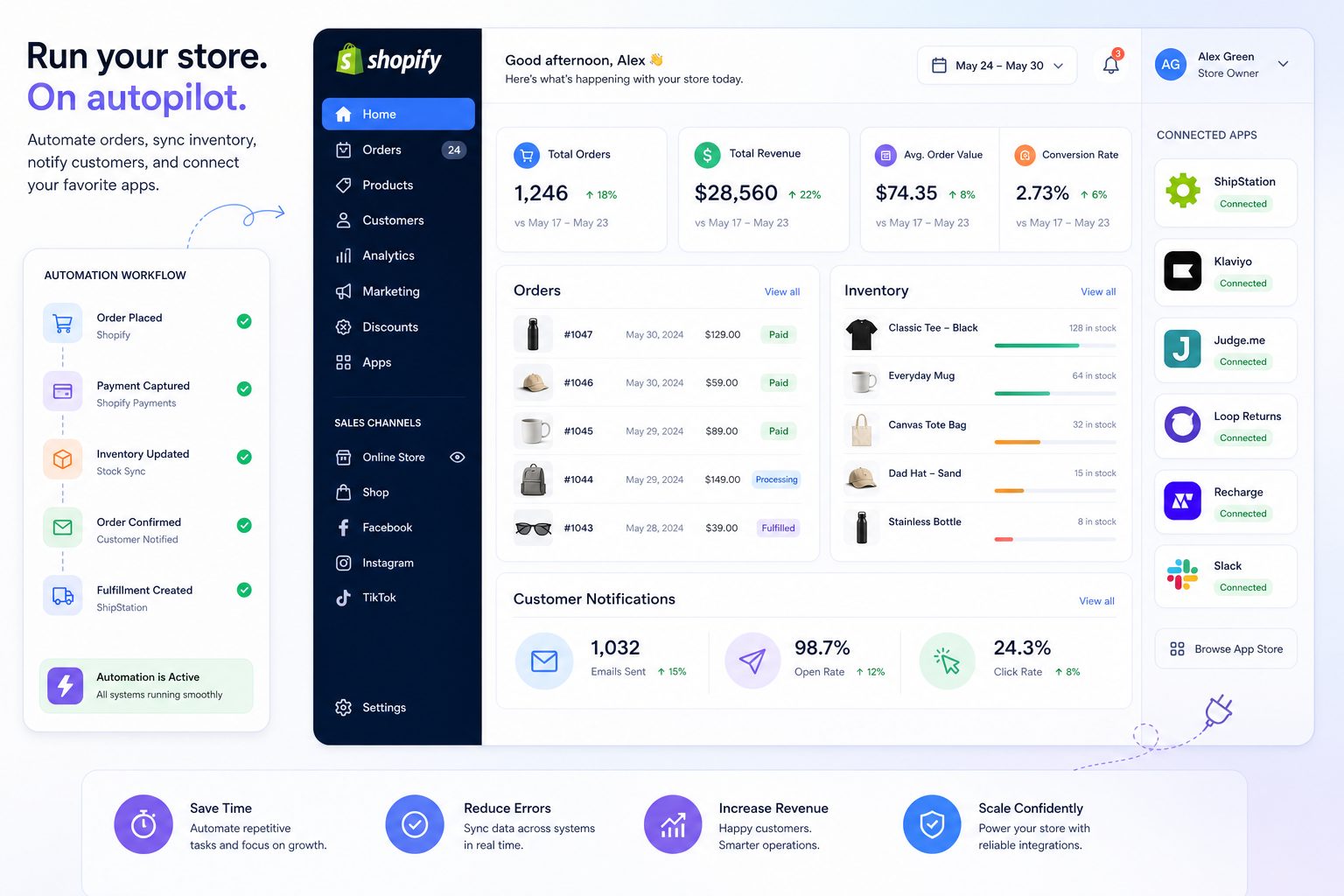
What is no code workflow automation?
No code workflow automation is the process of building automated business logic through a visual interface instead of writing custom code.
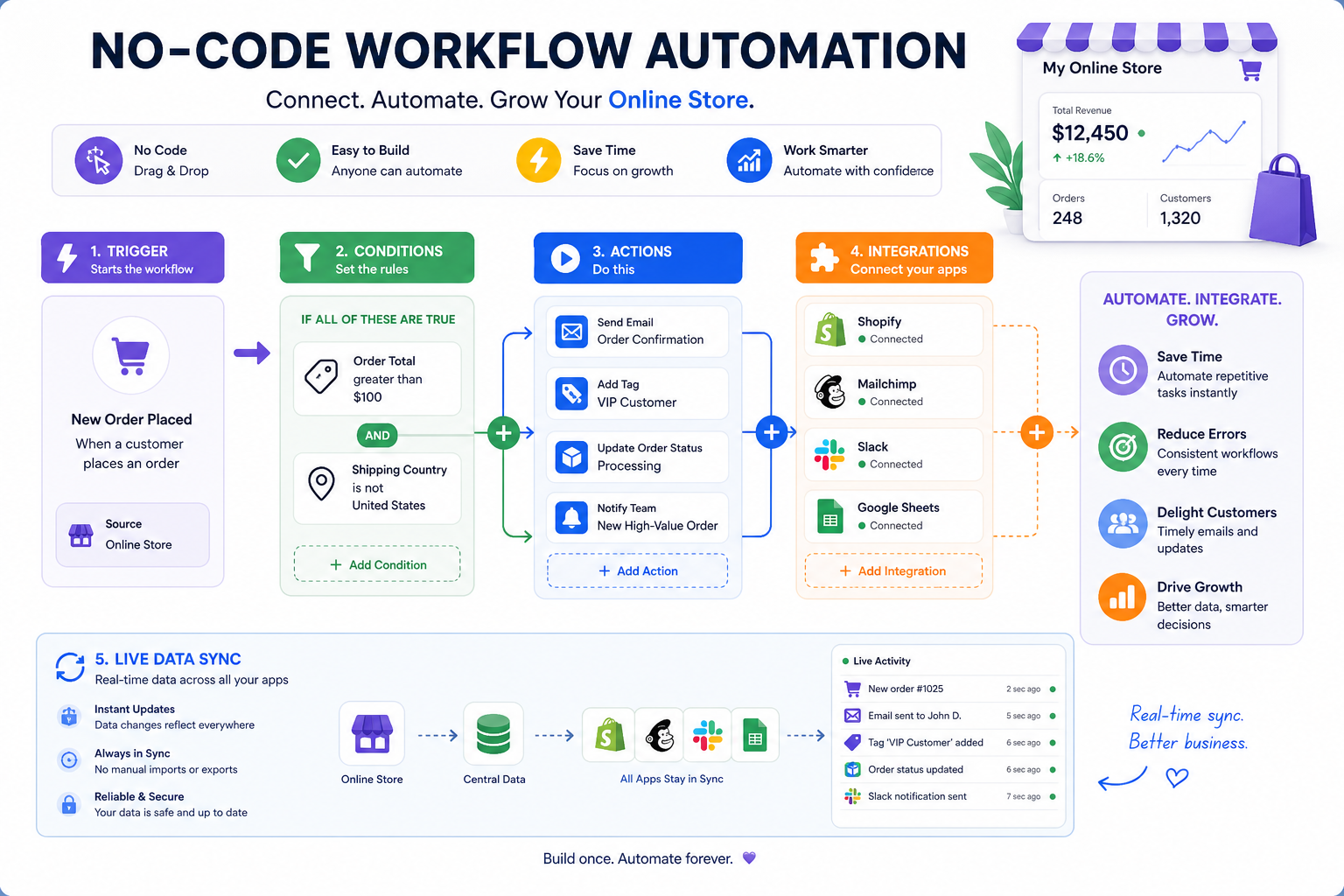
A workflow usually includes:
-
a trigger that starts the process
-
one or more conditions that decide what should happen
-
a set of actions that execute across apps or systems
In ecommerce, that might look like:
-
when a Shopify order is created
-
check whether it contains a preorder item
-
tag the order
-
notify fulfillment in Slack
-
update a Google Sheet
-
send the customer a delayed confirmation email
-
sync data to an ERP or CRM
That entire sequence can run automatically.
A no code workflow means your operations team, ecommerce manager, or CX lead can launch and update this process without needing a developer to build or maintain it from scratch.
Why this matters for Shopify merchants
Generic automation advice often focuses on office productivity. But Shopify operations are different. They involve moving parts that affect revenue, margin, customer experience, and inventory accuracy in real time.
For merchants, automation is not just about saving time. It helps you:
-
keep order and customer data consistent
-
reduce manual fulfillment handling
-
prevent missed alerts and exceptions
-
speed up reporting and decision-making
-
support more volume without increasing headcount at the same rate
What a no code workflow looks like in ecommerce
A no code workflow is usually built around a simple chain:
|
Workflow Element |
What It Does |
Shopify Example |
|---|---|---|
|
Trigger |
Starts the automation |
New order created |
|
Filter or condition |
Checks criteria |
Order value is over $500 |
|
Action |
Performs a task |
Add VIP tag |
|
Integration step |
Sends data to another system |
Push order info to Airtable |
|
Notification |
Alerts team or customer |
Send Slack message |
|
Fallback handling |
Prevents silent failures |
Alert ops if sync fails |
This structure is simple enough to understand visually, but powerful enough to handle complex, multi-step logic.
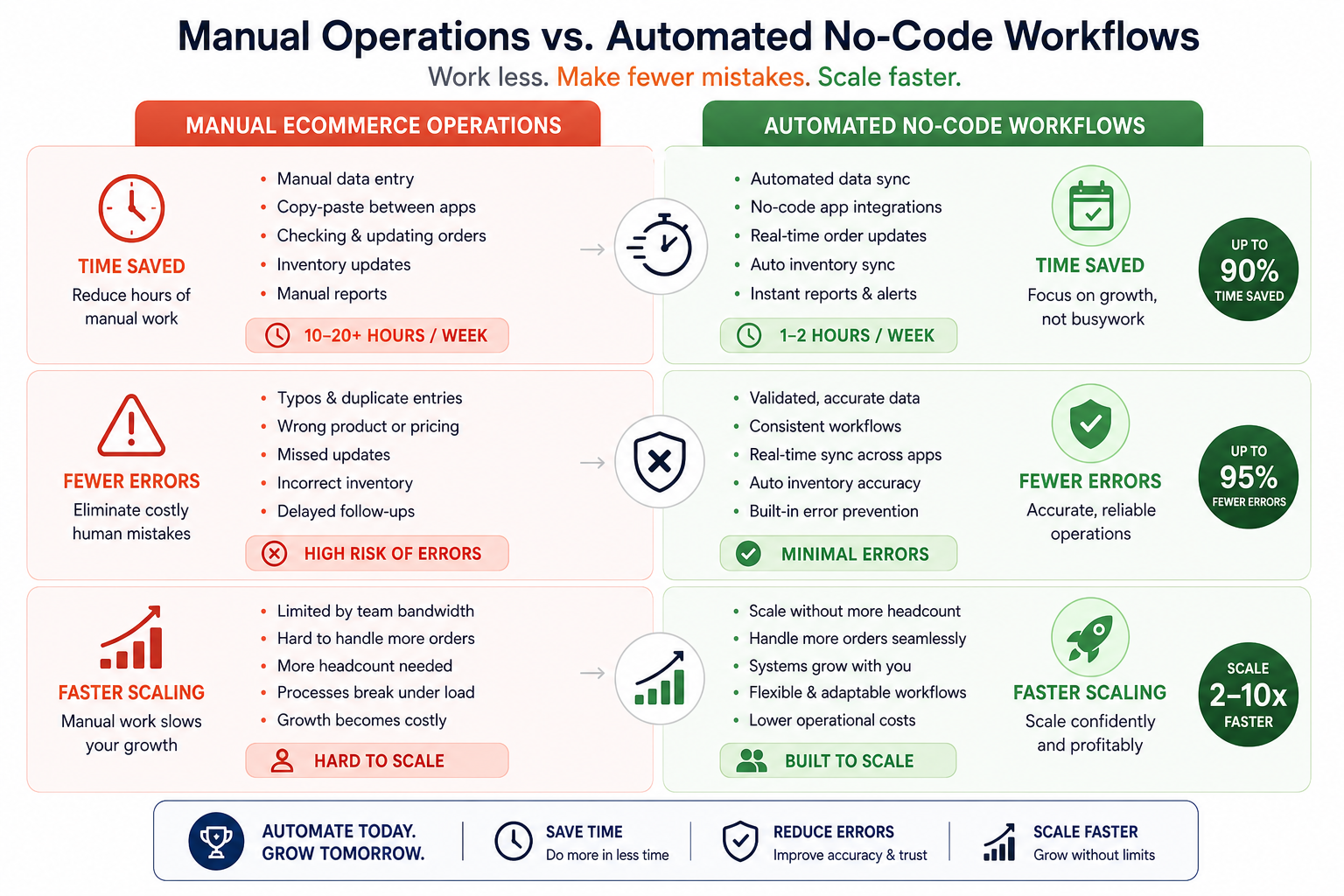
Why ecommerce teams are turning to no code workflow automation
Most stores do not struggle because they lack ideas. They struggle because their processes cannot keep up with growth.
1. Manual work compounds fast
At 50 orders a day, manual tagging and notification work may seem manageable.
At 500 orders a day, the same tasks become operational drag.
At 5,000 orders a day, they become a source of constant exceptions, team fatigue, and preventable mistakes.
2. Developer time is too expensive for operational requests
Ecommerce teams often wait behind product, site, checkout, or app-related priorities. That means even simple automation requests can sit in backlog for weeks.
No code workflow automation gives ops teams a way to move faster without creating engineering bottlenecks.
3. App sprawl creates fragile processes
Most growing stores rely on a mix of:
-
Shopify
-
Klaviyo
-
Slack
-
Google Sheets
-
ShipStation
-
Airtable
-
HubSpot
-
Odoo
-
customer support tools
-
analytics and reporting systems
Without automation, people become the middleware. That is slow, expensive, and error-prone.
4. Errors in ecommerce are costly
A broken sync is not just an inconvenience. It can mean:
-
overselling inventory
-
delayed shipments
-
inaccurate customer communication
-
duplicate work
-
missed high-priority orders
-
wrong reports driving wrong decisions
The biggest benefits of a no code workflow for Shopify operations
Faster execution without custom development
The most obvious benefit is speed. Instead of scoping, coding, QA testing, and deploying every automation request, teams can launch workflows visually or using plain-English prompts.
MESA makes this especially practical for Shopify brands because it can turn simple requests into live workflows quickly. If your team can describe the process, MESA can help build it.
Lower operational overhead
A well-built no code workflow can remove dozens of repetitive steps from your team’s week.
That includes things like:
-
order routing
-
internal alerts
-
customer follow-up
-
data exports
-
inventory updates
-
fraud or exception handling
-
tagging and segmentation
Less manual work means your team spends more time on high-value decisions instead of repetitive clicks.
Better data consistency across apps
When Shopify is not synced with your other systems, teams start working from different versions of the truth.
Automation keeps data aligned across tools so inventory, order status, customer data, and internal reporting stay current.
More reliable scaling
Operational complexity tends to rise faster than revenue if the business depends too much on manual work.
No code workflow automation helps stores scale process volume without needing a one-to-one increase in operational labor.
Less risk of preventable errors
One overlooked content gap in many articles on this topic is failure handling.
Automation is not valuable if it breaks silently.
The best no code workflow platforms help prevent:
-
missing data handoffs
-
silent integration failures
-
incomplete updates
-
overselling caused by delayed syncs
-
inconsistent customer messaging
MESA is especially strong here because it is designed around real ecommerce workflows, where reliability matters just as much as speed.
How no code workflow automation actually works
To understand the value, it helps to break down the building blocks.
Triggers
A trigger is the event that starts the automation.
Common Shopify triggers include:
-
order created
-
order paid
-
order fulfilled
-
customer created
-
product updated
-
inventory changed
-
tag added
-
app event received
Conditions and branching
Conditions let the workflow decide what to do next.
Examples:
-
if order contains subscription items
-
if customer is tagged VIP
-
if inventory falls below threshold
-
if shipping country is international
-
if payment risk is high
This branching is how a no code workflow moves from “basic automation” to true operational logic.
Actions
Actions are the steps that follow.
Examples include:
-
add order tags
-
send email or SMS
-
post to Slack
-
update Google Sheets
-
create Airtable records
-
sync data to HubSpot
-
push orders into ShipStation
-
create tasks for internal teams
Integrations
This is where the workflow connects Shopify to the rest of your business.
MESA supports 100+ apps and ecommerce tools, making it easier to automate across the systems your store already uses.
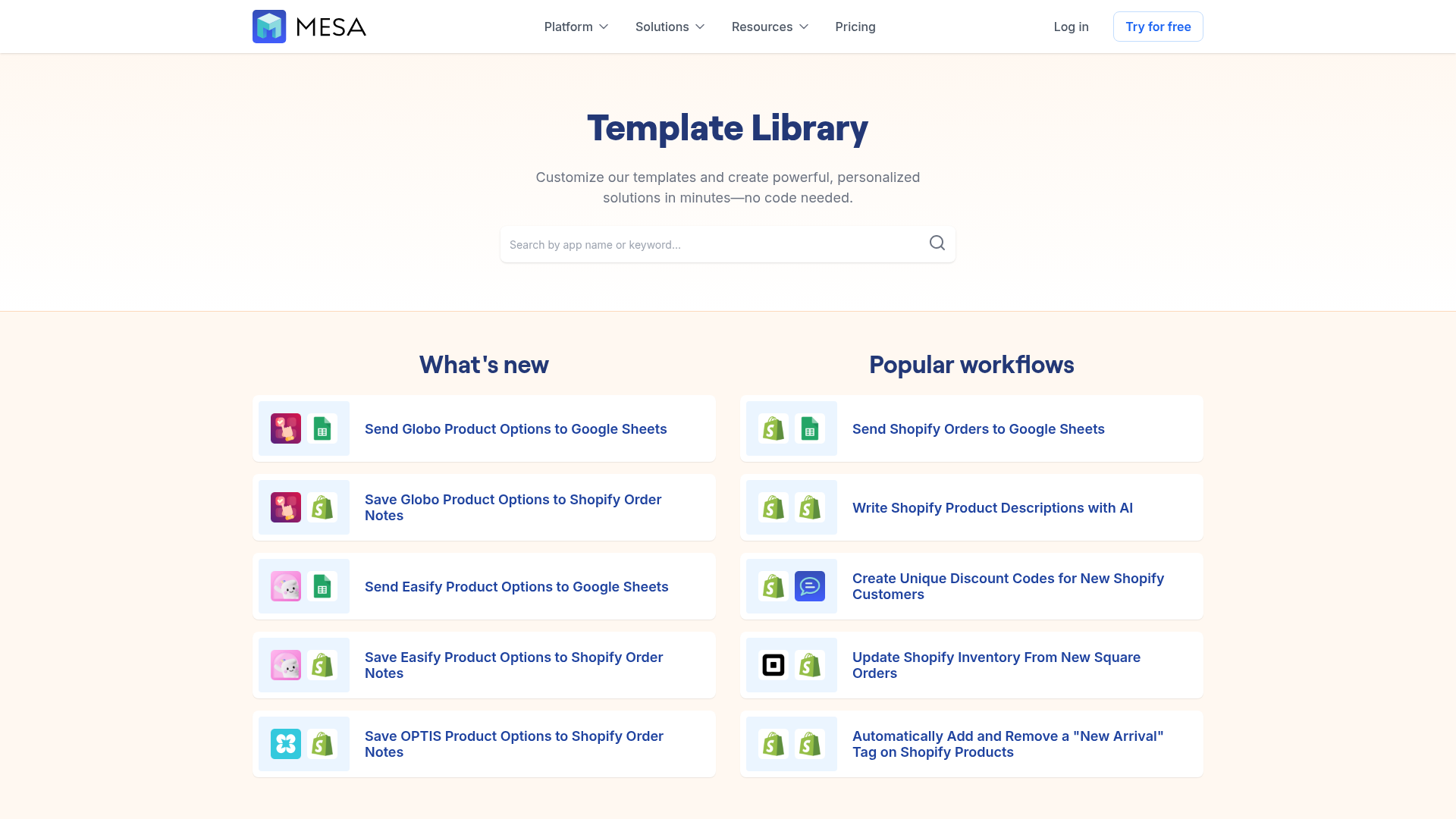
Templates and reusable logic
A major gap in many competitor articles is they explain the concept of automation, but not the practical adoption barrier: most teams do not want to start from zero.
That is why templates matter.
MESA includes 300+ ready-made templates, which means teams can launch proven workflows faster, then customize them to fit their store operations.
Common no code workflow automation use cases for Shopify brands
Below are some of the most practical, high-impact use cases for ecommerce teams.
Order handling automation
Order workflows are one of the best starting points because they affect nearly every store.
Examples:
-
tag orders by product type, channel, or risk level
-
route wholesale orders differently from DTC orders
-
notify internal teams when high-value orders come in
-
trigger approval flows for exceptions
-
split order handling based on fulfillment rules
Inventory sync and stock protection
Inventory errors can lead directly to customer frustration and lost revenue.
Automation can help:
-
sync inventory across systems
-
trigger low-stock alerts
-
update connected tools when stock changes
-
prevent overselling by reducing lag between systems
-
coordinate preorder or backorder logic
Customer follow-up and experience automation
Customer communication often depends on timely operational events.
Automations can:
-
send post-purchase follow-up
-
trigger win-back or review flows
-
notify CX when VIP customers place orders
-
route special requests to support
-
keep email platforms updated with fresh Shopify data
Reporting and data movement
Many teams still rely on manual exports and copy-paste reporting.
A no code workflow can:
-
send Shopify data into Google Sheets or Airtable
-
create daily or hourly reports
-
update sales dashboards
-
flag anomalies
-
centralize operational metrics automatically
Fulfillment coordination
When fulfillment depends on multiple tools and people, automation helps reduce missed steps.
Examples:
-
notify warehouse teams of special handling needs
-
send alerts for delayed orders
-
trigger documents or labels
-
sync order status with downstream systems
-
route orders by warehouse or region
Enterprise operations and system orchestration
For larger merchants, workflows often span ERP, CRM, support, shipping, and finance tools.
That is where MESA stands out. It supports complex multi-step automations that go beyond simple “if this then that” logic and helps enterprise-level merchants orchestrate more advanced store operations without relying fully on custom builds.
What makes a great no code workflow automation platform?
Not all tools are built for ecommerce. And not all no code tools are truly easy to use once workflows become more complex.
Here is what to evaluate.
Shopify-first workflow design
If Shopify is central to your business, the platform should understand Shopify events, objects, and real merchant workflows deeply.
That is one of MESA’s clearest advantages over general-purpose automation tools.
Plain-English workflow creation
A lot of tools claim to be easy, but still expect users to think like developers.
MESA reduces that gap with its AI assistant, Yedric, which helps turn plain-English requests into live workflows. That is especially useful for busy ecommerce teams that know what they want to automate but do not want to spend hours building every step manually.
Multi-step logic and flexibility
Simple automations are helpful, but growing brands usually need more than a one-trigger, one-action workflow.
Look for support for:
-
conditional branching
-
multi-app orchestration
-
scheduled workflows
-
exception handling
-
custom data transformations
-
layered notifications and updates
Template library depth
Templates accelerate adoption and reduce setup time.
MESA’s library of 300+ templates gives merchants a faster path to value, especially for common use cases like alerts, reporting, order flows, inventory sync, and customer engagement.
Human support
This is another gap competitors often underplay.
Automation platforms can be powerful, but teams still need guidance on best practices, workflow design, and optimization.
MESA provides real human support to help merchants set up and refine workflows. For ecommerce teams, that means less trial and error and faster time to value.
MESA vs general workflow automation tools
Many merchants first discover automation through broad platforms. Those can work, but ecommerce teams often outgrow them or spend too much time adapting generic logic to Shopify needs.
|
Platform Type |
Strengths |
Limitations for Shopify Merchants |
|---|---|---|
|
Generic automation tools |
Broad app catalogs, flexible for many industries |
Often not Shopify-first, may require more setup and workaround logic |
|
Custom development |
Highly tailored workflows |
Slow, expensive, hard to maintain |
|
Native app automations |
Easy for narrow use cases |
Usually limited in flexibility and cross-app orchestration |
|
MESA |
Shopify-first automation, plain-English setup, 100+ integrations, 300+ templates, human support |
Best fit for merchants who want serious Shopify automation rather than general office workflows |
Why MESA is different
MESA is designed specifically for ecommerce operators who need automation to work in the real world.
That includes:
-
automating repetitive Shopify tasks without requiring a developer
-
turning plain-English requests into live workflows quickly
-
reducing manual operational work and backlog
-
supporting complex multi-step automations
-
connecting Shopify with 100+ apps and ecommerce tools
-
offering 300+ ready-made templates for faster setup
-
improving order handling, reporting, alerts, inventory sync, and customer follow-up
-
helping prevent costly errors such as broken data flows or overselling
-
providing real human support for setup and optimization
-
helping merchants scale operations more efficiently
Examples of tools commonly connected in a no code workflow
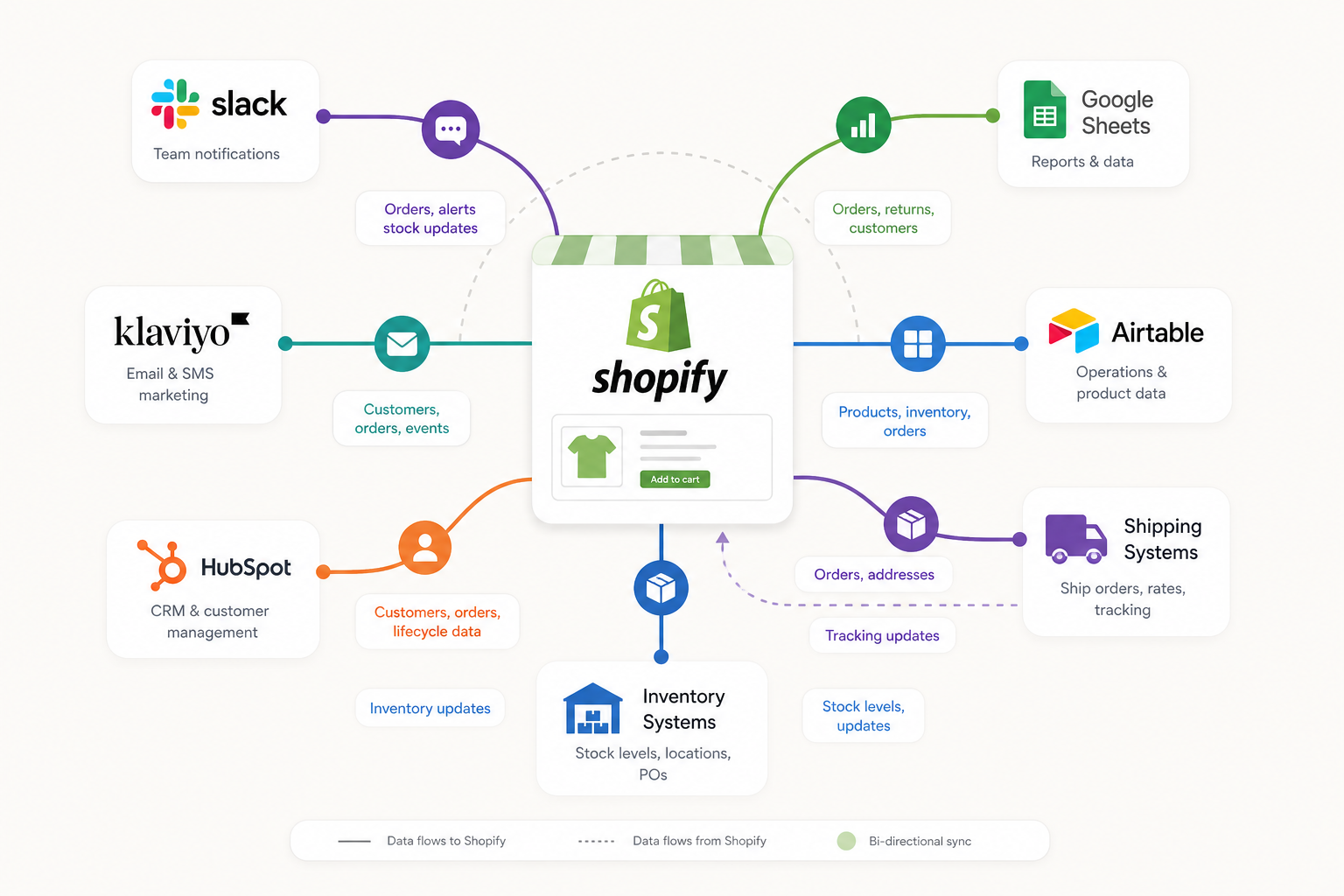
A Shopify store rarely runs alone. Here are examples of systems often connected through automation:
|
Tool |
Typical Automation Role |
|---|---|
|
Shopify |
Core trigger and data source |
|
Slack |
Team notifications and approvals |
|
Google Sheets |
Reporting, logging, lightweight ops tracking |
|
Klaviyo |
Customer messaging and segmentation |
|
Airtable |
Operational records and dashboards |
|
HubSpot |
CRM sync and lifecycle updates |
|
ShipStation |
Fulfillment and shipping coordination |
|
Odoo |
ERP and business operations sync |
What competitors often miss about no code workflow automation
After reviewing top-ranking content in this space, several content gaps stand out.
They explain automation broadly, but not for ecommerce reality
Many articles describe no code workflow automation in generic business terms. They mention HR, finance, or general SaaS operations, but do not explain what this looks like inside a Shopify-centered business.
This article fills that gap by focusing on actual merchant pain points like order handling, inventory, fulfillment, customer follow-up, and cross-app data flow.
They rarely address failure risk
Automation content often highlights speed, but ignores what happens when a sync breaks.
For ecommerce brands, reliability is critical. Broken workflows can create shipping delays, inaccurate inventory, or poor customer experiences. A strong automation platform must help reduce those risks, not just launch workflows quickly.
They overlook adoption barriers
Saying “build a workflow visually” is not enough. Teams need:
-
templates
-
guided setup
-
plain-English building
-
support from real experts
That is why MESA’s combination of AI-assisted workflow generation and human support is so important.
They understate the cost of doing nothing
Manual work feels cheap because it is familiar. But in practice it creates hidden costs:
-
slower response times
-
more errors
-
lower team capacity
-
longer onboarding
-
poor scalability
-
growing technical and operational backlog
No code workflow automation is not just a tool upgrade. It is a way to remove operational friction before it becomes a growth constraint.
A practical framework for getting started
If you are new to no code workflow automation, start with one workflow that is repetitive, important, and easy to measure.
Step 1: Find the most repetitive pain point
Good starting candidates include:
-
order tagging
-
low-stock alerts
-
daily reporting exports
-
customer notification flows
-
fulfillment exception alerts
Step 2: Map the current process
Write down:
-
what triggers it
-
who currently does it
-
how often it happens
-
what tools are involved
-
what can go wrong
Step 3: Choose a workflow with visible ROI
Look for tasks that happen frequently and create clear time savings or error reduction.
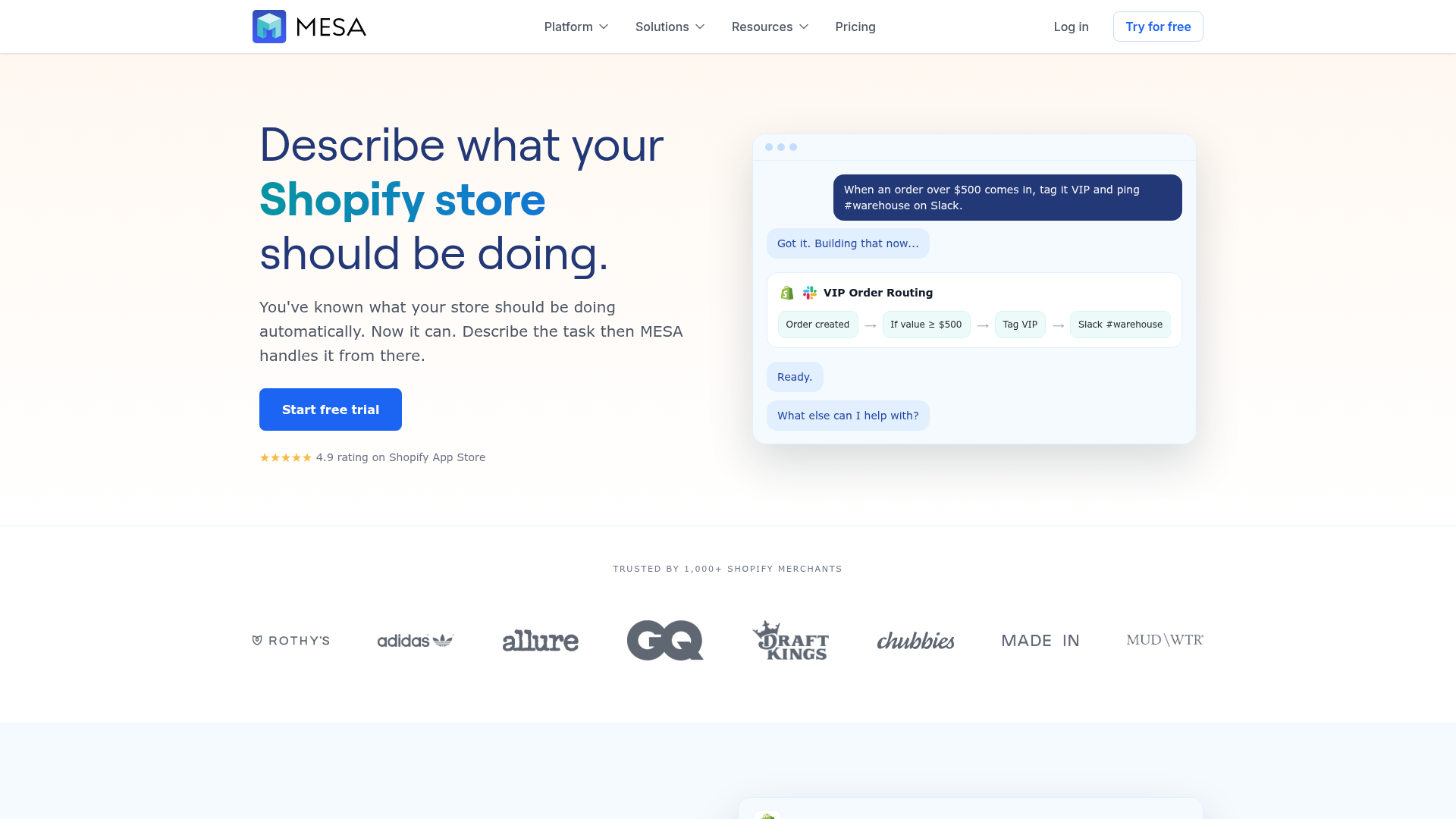
Step 4: Start with a template when possible
This speeds up deployment and reduces risk.
Step 5: Expand into connected workflows
Once one automation works, you can build related flows around it.
For example:
-
order created → notify team → sync CRM → trigger customer segment update
-
inventory low → send alert → pause campaign → notify purchasing team
-
high-risk order → add tag → post to Slack → require review
This is where automation starts compounding.
Why MESA is a strong choice for Shopify merchants
MESA is not just another automation tool. It is purpose-built for Shopify stores that need operations to run faster and more reliably.
Built for Shopify-first automation
Unlike broader platforms, MESA is centered on the real needs of ecommerce merchants and operations teams.
Fast setup through AI and templates
Between plain-English workflow creation and 300+ templates, merchants can get working automations live much faster.
Strong integration ecosystem
With 100+ app integrations, MESA helps connect the systems merchants already rely on instead of forcing process changes around tool limitations.
Better support for complex workflows
As stores grow, workflows rarely stay simple. MESA supports multi-step automations that can handle more sophisticated operational logic.
Real humans helping you build
This matters more than most software pages admit. Good support shortens time-to-value, improves workflow quality, and helps teams automate with confidence.
Final thoughts: no code workflow automation is how modern Shopify teams scale smarter
The best time to automate is before operational complexity starts slowing your growth.
A thoughtful no code workflow can save time, reduce errors, connect your app stack, and give your team back the capacity to focus on strategy instead of repetitive work. And for Shopify merchants, that impact shows up everywhere: smoother fulfillment, cleaner reporting, better customer experiences, and fewer operational fire drills.
MESA makes that transition much easier.
It gives merchants a Shopify-first platform to automate repetitive tasks without custom development, build workflows from plain-English requests, launch quickly with 300+ templates, connect with 100+ apps, and get real human help when needed.
If your team is still managing too much of your store through manual steps, spreadsheets, and disconnected app workflows, now is the right time to change that.
Try MESA to turn repetitive store operations into scalable, reliable automation and grow faster without adding more manual work.