Shopify Flow: Best Automation Ideas for 2026
-
- •
- May. 14, 2026
- •
- 14 min read

Table of Contents:
Shopify Flow: Best Automation Ideas for 2026
Automation is no longer a “nice to have” for Shopify merchants. It is how lean teams keep orders moving, inventory accurate, customers informed, and operations scalable without hiring for every repetitive task.
If you are researching Shopify Flow, you are probably trying to answer a few practical questions:
-
What exactly can Shopify Flow automate?
-
Which workflows are actually worth setting up?
-
Where do templates help?
-
When is Shopify Flow enough, and when do you need something more flexible?
This guide answers all of that. You will get a clear overview of what Shopify Flow does best, the smartest automation ideas to use in 2026, the limitations to watch for, and how merchants can extend beyond Flow with MESA when operations become more complex.
“The average cart abandonment rate for Shopify stores is approximately 70.2%, with mobile users abandoning carts at a higher rate of 76.8% compared to 62.4% for desktop users.” – Source
“E-commerce brands implementing AI agents in customer support have achieved ticket deflection rates between 40% and 65%, reduced cost-per-resolution by 35%, and improved customer satisfaction scores by 12 to 18 points.” – Source
What Shopify Flow Is and Why Merchants Use It
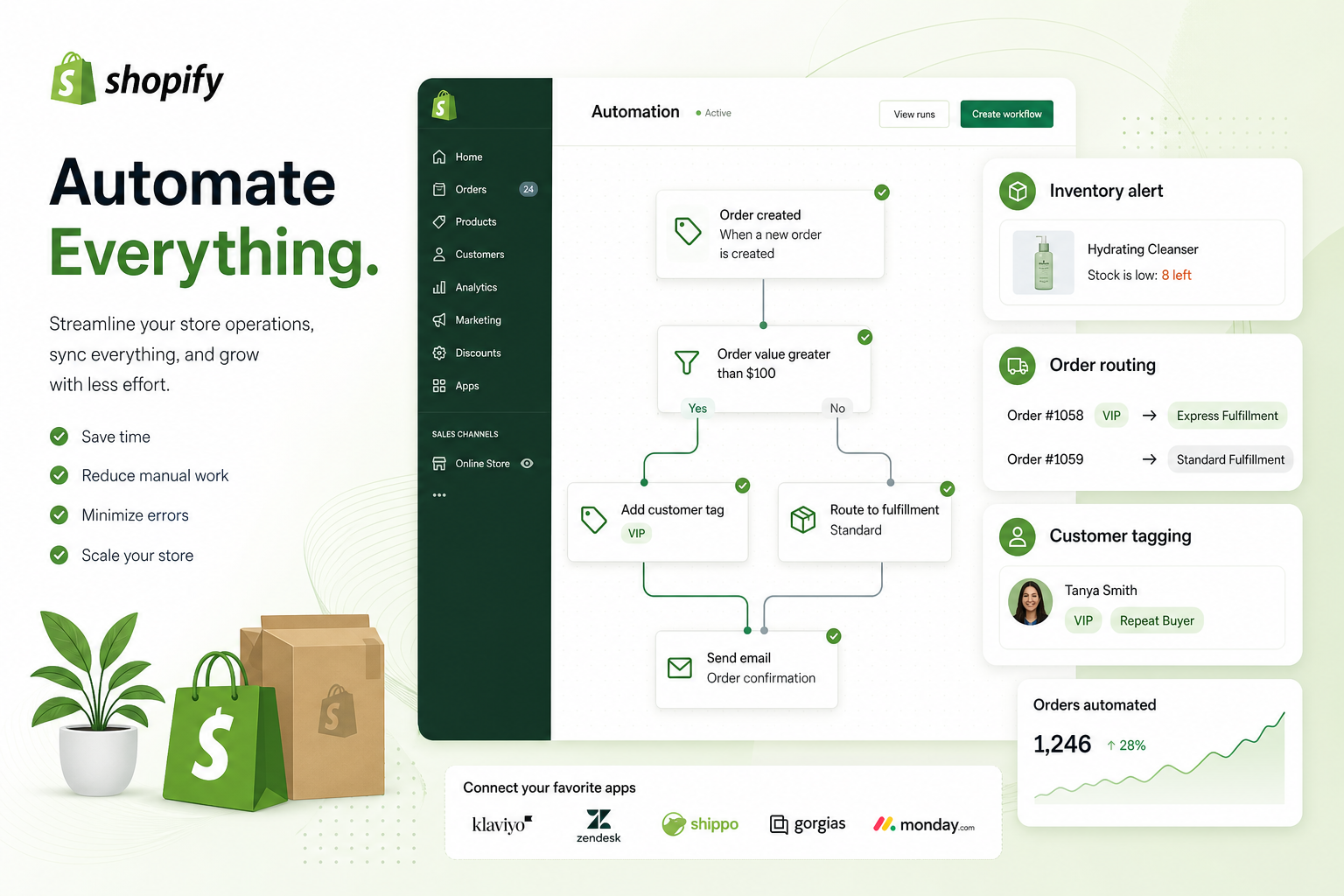
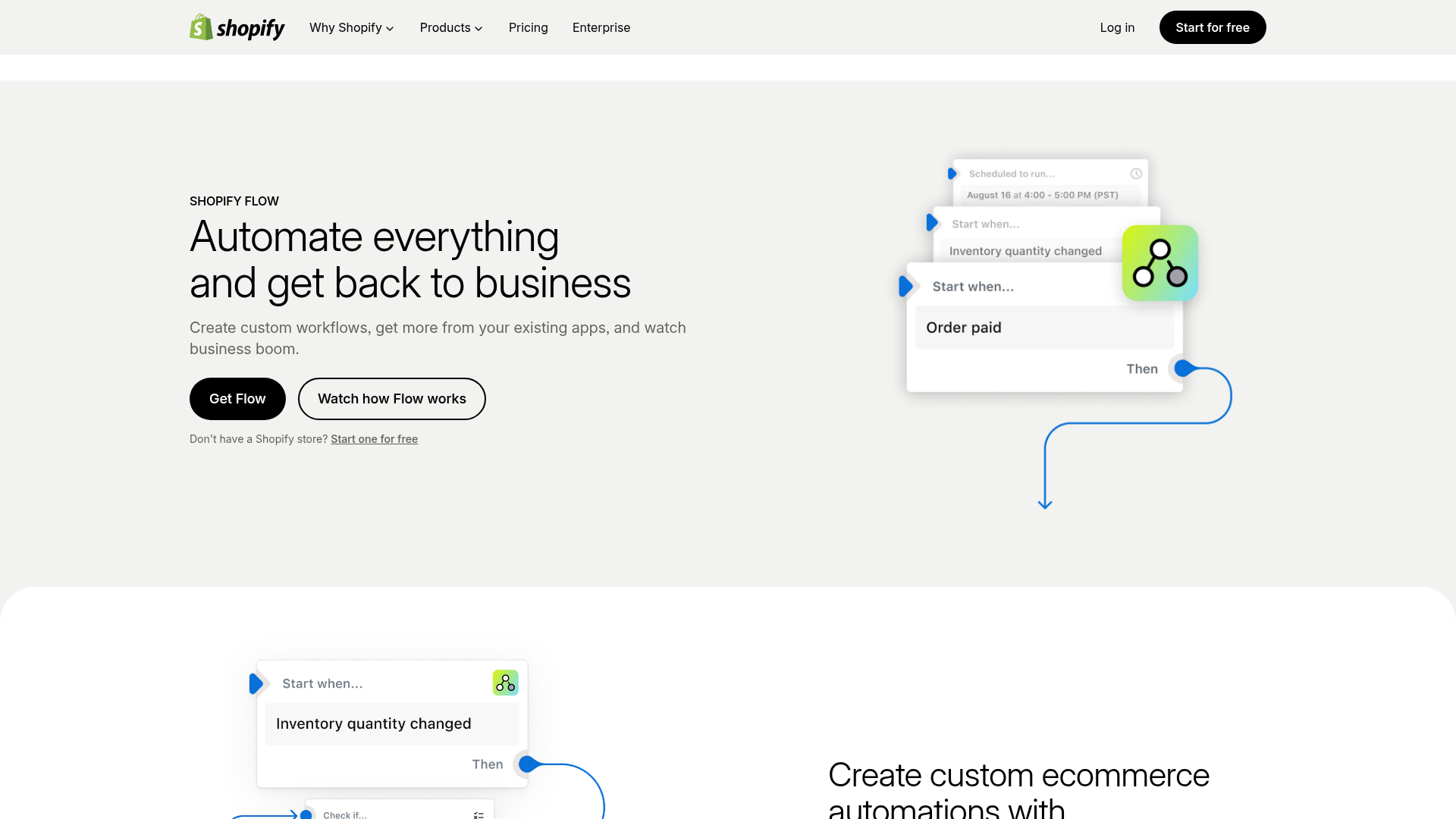
Shopify Flow is Shopify’s visual automation builder. It lets you create workflows using three core building blocks:
-
Trigger: the event that starts the workflow
-
Condition: the logic that checks whether something is true
-
Action: the task Flow performs next
For example:
-
Trigger: Order created
-
Condition: Order total is greater than $500
-
Action: Tag the order as VIP and notify your team
That basic pattern powers dozens of useful store automations.
What the Shopify Flow app is good at
The Shopify Flow app is especially useful for merchants who want to automate repetitive operational work inside Shopify, such as:
-
order tagging
-
fraud review steps
-
customer segmentation
-
inventory alerts
-
fulfillment routing
-
internal notifications
-
marketing triggers
-
product publishing rules
It removes a lot of manual admin from the day-to-day running of a store.
Who should use Shopify Flow
Shopify Flow is a strong fit for:
-
growing Shopify brands with increasing order volume
-
ecommerce managers handling inventory and fulfillment
-
operations teams trying to reduce repetitive work
-
customer experience teams that need faster follow-up
-
merchants who want automation without custom code
For many stores, Flow is the first serious step into automation.
How Shopify Flow Works in Practice
The best way to understand shopify flow automation is to think in store events.
A workflow listens for something that happens, then responds automatically.
Common Shopify Flow triggers
Popular triggers include:
-
Order created
-
Order paid
-
Order fulfilled
-
Order risk analyzed
-
Product created
-
Product variant inventory quantity changed
-
Customer created
-
Customer tagged
-
Draft order created
Common conditions
Typical logic checks include:
-
order total is greater than a threshold
-
customer has a specific tag
-
shipping country matches a region
-
inventory falls below a minimum
-
risk level is high
-
item belongs to a collection
-
product vendor equals a certain supplier
Common actions
Once conditions match, Flow can do things like:
-
add order tags
-
add customer tags
-
send internal emails
-
hold fulfillment
-
publish or unpublish products
-
add notes
-
trigger supported apps
That is the foundation. The real value comes from applying it to the right business problems.
Shopify Flow vs Broader Shopify Automation
Many merchants search for shopify app flow or shopify flow help when they hit the same realization: Flow is helpful, but not unlimited.
Here is the simple distinction:
|
Capability |
Shopify Flow |
MESA |
|---|---|---|
|
Native Shopify event-based automation |
Yes |
Yes |
|
No-code builder |
Yes |
Yes |
|
App integrations |
Limited to supported connectors |
100+ app integrations |
|
Scheduled workflows |
Limited |
Yes |
|
Complex multi-step workflows |
Moderate |
Strong |
|
Cross-app data sync |
Limited |
Strong |
|
Google Sheets, Slack, Airtable, ERP, CRM sync |
Limited |
Yes |
|
Plain-English workflow creation |
No |
Yes, with Yedric AI |
|
Ready-made templates |
Yes |
300+ templates |
|
Human workflow setup help |
Limited |
Yes |
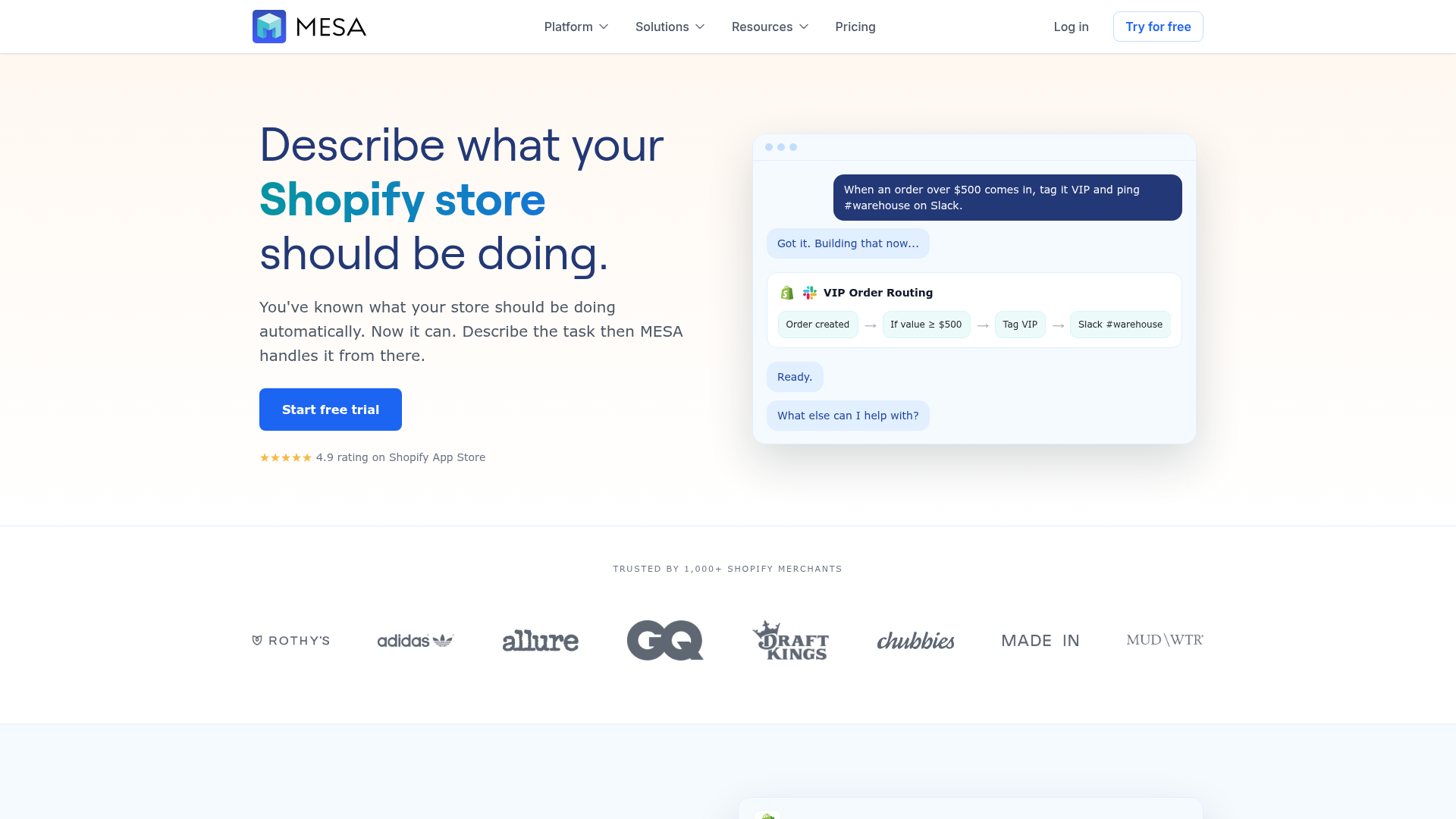
Shopify Flow is a great starting point. MESA becomes the better choice when you need to connect Shopify to the rest of your stack, automate across multiple apps, prevent broken data flows, or build logic that goes beyond simple triggers and actions.
Best Shopify Flow Automation Ideas for 2026
Below are the automation ideas merchants are getting the most value from right now. These cover the most common operational pain points and also reveal where Flow shines.
1. Tag high-value orders automatically
High-value orders deserve faster attention, better service, and often extra fraud review.
Workflow idea:
-
Trigger: Order created
-
Condition: Order total is greater than your VIP threshold
-
Actions:
-
add
VIPorder tag -
add customer tag
-
notify sales or support team
-
Why it matters:
-
faster white-glove handling
-
easier customer segmentation
-
better retention for top spenders
Make it better with MESA: automatically route VIP orders into Slack, HubSpot, or a Google Sheet for account management follow-up.
2. Send low-stock alerts before you oversell
Inventory is one of the most common uses of shopify flow automation.
Workflow idea:
-
Trigger: Product variant inventory quantity changed
-
Condition: Quantity drops below threshold
-
Actions:
-
tag product as low stock
-
notify inventory team
-
optionally pause promotions
-
Why it matters:
-
helps prevent overselling
-
reduces customer frustration
-
keeps marketing aligned with stock reality
Content gap most articles miss: low-stock automation should not just alert staff. It should also pause ads, flag bestsellers, and update downstream tools so the same item is not promoted after becoming unavailable.
Where MESA helps: sync inventory alerts to Slack, Airtable, Google Sheets, purchasing systems, or suppliers automatically.
3. Welcome first-time customers
The first purchase is the best time to shape repeat behavior.
Workflow idea:
-
Trigger: Order created
-
Condition: Customer total orders equals 1
-
Actions:
-
tag customer as first-time buyer
-
trigger welcome series
-
assign onboarding segment
-
Why it matters:
-
boosts repeat purchase rate
-
creates more personalized retention campaigns
-
segments new customers instantly
With MESA: send new customer data to Klaviyo, Mailchimp, or a CRM even if you need cross-app logic that Flow cannot handle cleanly.
4. Route suspected fraud for review
Fraud prevention remains one of the highest-value use cases for Flow.
Workflow idea:
-
Trigger: Order risk analyzed
-
Condition: Risk is high
-
Actions:
-
hold fulfillment
-
tag order as fraud review
-
tag customer
-
notify finance or operations
-
Why it matters:
-
reduces chargeback exposure
-
avoids wasted fulfillment cost
-
prevents bad orders from shipping
Best practice: avoid over-automating cancellations unless you are highly confident in the logic. For many stores, hold-and-review is safer than instant cancel.
5. Trigger post-purchase review requests
Reviews are social proof, SEO fuel, and conversion support.
Workflow idea:
-
Trigger: Order fulfilled or delivered
-
Condition: Exclude flagged or unhappy customers
-
Actions:
-
wait a set number of days
-
trigger review request through review platform
-
log engagement
-
Why it matters:
-
increases review volume
-
strengthens trust on PDPs
-
helps identify dissatisfied buyers early
Where MESA adds value: connect delivery status from third-party shipping apps, then trigger review requests at the right time rather than just at fulfillment.
6. Tag orders by sales channel
Not every order should be handled the same way.
Workflow idea:
-
Trigger: Order created
-
Action:
-
tag by source such as online store, POS, Instagram, Amazon, or marketplace
-
Why it matters:
-
cleaner reporting
-
easier downstream fulfillment logic
-
faster channel-specific support
This is one of the simplest and most useful shopify flow templates to adapt.
7. Hide or unpublish out-of-stock products
Dead-end product pages create poor customer experience and waste paid traffic.
Workflow idea:
-
Trigger: Inventory quantity changed
-
Condition: Quantity equals zero
-
Actions:
-
unpublish product from online store
-
tag as out of stock
-
notify merchandising team
-
Why it matters:
-
reduces frustration
-
avoids “can I still buy this?” support tickets
-
improves merchandising hygiene
Important limitation: for multi-variant products, the logic can get messy. You may not want to hide the whole product if only one variant sells out.
MESA advantage: supports more advanced logic so you can avoid blunt automations that create merchandising issues.
8. Prioritize expedited shipping orders
When customers pay for fast delivery, your workflows should reflect that.
Workflow idea:
-
Trigger: Order created
-
Condition: Shipping method contains express, overnight, priority, or similar terms
-
Actions:
-
add rush-order tag
-
notify warehouse
-
assign priority handling
-
Why it matters:
-
improves SLA performance
-
protects expedited shipping revenue
-
reduces support complaints
9. Route wholesale or B2B orders differently
B2B operations often require different handling, payment terms, and fulfillment logic.
Workflow idea:
-
Trigger: Order created
-
Condition: Customer tag contains wholesale or customer belongs to company account
-
Actions:
-
add B2B order tags
-
notify wholesale team
-
assign warehouse or route to specific queue
-
Why it matters:
-
separates retail and wholesale operations
-
reduces fulfillment mistakes
-
supports account-based service
Where MESA becomes useful: syncing B2B data with ERP, accounting, and CRM tools is often beyond what Shopify Flow handles cleanly.
10. Recover abandoned carts more intelligently
Abandoned cart recovery is often mentioned, but many articles stop at “send an email.”
A better automation strategy uses conditions.
Workflow idea:
-
Trigger: Cart or checkout abandoned
-
Conditions:
-
cart still active
-
customer has not received recent reminder
-
products are still in stock
-
-
Actions:
-
send recovery email
-
optionally notify sales for high-value carts
-
add customer to remarketing audience
-
Why it matters:
-
recovers otherwise lost revenue
-
reduces poor-timing reminders
-
improves message relevance
Content gap worth noting: the best cart recovery workflows account for inventory status and message fatigue. If an item is no longer in stock, sending the same abandoned cart email creates a broken experience.
11. Create internal alerts for operational exceptions
Some of the best automations are not customer-facing at all. They simply help your team spot problems faster.
Workflow examples:
-
order missing phone number
-
order shipping to a restricted country
-
high-value order with billing/shipping mismatch
-
subscription order with unusual item mix
-
product created without image or missing vendor
Why it matters:
-
reduces silent errors
-
improves data quality
-
prevents downstream ops issues
MESA strength: route these alerts to Slack, email, Google Sheets, or project management tools so action actually happens.
12. Sync store activity with your app stack
This is where many merchants outgrow native Flow.
You may want Shopify events to update:
-
Slack
-
Google Sheets
-
Airtable
-
Klaviyo
-
HubSpot
-
Odoo
-
ShipStation
-
Gorgias
That is possible in broader automation platforms built for ecommerce.
With MESA, merchants can automate repetitive Shopify tasks without a developer, turn plain-English requests into live workflows quickly, and connect Shopify to 100+ apps with 300+ ready-made templates. That means fewer copy-paste tasks, fewer broken processes, and much less operational backlog.
The Best Shopify Flow Templates to Explore First
If you are just getting started, templates are the fastest path to value.
High-impact template categories
|
Template Category |
Best For |
Difficulty |
Business Impact |
|---|---|---|---|
|
VIP order tagging |
CX and account management |
Easy |
High |
|
Low-stock alerts |
Inventory operations |
Easy |
High |
|
Fraud review workflows |
Risk management |
Medium |
High |
|
First-time customer tagging |
Retention and CRM |
Easy |
Medium |
|
Expedited shipping alerts |
Fulfillment operations |
Easy |
Medium |
|
Out-of-stock product actions |
Merchandising |
Medium |
High |
|
Channel-based order tagging |
Reporting and routing |
Easy |
Medium |
|
Review request triggers |
Post-purchase marketing |
Medium |
Medium |
How to choose the right Shopify Flow templates
Start with workflows that do one of these things:
-
save time every day
-
prevent expensive mistakes
-
improve response speed
-
make customer follow-up more consistent
The wrong way to adopt automation is building ten workflows at once. The right way is to start with the one that removes the most annoying recurring task in your store.
What Competitor Articles Usually Miss
Most content about shopify flow covers the basics well, but leaves out the operational nuance merchants actually need.
Gap 1: They explain features, not workflow strategy
Many articles list examples but do not tell you which workflows produce the fastest ROI.
A practical automation strategy usually starts like this:
-
first, eliminate repetitive tagging and alerting
-
second, protect inventory and fulfillment
-
third, automate customer lifecycle follow-up
-
fourth, sync Shopify with the rest of your stack
That progression gives merchants real wins quickly.
Gap 2: They do not discuss maintenance
Workflows are not “set and forget.”
They need periodic review for:
-
new products
-
new shipping methods
-
changed team emails
-
updated tags
-
app connection changes
-
seasonal logic adjustments
MESA helps here not just with automation building, but with real human support for setup and optimization so your workflows keep working as the business changes.
Gap 3: They gloss over Flow’s integration limitations
This is the biggest one.
Flow is strong inside Shopify. But merchants often need automation between Shopify and the rest of the business.
Examples:
-
update a spreadsheet when a customer places first order
-
alert Slack when stock drops across a location group
-
send Klaviyo segment data after fulfillment milestones
-
sync order data to an ERP
-
create tasks for ops in Airtable or Asana
That is where purpose-built ecommerce automation tools like MESA become far more practical.
Gap 4: They rarely explain when Flow is enough
Not every store needs more software.
Use Shopify Flow only if:
-
your workflows are mostly Shopify-native
-
you need basic tagging, alerts, and conditional actions
-
your app stack is simple
-
you do not need advanced scheduling or data sync
Use MESA when:
-
you need complex multi-step automations
-
you want to connect Shopify to 100+ apps and tools
-
you need operational workflows built from plain-English requests
-
you want faster deployment with 300+ templates
-
you want help avoiding data flow failures and overselling risks
Shopify Flow Help: Best Practices for Building Better Workflows
If you are looking for practical shopify flow help, these rules will save you time.
Start with one clear objective
Do not build a workflow just because you can. Build it to solve a specific problem, such as:
-
reduce stockout surprises
-
catch more risky orders
-
segment customers faster
-
speed up warehouse handling
Use clean tag naming conventions
Inconsistent tags create reporting mess fast.
Use clear standards like:
-
VIP -
Wholesale -
Rush-Order -
Low-Stock -
Fraud-Review -
First-Time-Buyer
Avoid duplicate or conflicting workflows
One of the most common issues in automation-heavy stores is overlap.
For example:
-
one workflow tags an order as priority
-
another workflow removes the tag
-
a third workflow sends duplicate emails
Map your workflow logic before turning everything on.
Test with historical examples
Before activation:
-
preview on real historical orders
-
test edge cases
-
confirm recipients and tags
-
verify downstream actions
Monitor the first 10 to 20 runs closely
Your first batch of live workflow runs tells you almost everything:
-
are conditions too broad?
-
are tags applying correctly?
-
are alerts useful or noisy?
-
did any path behave unexpectedly?
Document what each workflow is for
Even if your team is small, keep a simple workflow log with:
-
workflow name
-
business purpose
-
trigger
-
owner
-
last review date
This matters more as your stack grows.
When Shopify Flow Starts to Break Down
At some point, many merchants hit the edge of what native automation can comfortably do.
Here are common signs:
You need scheduled logic
Examples:
-
daily inventory audits
-
weekly churn checks
-
monthly customer exports
-
timed campaign activation
You need deeper app integrations
Examples:
-
Shopify to Slack
-
Shopify to Google Sheets
-
Shopify to Airtable
-
Shopify to HubSpot
-
Shopify to Odoo
-
Shopify to ShipStation
You need multi-step logic across systems
Examples:
-
when a high-value order is created, update CRM, notify Slack, create ops task, and add customer to a VIP lifecycle flow
-
when inventory drops, update spreadsheet, notify supplier, and pause promo audience
You want faster workflow creation without technical overhead
This is one of MESA’s most compelling advantages.
With Yedric, MESA’s AI assistant, merchants can describe in plain English what they want their Shopify store to do, and MESA helps turn that into a working automation quickly. That is a major step up from manually building every branch from scratch.
MESA as the Next Step After Shopify Flow
For many merchants, Shopify Flow is the gateway. MESA is the scaling layer.
What makes MESA different
MESA is built specifically for ecommerce operations. It helps merchants:
-
automate repetitive Shopify tasks without a developer
-
reduce manual work and backlog
-
build complex multi-step workflows
-
connect Shopify with 100+ apps and ecommerce tools
-
launch faster with 300+ ready-made templates
-
improve order handling, reporting, alerts, inventory sync, and customer follow-up
-
prevent errors like broken data flows or overselling
-
get real human support for setup and optimization
Example: Flow versus MESA in real-world operations
|
Use Case |
Shopify Flow |
MESA |
|---|---|---|
|
Tag VIP orders |
Good |
Good |
|
Notify Slack on order conditions |
Sometimes limited |
Strong |
|
Sync Shopify customers to Google Sheets |
Limited |
Strong |
|
Route inventory alerts to multiple systems |
Limited |
Strong |
|
Build workflows from plain English |
No |
Yes |
|
Coordinate Shopify + ERP + CRM + email logic |
Weak |
Strong |
|
Human help building workflows |
Limited |
Yes |
Why merchants choose MESA
Not because Flow is bad.
Because business operations become more connected over time.
Once your store has multiple apps, multiple teams, and multiple edge cases, the real need is not just automation. It is orchestrated automation.
That is where MESA stands out.
A Practical 30-Day Shopify Automation Plan
If you want to make real progress without overcomplicating things, use this rollout plan.
Week 1: Fix the biggest repetitive task
Choose one:
-
VIP tagging
-
low-stock alerts
-
fraud review
-
expedited shipping flagging
Week 2: Add one customer workflow
Choose one:
-
first-time buyer tagging
-
review request trigger
-
abandoned cart recovery
-
win-back prep
Week 3: Improve ops visibility
Choose one:
-
Slack alerts for exceptions
-
Google Sheets logging
-
internal reporting triggers
-
order source tagging
Week 4: Evaluate whether Flow is enough
Ask:
-
do we need external app connections?
-
do we need scheduled workflows?
-
are we manually moving data between tools?
-
do we need more advanced branching?
If yes, this is a strong point to move into MESA so your automations can scale with the business instead of becoming a patchwork.
Final Verdict
Shopify Flow is one of the best automation starting points available to merchants in 2026. It is accessible, useful, and capable of solving many common store problems quickly.
For straightforward workflows inside Shopify, it is often enough.
But once your operation needs:
-
cross-app coordination
-
better reporting
-
more reliable inventory sync
-
more advanced fulfillment routing
-
more intelligent customer follow-up
-
fewer manual handoffs across teams
you need something more flexible.
That is where MESA becomes the smarter long-term solution.
MESA helps Shopify merchants go beyond basic automation by turning plain-English requests into live workflows, connecting Shopify with 100+ apps, offering 300+ templates, and giving teams real support to build and optimize automations that actually fit how the business runs.
If you are ready to spend less time on manual operational work and more time growing the store, try MESA and build the workflows Shopify operations actually need in 2026.