
Managing an ecommerce store means juggling hundreds of repetitive tasks daily—processing orders, sending confirmation emails, updating inventory, segmenting customers, requesting reviews, and coordinating fulfillment across multiple apps. Every task steals time you could spend growing your business.
The reality? Ecommerce businesses waste 15-30 hours weekly on manual tasks that AI automation can handle instantly. That's an entire employee's worth of productivity lost to copying data between systems, manually tagging customers, or chasing down order updates.
AI automation apps promise to eliminate this busywork, but here's the problem: most automation guides compare tools built for general business use, not ecommerce operations. They'll tell you about Zapier's 7,000 integrations without mentioning that its Shopify connection is API-limited. They'll recommend Make's visual builder while ignoring that you'll need to build every ecommerce workflow from scratch.
This guide is different. We compare 7 AI automation apps specifically through an ecommerce lens, focusing on what actually matters for online stores: native Shopify integration, pre-built order automation workflows, customer segmentation capabilities, and seamless connections with your ecommerce tech stack like Klaviyo, Gorgias, and ShipStation.
Who this guide is for: Shopify store owners, ecommerce managers, and DTC brand operators doing $50K+ monthly revenue who want to automate operations without hiring developers.
What you'll learn:
- Which tools offer native Shopify integration vs. API-limited connections
- Transparent pricing for each platform (including hidden costs)
- Pre-built ecommerce templates and setup complexity
- Real ROI data from stores using these tools
- Exactly which tool fits your business size and technical skill level
Ready to save 20+ hours per week? Let's find the right automation tool for your store.
AI automation for ecommerce: What makes it different
What is AI automation?
AI automation uses artificial intelligence to automatically handle business tasks by understanding context, making decisions, and adapting to different scenarios. Unlike traditional automation that follows rigid "if-then" rules, AI automation learns from patterns, handles exceptions, and improves over time without requiring manual updates for every edge case.
Traditional automation vs. AI automation:
| Feature | Traditional automation | AI automation |
| Logic | Fixed rules: "If order total > $100, then tag VIP" | Contextual: Analyzes purchase history, frequency, and behavior patterns to identify VIP customers |
| Exceptions | Breaks when conditions change or are unexpected | Adapts to new scenarios and handles edge cases intelligently |
| Setup | Requires exact specifications for every scenario | Describes desired outcome in natural language |
| Learning | Static—never improves | Learns from patterns and improves decisions over time |
| Complexity | Limited to simple, linear workflows | Handles multi-step processes with complex decision trees |
| Updates | Manual reconfiguration needed | Self-adjusts to changing data and conditions |
Why ecommerce needs AI specifically:
- Handles exceptions: Every order is slightly different—AI recognizes fraud patterns, identifies rush orders, and routes custom requests without predefined rules
- Understands context: AI reads customer sentiment in support tickets, personalizes email timing based on engagement history, and adjusts inventory alerts by season
- Scales infinitely: Whether you process 10 or 10,000 orders daily, AI automation maintains the same speed and accuracy without additional cost or staff
Why ecommerce businesses need specialized automation
Generic automation tools like Zapier and Make weren't built for ecommerce. They're designed to connect any app to any app, which means you'll spend hours configuring workflows that ecommerce-specific tools like MESA offer pre-built.
The ecommerce automation gap:
Generic tools (Zapier, Make):
- API-limited Shopify access (each data call counts as a task)
- No pre-built order lifecycle workflows
- Requires custom configuration for customer segmentation
- No understanding of ecommerce data relationships (orders → customers → products)
- Generic templates require heavy customization
Ecommerce-specific tools (MESA):
- Native Shopify integration with unlimited data access
- Pre-built templates for order processing, fulfillment, returns
- Built-in customer lifecycle automation
- Understands ecommerce relationships automatically
- Workflows designed around how online stores actually operate
Why ecommerce has unique automation requirements:
- Order data complexity: Every order contains dozens of data points (line items, variants, customer history, shipping details, discount codes, tags) that must flow correctly between 5-10 different apps
- Customer lifecycle management: Ecommerce requires tracking customers through acquisition, first purchase, repeat purchases, VIP status, win-back campaigns—each stage triggering different automations
- Inventory synchronization: Real-time stock updates across multiple sales channels, warehouses, and fulfillment partners, with automated reordering when thresholds are met
- Multi-channel coordination: Orders come from Shopify, Amazon, social media, and retail—all requiring synchronized automation across platforms
- Seasonal scalability: Black Friday traffic can be 10x normal volume—your automation must scale instantly without breaking or requiring reconfiguration
What you can (and can't) automate in ecommerce
✅ CAN automate (60-80% of operations):
- ✅ Order confirmation emails with personalized product recommendations
- ✅ Fulfillment triggers sent automatically to warehouses and 3PLs
- ✅ Customer segmentation based on purchase behavior and lifetime value
- ✅ Inventory alerts when stock runs low, with auto-reorder to suppliers
- ✅ Abandoned cart recovery sequences with dynamic discounts
- ✅ Review requests sent at optimal times after delivery
- ✅ Fraud detection flagging suspicious orders for manual review
- ✅ Return processing with automatic refunds and restocking
- ✅ VIP identification and special tier management
- ✅ Marketing list syncing between Shopify and Klaviyo/Mailchimp
❌ STILL needs humans:
- ❌ Brand strategy decisions and creative campaign direction
- ❌ Complex customer complaints requiring empathy and judgment
- ❌ Product development and merchandising decisions
- ❌ Custom order requests with unique specifications
- ❌ Vendor negotiations and partnership discussions
Realistic expectations: Most ecommerce stores can automate 60-80% of their daily operations. The remaining 20-40% requires human creativity, judgment, and relationship-building. The goal isn't to eliminate your role—it's to eliminate the tedious tasks so you can focus on growth, strategy, and customer relationships that actually move your business forward.
The stores seeing the biggest wins start by automating their highest-volume, most repetitive workflows first (order processing, confirmation emails, basic customer service), then gradually expand to more sophisticated automation like dynamic segmentation and predictive inventory management.
Product copy sits in between: AI can draft it, but the prompt decides whether you get filler. These 10 AI prompts for Shopify product descriptions show what a working prompt needs to carry.
The 7 best AI automation apps compared (at a Glance)
Before diving deep into each platform, here's how these seven AI automation tools stack up for ecommerce businesses. This comparison focuses on what matters most for online stores: Shopify integration quality, starting price, AI capabilities, and our overall rating based on ecommerce-specific testing.
Comparison table:
| App | Best for | Starting price | AI features | Free trial | Our rating |
| MESA | Ecommerce/Shopify stores | $29/mo | Natural language builder (MESA AI) | 7 days | ⭐⭐⭐⭐⭐ |
| Zapier | Multi-platform connections | $30/mo | AI-powered Zaps (beta) | 100 tasks/mo | ⭐⭐⭐⭐ |
| Make | Visual workflow complexity | $9/mo | AI modules available | 1,000 operations | ⭐⭐⭐⭐ |
| Lindy | AI-first automation | $50/mo | AI agents (Lindies) | 400 credits | ⭐⭐⭐⭐ |
| n8n | Self-hosted/developer control | Free (self-host) | AI nodes (OpenAI, Claude) | Free forever | ⭐⭐⭐⭐ |
| Relay ⚠️ | Human-in-the-loop workflows (shutting down) | $11/mo | AI blocks + beta agents | Free plan | ⭐⭐⭐½ |
| Power Automate | Microsoft ecosystem | $15/user/mo | AI Builder | 90 days | ⭐⭐⭐½ |
⚠️ Update: Relay has announced it is shutting down. We've left its profile below for reference, but we no longer recommend it for new workflows — see our Relay.app alternatives guide if you're migrating.
Quick takeaways:
- Best overall for Shopify: MESA (native integration, ecommerce templates)
- Best budget option: Make ($9/mo with unlimited operations)
- Best for developers: n8n (free self-hosted, unlimited customization)
- Best AI capabilities: Lindy (most advanced AI agents)
- Best for Microsoft users: Power Automate (included with Microsoft 365)
Now let's explore each tool in detail.
MESA - Best AI automation for Shopify stores
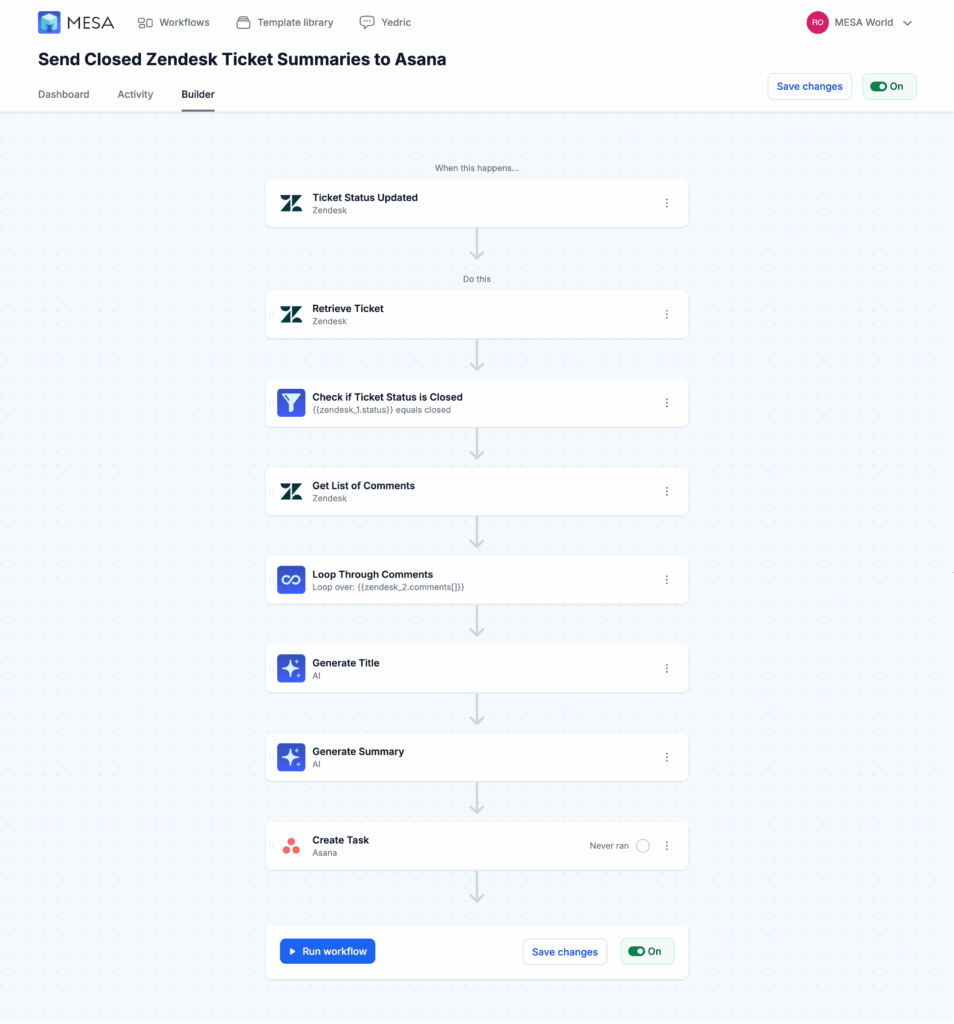
MESA is purpose-built for ecommerce automation by ShopPad, a company that's been serving Shopify merchants since 2017. Unlike general automation platforms that try to connect everything, MESA specializes exclusively in helping online stores automate their operations—from order processing to customer lifecycle management. The platform combines a no-code workflow builder with MESA's AI assistant, which lets you describe automations in natural language rather than configuring every step manually.
Why it's our top pick for ecommerce
MESA earned our highest rating because it solves the exact problems ecommerce stores face daily:
- Native Shopify integration: Unlimited access to all your store data without API restrictions or per-task charges
- 100+ ecommerce-specific templates: Pre-built workflows for order automation, customer segmentation, inventory management, and fulfillment—no starting from scratch
- AI assistant (MESA AI): Describe what you want to automate in plain English, and it builds the workflow for you
- Free expert setup: MESA's team will build your first workflows at no extra cost—a game-changer for non-technical store owners
- Deep ecommerce app ecosystem: Native integrations with Klaviyo, Gorgias, ShipStation, Recharge, Skio, and dozens of other tools Shopify merchants actually use
Key features for ecommerce
- ✅ No-code visual workflow builder with drag-and-drop simplicity
- ✅ Unlimited workflows at every plan level (no per-task pricing anxiety)
- ✅ Pre-built templates organized by use case: post-purchase automation, customer segmentation, inventory management, fraud prevention, marketing automation
- ✅ Natural language AI builder (MESA AI) converts descriptions into working automations
- ✅ Conditional logic and branching for complex multi-step workflows
- ✅ Custom code support for advanced users who need JavaScript flexibility
- ✅ Real-time execution with instant triggers from Shopify events
- ✅ Built-in scheduling for time-based automations
- ✅ Error monitoring and alerts so you know immediately if something breaks
Ecommerce use cases
Here's what you can automate with MESA right out of the box:
- Complete post-purchase automation:
- Order confirmation email with personalized recommendations → Automatic fulfillment trigger to warehouse → Shipping notification with tracking → Delivery confirmation → Review request 7 days later
- Smart customer segmentation:
- Auto-tag VIP customers when they hit $500 lifetime value → Identify at-risk subscribers who haven't ordered in 60 days → Segment customers by product category preferences → Flag wholesale customers for special pricing
- Inventory management:
- Send Slack alerts when products drop below 10 units → Automatically pause Google Ads for out-of-stock items → Trigger reorder emails to suppliers → Sync inventory across multiple warehouses and sales channels
- Fraud prevention:
- Flag orders from high-risk countries → Hold orders with mismatched billing/shipping addresses → Alert your team about unusually large orders from new customers → Auto-cancel orders from blacklisted email domains
Pricing
- Starter: $29/month (10,000 tasks) - Perfect for stores doing $50K-$150K/month
- Professional: $99/month (50,000 tasks) ⭐ Most popular - Ideal for $150K-$500K/month stores
- Business: $249/month (150,000 tasks) - Built for $500K-$2M/month operations
- Enterprise: Custom pricing with dedicated support, SLA guarantees, and priority development
- Free trial: 7 days with full access to all features
✅ Pros:
- Built exclusively for ecommerce, so every feature serves online stores
- Unlimited workflows at any plan level (build as many as you need)
- Exceptional customer support with free workflow setup assistance
- Zero learning curve for basic automations using templates
- Native Shopify integration means no API limits or hidden costs
- Strong integrations with the entire ecommerce app ecosystem
- Flat monthly pricing—no surprises as you scale
❌ Cons:
- Fewer non-ecommerce integrations than Zapier (3,000+ vs 7,000+)
- Less visually intuitive than Make's flowchart interface for complex logic
- Primarily Shopify-focused (limited support for BigCommerce, WooCommerce)
- Advanced workflows may require some technical understanding of conditional logic
Best for:
- Shopify stores doing $50K-$5M+ annually
- Ecommerce businesses wanting specialized automation without generic tools
- Teams without dedicated technical resources or developers
- Stores using Klaviyo, Gorgias, ReCharge, or other ecommerce apps
- Merchants who value support and need help building custom workflows
Setup time:
- Template-based workflows: 10-15 minutes
- Custom workflows: 30-45 minutes
- Complex multi-step automations: 1-2 hours (or request free expert setup)
Our verdict:
"MESA is purpose-built for ecommerce, making it significantly easier to automate Shopify operations than general tools like Zapier or Make. The combination of native Shopify integration, 100+ ecommerce-specific templates, natural language AI builder, and included expert support delivers the fastest time-to-value for online stores.
For Shopify merchants, the choice is clear: start with the platform built specifically for your needs, then add general tools like Zapier only if you need non-ecommerce integrations."
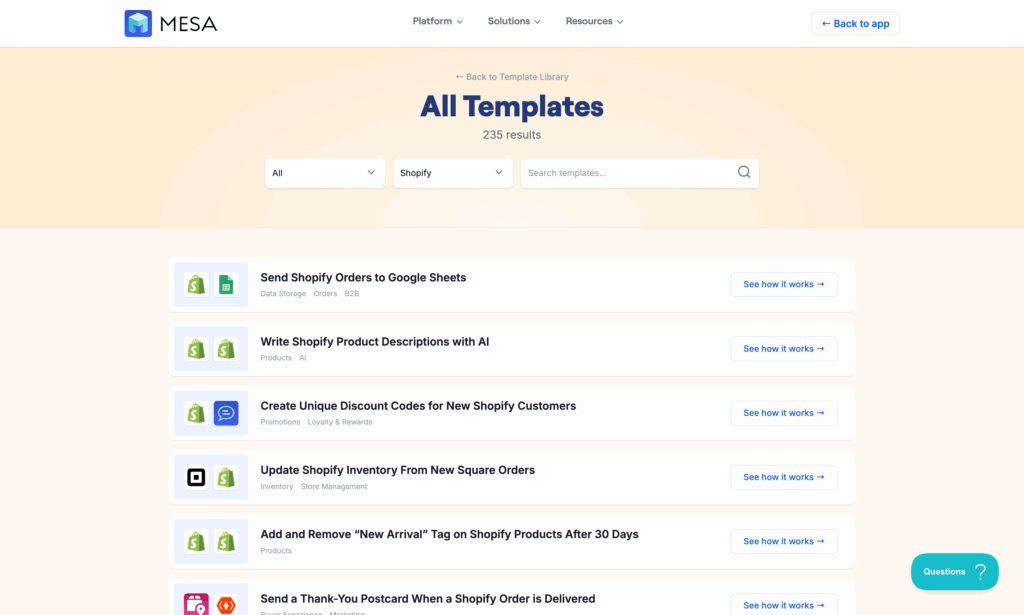
Zapier - Best for multi-platforms
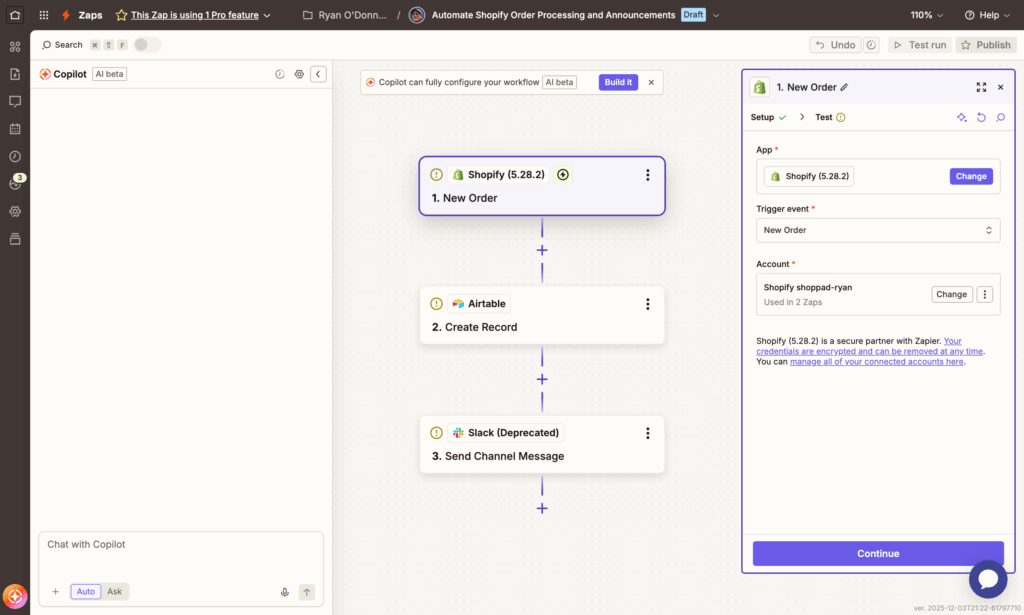
Zapier is the industry standard for no-code automation, connecting over 7,000 apps since its founding in 2011. It's the most established automation platform with the largest app ecosystem, extensive documentation, and a massive user community. While it wasn't built specifically for ecommerce, Zapier's breadth makes it valuable when you need to connect Shopify with tools outside the typical ecommerce stack—like project management software, accounting systems, or internal databases.
Why consider Zapier for ecommerce
Zapier shines when your automation needs extend beyond standard ecommerce operations:
- Largest app ecosystem: 7,000+ integrations means you can connect Shopify to virtually any business tool
- Mature, reliable platform: 14+ years of development with proven uptime and stability
- Extensive documentation: Thousands of tutorials, guides, and community solutions
- Familiar interface: If your team already uses Zapier for other business automation, adding ecommerce workflows is straightforward
- AI features emerging: Zapier's AI-powered Zap builder (currently in beta) can create workflows from natural language descriptions
Key features
- ✅ 7,000+ app integrations spanning every business category
- ✅ Multi-step Zaps with up to 100 steps per workflow
- ✅ Built-in apps for data formatting, filtering, math operations, and text manipulation
- ✅ Paths for conditional branching (if/then logic)
- ✅ Filters to control when actions execute
- ✅ Webhooks for custom API integrations
- ✅ Delays to add time gaps between actions
- ✅ Looping to process multiple items
- ✅ Custom code steps (Python and JavaScript)
- ✅ Extensive template library with 100,000+ pre-built Zaps
Ecommerce use cases
Zapier works best for connecting Shopify to non-ecommerce tools:
- Cross-platform business operations:
- New Shopify order → Create invoice in QuickBooks → Add row to Google Sheets for reporting → Notify team in Slack
- Project management integration:
- Custom order received → Create task in Asana/Monday/ClickUp → Assign to production team → Update customer when complete
- Advanced reporting and analytics:
- Daily sales data → Google Sheets dashboard → Weekly summary email → Management report in Notion
- Multi-store management:
- Sync inventory across Shopify, Amazon, eBay → Consolidate orders in Airtable → Track fulfillment across channels
Pricing
- Free: 100 tasks/month with single-step Zaps (very limited)
- Professional: $29.99/month for 750 tasks, multi-step Zaps, premium apps
- Team: $103.50/month for 2,000 tasks, unlimited users, premier apps
- Company: Custom pricing for 50,000+ tasks, advanced admin controls
⚠️ Important pricing note: Each Shopify API call counts as a task. A single workflow that checks order data (1 task), retrieves customer info (1 task), then sends an email (1 task) = 3 tasks total. This adds up quickly for high-volume stores.
Example cost scenario: A store processing 500 orders/day with 3 automations per order = 1,500 tasks/day = 45,000 tasks/month = Company plan at $599+/month. The same automation would cost $99/month on MESA with unlimited workflows.
See our MESA vs Zapier comparison for the complete feature and pricing breakdown.
✅ Pros:
- Largest integration library by far (7,000+ vs competitors' 500-2,000)
- Extremely well-documented with active community forums
- Reliable execution with detailed task history and monitoring
- AI features in development (AI-powered Zap creation)
- Familiar to many teams already using it for other business workflows
- Handles complex multi-step workflows with branching logic
- Strong uptime and stability (14+ years of proven performance)
❌ Cons:
- Per-task pricing gets expensive fast for high-volume ecommerce
- Shopify integration limited by API (not native like MESA)
- No ecommerce-specific templates—requires customization
- Each data lookup counts as a task (retrieves customer info = 1 task)
- No included expert support (DIY only unless you pay for premium)
- Steeper learning curve for complex ecommerce workflows
- Premium apps (like Shopify advanced features) require higher-tier plans
Best for:
- Businesses using many different tool categories beyond ecommerce
- Companies needing accounting/ERP integrations (QuickBooks, NetSuite, Xero)
- Multi-channel sellers managing Shopify + Amazon + eBay + retail
- Teams with light automation needs (<5,000 tasks/month)
- Organizations already standardized on Zapier company-wide
- Stores needing one-off integrations with niche business tools
Setup time:
- Simple Zaps: 15-20 minutes using templates
- Custom ecommerce workflows: 45-60 minutes (requires understanding Shopify data structure)
- Complex multi-step automations: 2-3 hours with testing
Our verdict:
"Zapier excels at connecting diverse business tools but requires significantly more configuration for ecommerce-specific needs. Its strength is breadth, not depth—you can connect Shopify to virtually anything, but you'll build every workflow from scratch.
For pure ecommerce operations (order processing, customer segmentation, inventory management), MESA delivers better value with native integration and pre-built templates. However, Zapier becomes valuable as a complement when you need to connect Shopify to accounting software, project management tools, or internal systems that fall outside typical ecommerce automation.
Best strategy: Start with MESA for core ecommerce automation (orders, customers, fulfillment). Add Zapier only when you need specific integrations with non-ecommerce tools that MESA doesn't support. Many successful stores use both—MESA for ecommerce operations, Zapier for everything else."
Cost comparison example:
- Store processing 25,000 tasks/month
- MESA Professional: $99/month (unlimited workflows)
- Zapier Team: $103.50/month (only 2,000 tasks) → Need Company plan at $599/month
For most ecommerce stores, Zapier's per-task model makes it 3-6x more expensive than ecommerce-specific platforms at scale.
Make - Best for visual building
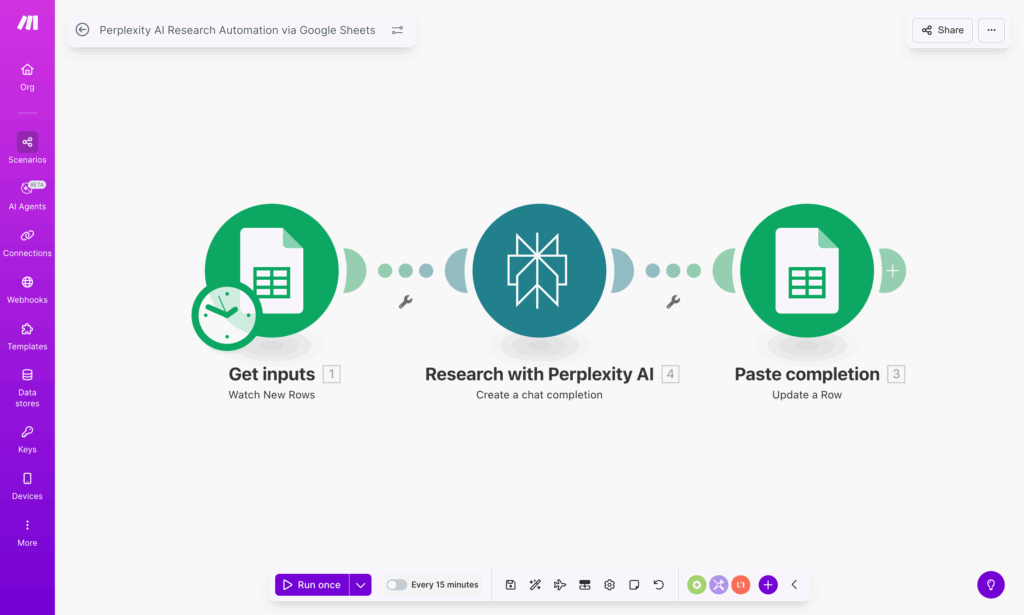
Make (formerly Integromat) offers a visual, flowchart-style approach to automation that sets it apart from linear builders like Zapier. Founded in 2012 and rebranded to Make in 2021, the platform gives you complete visibility into how data flows through your workflows. Every connection, condition, and transformation appears on a canvas where you can see the entire automation at a glance. While it requires more technical understanding than MESA or Zapier, Make's power and pricing make it compelling for stores with complex automation needs.
Why consider Make for ecommerce
Make bridges the gap between simple tools and developer-level platforms:
- Visual workflow mapping: See your entire automation logic in a flowchart—no guessing about execution order or data flow
- Better pricing than Zapier: Unlimited operations starting at $16/month vs. Zapier's per-task charges
- Powerful data transformation: Built-in tools for manipulating, formatting, and restructuring data without custom code
- Advanced logic control: Routers, iterators, aggregators, and filters for complex decision trees
- Detailed execution history: Visual debugging shows exactly where workflows succeed or fail
Key features
- ✅ Visual drag-and-drop canvas with flowchart-style layout
- ✅ 2,000+ app integrations including all major ecommerce platforms
- ✅ Scenarios (Make's term for workflows) with unlimited steps and branches
- ✅ Routers to split workflows into multiple conditional paths
- ✅ Iterators to process arrays and repeat actions for multiple items
- ✅ Aggregators to combine data from multiple sources
- ✅ Built-in data transformation for text, numbers, dates, and JSON
- ✅ Error handlers to catch failures and execute fallback actions
- ✅ Webhooks for custom API integrations
- ✅ Scheduling with flexible timing options
- ✅ Data stores for temporary storage between workflow runs
Ecommerce use cases
Make excels at workflows requiring complex logic or data manipulation:
- Multi-condition order routing:
- Order received → Check if value > $500 AND customer is VIP AND product is in-stock → Route to priority fulfillment OR standard processing OR backorder notification based on multiple conditions
- Bulk data operations:
- Daily export of all orders → Transform data format → Calculate metrics (AOV, repeat rate) → Update reporting dashboard → Distribute summary to team
- Advanced inventory management:
- Monitor inventory across 3 warehouses → Aggregate total available → Calculate reorder points by SKU → Generate purchase orders → Send to suppliers with different format requirements
- Custom reporting with multiple data sources:
- Pull Shopify sales + Facebook ad spend + Klaviyo email performance + shipping costs → Normalize data formats → Calculate profit margins → Generate custom report → Post to Slack
Pricing
- Free: 1,000 operations/month (great for testing)
- Core: $9/month for 10,000 operations (billed annually)
- Pro: $16/month for unlimited operations with 10,000 minimum (billed annually)
- Teams: $29/month for unlimited operations with 10,000 minimum per user (billed annually)
- Enterprise: Custom pricing with advanced features and SLA
Best value: The Pro plan at $16/month gives you unlimited operations—meaning a store processing 100,000 operations pays the same as one doing 10,000. This makes Make extremely cost-effective for high-volume automation compared to per-task pricing models.
What counts as an operation: Each module (step) in your workflow = 1 operation. A scenario with 5 modules triggered 1,000 times = 5,000 operations.
✅ Pros:
- Exceptional value for high-volume automation (unlimited operations at $16/mo)
- Visual interface makes complex workflows easier to understand and debug
- Powerful data manipulation tools eliminate need for custom code
- Advanced logic (routers, iterators, aggregators) handles complex scenarios
- Detailed execution logs show exactly what happened at each step
- Active community with extensive tutorials and templates
- No surprises—predictable monthly cost regardless of volume
- Great for technical users who want control without coding
❌ Cons:
- Steeper learning curve than MESA, Zapier, or Lindy
- Interface can feel overwhelming for non-technical users
- Fewer ecommerce-specific templates (most workflows built from scratch)
- Shopify integration via API only (not native like MESA)
- Less intuitive than natural language builders
- Requires understanding of concepts like iterators and aggregators
- No included setup support (community forums only)
- Annual billing required for best pricing
Best for:
- Technical teams comfortable with logic flows and data structures
- High-volume automation needs (50,000+ operations/month)
- Complex data transformation requirements
- Budget-conscious businesses scaling automation
- Stores needing advanced conditional logic
- Operations teams who want complete workflow visibility
- Businesses outgrowing per-task pricing models
Not ideal for:
- Complete beginners to automation
- Non-technical store owners who need quick setup
- Teams wanting ecommerce-specific templates
- Businesses needing hand-holding and support
Setup time:
- Simple scenarios: 30-45 minutes
- Medium complexity: 1-2 hours
- Complex multi-path workflows: 3-5 hours
- Learning the platform: 5-10 hours to become proficient
Our verdict:
"Make offers the best value proposition for stores doing high-volume automation who have someone technical on the team. The visual flowchart interface is initially intimidating but becomes incredibly powerful once you understand it—you can see exactly how data flows and where logic branches, making debugging and optimization far easier than linear builders.
The pricing is unbeatable: $16/month for unlimited operations means you can automate aggressively without worrying about task counts. A workflow that costs $599/month on Zapier (50,000 tasks) runs for $16/month on Make.
However, Make requires more technical investment upfront. You'll spend 2-3x longer building workflows compared to MESA's templates, and you need to understand concepts like data arrays, JSON structures, and iterators.
Best strategy: If you're non-technical or want fast results, start with MESA. If you have technical resources and high automation volume, Make delivers exceptional ROI. Many growing stores start with MESA for standard ecommerce workflows, then add Make when they need complex data operations or hit volume limits on other platforms.
See our full MESA vs Make comparison for a detailed feature and pricing breakdown.
Cost comparison at 50,000 operations/month:
- Make Pro: $16/month (unlimited)
- Zapier Company: $599/month
- MESA Professional: $99/month (50,000 tasks)
For pure operations cost, Make wins. For ecommerce ease-of-use, MESA wins. For connecting non-ecommerce tools, Zapier wins."
Lindy - Best AI-first platform
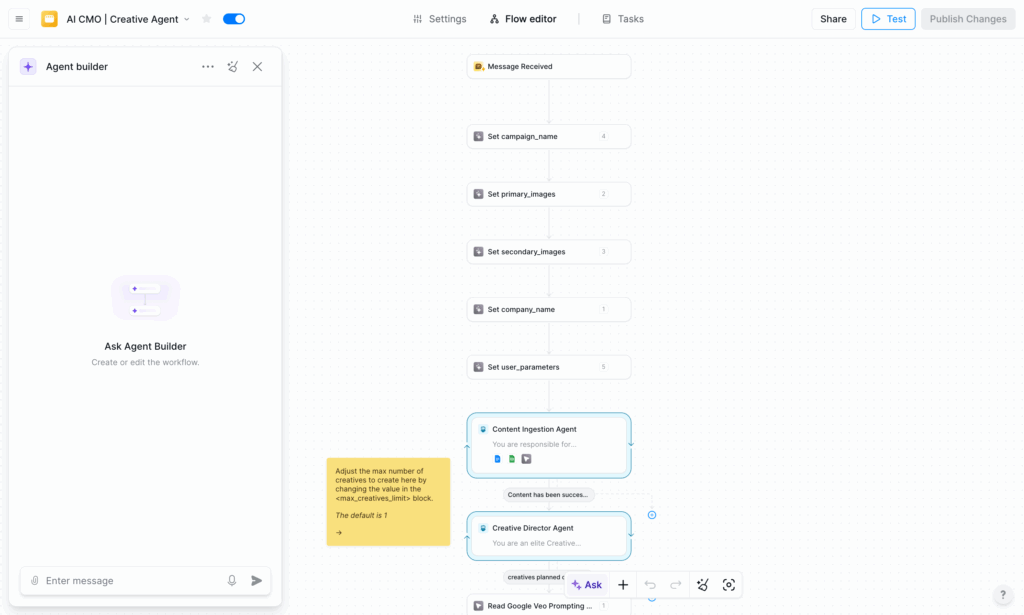
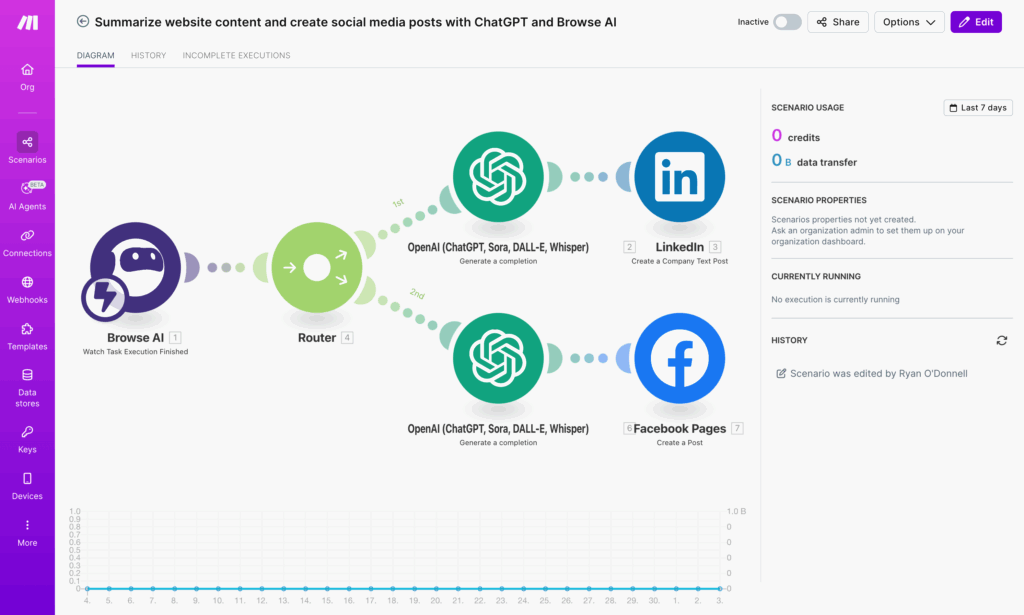
Lindy represents the cutting edge of AI automation, built from the ground up as an AI-native platform rather than bolting AI features onto traditional automation. Founded in 2023 and backed by $35M in funding, Lindy takes a fundamentally different approach: instead of building rigid workflows, you create AI agents called "Lindies" that can understand context, make decisions, and handle open-ended tasks. These agents can coordinate with each other, learn from interactions, and adapt to changing conditions—capabilities that traditional automation simply can't match.
Why consider Lindy for ecommerce
Lindy excels at scenarios where traditional rule-based automation falls short:
- Cutting-edge AI capabilities: Most advanced natural language understanding and decision-making of any platform we tested
- AI agents that coordinate: Multiple Lindies can work together on complex tasks, passing information and triggering each other
- Conversational setup: Describe what you want in plain English—Lindy builds the workflow without technical configuration
- Adaptive automation: Agents improve over time by learning from patterns and outcomes
- Multi-channel support: Lindies can work through email, Slack, forms, and direct integrations
Key features
- ✅ AI agents (Lindies) that understand context and make intelligent decisions
- ✅ Natural language builder for workflow creation without technical setup
- ✅ 2,500+ integrations via partnership with Pipedream (covers most ecommerce apps)
- ✅ Multi-agent coordination where Lindies trigger and collaborate with each other
- ✅ Human-in-the-loop approvals for workflows requiring oversight
- ✅ Custom AI model settings to adjust behavior and decision-making
- ✅ Knowledge base integration so agents can reference your documentation
- ✅ Email and Slack triggers for conversational automation
- ✅ Pre-built Lindy templates for common use cases (100+ available)
- ✅ Flexible scheduling and event-based triggers
Ecommerce use cases
Lindy shines for tasks requiring understanding, judgment, or adaptation:
- Intelligent customer service triage:
- Customer email arrives → Lindy reads message and understands intent (complaint, question, return request) → Categorizes urgency based on tone and content → Routes to appropriate team member with summary → Drafts suggested response
- Context-aware order management:
- Order placed → Lindy analyzes for fraud signals (new customer, high value, shipping mismatch) → Evaluates based on historical patterns → Approves, flags for review, or holds with explanation → Notifies team of reasoning
- Adaptive content generation:
- New product added → Lindy generates SEO-optimized description → Creates social media posts tailored to each platform → Suggests email campaign angles → Adapts tone based on product category
- Smart lead qualification:
- Wholesale inquiry received → Lindy evaluates company size, order history, message quality → Scores lead potential → Routes high-value prospects immediately → Sends personalized follow-up based on inquiry type
Pricing
- Free: 400 credits/month (roughly 400 basic actions)
- Pro: $49.99/month for 5,000 tasks, AI model access, unlimited Lindies
- Business: $299.99/month for 30,000 tasks, 20M character knowledge base, priority support
What counts as a task: Each Lindy action = 1 task. Complex AI decisions may use multiple credits depending on processing required.
Note: Pricing is higher than traditional automation tools but includes advanced AI capabilities that would otherwise require separate AI API costs (OpenAI, Anthropic, etc.).
✅ Pros:
- Most advanced AI decision-making and natural language understanding
- Agents learn and improve over time without manual updates
- Truly conversational setup—describe intent, Lindy handles implementation
- Handles ambiguous or unstructured tasks traditional automation can't
- Multi-agent coordination enables sophisticated workflows
- Built-in AI model access (no separate OpenAI API key needed)
- Modern, intuitive interface designed for AI-first workflows
- Innovative approach represents future of automation
❌ Cons:
- Relatively new platform (less mature than competitors)
- Fewer ecommerce-specific templates than MESA
- AI can be unpredictable for rigid, rule-based workflows
- Less suitable for scenarios requiring exact, repeatable processes
- Shopify integration not as deep as MESA's native connection
- Higher price point than traditional automation tools
- May require experimentation to optimize Lindy behavior
- Less extensive documentation than established platforms
Best for:
- Early adopters wanting cutting-edge AI automation
- Businesses with unstructured data or open-ended tasks
- Teams comfortable with AI's learning curve and occasional unpredictability
- Use cases requiring contextual understanding (customer service, content creation)
- Stores that want automation to handle nuance, not just rules
- Organizations seeking competitive advantage through advanced AI
- Technical teams who can guide and optimize AI agent behavior
Not ideal for:
- Risk-averse businesses requiring perfect predictability
- Standard ecommerce workflows better served by templates
- Stores needing deep Shopify-specific features
- Budget-conscious operations ($50/month minimum)
- Teams wanting immediate, proven solutions
Setup time:
- Simple Lindy: 10-20 minutes using natural language
- Custom agent with coordination: 30-45 minutes
- Optimizing Lindy behavior: Ongoing refinement over 2-4 weeks
Our verdict:
"Lindy represents the future of automation with true AI agents that understand context, make decisions, and adapt—but it's less optimized for standard ecommerce workflows than specialized tools like MESA. Where Lindy excels is handling the messy, human-like tasks that traditional automation struggles with: reading customer sentiment, making judgment calls, generating contextual content, and adapting to new scenarios.
For predictable ecommerce operations (order confirmations, inventory alerts, standard segmentation), stick with MESA's proven templates. For intelligent tasks requiring understanding and adaptation (customer service triage, content generation, fraud analysis with context), Lindy delivers capabilities impossible with traditional automation.
The tradeoff is clear: Lindy offers more intelligence but less predictability. An order confirmation workflow will execute exactly the same way 10,000 times on MESA. A Lindy analyzing customer messages might handle each slightly differently based on context—sometimes brilliantly, occasionally requiring human correction.
Best strategy: Start with MESA for core ecommerce automation where consistency matters. Add Lindy for specific use cases that benefit from AI intelligence: customer support triage, content creation, complex decision-making, or scenarios with too many variables for rule-based automation.
Many innovative stores use both: MESA for operational reliability, Lindy for competitive advantage in customer experience and content quality."
Cost comparison for 5,000 tasks/month:
- Lindy Pro: $49.99/month (includes AI capabilities)
- MESA Starter: $29/month (ecommerce-optimized)
- Zapier Professional: $29.99/month (limited to 750 tasks)
Lindy costs more but includes sophisticated AI that would require separate API subscriptions ($20-50/month) with other platforms.
n8n - Best for self-hosted control
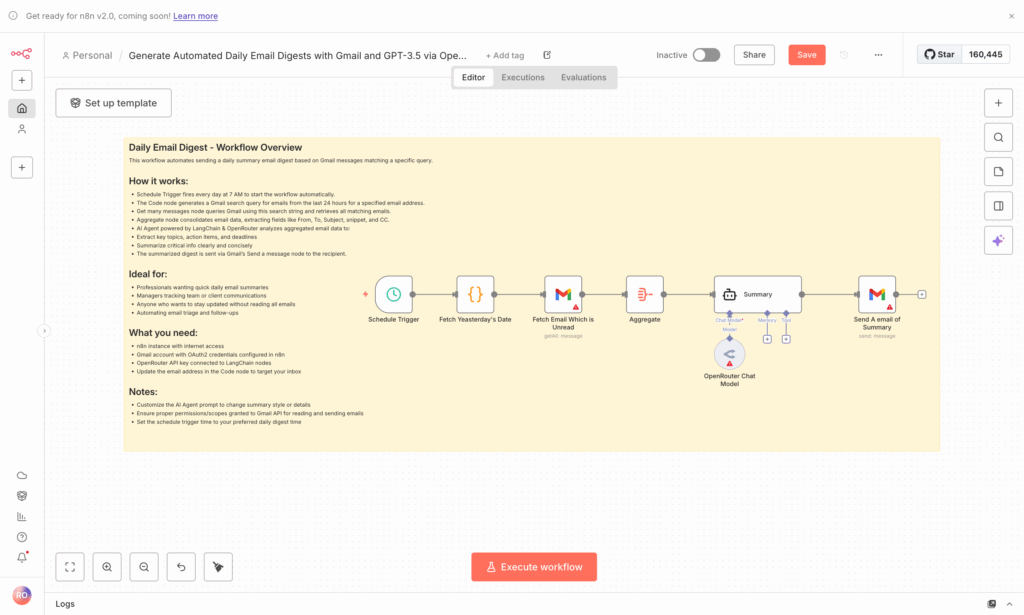
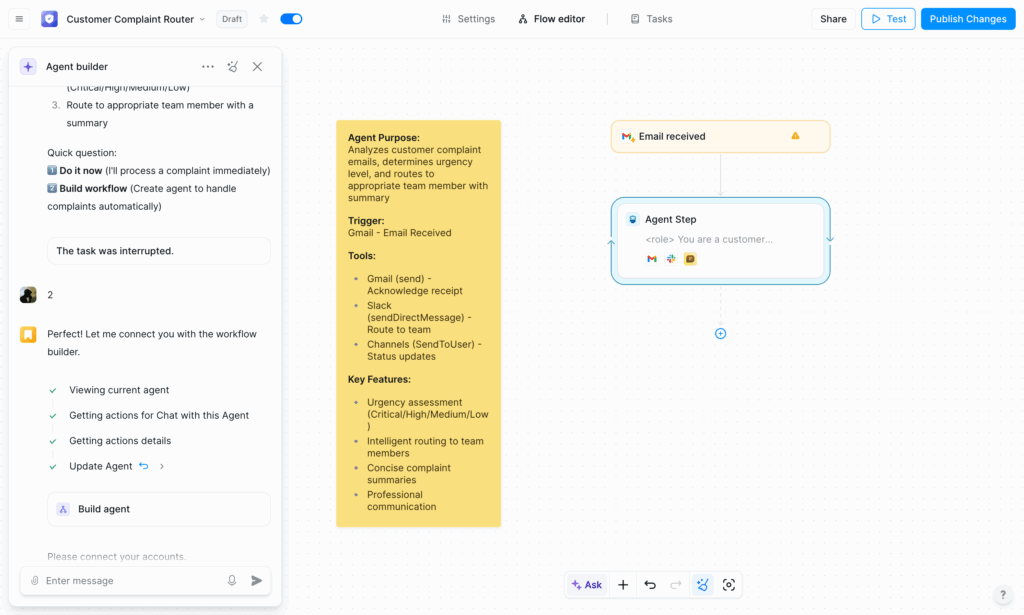
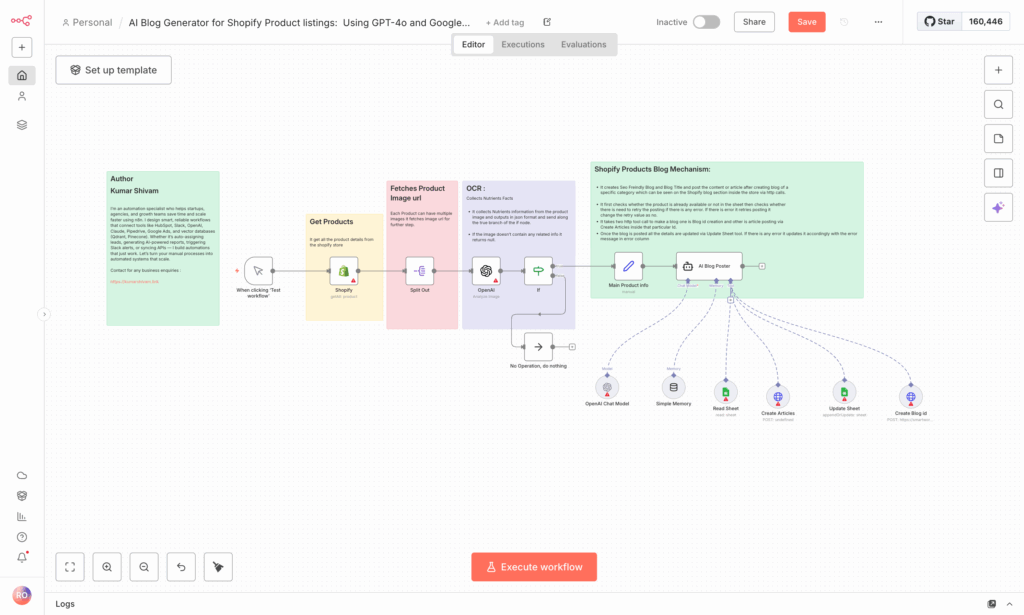
n8n is an open-source, fair-code automation platform that gives you complete control over your data and infrastructure. Founded in 2019 and backed by $12M in funding, n8n has exploded in popularity among developers and technical teams who want the power of enterprise automation without vendor lock-in or usage limits. The platform offers both self-hosted (free forever) and cloud-hosted options, with a visual workflow editor that balances ease of use with the flexibility to write custom code when needed. Recently valued at $2.5 billion after a $180M Series C, n8n has become the go-to choice for companies serious about owning their automation infrastructure.
See our full MESA vs n8n comparison for a side-by-side feature and pricing breakdown.
Why consider n8n for ecommerce
n8n appeals to technically-capable stores with specific requirements that cloud platforms can't meet:
- Complete data control: Self-host on your own servers—customer data never leaves your infrastructure
- No usage limits when self-hosted: Run unlimited workflows, unlimited executions, zero recurring costs beyond hosting
- Unlimited customization: Open-source codebase means you can modify anything or build custom integrations
- Active developer community: Thousands of contributors building and sharing custom nodes
- Advanced AI capabilities: Native nodes for OpenAI, Anthropic Claude, Google AI, and other LLM providers
- Future-proof: Fair-code license means you own your automation, regardless of company changes
Key features
- ✅ Self-hosted or cloud options for different security and convenience needs
- ✅ 600+ integrations (called "nodes") with active community contributions
- ✅ Visual workflow editor with drag-and-drop interface
- ✅ Custom code support (JavaScript/Python) in any workflow step
- ✅ AI nodes for OpenAI, Claude, Hugging Face, and other AI models
- ✅ Database nodes for direct SQL, PostgreSQL, MySQL, MongoDB connections
- ✅ HTTP Request node for any API integration
- ✅ Webhook support for real-time triggers
- ✅ Scheduling and cron jobs for time-based automation
- ✅ Version control with Git integration for workflow management
- ✅ Environment variables for secure credential management
- ✅ No usage limits on self-hosted instances
Ecommerce use cases
n8n excels when you need maximum flexibility or have compliance requirements:
- Custom ERP/warehouse integration:
- Shopify order received → Transform data to match proprietary warehouse API format → Send to internal fulfillment system → Poll for tracking updates → Push back to Shopify → Log everything in internal database
- High-volume data processing with compliance:
- Process 100,000+ orders daily → Extract specific fields → Run custom business logic → Store in compliant on-premise database → Generate reports → Trigger downstream systems—all without data leaving your infrastructure
- Advanced AI-powered operations:
- Customer support ticket → Send to self-hosted Claude API → Analyze sentiment and categorize → Check internal knowledge base → Generate draft response → Route to agent with context → Log interaction for training
- Multi-tenant automation for agencies:
- Build reusable workflows for 50+ client stores → Customize per client → Deploy via Git → Monitor centrally → Scale without per-client costs → White-label for client portals
Pricing
Self-hosted (open source):
- Forever free with unlimited workflows and executions
- Host on your own infrastructure (AWS, DigitalOcean, self-managed server)
- Costs: Server hosting only ($20-200+/month depending on scale)
- No feature limitations
- Community support via forums and GitHub
Cloud hosted:
- Starter: €20/month (~$22 USD) for 2,500 executions, 20 active workflows
- Pro: €50/month (~$55 USD) for 10,000 executions, 50 active workflows
- Enterprise: Custom pricing with SSO, SLA, dedicated support
What counts as an execution: Each time a workflow runs = 1 execution (regardless of steps)
Cost advantage: A store doing 50,000 executions/month:
- n8n self-hosted: $0 + hosting (~$50/month) = $50/month
- n8n cloud: Custom enterprise pricing
- Zapier: $599/month
- Make: $16/month (unlimited)
- MESA: $99/month
✅ Pros:
- Completely free when self-hosted (unlimited everything)
- Total data control—nothing leaves your infrastructure
- No vendor lock-in or usage restrictions
- Open-source extensibility—build any integration you need
- Strong developer community with active contributions
- Powerful for complex, custom integrations
- Visual editor balances usability with technical power
- Version control and Git integration for enterprise workflows
- Advanced AI capabilities with multiple LLM providers
- Fair-code license protects your investment
❌ Cons:
- Requires significant technical expertise to deploy and maintain
- Self-hosting means managing servers, updates, backups, security
- Steepest learning curve of any platform we tested
- Fewer pre-built ecommerce templates than MESA or Zapier
- No hand-holding—community support only (unless paying for enterprise)
- Setup and infrastructure management is your responsibility
- Debugging requires understanding of technical logs
- UI less polished than commercial alternatives
Best for:
- Development teams with DevOps capabilities
- Businesses with strict data compliance requirements (HIPAA, SOC 2, GDPR)
- High-volume automation needs (100,000+ executions/month)
- Technical users wanting maximum control and customization
- Companies needing integration with proprietary internal systems
- Agencies building automation for multiple clients
- Organizations concerned about vendor lock-in
- Stores with in-house development resources
Not ideal for:
- Non-technical store owners
- Businesses without server management capabilities
- Teams needing immediate setup without infrastructure work
- Stores wanting pre-built ecommerce templates
- Operations requiring 24/7 support guarantees
- Organizations without technical resources for troubleshooting
Setup time:
- Self-hosted infrastructure setup: 4-8 hours (server, SSL, database, backups)
- First simple workflow: 45-60 minutes
- Complex custom integration: 3-5 hours
- Learning platform fundamentals: 10-20 hours
- Becoming proficient: 40+ hours
Cloud hosted setup:
- First workflow: 30-45 minutes
- But still requires technical knowledge for complex automations
Our verdict:
"n8n is the best choice for technical teams who want complete control over their automation infrastructure and can handle the responsibility of self-hosting. The value proposition is compelling: unlimited automation for the cost of server hosting (~$50/month), complete data sovereignty, and zero vendor lock-in.
However, n8n demands significant technical investment. You need someone who can:
- Deploy and maintain server infrastructure
- Troubleshoot networking and database issues
- Implement security best practices
- Handle updates and backups
- Debug workflows at a code level
For stores with these capabilities, n8n delivers unmatched ROI at scale. A business processing 100,000 operations monthly pays $50 for hosting versus $599+ on Zapier—savings of $6,500+ annually. But that savings requires 5-10 hours monthly for infrastructure maintenance.
When n8n makes sense:
- You process 50,000+ operations/month (cost savings justify technical overhead)
- You have in-house DevOps or development resources
- You need data sovereignty for compliance reasons
- You require custom integrations with proprietary systems
- You want freedom from vendor pricing changes
When to use alternatives:
- You lack technical resources (use MESA or Zapier)
- You need fast deployment (use MESA templates)
- You want managed infrastructure (use cloud alternatives)
- Your automation volume is low (<10,000/month)
Best strategy: Most ecommerce businesses should start with MESA or Make for immediate value. Consider n8n only when you have technical resources and specific needs that justify the infrastructure investment: high volume, data compliance, custom integrations, or multi-tenant scenarios.
n8n is the ultimate automation platform for developers—just not for everyone else."
Cost comparison at 100,000 executions/month:
- n8n self-hosted: ~$50/month (hosting only)
- n8n cloud: Enterprise pricing required
- Make Pro: $16/month (unlimited)
- Zapier: $599+/month
- MESA Business: $249/month
Technical requirements for self-hosting:
- VPS or dedicated server (2+ CPU cores, 4GB+ RAM recommended)
- Ubuntu/Debian Linux or Docker experience
- SSL certificate setup
- Database management (PostgreSQL recommended)
- Backup and monitoring strategy
- Basic networking and security knowledge
Relay - Best for collaboration
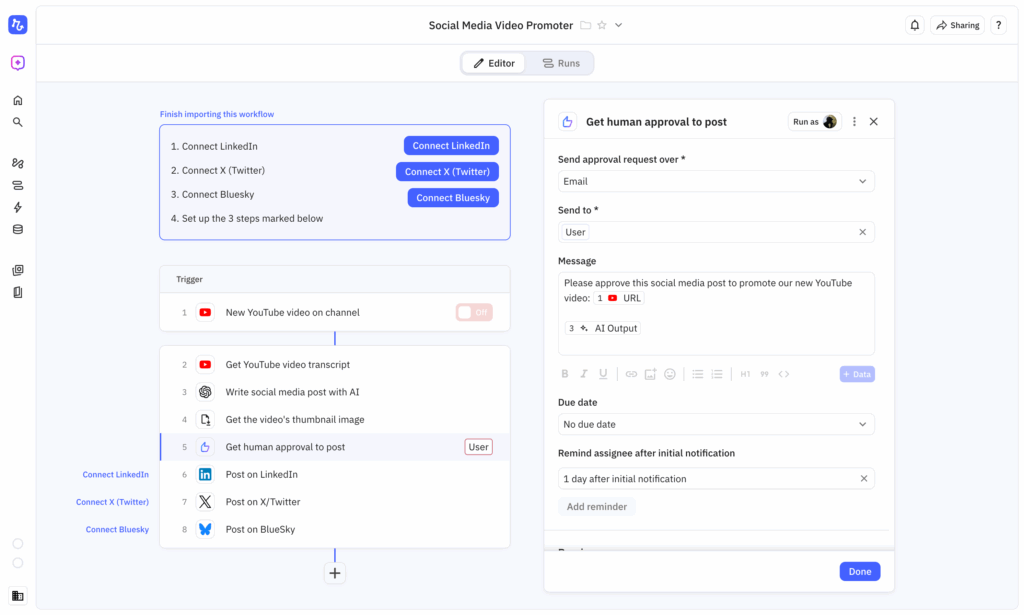
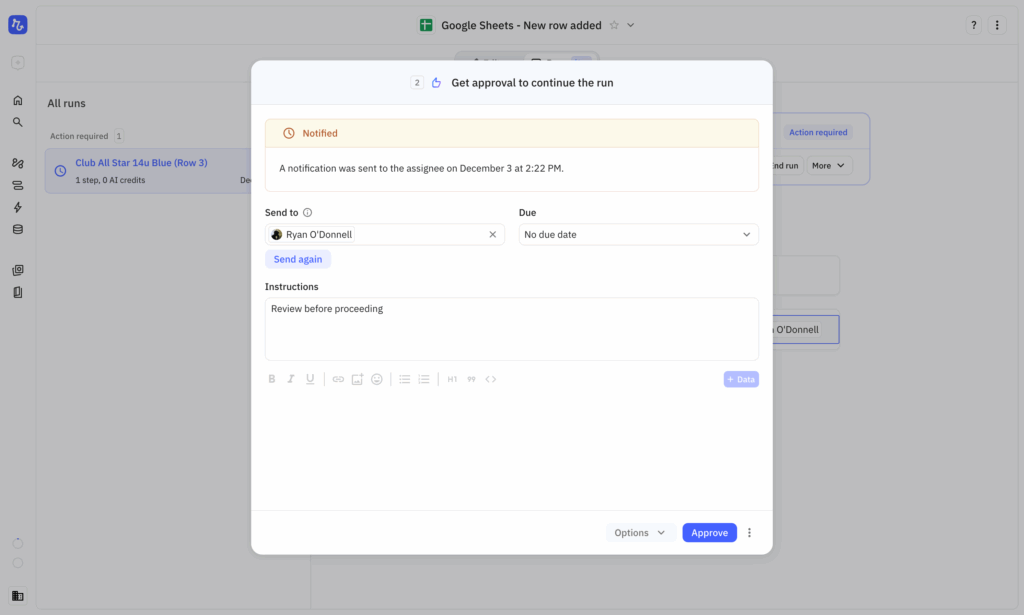
Relay is a modern automation platform founded in 2021 that emphasizes human collaboration within automated workflows. Unlike tools that aim to remove humans entirely from processes, Relay embraces the reality that many business workflows benefit from human judgment at critical decision points. The platform combines visual workflow building with "human-in-the-loop" approvals, team collaboration features, and emerging AI capabilities. With clean, intuitive design and affordable pricing, Relay appeals to teams who want automation that works with people, not around them.
⚠️ Update: Relay.app is shutting down. We're keeping this profile in place as a reference for what Relay offered, but it's no longer a viable pick for new workflows. If you're currently on Relay and need to migrate, see our Relay.app alternatives guide — MESA covers the ecommerce/Shopify approval use cases described below.
Why consider relay for ecommerce
Relay fills a specific niche for workflows where automation shouldn't be fully autonomous:
- Approval workflows built-in: Pause automations for human review, approval, or input at any step
- Team collaboration features: Assign approvals to specific team members, add comments, track decision history
- Clean, modern interface: Most intuitive UI of any platform we tested—minimal learning curve
- Affordable pricing: Starting at $11.25/month makes it accessible for small teams
- Growing AI capabilities: Beta AI agent features bring intelligence to approval-based workflows
- Unique web scraping: Extract data from websites without code
Key features
- ✅ Human-in-the-loop approvals that pause workflows for manual review
- ✅ Team collaboration tools with task assignment and commenting
- ✅ Web scraping capabilities to extract data from any webpage
- ✅ AI blocks for transcription, image generation, text analysis
- ✅ Path branching for conditional logic and routing
- ✅ Built-in scheduling for time-based automations
- ✅ Beta AI agent feature for intelligent decision-making
- ✅ Clean visual builder with intuitive drag-and-drop interface
- ✅ Email triggers for workflow initiation
- ✅ Forms to collect data that starts automations
- ✅ Version history to track workflow changes
Ecommerce use cases
Relay excels at scenarios requiring human oversight or team coordination:
- High-value order approval workflow:
- Order over $2,000 received → Automatically pull customer history and order details → Pause for manager approval with context → If approved, trigger priority fulfillment → If rejected, send personalized cancellation email with reason
- Custom order processing:
- Custom product request submitted → Extract specifications → Route to production team → Pause for feasibility review and pricing → Team member approves with custom quote → Send quote to customer → Upon acceptance, create production task
- Return authorization with review:
- Return request received → Check order date and return policy eligibility → If eligible, pause for customer service review → Agent reviews reason and decides → Approve with prepaid label OR deny with explanation → Log decision for analytics
- Content approval before publishing:
- AI generates product descriptions → Format for store → Pause for marketing team approval → Reviewer edits if needed → Upon approval, publish to Shopify → Schedule social media posts
Pricing
- Free: Limited features, good for testing
- Starter: $11.25/month per seat (500 workflow runs)
- Professional: $22.50/month per seat (2,000 workflow runs)
- Business: $45/month per seat (10,000 workflow runs)
Note: Pricing is per-user per-month, which can add up for teams. A 5-person team on Professional = $112.50/month.
What counts as a run: Each time a workflow executes = 1 run (similar to Zapier tasks)
✅ Pros:
- Excellent for workflows requiring human approval or oversight
- Cleanest, most intuitive interface we tested
- Strong team collaboration features (assignments, comments, notifications)
- Affordable entry price ($11.25/month)
- Modern UX feels responsive and well-designed
- Built-in web scraping without external tools
- Human-in-the-loop doesn't require technical configuration
- Good for maintaining quality control while automating
- Transparent pricing with clear tier limits
❌ Cons:
- Smaller integration library (fewer than 100 apps vs. thousands for competitors)
- Limited ecommerce-specific features or templates
- AI capabilities still in beta and less mature
- Per-seat pricing gets expensive for larger teams
- Less suitable for fully autonomous workflows
- Fewer pre-built templates than MESA or Zapier
- Not as established as competitors (founded 2021)
- Shopify integration exists but not as deep as MESA
Best for:
- Teams needing approval workflows for refunds, custom orders, or high-value transactions
- Businesses with quality control requirements before actions execute
- Collaborative automation where multiple team members review/approve
- Small teams (3-5 people) wanting modern, affordable automation
- Workflows requiring human judgment at decision points
- Stores prioritizing ease of use over integration breadth
- Operations where accountability and decision tracking matter
Not ideal for:
- Fully autonomous ecommerce workflows
- Stores needing extensive app integrations
- High-volume operations requiring speed over approval
- Large teams (per-seat pricing becomes expensive)
- Businesses wanting comprehensive ecommerce templates
- Scenarios where human approval creates bottlenecks
Setup time:
- Simple approval workflow: 20-30 minutes
- Custom multi-step workflow: 45-60 minutes
- Team onboarding and permissions: 30 minutes
Our verdict:
"Relay shines for workflows requiring human approval but lacks the ecommerce-specific depth of MESA or the integration breadth of Zapier. It occupies a unique middle ground: more sophisticated than IFTTT, more approachable than Make, but less specialized than category leaders.
The human-in-the-loop approach is genuinely valuable for specific scenarios—refund approvals, custom orders, high-value transactions, or content review before publishing. Relay makes these workflows elegant where other platforms treat human approval as an afterthought.
However, Relay's smaller integration library (fewer than 100 apps) limits its utility for comprehensive ecommerce automation. You can connect Shopify, but without deep integrations to Klaviyo, Gorgias, ShipStation, and other ecommerce essentials, you'll hit limitations quickly.
When Relay makes sense:
- You need approval workflows for specific high-stakes processes
- Your team values a modern, intuitive interface
- You want collaborative automation with clear accountability
- You're a small team (3-5 people) with focused needs
When to use alternatives:
- Core ecommerce operations need full automation (use MESA)
- You need extensive app integrations (use Zapier)
- High-volume workflows can't wait for approvals (use Make)
- You want ecommerce-specific templates (use MESA)
- You specifically need approval/human-in-the-loop steps (Relay is shutting down — see our Relay.app alternatives guide)
Best strategy: With Relay shutting down, don't build new workflows on it. For ecommerce approval steps going forward, MESA supports human-in-the-loop workflows natively (see the approval workflow template) alongside its broader order automation, so most Relay-for-ecommerce use cases can move there directly. For non-ecommerce approval needs, see our Relay.app alternatives guide for a full comparison.
The per-seat pricing model means Relay gets expensive at scale. A 10-person team on Professional ($225/month) could instead use MESA Professional ($99/month) with better ecommerce features. But for 2-3 person operations needing approval workflows, Relay's simplicity and affordability ($23-34/month) make it appealing."
Cost comparison for 3-person team, 2,000 runs/month:
- Relay Professional: $67.50/month (3 seats × $22.50)
- MESA Starter: $29/month (unlimited workflows, covers 10,000 tasks)
- Zapier Professional: $29.99/month (only 750 tasks—need higher tier)
Relay costs more than MESA for fewer ecommerce features, but offers superior approval workflow UX.
Team collaboration advantage: Relay excels at scenarios like:
- Manager approves high-value refunds → Automatically processes and logs decision
- Marketing reviews AI-generated content → Approves/edits → Publishes automatically
- Team member verifies custom order feasibility → Approves pricing → Triggers production
Other platforms can technically do this, but Relay makes it elegant and intuitive.
Microsoft Power Automate - Best for Microsoft ecosystem
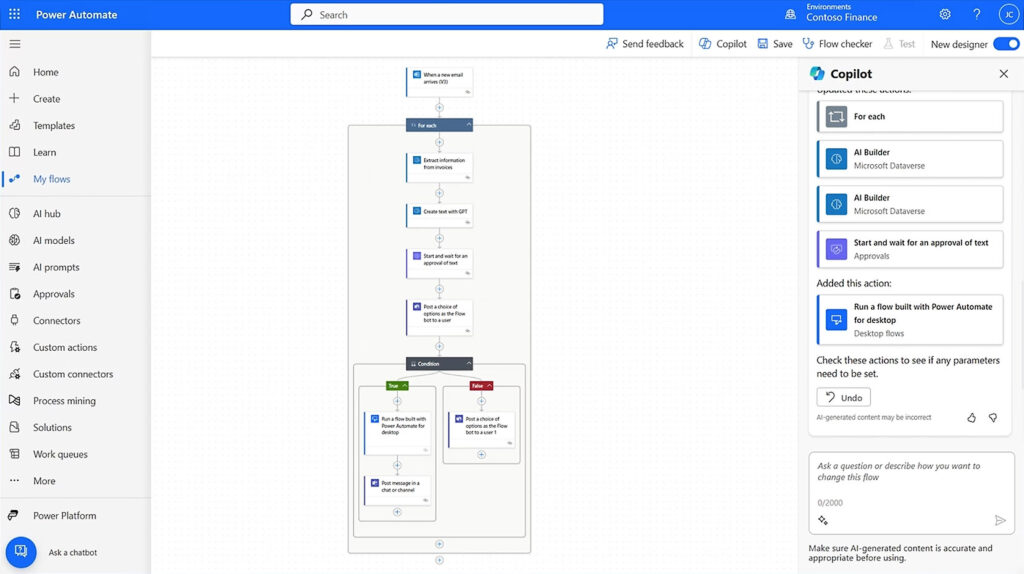
Microsoft Power Automate is the automation component of the Microsoft Power Platform, designed to help businesses automate workflows across Microsoft 365, Dynamics 365, and hundreds of other applications. Launched in 2016 (formerly Microsoft Flow), Power Automate serves millions of enterprise users who rely on Microsoft's ecosystem for daily operations. The platform offers both cloud-based workflow automation and desktop automation (RPA) for legacy systems, making it comprehensive—if you're a Microsoft shop. For ecommerce businesses outside the Microsoft universe, however, Power Automate feels like using enterprise software to solve small business problems.
Why consider Power Automate for ecommerce
Power Automate makes sense only for specific organizational contexts:
- Already included: Many Microsoft 365 licenses include basic Power Automate capabilities at no additional cost
- Deep Microsoft integration: Unmatched connectivity with Outlook, Teams, SharePoint, OneDrive, Dynamics 365
- Desktop automation (RPA): Automate legacy desktop applications and manual computer tasks
- AI Builder: Create custom AI models for document processing, prediction, and classification
- Enterprise compliance: SOC 2, ISO 27001, HIPAA compliant with enterprise-grade security
- IT-approved: Already vetted and deployed in many enterprise environments
Key features
- ✅ 350+ connectors to Microsoft and third-party services
- ✅ Cloud flows for app-to-app automation triggered by events or schedules
- ✅ Desktop flows (RPA) that record and replay actions on Windows applications
- ✅ Business process flows for guided multi-stage workflows
- ✅ AI Builder for creating custom AI models without coding
- ✅ Dataverse as a central data storage layer
- ✅ Process Advisor to analyze and optimize workflows
- ✅ Power Fx low-code formula language for custom logic
- ✅ Centralized admin controls for governance and compliance
- ✅ Integration with Power Apps for building custom interfaces
- ✅ Co-management with Microsoft Intune for security
Ecommerce use cases
Power Automate works best when Microsoft tools dominate your operations:
- Microsoft-centric order notifications:
- Shopify order received → Create item in SharePoint list → Post to Teams channel → Add to Outlook calendar if rush order → Update Excel tracking sheet
- Desktop automation for legacy systems:
- Desktop flow logs into proprietary warehouse software → Enters order details → Generates packing slip → Exports tracking number → Updates Shopify via API
- Dynamics 365 integration:
- Shopify customer places order → Create/update account in Dynamics 365 → Sync customer data → Track order in Dynamics → Generate invoice
- Microsoft Teams collaboration:
- High-value order received → Post to Teams channel with customer details → Team discusses in thread → Manager approves → Trigger fulfillment
Pricing
Power Automate has one of the most complex pricing structures we encountered:
Included with Microsoft 365:
- Limited cloud flows (formerly "2,000 runs/day" limit removed, now based on "seeded" capacity)
- Standard connectors only (no premium apps like Shopify without additional license)
- No desktop flows (RPA)
- No AI Builder credits
Premium plans:
- Per User: $15/user/month (unlimited flows with standard + premium connectors)
- Per Flow: $100/month/flow (for unlimited users accessing a single flow)
- Process (RPA): $150/month for attended RPA, $2,400/month for unattended RPA
- Pay-as-you-go: Usage-based pricing in Azure
Additional costs:
- Premium connectors (including Shopify): Require per-user license ($15/month)
- AI Builder credits: $500/month for 1M AI Builder service credits
- Dataverse storage: Additional charges beyond included capacity
What counts as a run: Each time a cloud flow executes = 1 run. Desktop flows have different metrics.
Hidden costs: Shopify is a "premium" connector, meaning even with Microsoft 365, you need a $15/user/month license to automate with it.
✅ Pros:
- Included with many Microsoft 365 licenses (basic features)
- Unmatched Microsoft ecosystem integration (Outlook, Teams, SharePoint, Office)
- Desktop automation (RPA) for legacy Windows applications
- Enterprise-grade security and compliance built-in
- Centralized IT administration and governance
- AI Builder for custom machine learning models
- Already approved in many corporate IT environments
- Strong for internal business process automation
- Scales across large organizations
❌ Cons:
- Extremely expensive for non-Microsoft-centric operations
- Complex, confusing pricing structure with hidden costs
- Shopify requires premium connector license ($15/user/month minimum)
- UI feels dated and enterprise-heavy compared to modern tools
- Weak ecommerce-specific features or templates
- Steeper learning curve than consumer automation platforms
- Limited community resources compared to Zapier or Make
- Overkill for most small-to-medium ecommerce businesses
- Premium connectors, AI credits, and storage add significant costs
Best for:
- Businesses already deeply invested in Microsoft 365/Dynamics 365
- Enterprise companies standardized on Microsoft tools
- Organizations needing desktop automation (RPA) for legacy systems
- IT departments managing automation centrally
- Companies with existing Microsoft licensing that includes Power Automate
- Workflows primarily between Microsoft applications
- Environments where IT approval and governance matter more than cost
Not ideal for:
- Ecommerce-first businesses using Shopify + modern SaaS tools
- Small to medium stores (1-50 employees)
- Budget-conscious operations
- Teams wanting simple, ecommerce-specific automation
- Businesses not using Microsoft ecosystem extensively
- Stores needing quick setup without IT department involvement
Setup time:
- Simple Microsoft-to-Microsoft flow: 30-45 minutes
- Shopify integration (requires premium license): 1-2 hours
- Desktop flow (RPA): 2-4 hours including recording and testing
- Learning Power Automate fundamentals: 10-15 hours
- Understanding pricing and licensing: 2-3 hours (seriously)
Our verdict:
"Power Automate only makes sense for ecommerce businesses if you're already heavily invested in the Microsoft ecosystem—and even then, it's often not the best choice. The platform was built for enterprise internal processes, not ecommerce operations, and it shows in every aspect: pricing complexity, dated UI, and lack of ecommerce-specific features.
The cost reality: To automate Shopify with Power Automate, you need:
- Microsoft 365 base license (~$12/user/month)
- Power Automate per-user license ($15/user/month) for Shopify premium connector
- Total: $27/user/month minimum
For a 3-person team, that's $81/month—more than MESA Professional ($99/month) but with far fewer ecommerce features. And if you need AI Builder or Dataverse storage, costs escalate quickly.
When Power Automate makes sense:
- You already have enterprise Microsoft licensing
- Your operations live primarily in Microsoft 365/Dynamics 365
- You need desktop automation for legacy Windows applications
- IT governance and compliance outweigh cost considerations
- You have internal IT resources to manage Power Automate
When to use alternatives:
- You're primarily a Shopify/ecommerce business (use MESA)
- You want simple, affordable automation (use Make or Zapier — Relay is shutting down, see our alternatives guide)
- You need ecommerce-specific templates and features (use MESA)
- Cost efficiency matters (literally any other platform is cheaper)
The desktop automation exception: Power Automate's RPA capabilities are genuinely valuable if you need to automate legacy Windows applications that lack APIs. For example, if your warehouse uses old desktop software, Power Automate can record and replay actions. But at $150-2,400/month for RPA, you're paying enterprise prices for enterprise features most ecommerce stores don't need.
Best strategy: If you're a Microsoft shop, use Power Automate for Microsoft-to-Microsoft workflows (Outlook → Teams → SharePoint). For ecommerce automation, use MESA or Zapier alongside Power Automate. Don't force ecommerce operations into enterprise software just because you already have Microsoft licensing.
The only scenario where Power Automate is your best ecommerce option is if you're running on Dynamics 365 for ERP/CRM and need native integration. For everyone else, it's overkill."
Cost comparison for 3-person team automating Shopify:
- Power Automate: $81/month (3 users × $27 for M365 + per-user license)
- MESA Professional: $99/month (unlimited users, ecommerce-optimized)
- Zapier Professional: $29.99/month (1 user, 750 tasks)
- Make Pro: $16/month (unlimited users, unlimited operations)
Power Automate is a powerful enterprise platform—just not designed for ecommerce automation.
Pricing comparison
Understanding automation pricing goes beyond the advertised monthly fee. Hidden costs, usage limits, and pricing models can turn a "$30/month" tool into a $300+ monthly expense. Here's how to calculate the true cost and ROI for your store.
Pricing models explained
Per-task pricing (Zapier, Lindy, Relay)
You pay based on how many "tasks" or "operations" your automations execute each month.
- How it works: Each action in a workflow counts as 1 task
- Example: Workflow checks new order (1 task) → gets customer data (1 task) → sends email (1 task) = 3 tasks total per order
- 500 orders/day × 3 tasks × 30 days = 45,000 tasks/month
What counts as a task:
- Reading data from an app (checking for new orders)
- Looking up information (retrieving customer details)
- Sending data to an app (creating an email)
- Each step in a multi-step workflow
Hidden multipliers:
- API-limited integrations (like Zapier's Shopify connection) count extra tasks for data retrieval
- Conditional checks ("if order value > $100") count as tasks even if condition fails
- Looping through multiple items multiplies task count
Unlimited workflow pricing (MESA, Make)
You pay a flat monthly fee regardless of how many workflows you run or how many steps they contain.
- How it works: Build unlimited workflows, run them unlimited times
- Example: Same 500 orders/day × 30 days = same monthly cost
- Best for: Predictable expenses, scaling without cost anxiety
Note: Make's "unlimited operations" plans still have minimum thresholds (10,000 operations/month on Pro) but no upper limit—process 10,000 or 1,000,000 for the same price.
Self-hosted pricing (n8n)
You pay only for server infrastructure, not the software.
- How it works: Host n8n on your own server, run unlimited workflows
- Costs: Server hosting ($20-200/month) + maintenance time
- Best for: Technical teams with high volume needs
Per-user/Per-seat pricing (Relay, Power Automate)
You pay per team member who needs access.
- How it works: Each user requires a separate license
- Example: 5-person team = 5× monthly cost
- Watch out: Costs scale with team size, not usage
Hidden costs to watch for:
- ⚠️ Premium connectors: Some apps require higher-tier plans (Power Automate's Shopify requires $15/user/month premium license)
- ⚠️ Overage charges: Exceeding task limits can trigger automatic upgrades or per-task fees
- ⚠️ API costs: AI-powered workflows may require separate OpenAI/Anthropic API subscriptions ($20-100+/month)
- ⚠️ Support costs: Enterprise support often requires jumping to much higher pricing tiers
- ⚠️ Storage fees: Some platforms charge for data storage beyond included amounts
- ⚠️ Integration limitations: Free/starter plans may exclude the ecommerce apps you actually need
Cost comparison by usage level
Monthly cost by volume:
| Monthly tasks | MESA | Zapier | Make | Lindy | n8n (3 users) | Relay (3 users) | Power Automate (3 users) |
| 5,000 | $29 | $30 | $9 | $50 | ~$50 | $34 | $81 |
| 10,000 | $29 | $30 | $9 | $50 | ~$50 | $34 | $81 |
| 25,000 | $29 | $70 | $9 | $50 | ~$50 | $68 | $81 |
| 50,000 | $99 | $140 | $16 | $50 | ~$50 | $68 | $81 |
| 100,000 | $99 | $280 | $16 | $300 | ~$50 | $135 | $81 |
| 250,000 | $249 | $799 | $16 | Custom | ~$75 | Custom | $81+ |
Key insights from pricing analysis:
- MESA offers best ecommerce value: Unlimited workflows at each tier, ecommerce-specific features included
- Make wins on pure volume: $16/month for unlimited operations beats all competitors at scale
- Zapier gets expensive fast: Per-task model costs 2-10x more than competitors at high volume
- n8n cheapest for technical teams: Self-hosted = free software + hosting costs only
- Power Automate misleading: Looks affordable but requires premium licenses for ecommerce apps
- Relay scales with team size: Per-user pricing means larger teams pay significantly more
Real-world cost scenarios:
Scenario 1: Small Shopify store ($75K/month revenue)
- 15 orders/day × 5 automations per order = 2,250 tasks/month
- Best option: MESA Starter ($29/month) or Make Core ($9/month)
- Avoid: Zapier Professional ($30/month works but limited growth runway)
Scenario 2: Growing store ($250K/month revenue)
- 75 orders/day × 5 automations = 11,250 tasks/month
- Best option: MESA Professional ($99/month) for ecommerce features
- Alternative: Make Pro ($16/month) if highly technical
- Avoid: Zapier ($140/month for 20,000 tasks)
Scenario 3: Established store ($1M+/month revenue)
- 300 orders/day × 8 automations = 72,000 tasks/month
- Best option: MESA Professional ($99/month) or Business ($249/month)
- Alternative: Make Pro ($16/month unlimited) or n8n self-hosted
- Avoid: Zapier ($280-799/month)
Conservative ROI estimate (time savings only):
- 15 hours/week saved × $40/hour = $2,600/month
- Tool cost: $99/month
- Net ROI: $2,501/month = 2,526% return
Even with conservative estimates, automation delivers 10-30x return on investment within the first month.
Which pricing model is right for you?
Choose per-task pricing (Zapier, Lindy) if:
- ✅ Low automation volume (<5,000 tasks/month)
- ✅ Need access to extremely niche apps (7,000+ integrations)
- ✅ Running occasional, sporadic workflows
- ✅ Testing automation before committing
- ❌ Don't choose if: High volume or predictable daily operations
Choose unlimited workflows (MESA, Make) if:
- ✅ High-volume ecommerce operations (daily order processing)
- ✅ Predictable monthly automation needs
- ✅ Want to scale without cost anxiety
- ✅ Plan to build many different workflows
- ❌ Don't choose if: Very low volume (<1,000 tasks/month) where per-task is cheaper
Choose self-hosted (n8n) if:
- ✅ Have technical resources for server management
- ✅ Need unlimited usage at lowest cost
- ✅ Require data sovereignty/compliance
- ✅ Processing 100,000+ operations/month
- ❌ Don't choose if: No DevOps capabilities or need immediate setup
Choose per-user (Power Automate) if:
- ✅ Already paying for Microsoft 365 (Power Automate)
- ✅ Small team (2-3 people) with low volume needs
- ✅ Need approval-based workflows with team collaboration (Relay previously fit here — it's shutting down, see our alternatives guide; MESA covers this natively for ecommerce)
- ❌ Don't choose if: Large team or high volume (costs multiply quickly)
Decision matrix:
| Your situation | Recommended app | Monthly cost |
| Shopify store, non-technical, <$100K/month revenue | MESA Starter | $29 |
| Shopify store, non-technical, $100K-500K/month | MESA Professional | $99 |
| High volume (50K+ tasks), technical team | Make Pro or n8n | $16 or ~$50 |
| Need many non-ecommerce integrations | Zapier + MESA | $30 + $29 |
| Microsoft-heavy organization | Power Automate (if included) | Included-$81 |
| Approval workflows, small team | MESA (Relay is shutting down — alternatives) | $29-99 |
| Cutting-edge AI features | Lindy | $50 |
Bottom line: For most Shopify stores, MESA offers the best combination of ecommerce-specific features, unlimited workflows, and predictable pricing. Add complementary tools (Make for volume, Zapier for niche integrations) only when specific needs justify additional cost.
How to choose the right AI automation app for your store
With seven solid options, how do you pick the right one? The answer depends on your specific situation—platform, budget, technical skills, and automation goals. Here's a practical decision framework to find your best fit.
Decision framework
Start with these five questions:
1. What platform do you sell on?
- Primarily Shopify → MESA (native integration, ecommerce templates)
- Multi-platform (Shopify + Amazon + eBay) → Zapier or Make (broader connectivity)
- Shopify Plus with Microsoft ecosystem → Power Automate (if already licensed)
- WooCommerce or BigCommerce → Zapier or Make (better support than MESA)
2. What's your monthly automation volume?
- <5,000 tasks → Any tool works; choose by features
- 5,000-50,000 tasks → MESA ($29-99) or Make ($9-16) for value
- 50,000-100,000 tasks → MESA Professional ($99) or Make Pro ($16)
- 100,000+ tasks → Make unlimited ($16) or n8n self-hosted (~$50)
3. How technical is your team?
- Non-technical (store owner, small team) → MESA (easiest for ecommerce) or Zapier (easiest general)
- Semi-technical (comfortable with logic) → Make or Relay
- Developers/DevOps → n8n (complete control) or Make (visual power)
- Mixed team → MESA (non-tech can use templates, devs can customize)
4. What's your primary use case?
- Ecommerce operations (orders, customers, inventory) → MESA
- Connecting many diverse tools → Zapier (7,000+ apps)
- Complex data transformation → Make (visual logic)
- Cutting-edge AI workflows → Lindy (AI agents)
- Approval-based workflows → MESA (human-in-the-loop, ecommerce-native) — Relay previously covered this but is shutting down; see our alternatives guide
- Microsoft integration → Power Automate (if already licensed)
- Custom/proprietary systems → n8n (unlimited flexibility)
5. What's your monthly budget?
- <$50/month → Make Core ($9) or MESA Starter ($29)
- $50-200/month → MESA Professional ($99), Make Pro ($16), or Zapier
- $200-500/month → MESA Business ($249) or combination approach
- Unlimited budget → Best tools for each job (MESA + Make + Zapier)
- $0 budget → n8n self-hosted (free software, hosting costs only)
Common use case recommendations
Best tool for each scenario:
| Your scenario | Recommended app | Why | Monthly cost |
| Shopify store, standard automation needs | MESA | Native integration, pre-built templates | $29-99 |
| Small business, light automation across many apps | Zapier | Easiest setup, huge app library | $30 |
| Agency managing multiple client stores | Make or n8n | Best value at scale, reusable workflows | $16 or ~$50 |
| SaaS company, general operations | Make or Zapier | Flexibility for non-ecommerce workflows | $16-30 |
| Enterprise with Microsoft 365 | Power Automate | Already included in licensing | Included |
| Startup with developer team | n8n | Free unlimited, complete customization | ~$50 hosting |
| AI-first content/automation needs | Lindy | Most advanced AI capabilities | $50 |
| Team workflows requiring approvals | MESA (Relay is shutting down) | Native human-in-the-loop for ecommerce | $29-99 |
| High-volume (100K+ tasks/month) | Make or n8n | Unlimited operations, low cost | $16-50 |
| Budget-conscious starting out | Make Core | Best value for general automation | $9 |
Red flags: When to avoid each app
❌ Don't choose MESA if:
- You're not ecommerce-focused (wasted specialization)
- You need 7,000+ integrations for non-ecommerce tools
- Your primary platform is BigCommerce or WooCommerce (Shopify-focused)
- You need desktop automation (RPA) capabilities
❌ Don't choose Zapier if:
- High-volume automation (>10K tasks/month) on a budget
- Cost-sensitive operations (per-task pricing multiplies quickly)
- You need deep, native Shopify integration
- Primary use is ecommerce operations (MESA is better value)
❌ Don't choose Make if:
- Your team is completely non-technical
- You need ecommerce-specific templates for fast setup
- You want natural language workflow building
- You can't commit to learning the platform (5-10 hour investment)
❌ Don't choose Lindy if:
- You need predictable, rules-based workflows (AI adds unpredictability)
- You're risk-averse with automation
- Budget is tight ($50/month minimum)
- You require mature, proven ecommerce features
❌ Don't choose n8n if:
- You lack technical resources (DevOps, developers)
- You can't manage servers, backups, and security
- You need immediate setup (4-8 hours infrastructure work)
- You want hand-holding support (community only)
❌ Don't choose Relay if:
- You're starting a new workflow at all — Relay has announced it's shutting down; see our alternatives guide
- You need extensive ecommerce app integrations
- Your workflows should be fully autonomous (no approvals)
- You have a large team (5+ people = expensive per-seat pricing)
- You want comprehensive pre-built templates
❌ Don't choose Power Automate if:
- You don't use Microsoft 365/Dynamics 365 extensively
- You're primarily ecommerce-focused (not built for it)
- Budget is a concern (complex pricing, premium connectors)
- You want modern, intuitive UX
Our recommendations by business size
Solo entrepreneur / side hustle ($0-10K/month revenue):
- Primary: Make Core ($9/month) or MESA 7-day trial → Starter
- Budget: $9-29/month
- Focus: Basic order automation, email sequences
- Start with: 3-5 workflows using templates
Small ecommerce business ($10K-100K/month):
- Primary: MESA Starter ($29/month)
- Secondary: Add Zapier only if needed for specific non-ecommerce tools
- Budget: $29-59/month
- Focus: Full order lifecycle automation, customer segmentation
- Start with: Order processing → customer tagging → abandoned cart
Growing brand ($100K-500K/month):
- Primary: MESA Professional ($99/month)
- Secondary: Make Pro ($16/month) for complex data operations
- Budget: $99-150/month
- Focus: Advanced segmentation, multi-channel coordination, inventory automation
- Team: Hire/train automation specialist (10-20 hours/month)
Established business ($500K-2M/month):
- Primary: MESA Professional or Business ($99-249/month)
- Secondary: n8n self-hosted for custom integrations or Make for data processing
- Budget: $150-350/month
- Focus: Complete automation strategy, custom workflows, AI-powered operations
- Team: Dedicated automation role or fractional automation consultant
Enterprise ($2M+/month):
- Primary: MESA Enterprise (custom pricing)
- Secondary: n8n for custom systems + Zapier for niche integrations
- Budget: $500-2,000+/month
- Focus: Enterprise-grade automation, custom development, multi-brand coordination
- Team: Automation engineer(s) + development resources
The combination approach
Many successful stores don't use just one tool—they combine strengths:
Common combinations:
- MESA + Zapier ($58-129/month)
- MESA: Core ecommerce automation (orders, customers, inventory)
- Zapier: Connecting to accounting, project management, internal tools
- Best for: Stores needing both ecommerce expertise and broad connectivity
- MESA + Make ($45-115/month)
- MESA: Pre-built ecommerce workflows for speed
- Make: Complex data transformations and high-volume operations
- Best for: Growing stores with some technical resources
- Make + n8n ($66 total)
- Make: Cloud-based workflows for team accessibility
- n8n: Self-hosted for sensitive data or custom integrations
- Best for: Technical teams with compliance requirements
- MESA + Lindy ($79-149/month)
- MESA: Reliable ecommerce operations
- Lindy: AI-powered content, customer service, intelligent decisions
- Best for: Innovative brands prioritizing AI capabilities
When combination makes sense:
- Your needs clearly split into categories (ecommerce vs. general business)
- One tool's weakness is another's strength
- Combined cost still delivers strong ROI
- Team can manage multiple platforms
When to stick with one tool:
- You're just starting (reduce complexity)
- Budget is tight (<$100/month)
- Team is small (harder to manage multiple platforms)
- Primary use case is focused (pure ecommerce = MESA, pure volume = Make)
Final recommendation
For 80% of Shopify stores: Start with MESA. You'll get:
- Fastest time-to-value with ecommerce templates
- Native Shopify integration without limitations
- Free expert setup assistance
- Unlimited workflows to experiment freely
- Ecommerce-specific features that justify the cost
Add other tools only when:
- MESA lacks specific integration you need (add Zapier)
- You hit volume limits and have technical resources (add Make)
- You want cutting-edge AI features (add Lindy)
- You have custom systems requiring flexibility (add n8n)
The goal isn't finding the "perfect" tool—it's finding the tool that delivers ROI fastest. For most ecommerce businesses, that's the platform purpose-built for their needs: MESA.
Implementation roadmap
Automation delivers the biggest ROI when implemented systematically. Here's a proven 6-month roadmap for ecommerce stores, starting with quick wins and building toward comprehensive automation.
Week 1: Foundation
Day 1-2: Audit your current workflows
Before automating anything, understand where time is actually going:
- List all repetitive tasks: Order processing, customer emails, inventory checks, review requests, refund processing, customer tagging, etc.
- Time each task: Track exactly how long each takes (use a simple spreadsheet)
- Identify highest-impact automations: Which tasks consume the most time? Which cause the most errors?
- Document current tool stack: List all apps you use (Shopify, Klaviyo, Gorgias, ShipStation, etc.)
- Map data flows: Where does information need to move between systems?
Priority matrix:
High time investment + High error rate = Automate first
High time investment + Low complexity = Automate second
Low time investment + High complexity = Automate later
Day 3-4: Choose your app & connect accounts
Based on the decision framework:
- Sign up for free trial: Start with MESA (7 days), Make (free tier), or Zapier (100 tasks/month)
- Connect Shopify: Authenticate your store—this takes 2-3 minutes
- Connect 2-3 key apps: Link your most-used tools (Klaviyo, email, Slack, etc.)
- Browse templates: Explore pre-built workflows to understand what's possible
Pro tip: Don't try to connect everything on Day 1. Start with Shopify + one marketing app + one notification channel (Slack/email). Add integrations as you need them.
Day 5-7: Implement your first workflow
Start with the highest-impact, lowest-complexity automation:
Recommended first workflows:
- Email unique discount codes for new customers (5 minutes with MESA template)
- Low inventory alerts to Slack (3 minutes)
- Tag customers VIP when their spend reaches a specific value (2 minutes)
Implementation checklist:
- ✅ Use a template if available (don't build from scratch)
- ✅ Test with sample data before going live
- ✅ Run in test mode for 24 hours
- ✅ Monitor first 10 real executions closely
- ✅ Document what the workflow does for your team
Success criteria for Week 1:
- ✅ Tool selected and accounts connected
- ✅ First automation running successfully
- ✅ Zero critical errors after 48 hours
- ✅ Team understands how to monitor workflows
Week 2-4: Expansion
Build momentum with themed weeks focused on specific areas:
Week 2: Order automation
Automate the complete order lifecycle:
- Order confirmation email with personalized product recommendations (use template)
- Fulfillment trigger to warehouse/3PL when order is paid (15 min)
- Shipping notification with tracking link (use template)
- Delivery confirmation based on tracking status (30 min)
- Review request 7 days after delivery (use template)
Time investment: 2-3 hours
Time saved weekly: 8-12 hours
ROI: 300-400% in first month
Week 3: Customer automation
Build intelligent customer segmentation:
- VIP customer tagging when lifetime value hits $500 (20 min)
- At-risk subscriber identification (no purchase in 60 days) (25 min)
- Product preference tagging based on purchase history (30 min)
- Wholesale customer flagging for special pricing (15 min)
- Win-back campaign trigger for lapsed customers (25 min)
Time investment: 2 hours
Time saved weekly: 5-8 hours
ROI: Better targeting = 10-15% increase in email campaign performance
Week 4: Marketing automation
Connect store data to marketing systems:
- Klaviyo list management (auto-add customers to segments) (20 min)
- Abandoned cart data sync for recovery campaigns (use template)
- Post-purchase upsell sequences triggered by product category (30 min)
- Customer lifecycle stage updates (new → engaged → VIP) (25 min)
- Social proof notifications (recent purchases to Slack for content) (15 min)
Time investment: 2 hours
Time saved weekly: 4-6 hours
ROI: More timely campaigns = 20-30% better conversion rates
End of Month 1 checkpoint:
- 15-20 automations running
- 20-30 hours saved weekly
- Positive ROI achieved
- Team comfortable monitoring workflows
For a marketing-week project that keeps paying off, you can auto-create Pinterest Pins from Etsy listings and five-star Yotpo reviews, so new products and happy customers become fresh Pins without manual posting.
Month 2+: Optimization & scaling
Ongoing Improvements:
Monitor and fix issues (weekly):
- Review error logs every Monday morning
- Fix failed workflows within 24 hours
- Document common issues and solutions
- Adjust triggers if workflows fire incorrectly
Add conditional logic (as needed):
- Refine workflows for edge cases (international orders, wholesale, custom requests)
- Add branching logic: "If order value > $500 AND customer is VIP, THEN priority shipping"
- Build exception handling: "If inventory < 10, THEN pause Google Ads for product"
Build complex multi-step workflows (monthly):
- Month 2: Connect 3+ systems in single workflow (Shopify → inventory system → email → Slack)
- Month 3: Add AI components (sentiment analysis on support tickets, content generation)
- Month 4: Build custom workflows for unique business needs
Measure ROI and communicate wins (monthly):
- Track time saved: Document hours reclaimed
- Calculate revenue impact: Abandoned cart recovery increase, faster fulfillment
- Share wins with team: "Automation saved 87 hours this month"
- Justify expanding automation budget with data
Train team members (ongoing):
- Document all workflows in simple terms
- Show team how to monitor automation performance
- Train 1-2 team members to edit/create simple workflows
- Create runbook for common issues
Common mistakes to avoid
❌ Starting too complex
- Wrong: "Let me automate our entire order-to-fulfillment process with 15 different systems"
- Right: "Let me automate order confirmation emails first, then add fulfillment next week"
- Fix: Start with single-step workflows, add complexity gradually
❌ Not testing thoroughly
- Wrong: Build workflow, turn on, hope it works
- Right: Test with sample data → Test mode for 24 hours → Monitor first 50 executions → Optimize
- Fix: Always test before going live, watch closely for first week
❌ Over-automating (removing humans too soon)
- Wrong: Fully automate customer support responses without review
- Right: AI drafts response → Human reviews → Human approves → Automation sends
- Fix: Keep humans in the loop for high-stakes decisions, especially early on
❌ Ignoring errors and alerts
- Wrong: Workflow fails 20 times, nobody notices for a week
- Right: Error notifications to Slack → Team member investigates within hours → Fix root cause
- Fix: Set up error notifications, assign someone to monitor daily
❌ Set-it-and-forget-it mentality
- Wrong: Build automation in January, never touch it again
- Right: Monthly review, quarterly optimization, continuous improvement
- Fix: Calendar recurring "automation review" sessions
❌ Not documenting workflows
- Wrong: Build complex automation, leave no notes, forget how it works 3 months later
- Right: Document purpose, triggers, logic, and edge cases for every workflow
- Fix: Create simple documentation template for all automations
❌ Automating broken processes
- Wrong: "Our order process is a mess, let's automate it!"
- Right: "Let's fix our order process, THEN automate the good version"
- Fix: Optimize process manually first, then automate the optimized version
Alerts only help if someone sees them. If your team coordinates in Discord, you can get a text message when someone pings your Discord server so an urgent ping reaches whoever is on call, even away from the desk.
Success metrics to track
Week 1 Goals:
- ✅ First automation live and running
- ✅ Zero critical errors after 48 hours
- ✅ Team understands how to access workflow logs
- ✅ 2-3 hours saved this week
Month 1 Goals:
- ✅ 10-15 workflows running successfully
- ✅ 15-20 hours saved per week
- ✅ 95%+ workflow success rate (less than 5% failures)
- ✅ Positive ROI demonstrated (time saved > tool cost)
- ✅ At least 2 team members trained on monitoring
Month 3 Goals:
- ✅ 20-25 workflows covering major business operations
- ✅ 25-30 hours saved per week
- ✅ 98%+ success rate on established workflows
- ✅ 300-500% ROI (time + revenue impact vs. tool cost)
- ✅ Team comfortable creating simple workflows independently
- ✅ Measurable business metrics improving (cart recovery rate, review count, etc.)
Month 6 Goals:
- ✅ 60-70% of repetitive operations automated
- ✅ 30-40 hours saved per week
- ✅ 500-1000% ROI measured and documented
- ✅ Advanced workflows with conditional logic and multi-system integration
- ✅ Automation strategy documented for scaling
- ✅ Team member dedicated to automation optimization (at least part-time)
Key performance indicators to track monthly:
| Metric | Baseline (Month 0) | Target (Month 3) | Target (Month 6) |
| Hours saved weekly | 0 | 20-25 | 30-40 |
| Workflow success rate | N/A | 95% | 98% |
| Orders processed automatically | 0% | 80% | 90% |
| Abandoned cart recovery rate | [Your baseline] | +15-20% | +25-30% |
| Review collection rate | [Your baseline] | +20% | +30% |
| Customer service response time | [Your baseline] | -30% | -50% |
| Manual data entry errors | [Your baseline] | -80% | -95% |
The automation maturity curve:
- Month 1-2: Foundation (basic automation, learning curve)
- Month 3-4: Acceleration (expanding automation, clear ROI)
- Month 5-6: Optimization (refining workflows, advanced features)
- Month 7+: Innovation (AI features, custom solutions, competitive advantage)
Most stores see break-even by Week 4 and 500%+ ROI by Month 3. The key is starting simple, building confidence, and expanding systematically rather than trying to automate everything at once.
Frequently asked questions
What is an AI automation app?
An AI automation app uses artificial intelligence to automatically handle business tasks by understanding context, making decisions, and adapting to different scenarios without manual configuration for every situation.
Unlike traditional automation that follows rigid "if-then" rules, AI automation learns from patterns and handles exceptions intelligently. For example, traditional automation tags customers as "VIP" only when they hit exactly $500 spent. AI automation analyzes purchase frequency, product categories, engagement history, and seasonal patterns to identify VIP customers more accurately.
For ecommerce, AI automation can read customer support messages and understand intent (complaint vs. question), analyze order patterns to detect fraud, generate personalized product descriptions, and adapt email timing based on individual customer behavior. The key difference is flexibility—AI automation doesn't break when it encounters scenarios you didn't explicitly program, making it far more powerful for real-world ecommerce operations where every order and customer is slightly different.
What's the best AI automation tool for Shopify stores?
MESA is the best AI automation tool for Shopify stores because it's purpose-built for ecommerce with native Shopify integration, 100+ pre-built workflow templates, and an AI assistant (MESA AI) that builds automations from natural language descriptions.
Unlike general tools like Zapier that require custom configuration for every ecommerce workflow, MESA offers ready-to-use templates for order processing, customer segmentation, inventory management, and fulfillment coordination. The native Shopify integration means unlimited access to all store data without API restrictions—Zapier's API-limited connection counts each data lookup as a billable task, making it 3-6x more expensive at scale.
MESA also includes free expert setup assistance, helping non-technical store owners build custom workflows. Starting at $29/month with unlimited workflows, it delivers better value than Zapier's $30/month for only 750 tasks. For Shopify merchants specifically, MESA's ecommerce specialization translates to faster implementation, lower costs, and features designed around how online stores actually operate.
How much do AI automation tools cost?
AI automation tools cost $9-500+ per month depending on features, volume, and pricing model. Entry-level plans start at $9-30/month, business plans run $50-150/month, and enterprise solutions exceed $300/month.
Pricing by tool:
MESA: $29-249/month (unlimited workflows, task-based tiers)
Make: $9-16/month (unlimited operations at higher tiers)
Zapier: $30-599+/month (per-task pricing escalates quickly)
Lindy: $50-300/month (includes AI capabilities)
n8n: Free self-hosted + $50-100/month hosting costs
The pricing model matters more than the base price. Per-task tools like Zapier charge for each action, so a workflow checking order data (1 task) + getting customer info (1 task) + sending email (1 task) = 3 tasks per execution. At 500 orders/day, that's 45,000 tasks/month = $599/month.
Unlimited workflow tools like MESA ($99/month) or Make ($16/month) cost the same regardless of volume, delivering better value for high-volume ecommerce operations.
Can I automate my entire ecommerce store with AI?
Yes, you can automate 60-80% of ecommerce operations with AI automation, including order processing, customer service, inventory management, and marketing campaigns. However, strategic decisions, creative direction, and complex customer relationships still require human judgment.
What you CAN automate:
• Order confirmations, fulfillment triggers, and shipping notifications
• Customer segmentation and lifecycle tagging
• Abandoned cart recovery sequences
• Review request campaigns
• Inventory alerts and reorder triggers
• Fraud detection and order flagging
• Basic customer support triage
• Marketing list management
What NEEDS humans:
• Brand strategy and creative campaigns
• Complex customer complaints requiring empathy
• Product development decisions
• Vendor negotiations and partnerships
• Financial planning and forecasting
Most successful stores automate operational tasks (order processing, data entry, email sequences) while keeping humans focused on growth, strategy, and customer relationships. The goal isn't eliminating your role—it's eliminating tedious tasks so you can focus on activities that actually grow revenue.
What's the difference between Zapier and MESA?
The main difference is specialization: MESA is built exclusively for ecommerce with native Shopify integration and pre-built templates, while Zapier is a general automation tool connecting 7,000+ apps across all industries.
Key differences:
Shopify Integration:
• MESA: Native, unlimited data access (doesn't count against task limits)
• Zapier: API-limited, each data lookup = 1 billable task
Pricing:
• MESA: $29-249/month, unlimited workflows
• Zapier: $30-599/month, pay per task (gets expensive at scale)
Templates:
• MESA: 100+ ecommerce-specific workflows (order automation, customer segmentation)
• Zapier: Generic templates requiring customization
Use Cases:
• MESA: Best for core ecommerce operations (orders, customers, inventory)
• Zapier: Best for connecting non-ecommerce tools (accounting, project management)
Many stores use both: MESA for ecommerce automation, Zapier for connecting to business tools outside the ecommerce ecosystem. If you're primarily Shopify-focused, MESA delivers better value. If you need to connect dozens of diverse business tools, Zapier's breadth justifies its higher cost.
Do I need coding skills for AI automation?
No, modern AI automation tools are no-code platforms requiring zero programming knowledge. You can build automations using visual drag-and-drop builders, pre-built templates, or natural language descriptions.
What you CAN do without coding:
• Use pre-built workflow templates (click "enable" and customize)
• Build trigger → action automations (when order placed → send email)
• Connect apps via OAuth authentication buttons
• Edit existing workflows and adjust settings
• Use AI assistants like MESA's AI to describe workflows in plain English
What HELPS but isn't required:
• Understanding data fields and mapping (customer.email goes to email field)
• Basic conditional logic (if order value > $100, then tag VIP)
• Reading JSON data structures for troubleshooting
When coding helps:
• Custom API integrations
• Complex data transformations
• Advanced error handling
If you can use Gmail filters or create Excel formulas, you have sufficient technical knowledge for 90% of ecommerce automation. Platforms like MESA offer free expert setup assistance, and most provide extensive tutorials showing exactly how to build common workflows step-by-step.
How long does it take to set up AI automation?
Simple automations take 10-20 minutes using pre-built templates, while custom workflows require 30-60 minutes. Complete ecommerce automation systems take 2-4 hours initially, with ongoing optimization over the first month.
Setup timeline by complexity:
Quick (10-20 minutes):
• Order confirmation emails
• Low inventory alerts
• Customer welcome sequences
• Method: Use templates, customize minimally
Medium (30-60 minutes):
• Multi-step order workflows
• Customer segmentation automation
• Abandoned cart sequences
• Method: Customize templates or build from scratch
Complex (2-4 hours):
• Complete order-to-fulfillment automation
• Advanced lifecycle marketing
• Multi-channel inventory sync
• Method: Multiple interconnected workflows
Most stores see ROI within 2 weeks even with 2-4 hours initial setup investment. The best strategy: start with your biggest time drain. If order processing takes 10 hours weekly, automate that first—even 2 hours setup time pays back in 2 weeks, then saves 10 hours weekly forever.
What ROI can I expect from ecommerce automation?
Most ecommerce businesses see 300-500% ROI from AI automation within 3-6 months, primarily through time savings (20-30 hours/week), reduced errors, and increased conversion rates. A typical $100/month automation investment saves $300-500 monthly in labor while increasing revenue through faster response times.
Average results by store size:
$50K-200K/month revenue:
• Time saved: 15-20 hours weekly
• Value at $50/hour: $3,000-4,000/month
• Tool cost: $29-99/month
• ROI: 3,000-4,000%
$200K-500K/month revenue:
• Time saved: 25-30 hours weekly
• Revenue impact: 15% better cart recovery, 20% more reviews
• Combined value: $5,000-8,000/month
• Tool cost: $99-249/month
• ROI: 2,000-3,000%
Real example: Store doing $200K/month implemented MESA for $99/month, saved 25 hours weekly ($5,000 value), and increased conversions 12% ($24,000/month). Total ROI: 29,000% in three months.
Most stores break even within 2-4 weeks and see 500%+ returns by month three.
Conclusion & Next steps
AI automation isn't just a productivity hack—it's the difference between spending 30 hours weekly on repetitive tasks and investing that time in growing your business. Ecommerce stores using automation save 20-30 hours per week, increase abandoned cart recovery by 15-25%, and reduce fulfillment errors by 80-95%.
Key takeaways:
The right automation tool depends on your specific situation. MESA leads for Shopify-focused businesses with its native integration, 100+ ecommerce templates, and free expert setup. Make delivers unbeatable value for high-volume operations at $16/month unlimited. Zapier connects the most apps but costs 3-6x more at scale. n8n offers complete control for technical teams willing to self-host.
For most Shopify stores doing $50K-$5M annually, MESA provides the fastest path to ROI. Start with core ecommerce workflows using proven templates, then expand to custom automation as you grow. Add complementary tools (Make for data operations, Zapier for niche integrations) only when specific needs justify the additional complexity.
Start your automation journey today:
- Start MESA free trial – 7 days, all features unlocked
- Access 100+ pre-built ecommerce workflow templates
- Get free expert setup for your first automation
The stores that win aren't working harder—they're automating smarter. Start your 7-day MESA trial today and reclaim 20+ hours next week.