If you run a Shopify store, “marketing automation” can sound bigger and more complicated than it needs to be. In practice, it simply means your store reacts automatically when customers do something important: subscribe, browse, abandon a cart, place an order, or go quiet for a few weeks. Done well, Shopify marketing automation saves time, improves campaign timing, and lifts revenue without forcing your team to manually push every message.
Here’s the short answer: Shopify marketing automation is the use of triggers, rules, and connected apps to send timely messages and update data automatically based on customer behavior. The best setups do more than email. They also sync segments, alert teams, update spreadsheets, tag orders, prevent missed follow-up, and keep your store’s marketing and operations connected.
For growing merchants, that last part matters most. Marketing does not break down because a welcome email is hard to send. It breaks down because customer data gets fragmented, promotions lag behind buyer behavior, inventory changes do not flow everywhere they should, and teams end up patching gaps manually.
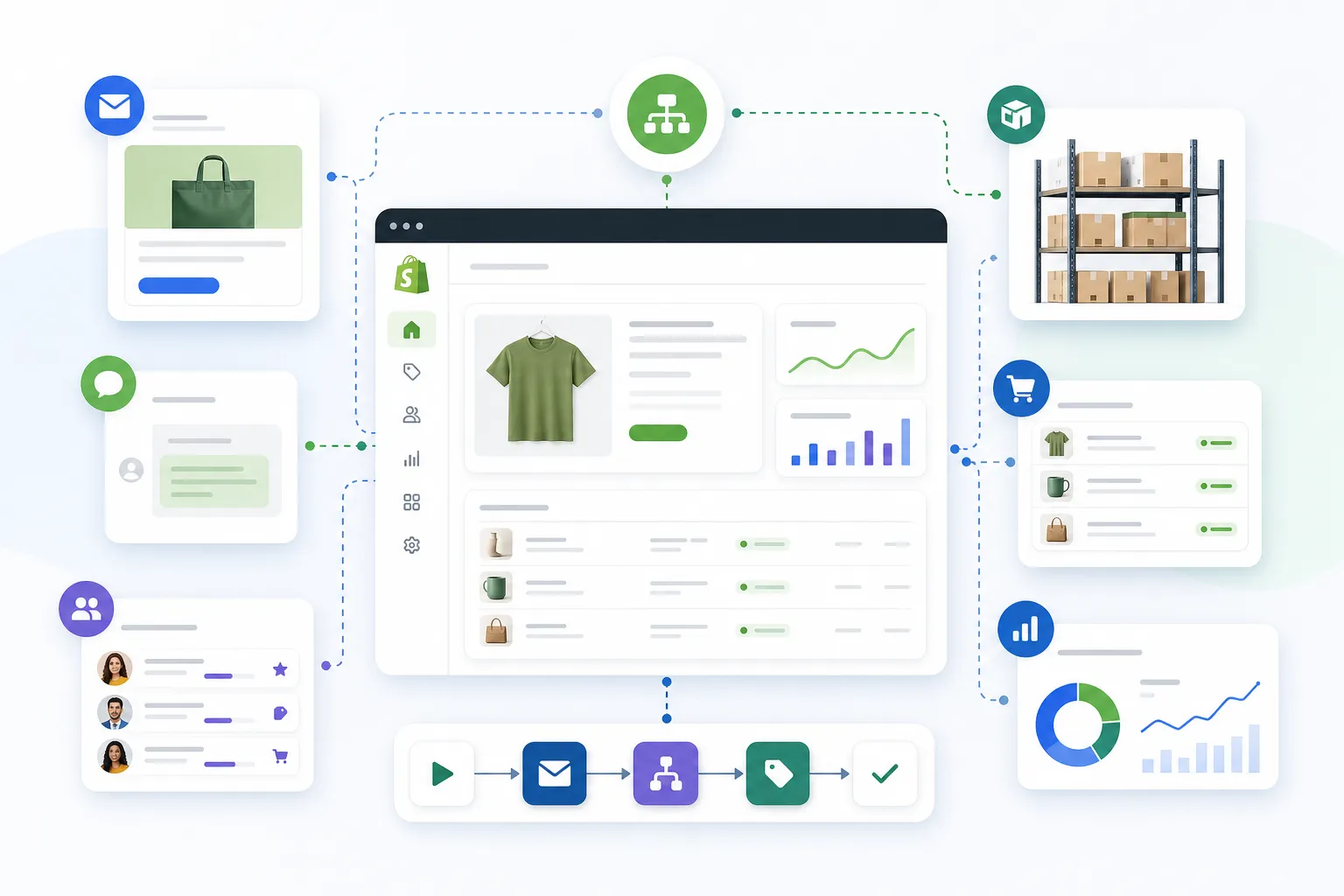
TL;DR: there's a template for that
Why Shopify marketing automation matters more than ever
Most competing articles focus almost entirely on email flows. That is useful, but incomplete. Real store growth comes from connecting marketing actions to operational reality.
A welcome series is stronger when VIP tags, loyalty data, and product interest sync properly. A cart recovery flow is more effective when support teams get alerts for high-value abandoned checkouts. A win-back campaign works better when it excludes customers with open returns, recent support issues, or out-of-stock products.
That is where merchants often outgrow basic tools.
According to the Data & Marketing Association, as cited by OwlClaw’s email marketing statistics roundup, email marketing delivers an average ROI of $42 for every $1 spent.
"Email marketing delivers an average return on investment (ROI) of 4,200%, meaning businesses earn $42 for every $1 spent." - Data & Marketing Association
And according to Digital Applied’s 2026 marketing automation statistics roundup, 65% of B2C companies have implemented marketing automation.
"In the e-commerce sector, 65% of B2C companies have implemented marketing automation." - Digital Applied
The takeaway is not just “send more emails.” It is this: merchants that automate intelligently respond faster, personalize better, and create fewer manual bottlenecks.
What Shopify marketing automation actually includes
When people talk about Shopify marketing automations, they usually mean one of three layers.
1. Customer messaging automation
This is the familiar layer:
welcome emails
abandoned cart reminders
browse abandonment emails
post-purchase follow-up
review requests
win-back campaigns
SMS reminders and loyalty updates
These are important, but they are only one part of the system.
2. Customer data and segmentation automation
This is what makes messaging relevant:
tagging first-time vs repeat buyers
moving shoppers into VIP or high-intent segments
syncing zero-party data from forms
excluding recent refund or support cases from promotions
updating customer profiles based on product category interest
3. Operational automation that improves marketing results
This is the missed layer in most competitor content:
sending high-value cart alerts to Slack
logging campaign-driven orders to Google Sheets
updating internal teams when orders need special handling
preventing overselling that ruins a promotion
syncing product, customer, and fulfillment data across tools
If your team is still copying data by hand, chasing campaign issues in spreadsheets, or fixing disconnected app behavior, your marketing system is not really automated.
What competitors get wrong
A lot of “complete guides” on this topic make the same mistakes.
They reduce automation to email only
Email matters, but store growth depends on what happens around the email: tagging, syncing, reporting, inventory accuracy, and internal visibility.
They treat setup like a one-time project
In reality, automation is a living system. Segments change. app stacks evolve. New products, promotions, and channels create new workflow needs.
They ignore cross-functional ownership
Marketing, ops, CX, and fulfillment all affect campaign performance. If those teams are disconnected, even good email strategy underperforms.
They assume merchants want to build logic from scratch
Most store operators do not want to engineer complex workflows manually. They want to describe what they need accomplished and get a working automation quickly.
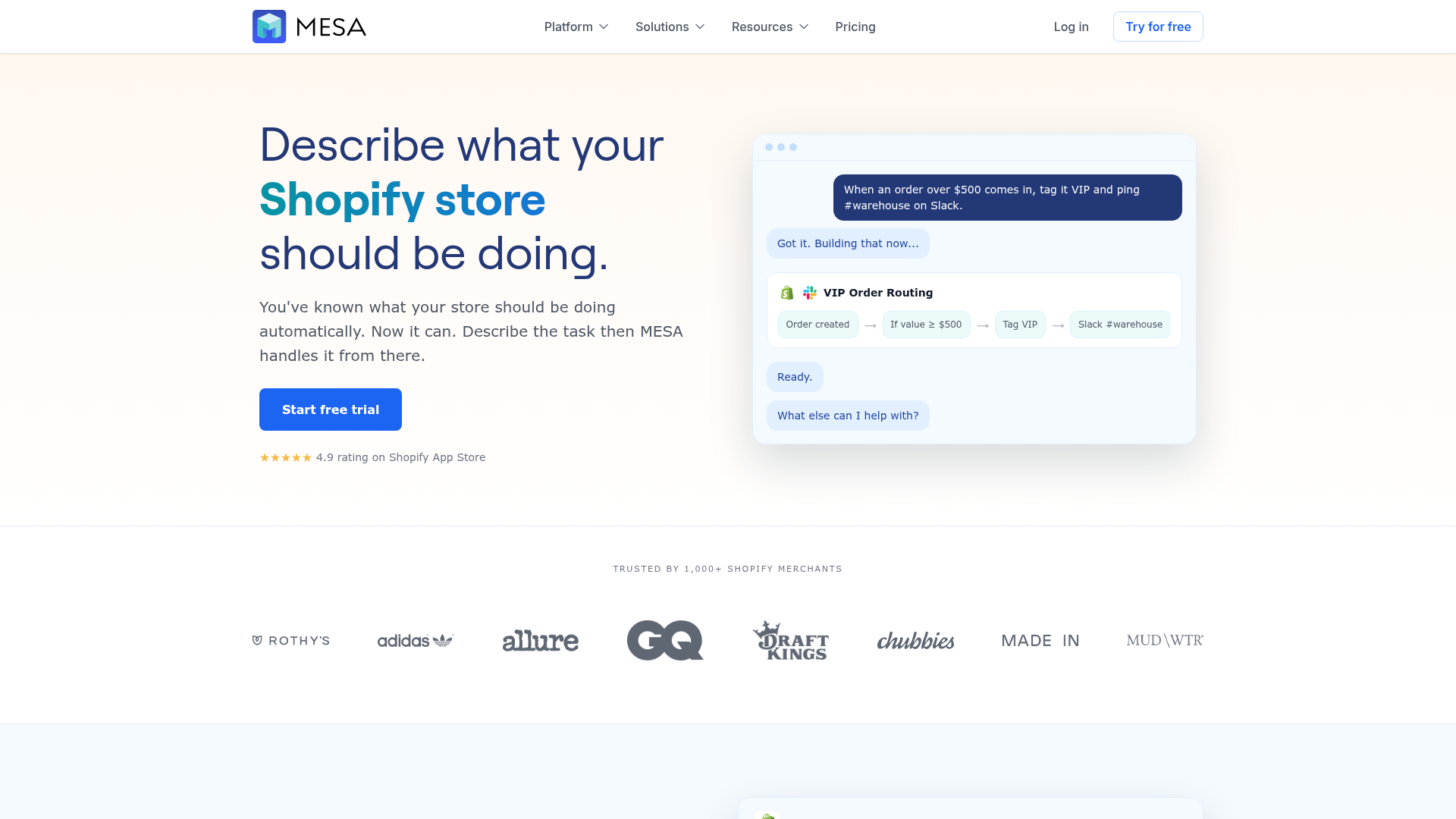
That is exactly why platforms like MESA are gaining traction with serious Shopify merchants. Instead of requiring custom development, MESA helps teams launch multi-step automations quickly, connect 100+ ecommerce tools, and reduce backlog with ready-made workflows or plain-English workflow creation through MESA’s AI assistant.
Shopify’s native automation tools: useful, but limited
Shopify itself offers real automation options. According to Shopify’s help documentation for Shopify Messaging marketing automations, merchants can create automations for abandoned browse, abandoned cart, abandoned checkout, welcome subscribers, post-purchase messages, and win-back flows.
That is a solid starting point.
What native Shopify automations do well
simple abandoned cart and browse recovery
welcome and post-purchase templates
direct access inside Shopify
easy activation for smaller stores
Where merchants hit limits
As stores grow, they often need:
more branching logic
deeper app connectivity
cross-team notifications
custom conditions
operational side effects beyond email or SMS
flexible reporting and error handling
That is where a more flexible Shopify automation platform becomes the logical next step.
The highest-impact automations for Shopify growth
If you want practical wins, start here.
Welcome flow automation
A welcome flow should do more than send a discount code.
A strong welcome automation can:
send different offers based on signup source
tag customers by collection or quiz interest
alert a rep when a wholesale lead submits a form
add customer data to CRM or Sheets
trigger follow-up if no purchase happens within a set window
This is where marketing and operations start to merge in a useful way.
Browse and cart recovery
Competitors cover this one, but usually too narrowly.
A better recovery system can:
separate browsers from cart abandoners
treat high-AOV carts differently
pause messages if items go out of stock
notify support or sales on priority carts
log recovery attempts for reporting
Shopify supports basic browse, cart, and checkout recovery through Shopify Messaging, but many merchants need more nuance than template-level reminders.
Post-purchase and repeat purchase flows
This is one of the most underused profit levers in ecommerce.
Useful post-purchase automations include:
tagging first-time buyers for onboarding
sending education based on product purchased
prompting review requests after delivery
surfacing replenishment timing
moving repeat buyers into loyalty or VIP treatment
alerting CX teams when premium customers order
For stores with complex fulfillment or multiple systems, post-purchase flows often benefit from broader customer experience automation, not just a single email app.
Win-back and reactivation
Most win-back campaigns fail because they are too generic.
A better approach looks at:
time since last order
product category purchased
average order value
return history
loyalty status
current stock and merchandising priorities
That way, the message is not just “we miss you.” It is relevant.
Retention flows like this are one of the cheapest ways to grow, because every repeat order spreads your acquisition spend further. See more ways to lower customer acquisition costs on Shopify.
Internal campaign support automations
This is where MESA becomes especially valuable for operationally busy teams.
Examples:
send Slack alerts when VIP customers abandon carts
record campaign-attributed orders in Google Sheets
tag orders tied to influencer or loyalty campaigns
trigger support follow-up for unusual checkout behavior
create operational alerts when promotions risk inventory issues
For merchants juggling multiple tools, these workflows often matter just as much as the front-end marketing messages.
How to choose the right Shopify marketing automation setup
Not every store needs the same stack. Here is a practical way to think about it.
Store stage | What usually works | Common limitation |
|---|---|---|
Early-stage store | Native Shopify automations and basic email flows | Limited customization and app coordination |
Growing brand | Email/SMS platform plus better segmentation | Manual ops still create friction |
Operationally complex store | Cross-app workflows, alerts, syncing, reporting | Simpler tools become brittle |
Enterprise or multi-team brand | Multi-step automations with governance and support | Requires scalable, flexible workflow management |
Use native tools if:
your flows are simple
you only need basic email/SMS automations
your app stack is still light
few teams touch the customer journey
Consider MESA if:
you want to automate without custom dev work
you need workflows beyond messaging
you have multiple apps that must stay in sync
campaign success depends on ops accuracy
your team wants human help designing workflows
you want faster deployment using templates instead of starting from zero
MESA is especially useful when merchants need to automate repetitive Shopify tasks quickly, reduce manual operational work, and scale without waiting on engineering. Its 300+ templates, app ecosystem, and AI-assisted workflow creation make it much easier to move from “we should automate this” to a live process.
A practical workflow map for busy ecommerce teams
Here is a simple way to frame the system.
Trigger
A customer subscribes, views a product, abandons a cart, completes an order, or becomes inactive.
Decision layer
The workflow checks things like:
customer segment
order value
inventory status
loyalty tier
app-specific data
recent support or return activity
Action layer
Then it does the useful work:
send an email or SMS
tag the customer or order
update a spreadsheet
notify Slack
create follow-up tasks
sync data into another system
delay or prevent conflicting actions
This is why robust automation is not just “marketing software.” It is a store operations advantage.
Real examples of smarter Shopify marketing automations
Here are examples that operators can actually use.
Example 1: High-value cart recovery with team visibility
Customer abandons a cart over $300
Wait 45 minutes
Send recovery email
If still no purchase after 12 hours, send Slack alert to CX team
If inventory drops below threshold, pause follow-up
Example 2: Campaign reporting without spreadsheet chaos
Customer converts from a campaign-specific promo path
Order is tagged automatically
Line item, discount, and customer data are pushed into Google Sheets
Daily summary is sent to marketing lead
Example 3: Better post-purchase follow-up
First-time customer buys skincare bundle
Customer is tagged by product category
Educational follow-up sends after 3 days
Review request sends after delivery
Repeat-purchase reminder sends on replenishment timing
VIP segment updates after second order
Example 4: Preventing bad promotional experiences
Marketing campaign launches for a collection
Workflow checks low-stock items
Ops team receives alert if thresholds are at risk
Products are excluded or flagged before customers hit oversell situations
This kind of workflow helps marketing performance because it prevents preventable errors.
Where MESA fits better than simpler automation tools
There is nothing wrong with basic automation tools. The issue is not that they are bad; it is that they often stop where serious merchants need them to continue.
MESA is a better fit when your team needs to:
automate across departments, not just channels
build multi-step Shopify workflows without a developer
connect Shopify with operational systems and marketing apps
use templates for speed but still customize logic
reduce manual error in order handling, reporting, alerts, or syncs
get real human support when a workflow needs refinement
That is why many merchants use MESA not only for “marketing automation,” but for all the workflows that make marketing actually perform: order tagging, reporting pipelines, follow-up logic, stock-aware workflows, and app coordination.
If your current setup is creating friction between email, operations, inventory, and internal teams, MESA’s AI-powered automation workflows can remove a surprising amount of busywork.
Common mistakes to avoid
Automating weak messaging
Automation cannot rescue irrelevant offers or poor positioning.
Building without clean triggers
If your trigger logic is messy, the workflow will scale mistakes.
Ignoring inventory and ops
Promotions fail fast when stock, fulfillment, and marketing are disconnected.
Over-segmenting too early
More segments do not always mean better performance. Start with meaningful distinctions.
Treating reporting as optional
If you cannot see what the workflow changed, you cannot optimize it.
Assuming every problem needs custom development
In many cases, merchants just need to describe what should happen and let a Shopify-first automation platform turn that into a working workflow.
A simple rollout plan for your store
If you want to improve Shopify marketing automation without overcomplicating it, use this sequence:
Phase 1: Fix the obvious revenue leaks
welcome flow
browse/cart recovery
post-purchase follow-up
win-back basics
Phase 2: Improve segmentation and exclusions
first-time vs repeat
VIP vs standard
category interest
support/return exclusions
out-of-stock logic
Phase 3: Add internal automations
Slack alerts
Sheets reporting
CRM sync
order tagging
inventory-aware campaign safeguards
Phase 4: Optimize and expand
test timing and branching
reduce duplicate workflows
unify app behavior
build templates for repeatable campaign ops
This phased approach is usually far more effective than trying to automate everything at once.
Final verdict
Shopify marketing automation is not just about sending better emails. It is about building a store that reacts intelligently to customer behavior while reducing manual work behind the scenes.
That is the big content gap most competitor articles miss.
The merchants who grow most efficiently are not simply the ones with more campaigns. They are the ones with fewer manual handoffs, better data flow, faster internal response, and automations that support both customer experience and store operations.
If your store has outgrown one-dimensional automations, MESA is the practical next step. You can launch fast with templates, build more advanced workflows without custom development, and describe what you need accomplished instead of stitching together fragile logic by hand.
To see what that looks like in practice, start with MESA’s workflow templates library or explore a free trial on getmesa.com.
FAQ
Why do 90% of people doing Shopify with FB ads fail?
Most fail because they focus only on traffic and ignore the rest of the system. Without strong follow-up automation, clear offers, accurate data, and a store experience that converts, paid traffic becomes expensive very quickly.
Can you make 10k a month on Shopify?
Yes, but it usually requires more than just getting visits. Stores that reach consistent revenue tend to combine good merchandising, conversion-focused pages, retention flows, and operational automation so customers buy again and teams do less manual work.
Does Shopify have automation?
Yes. Shopify offers native automations for things like abandoned browse, abandoned cart, abandoned checkout, welcome emails, and some post-purchase flows. As stores grow, many merchants add a platform like MESA for more complex multi-step workflows and broader app coordination.
How much does Shopify take from a $100 sale?
That depends on your Shopify plan, payment provider, and any applicable transaction fees. The practical takeaway is that merchants should focus not only on fees, but also on improving conversion, retention, and operational efficiency so each sale is more profitable.
