Keeping your Shopify customer list up to date in HubSpot can get messy fast. Between new signups, first-time buyers, and loyal returners, things slip through the cracks. Missed connections mean missed opportunities for marketing and support.
This article lays out a simple workflow to link Shopify and HubSpot so every new customer lands right where you need them. You’ll see exactly what steps to take, why syncing matters, and clever ways to put this connection to work for your business.
When you finish, you'll know, step-by-step, how to set up this workflow so you get more out of your Shopify and HubSpot investment.
TL;DR: Skip the step-by-step tutorial. Use this template to sync new Shopify customers to Hubspot with just a few clicks.
Step-by-step guide: Sync new Shopify customers to HubSpot contacts
Time needed: 5 minutes.
Getting your Shopify customers into HubSpot isn’t complicated. We'll walk through setting up this simple workflow that handles everything for you.
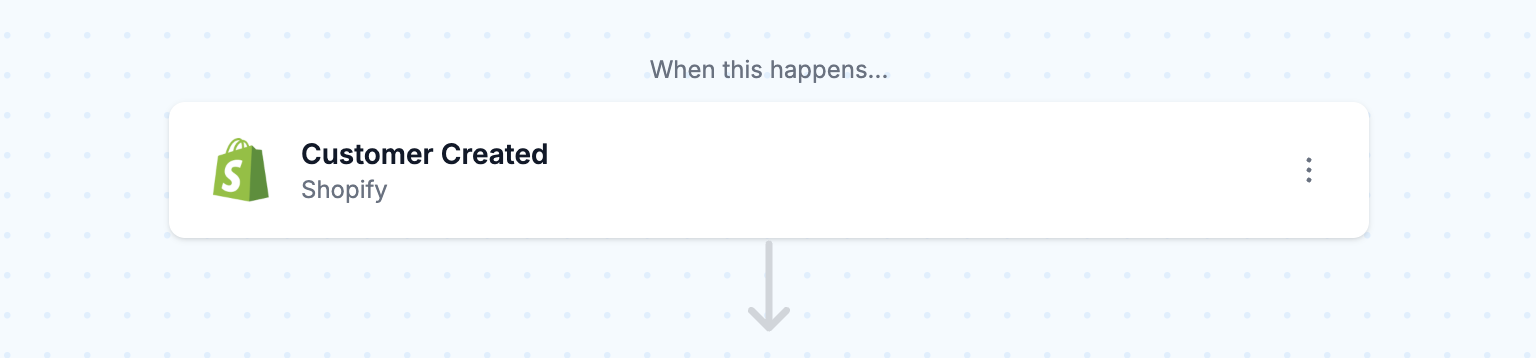
- Shopify customer created
Set up the workflow trigger, Shopify Customer Created, to run whenever a new customer account is created in Shopify.
- Create HubSpot contact
Next, add the action to create a HubSpot contact based on the following Shopify customer fields. Click the [<>] button for each field to open the Variable Selector side sheet. From there you can add the right data variables to each field.
- Customer’s email address
- Customer’s first name
- Customer’s last name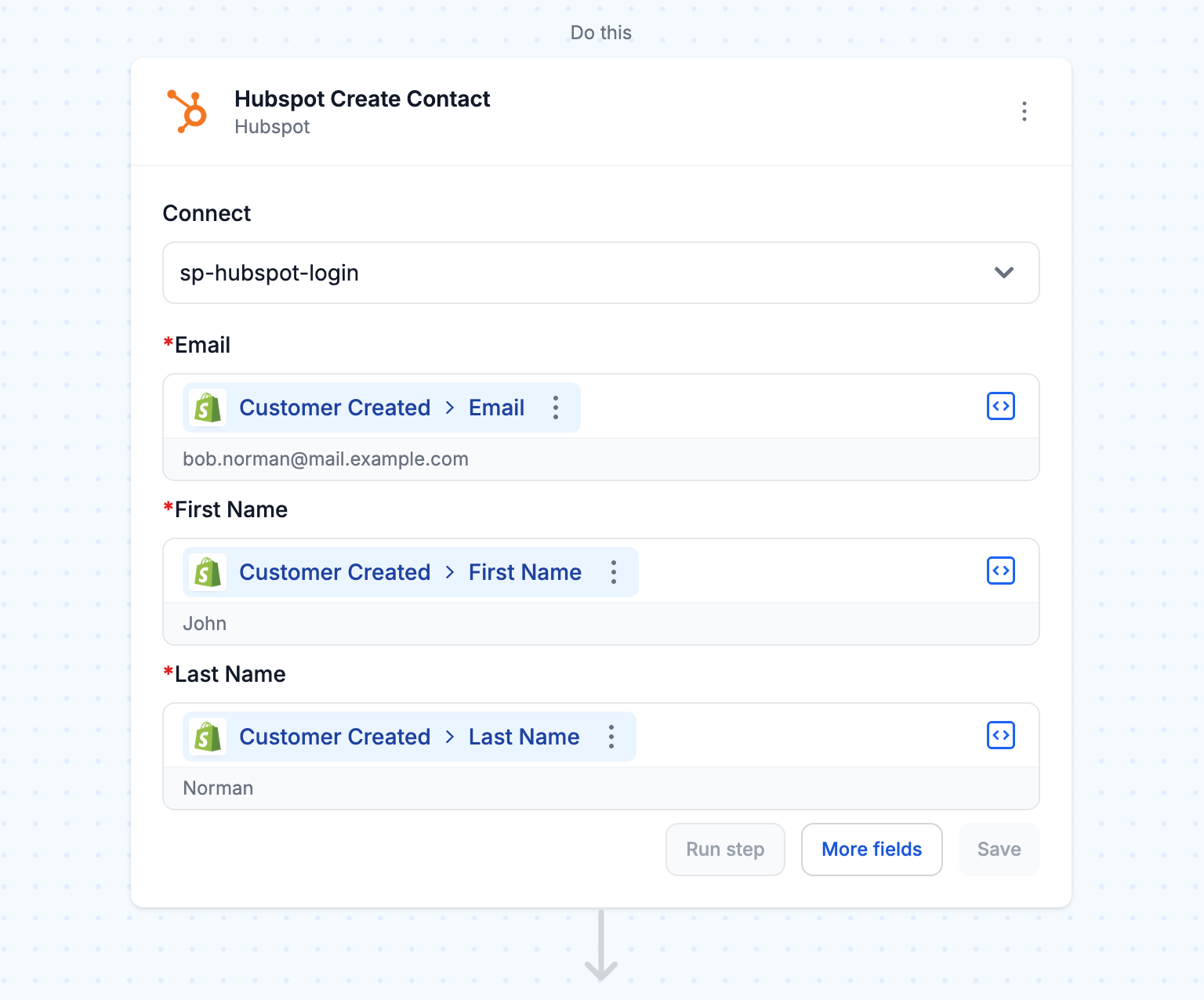
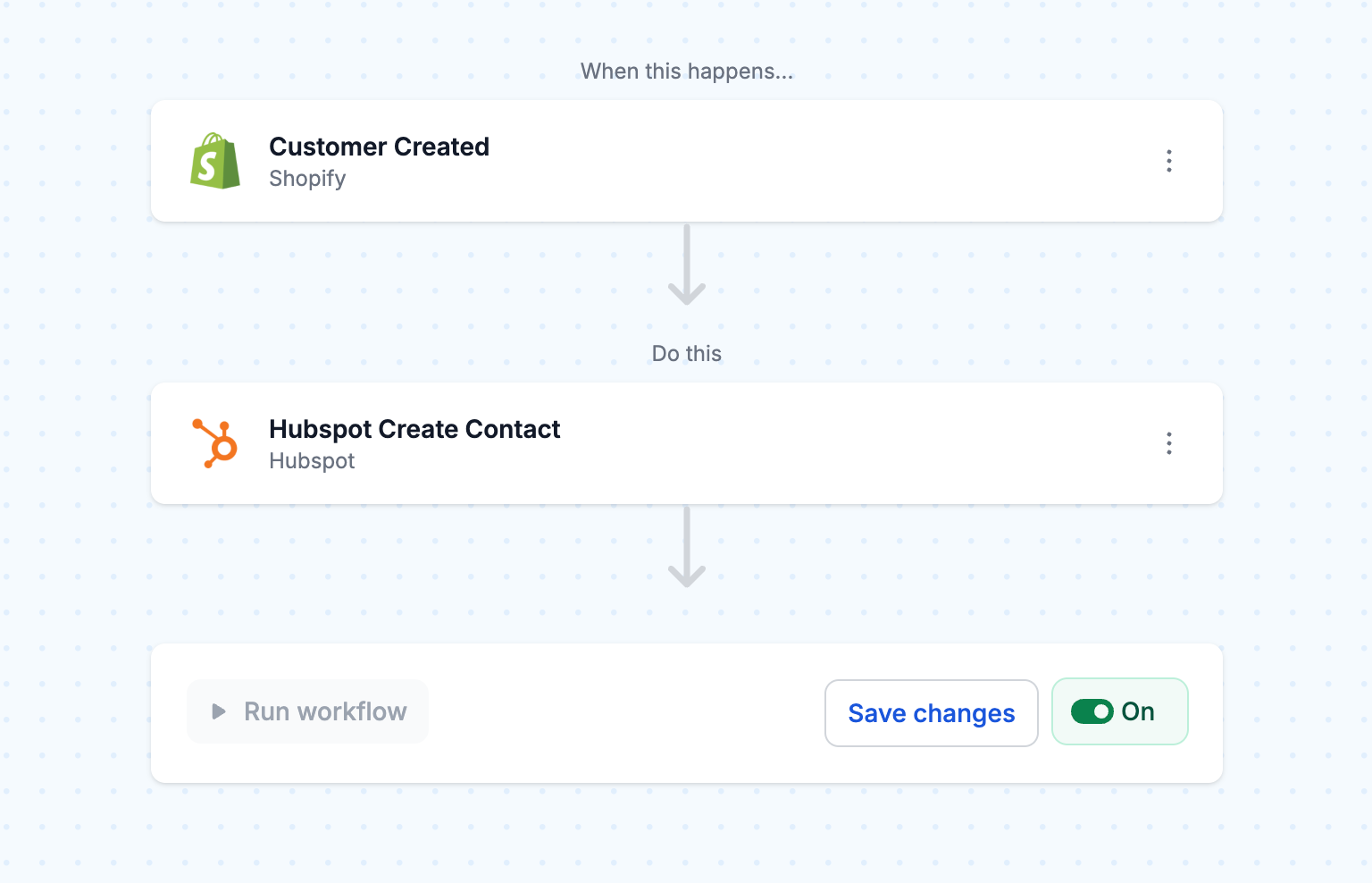
- Turn workflow "On"
Enable the workflow by turning it "On" and run the workflow once as a test. Verify that the contact is created in HubSpot with the correct information before letting it run automatically.
Save yourself the setup. Use this template instead:
Related workflow templates:
Reasons to sync Shopify customers to HubSpot
Imagine you run a busy online shop and people buy from you all day long. One shopper, Sarah, picks up a sweater but you want to reach her with news about your next collection. If her details sit in Shopify but not HubSpot, your marketing plans stall or you lose track of her customer journey.
Syncing makes sure every new customer flows right into HubSpot the moment they hit “buy.” The benefits add up fast:
- Send emails that make sense: You can reach shoppers based on what they actually bought, not just a generic list.
- Track every step: See the full path from first click to loyal repeat buyer.
- Build clever campaigns: Segment your contacts and run targeted outreach instead of one-size-fits-all blasts.
- Support gets easier: Your team sees the whole story—what someone ordered, when, and how often—right in HubSpot.
At MESA, we see merchants let go of manual updates and spreadsheet headaches when their systems work together.
If your sales team works in Salesforce rather than HubSpot, the same idea applies. Here is how to sync new Shopify customers to Salesforce contacts automatically, including guest checkouts and custom field mapping.
Tips on making the most of your Shopify-HubSpot connection
1. Add custom properties for better segmentation
Plugging in just name and email works, but why stop there? Map extra fields like customer tags, total spent, or favorite products. These details let you create campaigns that feel personal. For instance, tag your eco-conscious buyers and keep them in the loop about your latest green products.
2. Use purchase data to trigger automated workflows
Let HubSpot work for you. Set up workflows that fire off when people buy certain things. Maybe you want to welcome new buyers or reward regulars with perks. Our Shopify to HubSpot integration makes it simple to build these touches into your daily business without manual effort.
3. Combine customer and order data for complete visibility
Take things further by linking not just customer profiles, but their purchase history too. With MESA, you can sync customers and deals so your team knows both who bought and what they bought. This helps sales teams spot upsell chances and gives support a full picture fast.
Frequently Asked Questions
Will existing Shopify customers sync to HubSpot?
This setup only brings in new customers. To add old ones, run a one-time backfill.
What happens if a customer already exists in HubSpot?
HubSpot matches on email and updates the contact if needed, so no duplicate contacts pop up. You could also extend this workflow using Paths for advanced logic.
Can I sync more fields than just name and email?
Yes! MESA lets you map any Shopify field to HubSpot. Popular picks include phone numbers, addresses, tags, and even customer lifetime value. When creating the contact in Hubspot, click the “More fields” button to reveal all the contact properties available. Then, simply assign those field the appropriate values or data variables from previous step.
How quickly do new customers appear in HubSpot?
Usually within seconds. This speed means you can trigger immediate welcome emails or other automated actions.
Do I need technical skills to set this up?
Nope. MESA’s drag-and-drop builder makes the whole process click-and-go. Just pick your settings and let the platform handle the rest.
