Best Inventory Management for Shopify in 2026
-
- •
- Jun. 29, 2026
- •
- 11 min read

If you run a growing Shopify store, inventory management stops being a simple stock-counting exercise much sooner than most teams expect. The real challenge is not just knowing what is in stock. It is keeping products, bundles, suppliers, purchase orders, warehouse activity, sales channels, alerts, and downstream apps aligned without your team living in spreadsheets.
The best inventory management for Shopify in 2026 depends on what problem you actually need to solve. Some merchants need better forecasting. Others need cleaner multi-location visibility, marketplace sync, bundle logic, or automation that fixes inventory issues before they become oversells, stockouts, or fulfillment delays. For many teams, the winning setup is not just an inventory app. It is inventory software plus workflow automation that connects Shopify to the rest of the business.
To make the right choice, you need to evaluate inventory tools through an operational lens: what they track, what they automate, what they connect to, and how well they scale as your store gets more complex.
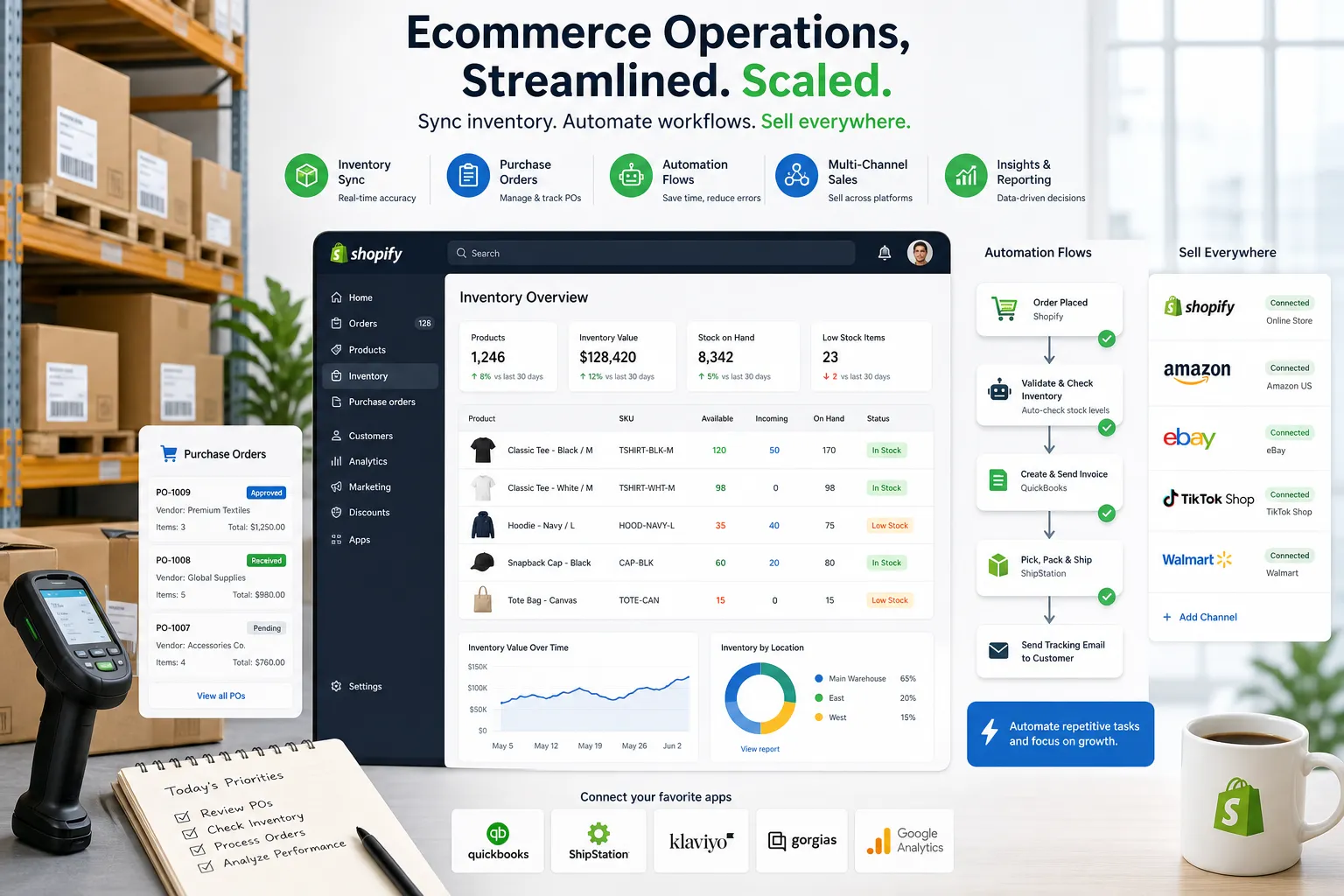
Table of Contents:
The short answer: what is the best inventory management for Shopify?
For most merchants, the best inventory management with Shopify is the setup that gives you four things at once: accurate stock visibility, reliable replenishment logic, clean sync across channels and locations, and automation around the exceptions.
If your store is still relatively simple, a focused inventory app may be enough. But if your team is manually updating spreadsheets, checking supplier emails, pushing alerts into Slack, reconciling bundle components, or fixing broken data between Shopify and other tools, the best inventory management Shopify setup usually includes automation. That is where a platform like MESA’s Shopify inventory management automation becomes valuable, because it helps merchants describe what they need accomplished and turn that into live workflows without waiting on custom development.
Why inventory management with Shopify gets difficult fast
Shopify does a strong job with core commerce. It handles products, orders, customers, and native inventory availability well enough for many small stores. But as operations grow, inventory becomes interconnected with processes that do not live neatly inside Shopify alone.
Common complexity points include:
-
inventory across multiple warehouses or retail locations
-
bundles and kits with shared component SKUs
-
supplier lead times and purchase order timing
-
preorders, backorders, and split shipments
-
wholesale and DTC inventory allocation
-
marketplace syncing across Amazon, Etsy, TikTok Shop, or eBay
-
low-stock alerts that need to trigger action, not just a notification
-
returns, damaged goods, and manual adjustments
-
reporting delays caused by disconnected systems
This is why many brands outgrow “basic stock tracking” before they outgrow Shopify itself.
“Global retailers lost approximately $1.73 trillion due to inventory distortion.” – IHL Group’s 2025 Inventory Distortion Study, cited by EightX’s inventory distortion coverage
The takeaway is simple: poor inventory control is expensive, and the cost usually shows up in missed revenue, excess stock, manual labor, and customer frustration.
What to look for when evaluating Shopify inventory tools
The best inventory management for Shopify is not the tool with the longest feature list. It is the one that matches how your operation actually runs.
Real-time stock visibility
You need trustworthy inventory data across locations, channels, and systems. If stock changes in one place but updates late somewhere else, overselling becomes almost inevitable.
Forecasting and reorder support
Growing teams need help knowing what to reorder, when, and in what quantity. Forecasting does not have to be “AI” to be useful, but it does need to account for sales velocity, seasonality, lead time, and safety stock.
Bundle and component logic
If you sell kits, packs, or multipacks, your system needs to deduct the right child SKUs automatically. This is where many basic setups break.
Purchase order and supplier workflows
Good inventory management with Shopify should support replenishment decisions, not just display counts. That means PO creation, supplier tracking, receiving, and adjustment history.
Multi-channel and multi-location support
If you sell beyond one online storefront, inventory accuracy depends on timely synchronization across every sales and fulfillment point.
Automation around exceptions
This is the feature many comparison posts underplay. Inventory apps can track stock, but operational problems happen in the exceptions:
-
when an item drops below threshold
-
when a bundle component goes unavailable
-
when a supplier shipment is delayed
-
when a high-value SKU oversells
-
when a warehouse adjustment needs manager review
-
when inventory data needs to flow into Slack, Google Sheets, ERPs, or 3PL tools
That is where automation creates the biggest operational leverage.
Quick comparison of the best inventory management Shopify options
|
Tool |
Best for |
Strengths |
Considerations |
|---|---|---|---|
|
Shopify native inventory |
Small stores with simple needs |
Built in, easy to start, no extra tool |
Limited forecasting, limited workflow depth |
|
Stockful |
Replacing Stocky-style reporting |
Forecasting, analytics, inventory history |
More analytics-focused than operational |
|
Prediko |
DTC demand forecasting |
AI forecasting, PO planning, revenue forecasting |
Shopify-centric, less operational breadth |
|
Fabrikatör |
Fast PO automation and backorders |
Forecasting, backorders, supplier planning |
Better for replenishment than wider ops orchestration |
|
Katana |
Manufacturing and assembly |
BOMs, production planning, raw materials |
Best for makers, not general retail |
|
SKULabs |
Warehouse-heavy operations |
Barcode workflows, shipping, multi-channel ops |
Higher cost and operational complexity |
|
Sumtracker |
Multi-channel sync and bundles |
Reliable stock sync, bundle logic |
Less suited for deep fulfillment automation |
|
Trunk |
Budget multi-channel stock sync |
Affordable, easy to deploy |
Lighter analytics and workflow capability |
|
Cin7 Core |
Larger complex businesses |
ERP-style depth, B2B, purchasing |
Expensive, heavier setup |
|
MESA |
Teams that need inventory workflows automated around Shopify |
Connects Shopify with 100+ apps, handles alerts, syncs, reporting, exceptions, and multi-step automation without dev work |
Best as the automation layer that makes your inventory stack actually run smoothly |
Best-fit recommendations by merchant type
Best for simple single-store operations
If you are running one storefront, a small catalog, and limited supplier complexity, Shopify’s native tools plus a lightweight alerting or analytics app can still work.
Best for forecasting-focused DTC brands
Prediko, Stockful, and Fabrikatör are strong options if your biggest challenge is replenishment planning rather than operational complexity.
Best for makers and manufacturers
Katana is the better fit when production planning, raw materials, and bill of materials matter as much as sellable inventory.
Best for multi-channel sync
Trunk and Sumtracker are attractive if your top priority is preventing channel oversells.
Best for operationally complex Shopify merchants
When your team has already added Slack alerts, spreadsheets, returns workflows, warehouse checks, customer notifications, supplier updates, and app-to-app handoffs around inventory, you need more than a stock app. You need connected workflows. MESA fits this layer well because it lets merchants automate repetitive inventory tasks without requiring a developer, while still supporting complex multi-step logic.
What competitors get wrong
Most “best inventory management for Shopify” lists make the same mistake: they compare apps as if inventory exists in isolation.
That misses how ecommerce operations really work.
A merchant does not just need to know that SKU A has 7 units left. They need to know what should happen next:
-
Should a Slack alert go to the ops team?
-
Should a purchase request be created?
-
Should the SKU be hidden from a marketplace?
-
Should a preorder tag be applied?
-
Should a Google Sheet get updated for planning?
-
Should the support team be notified about expected delays?
-
Should high-risk orders with low-stock items be escalated?
This is the content gap most comparison posts gloss over. The real issue is not only choosing an inventory app. It is deciding how Shopify inventory events should trigger operational actions across the rest of your stack.
Why automation is now part of the inventory conversation
In 2026, the best inventory management with Shopify is increasingly hybrid: inventory software plus automation.
Automation matters because even strong inventory apps often leave teams to handle the follow-up manually. That creates lag, missed alerts, and process inconsistency.
With MESA, teams can describe what they need accomplished in plain English and quickly turn that into working workflows. Instead of asking a developer to stitch systems together, merchants can automate processes like:
-
low-stock alerts sent to Slack by product type or vendor
-
updating Google Sheets when inventory changes
-
tagging orders when inventory risk thresholds are met
-
sending fulfillment exceptions to a queue
-
pausing post-purchase campaigns for out-of-stock items
-
routing oversell scenarios to support before customers complain
-
syncing inventory-related data to ERPs, 3PLs, or reporting tools
-
notifying buyers when inbound inventory is delayed
This is especially useful for brands that have already outgrown one-size-fits-all apps but are not interested in building custom middleware.
Where MESA fits in a modern inventory stack
MESA is not trying to replace every inventory app on the market. It is the logical next step for merchants who need their Shopify inventory processes to work across systems, teams, and edge cases.
That makes it especially useful when you want to:
-
reduce manual operational work
-
avoid brittle spreadsheet processes
-
prevent overselling caused by delayed syncs
-
improve reporting and internal visibility
-
connect Shopify to fulfillment, ERP, CX, and planning tools
-
shorten the backlog of “we should automate this” requests
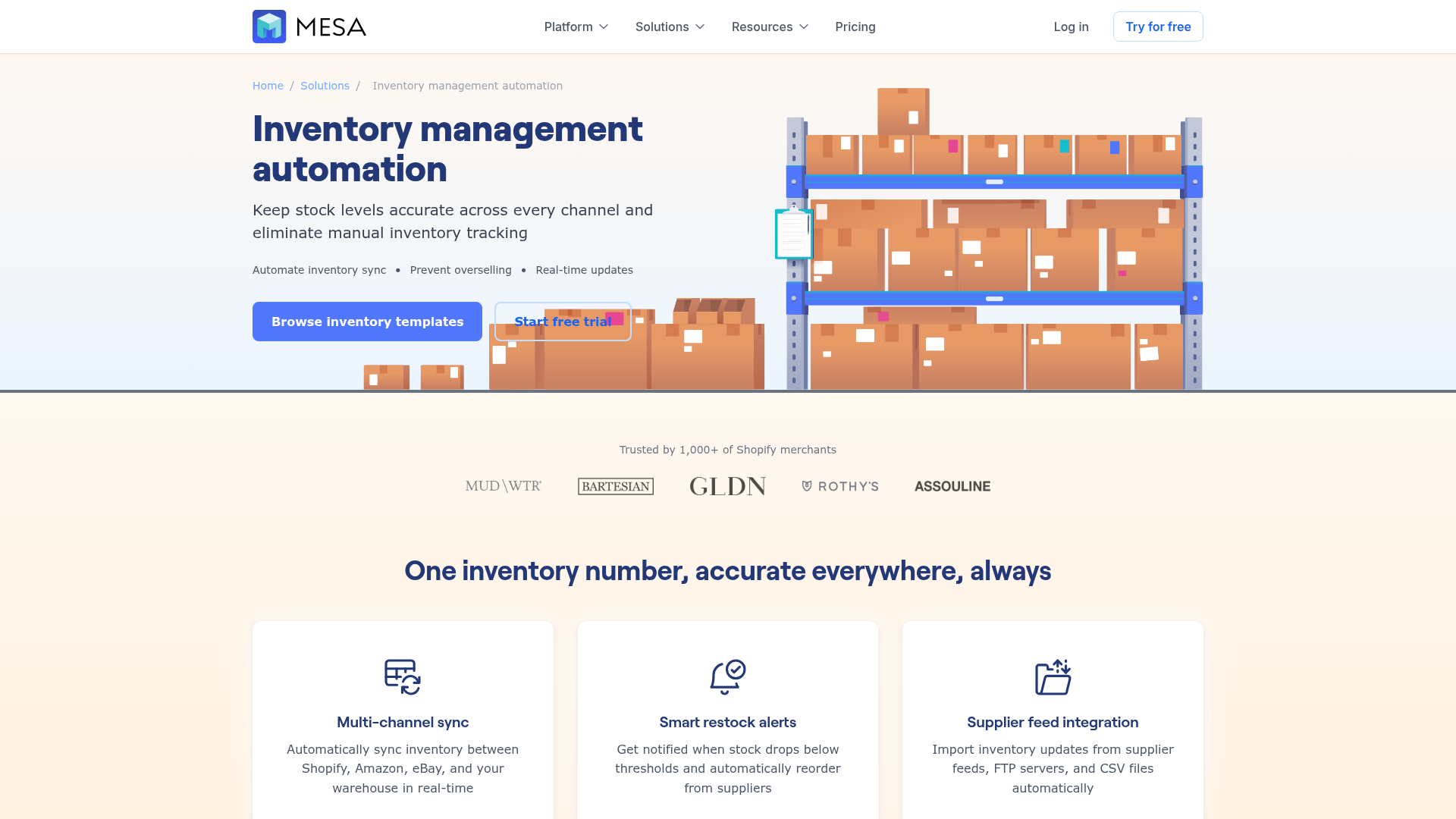
MESA’s strengths for inventory-related operations include:
Plain-English workflow creation
Instead of mapping every step manually from scratch, teams can describe what they need accomplished and get to a working automation much faster.
Complex multi-step workflows
Inventory issues rarely happen in a single app. MESA supports multi-step logic across Shopify and 100+ connected tools, which is essential when inventory changes need downstream action.
Ready-made templates
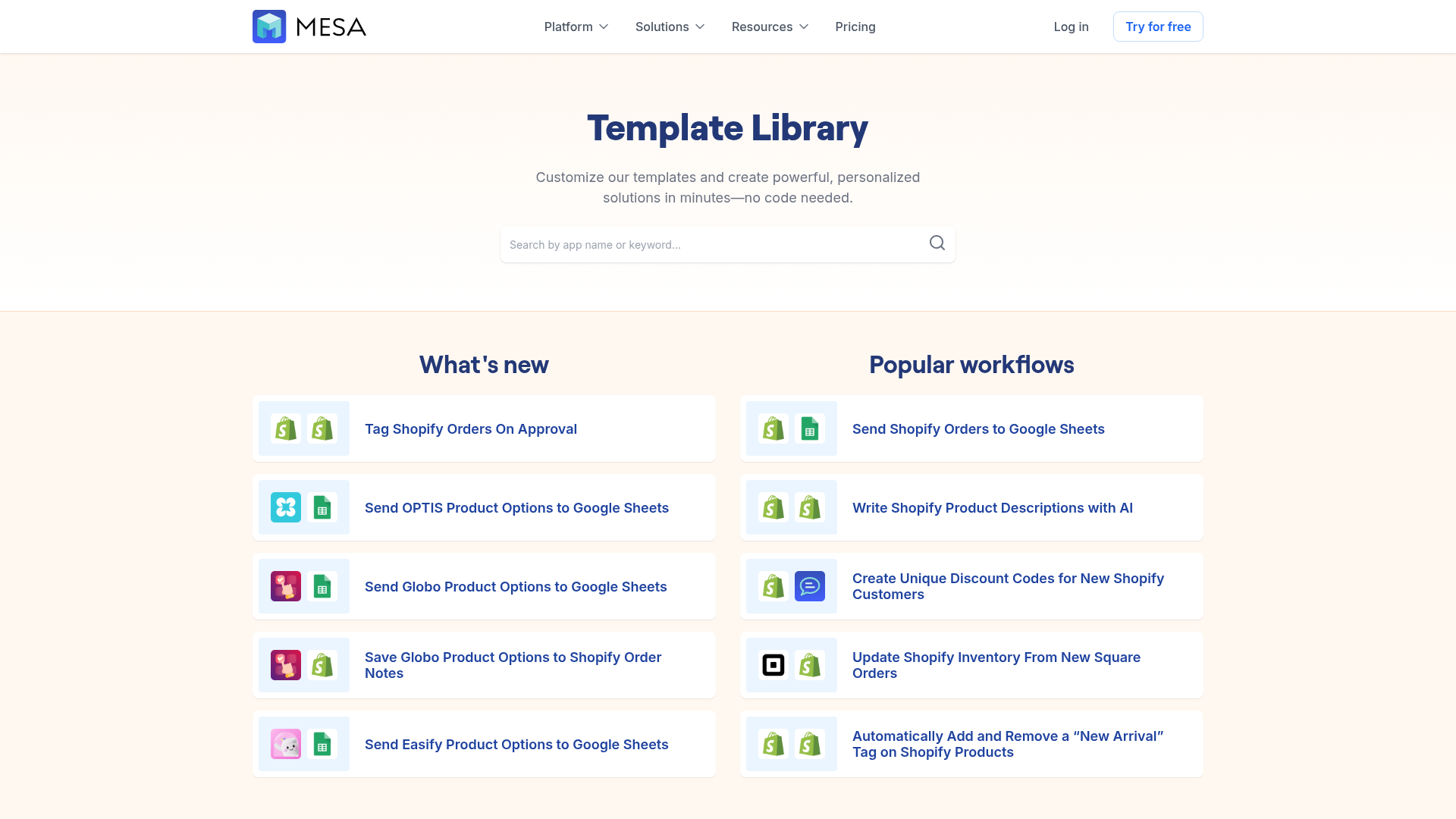
For common use cases, MESA offers a large template library so teams do not need to reinvent the wheel. You can browse Shopify automation templates to accelerate setup for alerts, reporting, data movement, and operational handoffs.
Human support
One of the biggest blockers to automation adoption is not software. It is uncertainty. MESA helps merchants with real human support for setup and optimization, which matters when workflows are business-critical.
Real-world workflows that improve inventory operations
Here are practical examples where MESA adds value to the best inventory management Shopify setup.
1. Low-stock escalation by vendor or priority SKU
When inventory falls below threshold, MESA can notify the right buyer in Slack or email, add a row to a planning sheet, and tag related products for review.
2. Oversell prevention across connected systems
If Shopify inventory drops sharply or a channel sync lags, MESA can trigger protective actions before a problem spreads.
3. Bundle inventory exception handling
When one component in a kit becomes unavailable, MESA can flag the bundle, notify merchandising, and trigger internal review workflows.
4. Inventory change logging for reporting
Instead of reconciling adjustments manually, MESA can push inventory events into Google Sheets or external systems for auditability and analysis.
5. Customer communication when stock issues affect orders
If an order includes a low-stock or backordered item, MESA can trigger support-side workflows so customers are contacted proactively.
6. Fulfillment and warehouse coordination
Inventory updates can route tasks to ops teams, 3PLs, or internal stakeholders without someone constantly checking admin screens.
The business case: why inventory accuracy affects more than stock
Inventory problems are not only a warehouse issue. They impact conversion, retention, and brand trust.
“62% of consumers have switched to a competing brand due to a stockout.” – DOSS study, reported by Retail Insider’s stockout findings
That means stockouts are not just lost orders. They can become lost customers.
The best inventory management for Shopify helps protect revenue in three ways:
-
it reduces avoidable stockouts
-
it prevents overselling and fulfillment delays
-
it helps teams act faster when exceptions happen
The app you choose matters, but your workflow design matters just as much.
A practical selection framework
If you are deciding between options, use this checklist.
Choose a focused inventory app if:
-
your core issue is forecasting or stock visibility
-
your workflows are still fairly simple
-
your team is not juggling many apps
-
most inventory follow-up can still be handled manually
Add automation if:
-
your team repeats inventory-related tasks every day
-
alerts are being missed or handled inconsistently
-
you depend on Slack, Sheets, ERPs, help desks, or 3PL tools
-
oversell risk increases when systems are out of sync
-
ops requests are piling up faster than developers can help
Consider a combined stack if:
-
you want best-in-class forecasting plus flexible workflows
-
your inventory app does not cover downstream actions
-
different teams own purchasing, fulfillment, CX, and reporting
-
you need systems to coordinate without constant manual intervention
A simple way to think about your next step
The best inventory management shopify decision is not always about replacing what you already have. Sometimes it is about making your current tools work better together.
If your existing inventory app gives you decent visibility but your team still spends hours chasing edge cases, sending alerts, updating sheets, fixing sync issues, or managing exceptions manually, the gap is probably not another dashboard. The gap is automation.
Final verdict
The best inventory management for Shopify in 2026 is the one that helps your team maintain accuracy, move faster, and reduce operational drag as complexity grows.
If you only need basic stock control, Shopify-native tools or a lightweight app may be enough. If you need forecasting, look at purpose-built inventory tools. But if your real pain is everything that happens around inventory, such as alerts, syncs, reporting, channel coordination, fulfillment exceptions, and customer communication, MESA is often the missing layer.
MESA helps Shopify merchants automate repetitive work, describe what they need accomplished in plain English, and launch real workflows quickly without waiting on custom development. It connects Shopify with the tools your team already uses, reduces manual effort, and helps prevent the operational errors that show up when inventory processes stay disconnected.
If you are ready to make your inventory operations more reliable, start by exploring MESA’s inventory automation capabilities or try a ready-made workflow from the template library.