Workflow Management Automation Benefits in 2026
-
- •
- Jun. 13, 2026
- •
- 13 min read

If your Shopify team is still copying order data between apps, checking inventory by hand, chasing fulfillment exceptions in Slack, and patching broken spreadsheets late at night, you do not have a staffing problem as much as a workflow problem. That is exactly why workflow management automation matters in 2026: it removes repetitive operational work, keeps data moving reliably between systems, and helps growing ecommerce teams scale without piling on more manual tasks.
For merchants, the value is practical, not theoretical. Workflow management automation helps you automatically tag and route orders, sync inventory across tools, trigger post-purchase messages, notify teams about exceptions, update reporting, and keep customer data consistent without needing a developer every time something changes. And if you are using a Shopify-first platform like MESA’s AI-powered automation, you can often simply describe what you need accomplished and turn that into a live workflow quickly.
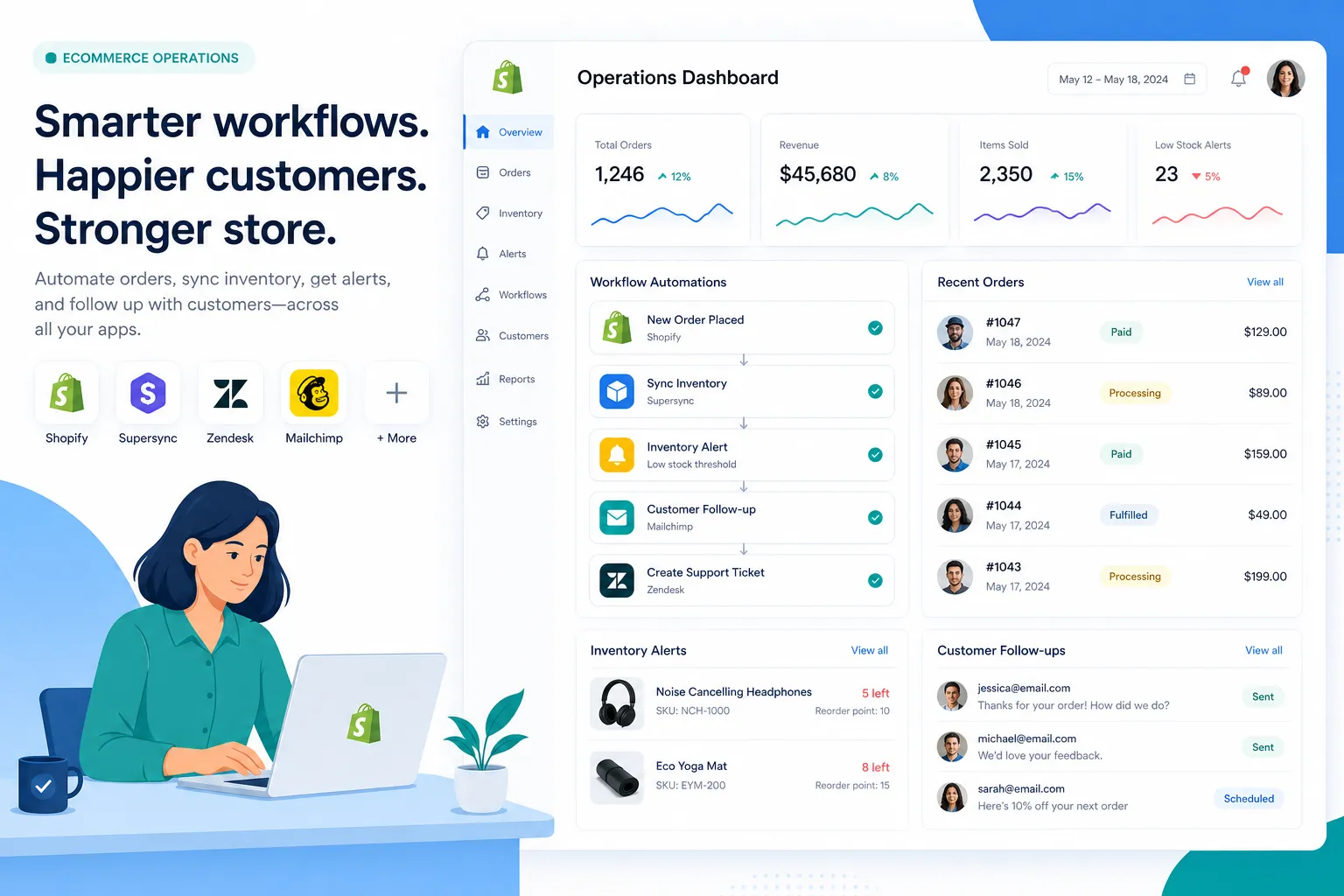
Table of Contents:
A quick answer: what is workflow management automation?
Workflow management automation is the use of software to automatically move work through a defined process based on triggers, rules, and business logic. In ecommerce, that means tasks like updating order records, alerting teams, syncing inventory, enriching customer data, and kicking off follow-up actions happen automatically instead of being done manually.
The best workflow automation tools in 2026 go beyond simple “if this, then that” logic. They combine integrations, multi-step logic, AI assistance, approvals, and monitoring so merchants can run more of their store operations with fewer errors and less operational drag.
Why workflow management automation matters more in 2026
The strongest competitor articles all agree on a few points: automation reduces manual work, improves speed, lowers errors, and helps companies scale. That is true, but most of them stay broad. They talk about enterprise transformation, AI agents, and orchestration layers without answering the question most Shopify operators actually have:
What does this change in my day-to-day store operations?
In 2026, the pressure on ecommerce teams is higher because the stack is bigger. A typical merchant may need Shopify to stay aligned with helpdesk tools, 3PLs, marketing platforms, ERP systems, spreadsheets, subscription apps, and internal communication channels. Manual coordination does not scale well in that environment.
“As of early 2026, approximately 18% of U.S. firms reported using AI in at least one business function, with expectations to reach 22% within six months.” – NBER
That matters because once automation becomes normal across business functions, merchants that still rely on manual handoffs tend to feel slower, noisier, and more error-prone than competitors.
The biggest benefits for Shopify and ecommerce teams
1. Less manual work and fewer repetitive tasks
The most immediate benefit is obvious: your team stops doing the same admin work over and over.
Examples:
-
Tagging VIP or wholesale orders
-
Sending internal alerts for high-risk orders
-
Routing returns to the right team
-
Updating Google Sheets or ERPs after fulfillment
-
Triggering customer follow-up after delivery
-
Logging issues when inventory drops below threshold
This is where a platform like MESA becomes useful for non-technical teams. Instead of waiting on custom development, merchants can use prebuilt automations, plain-English workflow creation, and guided support to get operational work off their plate faster.
2. Better accuracy across apps and systems
A lot of ecommerce mistakes are not strategic mistakes. They are process mistakes:
-
a missing tag
-
a late notification
-
a SKU mismatch
-
a spreadsheet that did not update
-
a customer segment that never synced
-
an order that slipped through an exception process
Workflow automation reduces those gaps by making the process consistent every time. If a workflow is triggered properly, it executes the same way at scale.
This is especially important when you are dealing with data integration for ecommerce operations across multiple tools. Reliable movement of order, product, customer, and fulfillment data is what keeps the rest of the business from breaking downstream.
3. Faster response times for operational issues
Automation is not just about labor savings. It is also about speed.
If a high-value order is placed, the right team can be notified instantly. If an item goes out of stock, a sync can happen immediately. If a delivery delay occurs, support can be alerted before customers start filing tickets. If a suspicious order pattern appears, the workflow can flag it for review.
That speed matters because ecommerce operations are full of time-sensitive moments:
-
orders need routing
-
fulfillment exceptions need attention
-
inventory levels need updating
-
customer comms need to happen while the context is still fresh
4. Easier scaling without proportional headcount growth
One of the clearest signs that a brand needs workflow management automation is when volume grows but operations stay dependent on the same manual checklists.
Without automation, growth creates:
-
more tabs
-
more Slack messages
-
more missed handoffs
-
more “Can someone check this?” requests
-
more delays in reporting and reconciliation
With automation, the workflow absorbs more of that volume. Your team still handles exceptions and strategy, but the repetitive routing, syncing, and notification work no longer expands linearly with order count.
5. Better customer experience after the purchase
A lot of automation content focuses on internal efficiency and forgets the customer impact. For ecommerce, that is a miss.
Operational automation improves customer experience by helping you:
-
send timely post-purchase updates
-
trigger follow-up messages based on fulfillment status
-
route support issues faster
-
prevent overselling
-
keep subscription, loyalty, and support data aligned
-
reduce “Where is my order?” confusion caused by disconnected systems
That is why workflow automation is not only an ops improvement. It is also a retention and reputation improvement.
6. Stronger reporting and operational visibility
When teams manage workflows manually, reporting is often delayed or incomplete. People update spreadsheets after the fact, key events get missed, and nobody fully trusts the numbers.
Automation helps create cleaner operational data by logging actions as they happen. This gives merchants better visibility into:
-
order exceptions
-
inventory events
-
support escalations
-
fulfillment timing
-
campaign-triggered purchases
-
workflow success or failure rates
And when reporting is part of the workflow rather than an afterthought, decision-making gets faster.
What workflow management automation actually looks like in ecommerce
Here is a practical view of how workflow automation shows up in a Shopify business:
|
Workflow area |
Manual process |
Automated version |
|---|---|---|
|
Order management |
Team checks orders and tags them manually |
Orders auto-tagged and routed based on value, SKU, channel, or customer type |
|
Inventory sync |
Staff updates systems after stock changes |
Inventory updates automatically across connected apps |
|
Fulfillment alerts |
Ops team watches for issues in dashboards |
Workflow sends alerts when delays, exceptions, or thresholds appear |
|
Customer follow-up |
Team sends messages ad hoc |
Post-purchase emails or support workflows trigger automatically |
|
Reporting |
Data copied into spreadsheets |
Sales, order, and ops data pushed to reporting tools in real time |
|
Returns and exceptions |
Tickets reviewed individually |
Workflows sort, notify, and escalate based on rules |
Where AI changes workflow automation in 2026
AI is one of the biggest reasons workflow management automation feels more accessible in 2026 than it did a few years ago.
Before, many tools expected users to think like builders: choose apps, map fields, define logic, and troubleshoot every branch manually. That still has value for advanced use cases, but busy ecommerce teams often need a faster path.
Now, AI-assisted automation lets merchants describe what they need accomplished and get a working workflow much faster. In MESA, that means store operators can use AI assistance through Yedric to turn plain-language requests into real workflows, then refine them as needed.
That matters because it lowers the barrier for:
-
operations managers
-
ecommerce leads
-
CX teams
-
fulfillment coordinators
-
growing brands without in-house developers
“According to a 2026 study by Alice Labs, AI automation has led to a 55.8% increase in coding task speed, demonstrating significant efficiency gains in business operations.” – Alice Labs
The exact use case in ecommerce is different from coding, but the broader takeaway is relevant: well-applied AI can shorten the distance between idea and execution.
The workflows merchants automate first
If you are new to workflow management automation, start with workflows that are repetitive, rule-based, and tied to real operational pain.
Order tagging and routing
Auto-tag orders based on:
-
product type
-
destination
-
risk signals
-
wholesale status
-
subscription status
-
preorder logic
Then route those orders to the right internal process.
Inventory updates and low-stock alerts
Keep systems aligned and notify the right team before problems become customer-facing. This is one of the most valuable use cases for merchants dealing with multi-app inventory complexity or fast-moving SKUs.
Post-purchase customer communication
Trigger follow-up emails, loyalty actions, review requests, or support notifications based on shipping or delivery events.
Exception handling and internal notifications
When something unusual happens, such as a delayed fulfillment, an order over a threshold, or a failed sync, the workflow can alert the right people immediately in Slack or email.
Spreadsheet and reporting automation
Many teams still rely on spreadsheets for operational visibility. That is fine, but updating them manually is not. MESA can help connect Shopify data with tools like Google Sheets so reporting stays current without extra effort.
Subscription, loyalty, and support data sync
Modern ecommerce stacks are interconnected. If customer status changes in one system, that often needs to update elsewhere too. Automation keeps those records in sync.
What competitors get wrong about workflow management automation
Most of the top-ranking content gets the basics right. The gap is in the practical advice.
They stay too generic
Competitor content often speaks in enterprise language:
-
digital transformation
-
strategic necessity
-
orchestration maturity
-
autonomous systems
That sounds impressive, but it does not help a merchant fix backorders, sync data, or reduce order exceptions this week.
They underplay workflow reliability
Many articles celebrate automation speed without talking enough about failure prevention. In ecommerce, broken data flows can create costly issues:
-
overselling
-
duplicate communications
-
missed orders
-
delayed fulfillment
-
inaccurate reporting
Good automation is not just fast. It is observable, maintainable, and dependable.
They assume technical confidence
A lot of automation writing subtly assumes the reader is comfortable with technical setup. Many ecommerce operators are not. They want outcomes, not architecture diagrams.
That is why MESA’s position is strong: it is built for Shopify merchants who need sophisticated multi-step automations without needing to build everything from scratch or hire developers for each operational improvement.
They do not emphasize support enough
One of the most overlooked truths in automation is that software alone is rarely the whole answer. Teams often need help defining logic, improving workflow design, or troubleshooting edge cases.
MESA stands out here because merchants are not left alone with a blank canvas. They can use templates, AI assistance, and real human support to get workflows live and optimized.
How to evaluate a workflow management automation tool
Not all automation platforms are equally useful for ecommerce. Here is what to look for.
Shopify-first depth
If Shopify is the center of your business, your automation tool should understand Shopify events, order logic, customer data, fulfillment processes, and common app ecosystems well.
Multi-step workflow support
You want more than a one-trigger, one-action tool. Real operations require branching logic, filters, approvals, delays, lookups, and fallback actions.
Strong app ecosystem
Your workflow platform should connect to the tools you already use. MESA supports 100+ ecommerce apps and operational tools, making it easier to automate across your existing stack instead of replacing it.
Fast setup options
Templates matter. If a platform offers hundreds of ready-made workflows, your team can launch common automations quickly and customize from there. MESA offers a large workflow automation template library that helps merchants get started without rebuilding common use cases from scratch.
AI-assisted creation
The faster you can go from “Here is what we need” to “This workflow is live,” the more likely automation will actually get adopted.
Human support
If a workflow breaks or needs optimization, can you get help from someone who understands ecommerce operations? That question matters more than flashy product claims.
A practical rollout plan for merchants
Step 1: Audit repetitive operational work
List the tasks your team repeats daily or weekly:
-
checking orders
-
exporting data
-
sending alerts
-
fixing sync issues
-
routing exceptions
-
updating customers
If a task repeats often and follows rules, it is a candidate for automation.
Step 2: Prioritize by business impact
Start with workflows that:
-
reduce high-frequency manual work
-
prevent expensive mistakes
-
improve customer experience
-
remove bottlenecks between apps
Step 3: Launch proven workflows first
Use existing templates or known patterns before building highly custom logic. Early wins build trust internally.
Step 4: Add monitoring and alerts
Every important workflow should be visible. You need to know whether it ran, failed, or hit an exception.
Step 5: Expand into connected operations
Once the basics are running, layer in more complex workflows across fulfillment, customer experience, reporting, and inventory.
Common mistakes to avoid
Automating a messy process without improving it
If the process is confusing manually, automating it may only make the confusion faster. Tighten the logic first.
Starting too broad
Do not try to automate the entire business in one pass. Start with 3 to 5 workflows that solve obvious pain.
Ignoring exception paths
What should happen if data is missing, an app is unavailable, or a threshold is exceeded? Reliable workflows need fallback thinking.
Choosing a generic tool that does not fit ecommerce well
Broad automation platforms can be useful, but ecommerce teams often outgrow tools that are not deeply aligned to Shopify operations. That is where a purpose-built option becomes the better fit.
Not documenting ownership
Every critical workflow should have an owner, even if it runs automatically.
When MESA is the right next step
MESA makes the most sense when your store has outgrown manual coordination, lightweight automations, or disconnected app logic.
It is especially well suited for merchants who want to:
-
automate repetitive Shopify tasks without developers
-
build complex multi-step workflows
-
reduce operational backlog
-
improve order handling and inventory coordination
-
connect Shopify with the rest of their app stack
-
prevent avoidable errors caused by broken handoffs
-
launch faster with templates instead of starting from zero
Because MESA is Shopify-first, it feels closer to how ecommerce teams actually work. You can automate workflows across order operations, fulfillment, customer experience, reporting, inventory, and enterprise processes while getting both AI assistance and real support when needed.
Final verdict
Workflow management automation in 2026 is no longer a nice-to-have for growing ecommerce brands. It is how lean teams stay accurate, responsive, and scalable as operational complexity increases.
The best automation does not just save time. It reduces mistakes, speeds up execution, improves visibility, and helps your team focus on the work that actually requires judgment. For Shopify merchants, that means fewer manual tasks, fewer broken processes, and more confidence that your store can grow without operations becoming the bottleneck.
If you are ready to move beyond manual workarounds and describe what you need accomplished instead of stitching together processes by hand, MESA is a strong next step. Explore MESA’s solutions, browse templates, or start a trial to see how quickly the right workflow can take work off your team’s plate.
FAQ
What are the automation trends in 2026?
The biggest trends are AI-assisted workflow creation, multi-step cross-system automation, better orchestration across apps, and stronger monitoring for reliability. For ecommerce teams, the practical shift is that automation is becoming easier to launch and more useful for real operational work like order routing, inventory sync, and post-purchase flows.
Which automation tool is in demand in 2026?
Tools that are in highest demand combine AI assistance, deep integrations, and workflow flexibility. For Shopify merchants, that usually means a Shopify-first platform like MESA that can automate store operations, support complex logic, and connect with the broader ecommerce stack without requiring custom development.
Which technology will boom in 2026?
AI-powered workflow automation is one of the clearest growth areas in 2026 because it helps teams do more with less manual work. In ecommerce, the biggest gains come from combining AI, app integrations, and operational automation so data moves faster, errors are reduced, and teams can scale more efficiently.