Connect Shopify to HubSpot for Smarter Growth
-
- •
- May. 20, 2026
- •
- 11 min read

Table of Contents:
Connect Shopify to HubSpot for Smarter Growth
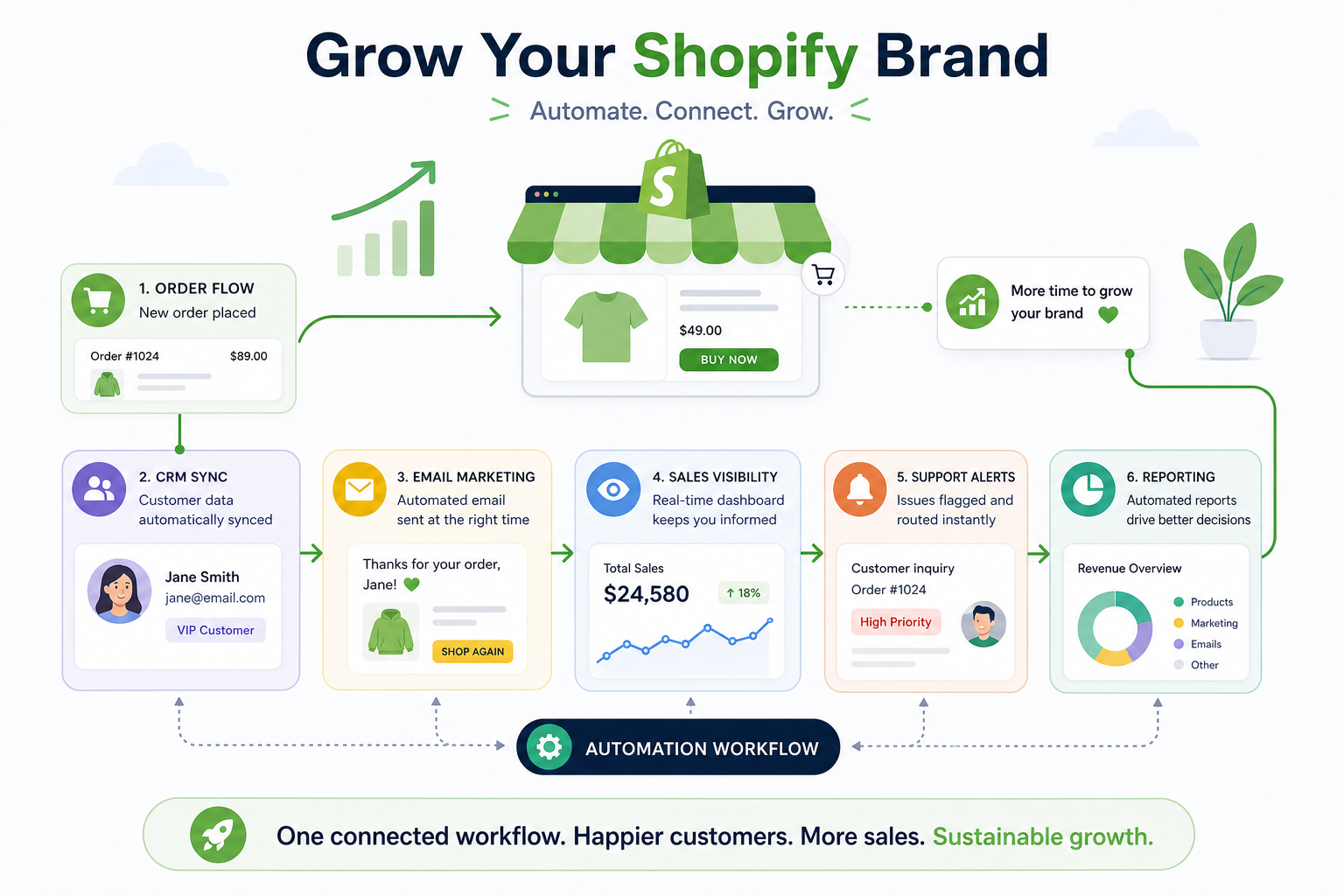
If your store runs on Shopify and your team uses HubSpot for CRM, email, sales, or reporting, connecting the two can unlock a much cleaner growth engine. Instead of customer data living in one tool, orders in another, and campaigns somewhere else, a solid Shopify integration with HubSpot helps bring those signals together so you can automate follow-up, improve visibility, and make better decisions faster.
For ecommerce brands, the real challenge is rarely “Can I connect HubSpot to Shopify?” It is usually: How do I connect them in a way that keeps data accurate, supports real workflows, and doesn’t create more manual cleanup later? That is where strategy matters.
MESA helps merchants go beyond a basic connection. It lets you automate repetitive Shopify tasks without a developer, turn plain-English requests into live workflows quickly, support complex multi-step automations, and connect Shopify with 100+ apps and ecommerce tools. So if you want to sync store data with HubSpot and improve alerts, reporting, inventory updates, customer follow-up, and operations, MESA fits naturally into the stack.
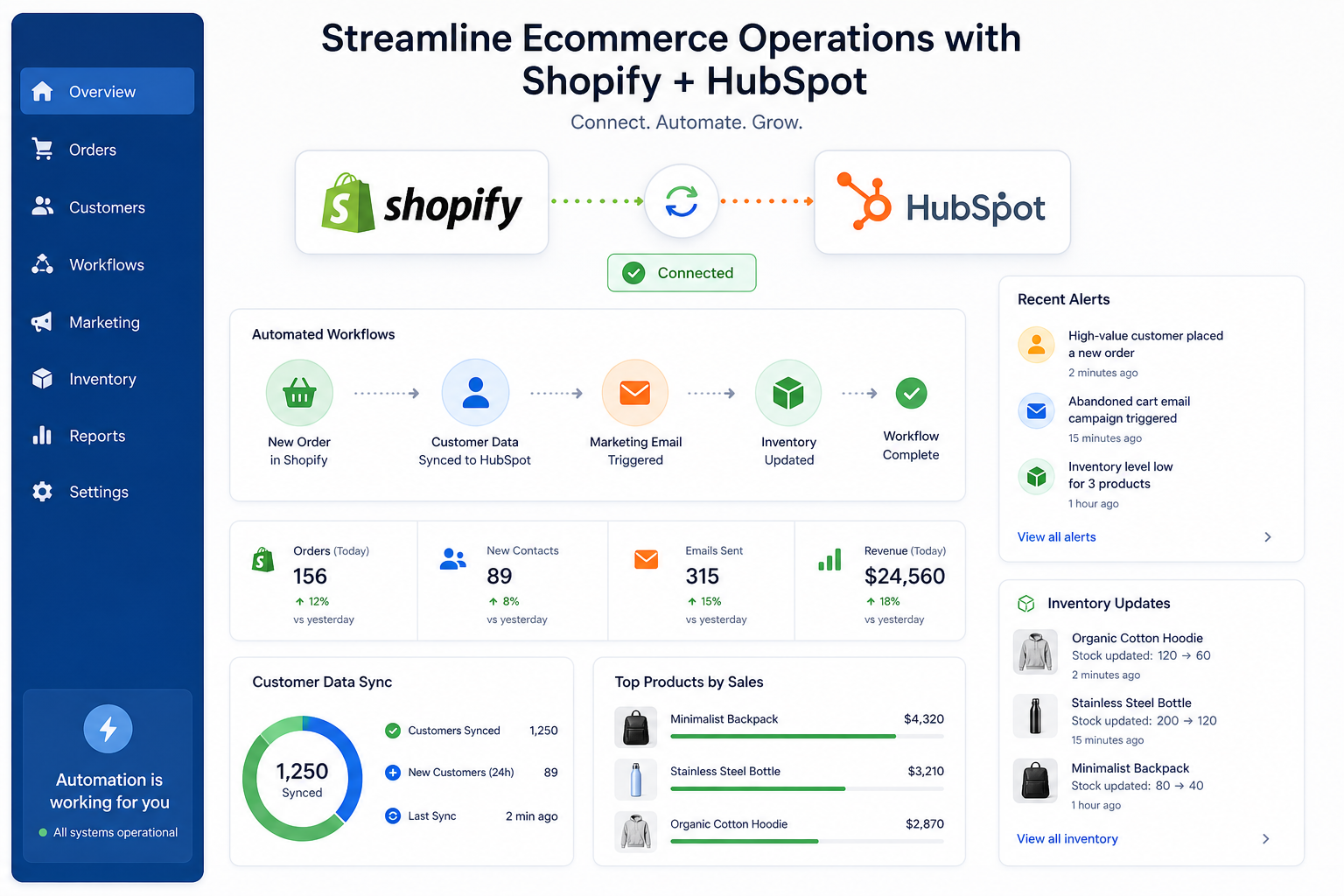
Why merchants connect Shopify to HubSpot
At a basic level, merchants want one thing: better growth with less manual work. But the reasons usually break down into a few practical needs.
Unify customer and order data
When you connect Shopify to HubSpot, customer records become more useful. Marketing can see purchase behavior. Sales can understand revenue history. Support can work with better context. Leadership can see how campaigns influence real store outcomes.
Improve lifecycle marketing
A connected stack makes it easier to trigger email and CRM actions based on what shoppers actually do, such as:
-
abandoned checkout activity
-
first purchase completion
-
repeat purchase milestones
-
high-value customer behavior
-
product-specific follow-up
-
churn-risk or win-back timing
Get clearer revenue visibility
A good shopify to hubspot setup can help teams connect store activity to campaigns, audiences, workflows, and customer segments. That means better attribution, cleaner reporting, and more confidence in what is driving growth.
Reduce operational friction
This is the gap most basic guides skip. Syncing data is useful, but merchants also need the rest of the workflow to work. That may include:
-
sending alerts to Slack when high-value orders land
-
updating Google Sheets for ops visibility
-
syncing tags or fields between systems
-
routing B2B or wholesale customers differently
-
preventing broken data flows between apps
-
catching inventory or fulfillment exceptions before they create customer issues
That is where MESA becomes especially valuable. It supports complex multi-step automations, offers 300+ ready-made templates, and helps merchants scale operations more efficiently without custom development.
What data typically syncs between Shopify and HubSpot
Most merchants assume the integration is just about contacts. In reality, it can involve several object types and workflow triggers.
Common sync objects
|
Shopify data |
Common destination in HubSpot |
Typical use case |
|---|---|---|
|
Customers |
Contacts |
Segmentation, lifecycle stages, email marketing |
|
Orders |
Orders or related records |
Revenue reporting, post-purchase workflows |
|
Products |
Products |
Product-based reporting and personalization |
|
Abandoned checkouts |
Carts |
Cart recovery and remarketing |
|
Companies |
Companies |
B2B and wholesale use cases, often plan-dependent |
Common fields merchants care about
|
Data point |
Why it matters |
|---|---|
|
|
Identity matching and contact creation |
|
Order number |
Reporting and support context |
|
Total spend |
VIP segmentation and LTV analysis |
|
Last order date |
Win-back timing |
|
Product purchased |
Upsell and cross-sell workflows |
|
Billing/shipping region |
Geo segmentation and routing |
|
Marketing consent |
Compliance and campaign logic |
What often does not sync cleanly by default
This is one of the biggest content gaps in competitor articles. Native integrations are helpful, but they do not always cover every operational need. Merchants often run into limitations around:
-
subscription renewals from third-party subscription apps
-
custom metafields
-
multi-store rollups
-
ERP or 3PL-specific events
-
advanced inventory logic
-
exception handling across multiple systems
-
nonstandard B2B workflows
If your business needs more than a surface-level sync, MESA can bridge the gap by connecting Shopify and HubSpot with other tools in your stack and orchestrating the logic between them.
How to connect HubSpot to Shopify
There are two broad ways to approach this.
Option 1: Use the native HubSpot-Shopify connection
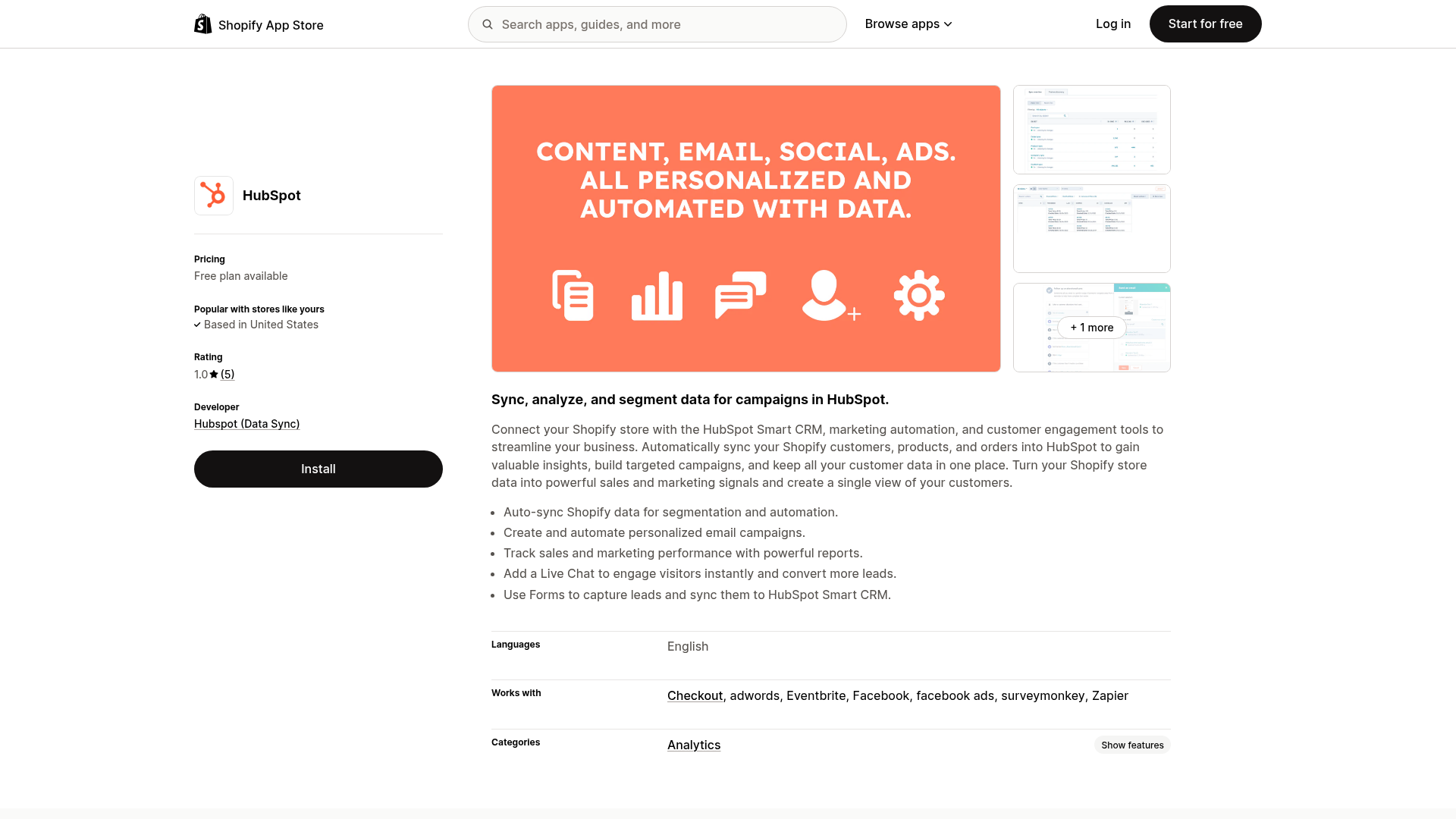
This is the first place most merchants start. It is useful for brands that want a standard connection for customers, orders, carts, and products.
Basic setup flow
-
Install the HubSpot app or connect Shopify from the HubSpot side.
-
Authorize the correct Shopify store and HubSpot account.
-
Select the objects you want to sync.
-
Review field mappings.
-
Confirm sync direction where available.
-
Test contact, order, and cart behavior.
-
Review reporting and workflow triggers in HubSpot.
Option 2: Add automation and orchestration with MESA
This is the smarter path when your team needs more than a simple app connection.
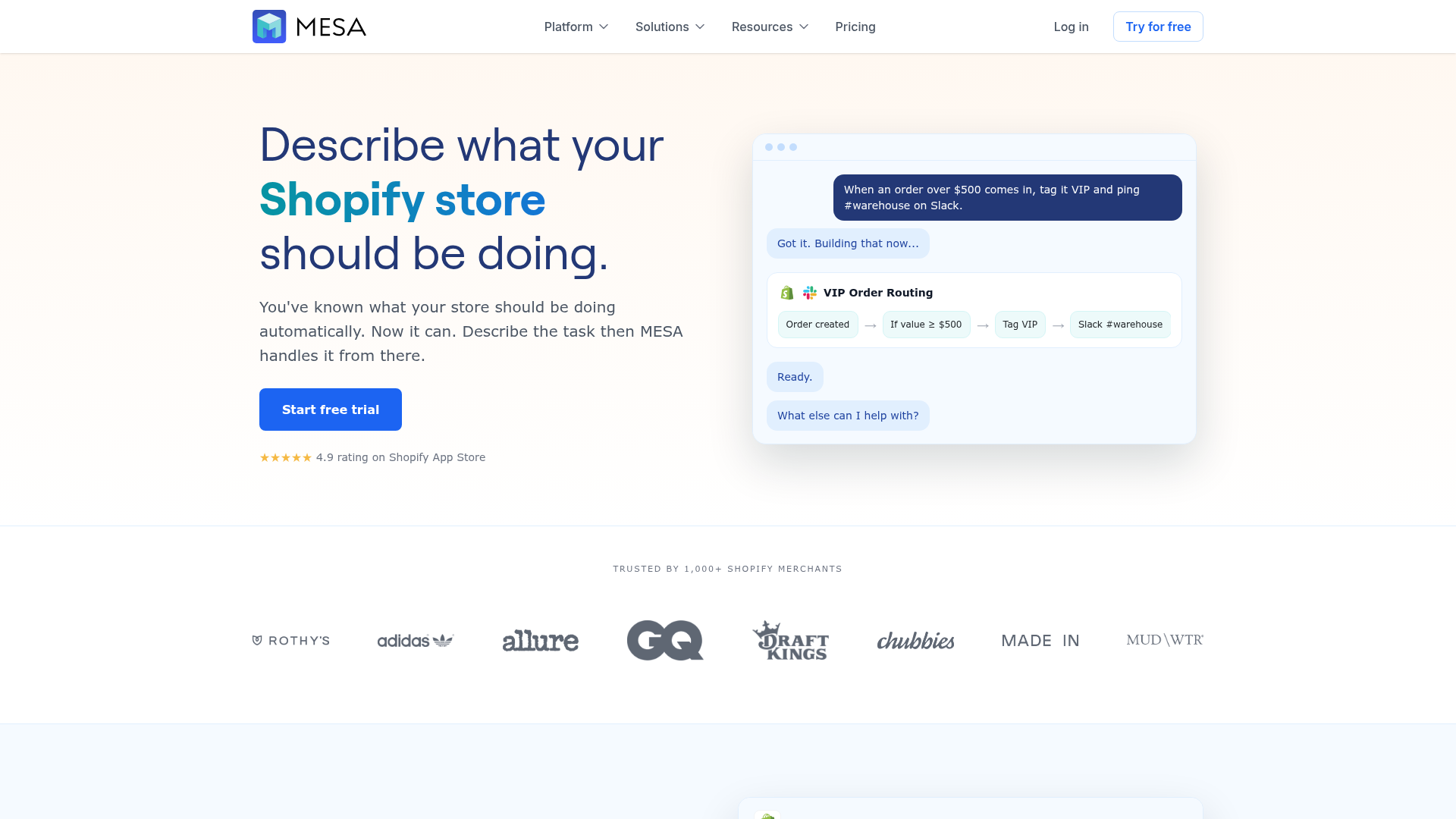
With MESA, you can describe what you want in plain English and quickly create live workflows that connect Shopify, HubSpot, and the rest of your ecommerce stack. That matters when your process includes multiple steps such as:
-
when an order is paid in Shopify, create or update a HubSpot record
-
if a high-value customer buys a certain SKU, notify sales and tag the contact
-
if inventory drops below a threshold, sync a status update across apps
-
when a wholesale order comes in, route it differently and log it in reporting tools
-
if a data point fails to sync, trigger a human-readable alert instead of silently breaking
This is where MESA saves operations teams real time. It reduces backlog, prevents avoidable errors like overselling or broken downstream actions, and gives merchants access to real human support for setup and optimization.
Native integration vs automation platform
Here is the most practical comparison for merchants evaluating the best path.
|
Capability |
Native HubSpot-Shopify connection |
MESA |
|---|---|---|
|
Basic customer sync |
Yes |
Yes |
|
Basic order visibility |
Yes |
Yes |
|
Complex multi-step workflows |
Limited |
Yes |
|
Plain-English workflow creation |
No |
Yes |
|
Connect Shopify with 100+ apps |
Limited |
Yes |
|
Ready-made automation templates |
Limited |
300+ |
|
Operational alerting |
Limited |
Yes |
|
Custom routing logic |
Limited |
Yes |
|
Error handling and process control |
Limited |
Strong |
|
Human support for workflow optimization |
Varies |
Yes |
For many merchants, the answer is not native or MESA. It is native plus MESA, with the native connection handling baseline sync while MESA handles the real operational logic that drives scale.
The biggest benefits of a Shopify integration with HubSpot
Better segmentation
Once Shopify behavior is available in HubSpot, your team can build more relevant segments such as:
-
first-time customers
-
repeat purchasers
-
VIP buyers
-
customers who bought by category
-
customers inactive for 60 or 90 days
-
cart abandoners
-
region-based buyer groups
More relevant marketing
A connected CRM makes it easier to send the right message at the right time. Instead of generic campaigns, you can personalize based on actual commerce behavior.
“Automated email campaigns have been shown to generate up to 320% more revenue compared to non-automated ones.” – Source
Stronger customer visibility
When your data is unified, reporting becomes more credible.
“Companies utilizing a CDP have achieved 2.9 times greater year-over-year revenue growth and 9.1 times higher annual growth in customer satisfaction compared to those without such platforms.” – Source
Less manual admin work
This is where modern automation creates the biggest ROI. Teams stop exporting CSVs, checking multiple dashboards, copying order notes, and fixing avoidable sync errors. MESA is designed specifically for this problem: it automates repetitive Shopify tasks, supports complex workflows, and keeps operations moving without constant developer involvement.
Real use cases for Shopify to HubSpot automation
Competitor posts usually stop at “sync your data.” But the real value starts after the connection is live.
Abandoned checkout recovery
Sync abandoned checkout activity into HubSpot and trigger recovery actions through email, audience sync, or internal alerts. With MESA, you can extend this flow into Slack, sheets, support systems, or other apps when needed.
Post-purchase customer journeys
After an order is completed, automatically trigger:
-
thank-you flows
-
education sequences
-
replenishment reminders
-
accessory recommendations
-
review requests
-
VIP upgrade logic
Sales visibility for high-value orders
If your team handles wholesale, enterprise, or high-ticket items, MESA can route high-value order events from Shopify into HubSpot and notify the right person immediately.
Reporting and data hygiene workflows
Many brands need more than dashboard reporting. They need clean data movement. MESA helps keep records updated across systems, reduce duplicate work, and improve reporting quality by connecting Shopify to HubSpot, Google Sheets, Airtable, Slack, and more.
Inventory and fulfillment exception handling
This is another major gap in most articles. Ecommerce growth is not only about campaigns. It is also about protecting customer experience. MESA can help merchants:
-
trigger alerts when inventory thresholds are hit
-
sync fulfillment states with other tools
-
flag risky order conditions
-
reduce overselling caused by disconnected workflows
-
coordinate operations across apps without manual intervention
Common problems when you connect Shopify to HubSpot
Duplicate contacts
This often happens when matching logic is weak or when multiple systems create records in parallel. Before going live, define how contact identity should be handled.
Missing fields
Native mappings may not include every custom field your business depends on. If a field drives automation, reporting, or lifecycle stage changes, validate it early.
Broken attribution
Some merchants discover that the source data they care about does not stay as clean as expected after sync. This can make campaign reporting misleading.
Order records that are hard to search or use
Some review feedback on marketplace listings points to usability issues around order searchability or workflow changes. Even if data syncs, it still needs to be actionable for your team.
Multi-app complexity
The more tools you run, the more likely it is that one “simple integration” is not enough. That is why merchants use MESA to create reliable workflows across HubSpot, Shopify, fulfillment, spreadsheets, messaging apps, and marketing tools.
Best practices before you connect HubSpot to Shopify
Map the customer journey first
Do not start with the app install. Start with the process. Define:
-
what should happen after first purchase
-
what should happen after cart abandonment
-
which customers should become sales-qualified
-
what counts as a VIP buyer
-
what data the ops team needs access to
Decide which system owns what
If Shopify and HubSpot can both update a record, make sure your team knows which platform is the source of truth for each field or process.
Test edge cases, not just happy paths
A lot of merchants only test a basic order. You should also test:
-
guest checkout
-
discount orders
-
refunds
-
subscriptions if applicable
-
international orders
-
duplicate customer emails
-
partial fulfillment scenarios
Build for scale, not just setup
A connection that works today may fail once volume increases, teams change, or more apps are added. MESA helps future-proof the setup because it supports sophisticated logic, templates, and human-guided workflow optimization.
A practical setup checklist
Use this checklist before launch.
|
Task |
Why it matters |
|---|---|
|
Confirm Shopify and HubSpot plan compatibility |
Avoid setup dead ends |
|
Define sync objects |
Keep scope clear |
|
Review field mappings |
Prevent missing data |
|
Test identity matching |
Reduce duplicates |
|
Validate workflow triggers |
Ensure automation fires correctly |
|
Check reporting outputs |
Confirm data is useful, not just present |
|
Add alerts for failures |
Catch issues before customers do |
|
Document ownership |
Reduce confusion across teams |
When MESA is the better fit
MESA becomes especially valuable when your business has one or more of these conditions:
-
multiple teams touching the same customer journey
-
operational bottlenecks caused by repetitive tasks
-
complex order handling or B2B workflows
-
a need to connect Shopify with more than just HubSpot
-
inventory, fulfillment, or support dependencies
-
the need for fast workflow setup without a developer
-
a desire for human help instead of figuring out automation logic alone
Because MESA is Shopify-first, it feels more practical for merchants than generic automation tools. It turns plain-English requests into live workflows quickly, offers a large template library, supports 100+ app integrations, and helps prevent common issues like broken data flows and overselling.
Final verdict
A strong Shopify integration with HubSpot can absolutely improve marketing, CRM visibility, and ecommerce decision-making. But for most growing brands, the real opportunity is not just syncing data. It is building an operating system around that data.
If you only need a basic connection, the native route may be enough to start. But if you want to connect Shopify to HubSpot in a way that also improves alerts, customer follow-up, reporting, inventory coordination, exception handling, and cross-app workflows, MESA is the better long-term solution.
MESA helps merchants move faster without custom development, automate repetitive tasks, support advanced multi-step workflows, and scale with fewer manual errors. If your goal is smarter growth instead of just another app install, try MESA and turn your Shopify-HubSpot connection into a real automation advantage.
FAQ
Can HubSpot integrate with Shopify?
Yes, HubSpot can integrate with Shopify through native connection options and automation platforms like MESA. The integration can sync customer, order, product, and cart data, while MESA extends that setup into more advanced operational workflows across your app stack.
Does Kim Kardashian use Shopify?
Some celebrity brands have used Shopify or Shopify Plus, but platform choices can change over time. The more useful takeaway for merchants is that Shopify is widely used by both growing brands and major high-volume stores because it supports scalable ecommerce operations.
What are the most common Shopify mistakes to avoid?
Common mistakes include relying on manual processes for too long, skipping data-mapping checks, ignoring duplicate contact risks, and failing to test edge cases like refunds or guest checkout. Many stores also connect apps without planning workflow ownership, which can lead to broken automations and reporting issues.
What is the best CRM for Shopify?
The best CRM depends on your business model, but HubSpot is a strong choice for Shopify merchants who want better marketing automation, customer visibility, and sales reporting. It becomes even more powerful when paired with MESA to automate operational workflows beyond native CRM sync.
Why is Shopify falling?
This question usually refers to stock price movement, not whether the platform is failing operationally. Market fluctuations can happen for many reasons, but Shopify remains a major ecommerce platform used by brands that need scalability, app integrations, and automation-friendly infrastructure.
Who is the highest earner on Shopify?
There is no single permanent answer because store revenue rankings change over time. What matters more is that Shopify supports very large merchants as well as fast-growing mid-market brands, especially when their operations are strengthened with automation and connected systems.