Shopify Automation Apps: Best Picks for 2026
-
- •
- Jun. 15, 2026
- •
- 13 min read

If you are comparing Shopify automation apps, the short answer is this: the best app in 2026 is the one that removes repetitive work across orders, inventory, fulfillment, reporting, and customer follow-up without forcing your team to code or babysit brittle workflows. For most merchants, that means choosing a Shopify-first automation platform that can handle both simple triggers and complex multi-step operations as your business grows.
Automation is no longer a “nice to have” for ops-heavy stores. If your team is still exporting CSVs, tagging orders by hand, chasing fulfillment exceptions in Slack, or updating multiple systems manually, you are paying for the same work twice: once in labor, and again in avoidable mistakes.
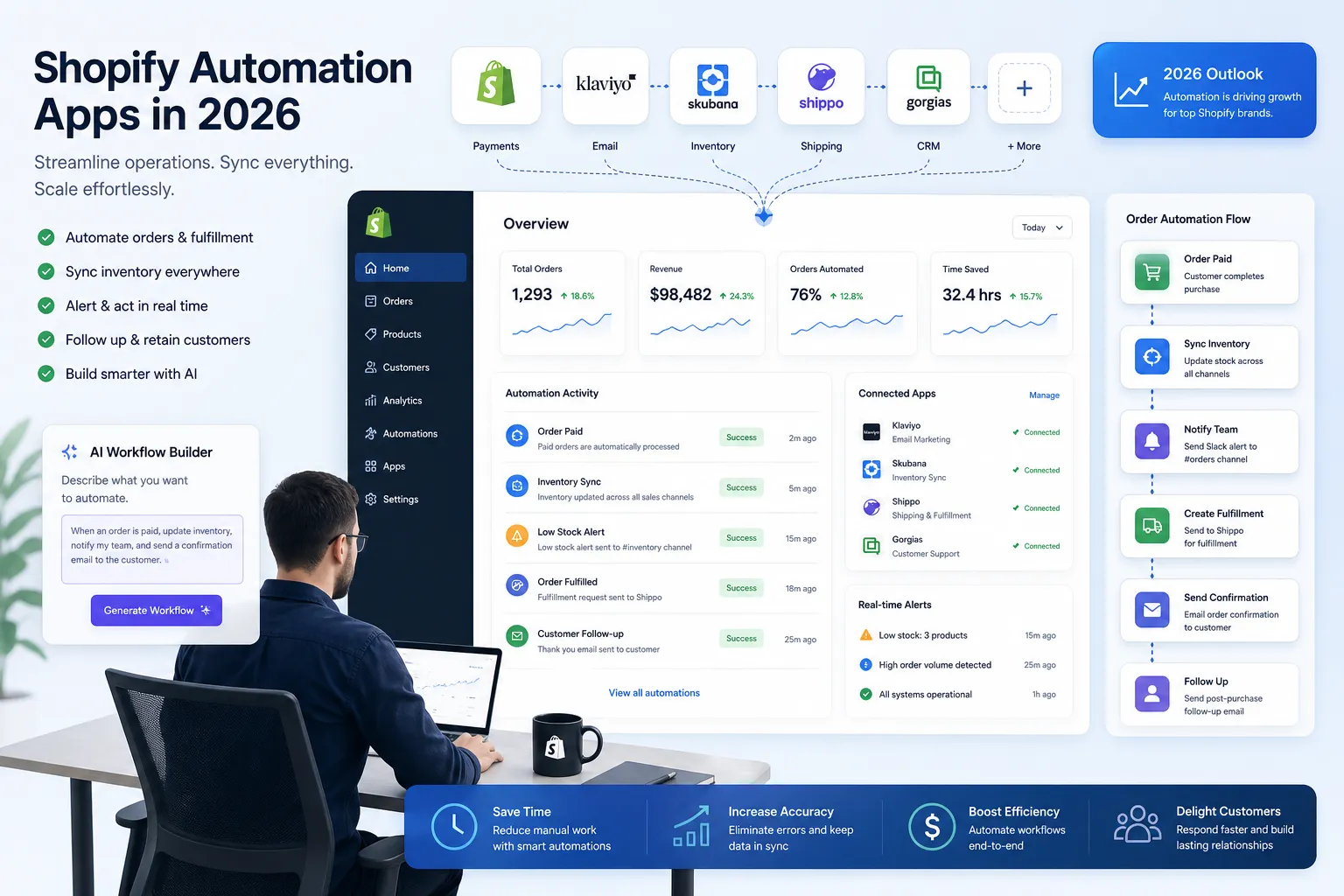
Table of Contents:
The quick verdict for busy operators
Most “best Shopify apps” roundups lump automation in with reviews, email, popups, and loyalty. That is useful for general merchants, but not for operations teams trying to reduce backlog and connect Shopify to the rest of the business.
For workflow automation specifically, the strongest options in 2026 fall into four buckets:
|
Type of tool |
Best for |
Limitation |
|---|---|---|
|
Native Shopify automation |
Simple in-store tasks |
Usually limited for cross-app and multi-system workflows |
|
General integration builders |
Flexible app-to-app connections |
Often less Shopify-native and harder for non-technical teams |
|
Single-purpose ops apps |
Narrow tasks like shipping, tagging, or importing |
Creates tool sprawl fast |
|
Shopify-first automation platforms |
End-to-end ecommerce workflows across Shopify and your stack |
Best value appears when you automate multiple processes |
MESA stands out when you need to describe what you need accomplished, launch automations quickly, and keep expanding from one workflow to many without rebuilding your stack. It is especially strong for growing brands that have outgrown lighter tools but do not want a developer-led integration project.
“As of February 2026, the average Shopify store runs 6.4 apps.” – StoreCensus
That number matters because the more apps you run, the more handoffs, edge cases, and broken data flows you create unless something orchestrates them.
Why Shopify merchants are actively looking for automation apps in 2026
The main driver is not novelty. It is operational pressure.
Merchants are dealing with:
-
higher order volumes across more channels
-
more app fragmentation
-
faster customer expectations
-
leaner teams
-
more exceptions in fulfillment and inventory
-
a constant need for accurate reporting and alerts
The result is familiar: one person on the team becomes the “human middleware” between Shopify, email, spreadsheets, ERP, fulfillment, and support tools.
That does not scale.
What a Shopify automation app actually does
A Shopify automation app triggers actions when something happens in your store, then carries out the next steps automatically across Shopify and other apps.
Examples:
-
tag VIP or high-risk orders automatically
-
route orders by SKU, destination, or warehouse logic
-
sync inventory between Shopify and external systems
-
push daily sales or returns data into Google Sheets
-
notify Slack when fulfillment exceptions happen
-
create customer follow-up tasks after specific order events
-
prevent overselling by updating stock across systems faster
-
trigger post-purchase emails or support actions based on order status
The real value is not one isolated automation. It is building a reliable operating layer around your store.
What the top competitor articles get right
After reviewing leading 2026 app roundups from agencies, app vendors, and general ecommerce publishers, a few themes show up consistently:
1. They correctly point merchants toward consolidation
Several competitor guides argue that fewer apps doing more is better. That is true. App sprawl creates cost, slows operations, and makes troubleshooting harder.
2. They emphasize ROI over feature lists
The better roundups focus on outcomes like conversion, support efficiency, repeat purchase rate, or operational speed rather than just listing capabilities.
3. They acknowledge that store stage matters
New stores need lightweight tools. Larger brands need deeper integrations, stronger automation, and better control.
Those are all useful points.
What competitors get wrong about Shopify automation apps
This is where most “best apps” articles fall short.
They treat automation as a side category
Many lists mention workflow automation, but then spend most of the article on reviews, email, subscriptions, or loyalty. That is not helpful if your real issue is operational drag.
They underplay cross-system complexity
Automating inside Shopify is only part of the picture. Real stores need Shopify to stay in sync with Slack, Google Sheets, ERPs, subscription tools, shipping platforms, support systems, and custom business logic.
They assume technical comfort
A lot of automation tools still expect users to think like builders. Ecommerce operators usually do not want to assemble logic from scratch. They want to describe what should happen and get a working process fast.
They overlook failure risk
Bad automation is worse than no automation when it causes overselling, missed alerts, duplicate tasks, or silent sync failures. The best app is not just flexible. It is dependable, observable, and supported.
How to evaluate a Shopify automation app properly
Before looking at individual tools, use these criteria.
Shopify-first depth
Does the app understand Shopify objects, events, order states, line items, customer tags, fulfillment logic, and admin workflows deeply enough to solve real problems?
Multi-step workflow support
Can it do more than “if X, then Y”? Many stores need branching logic, delays, filters, conditions, retries, alerts, and multi-app actions.
Speed to launch
How quickly can a non-developer get value? If every workflow needs technical setup, the tool will bottleneck.
Templates and reuse
A large template library matters because most merchants are solving common problems: order routing, inventory sync, notifications, exports, and post-purchase actions. Starting from a proven pattern is faster and safer.
Human support
When a workflow touches orders or inventory, support quality matters. You want real people who can help optimize or troubleshoot.
App ecosystem
Your automation platform should fit your actual stack. That includes Shopify, ERP, helpdesk, email, spreadsheets, subscriptions, fulfillment, and messaging tools.
Reliability and visibility
Can you see logs, detect failures, and prevent silent errors? This matters more than flashy builder UI.
“70% of retailers have either piloted or partially implemented agentic AI systems, with 71% anticipating efficiency gains as early as next year.” – Fluent Commerce, reported by TechRadar
That aligns with what merchants are already seeing: the operational upside comes when AI and automation reduce manual coordination work, not when they add another dashboard to maintain.
The best Shopify automation apps for 2026
1. MESA
Best for: Shopify merchants that want flexible, Shopify-first automation without needing custom development
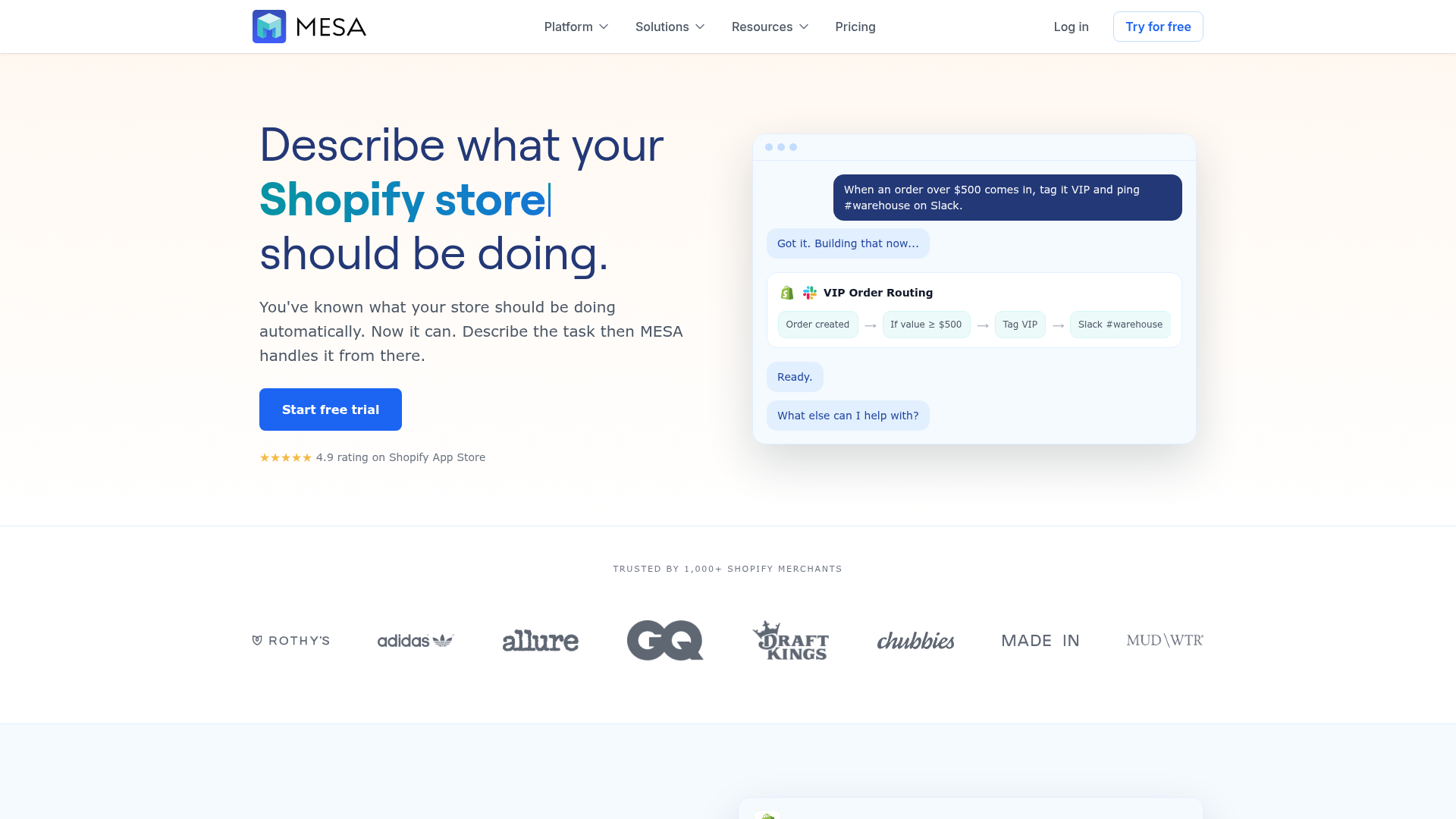
MESA is the strongest overall choice for Shopify automation in 2026 because it balances power with usability. It helps merchants automate repetitive store operations, describe what they need accomplished in plain English, and turn that into live workflows quickly. It is built for ecommerce teams, not just technical integrators.
Why it stands out:
-
Shopify-first workflow design
-
AI-assisted workflow creation through Yedric
-
100+ app integrations and ecommerce tools
-
300+ ready-made templates
-
supports order automation, inventory, fulfillment, reporting, support, and customer experience workflows
-
handles complex multi-step logic
-
real human support for setup and optimization
MESA is especially strong for teams that want to start with one use case and expand. For example:
-
auto-tag orders based on line-item logic, shipping method, or risk conditions
-
send fulfillment alerts to Slack
-
export daily sales, returns, or subscription events to Sheets
-
update external systems when order states change
-
trigger customer follow-up workflows after delivery, delay, or refund events
-
protect against overselling through faster sync and exception handling
If your goal is to reduce manual ops work across the business, this is where MESA separates itself from lighter tools. Its Shopify automation platform is designed to become the connective layer between your store and the rest of your stack, not just a one-off trigger app.
Where MESA fits best
MESA is ideal when:
-
your team is handling repetitive Shopify tasks manually
-
you need more than simple in-app rules
-
you want to automate across multiple systems
-
you need templates plus customization
-
you want support from people who understand ecommerce workflows
It is also a strong step up for merchants comparing it to native-only or generic automation tools. If that comparison is on your shortlist, MESA’s breakdown versus Shopify Flow alternatives is worth reviewing.
2. Shopify Flow
Best for: Basic native automation inside Shopify
Shopify Flow remains a solid option for merchants who want simple automations tied closely to Shopify events and admin conditions. It is convenient and native.
Common use cases include:
-
tagging orders or customers
-
routing internal notifications
-
triggering basic admin actions
-
enforcing simple operational rules
Where it starts to hit limits is cross-app orchestration and more advanced operational workflows. If your business logic spans external systems, spreadsheets, subscription tools, or support platforms, merchants often outgrow Flow.
Good choice if:
-
your use cases are simple
-
most actions stay inside Shopify
-
you want a native starting point
Less ideal if:
-
you need richer branching logic
-
you want broader app coverage
-
your ops team wants faster setup without technical wrangling
3. Zapier
Best for: General business app connectivity
Zapier is still one of the best-known automation tools in the market. It is useful when your workflows span many mainstream SaaS apps and you need lightweight connections fast.
For Shopify merchants, Zapier can work for:
-
sending order data to spreadsheets
-
creating internal notifications
-
connecting ecommerce data to general business tools
Its tradeoff is that it is not as Shopify-native as platforms purpose-built for ecommerce operations. That difference becomes more noticeable with line-item logic, fulfillment complexity, or workflows that need stronger monitoring and control.
4. Make
Best for: Visual builders who want flexibility
Make is powerful and visual. Teams that like diagram-style workflow building may prefer it. It can support complex scenarios, but it often feels more builder-centric than operator-centric.
That matters because many ecommerce teams do not want to architect flows manually. They want speed, proven templates, and a faster path from operational problem to working solution.
5. Single-purpose ops apps
Best for: Narrow workflow needs
There are many Shopify apps that automate one thing well: bulk tracking imports, auto-printing, fraud actions, pick lists, shipping profile assignment, product tagging, and similar narrow jobs.
These can be useful, but there is a cost to solving ten operational problems with ten separate apps. You add:
-
more subscription spend
-
more admin overhead
-
more UI clutter
-
more integration points to break
That is why many growing merchants eventually consolidate around one broader automation platform instead.
Comparison table: best Shopify automation apps at a glance
|
App |
Best for |
Strengths |
Main tradeoff |
|---|---|---|---|
|
MESA |
End-to-end Shopify operations automation |
Shopify-first, AI-assisted workflow creation, templates, multi-step logic, broad integrations, human support |
More capability than very small stores may need on day one |
|
Shopify Flow |
Native in-store automations |
Built into Shopify ecosystem, simple rules |
Limited for broader cross-app operations |
|
Zapier |
General SaaS connectivity |
Easy app-to-app automations, broad app directory |
Less ecommerce-specific depth |
|
Make |
Custom visual workflows |
Powerful and flexible |
More setup complexity for non-technical teams |
|
Single-purpose apps |
One narrow ops task |
Fast for specific needs |
Tool sprawl, limited extensibility |
Which workflows should you automate first?
The smartest path is not “automate everything.” It is to automate the highest-friction, highest-repeat processes first.
Best first-wave automations for most Shopify stores
Order handling
-
auto-tag priority, wholesale, subscription, or fraud-review orders
-
route orders based on SKU, location, or fulfillment rules
-
notify internal teams when exception criteria are met
Inventory sync
-
update stock between Shopify and external systems
-
alert when inventory thresholds are crossed
-
hold or delay actions when data mismatches appear
Fulfillment operations
-
send shipment or pick-pack data to downstream tools
-
escalate stalled or failed fulfillments
-
keep customer-facing statuses aligned with backend systems
Reporting and exports
-
push daily metrics into Sheets
-
log refunds, returns, or subscription events automatically
-
generate operational snapshots for finance or support teams
Customer experience
-
trigger follow-up when orders are delivered
-
send internal alerts on late shipments
-
start save or apology workflows after exceptions
This is where MESA’s automation templates library becomes especially useful. Instead of starting from zero, merchants can launch from proven workflows and then adapt them to the realities of their store.
How to choose based on your store stage
New or smaller Shopify store
You likely need lightweight automation around tags, alerts, exports, and simple customer follow-up. Native tools or a template-driven platform can both work.
Growing brand with operational strain
This is the point where automation becomes essential. Orders increase, app count grows, and manual work starts leaking into evenings and weekends. You need broader workflows, better monitoring, and less dependence on one ops manager holding everything together.
Mid-market or enterprise merchant
At this stage, your issue is rarely “can we automate?” It is “can we automate reliably across systems?” Look for multi-step workflows, better support, and tools that can coordinate inventory, fulfillment, ERP, support, and reporting.
That is also where purpose-built enterprise automation for Shopify operations becomes more relevant than stacking generic connectors.
Common use cases where MESA is the better fit
MESA becomes the logical next step when merchants have outgrown simpler tools but are not interested in a custom integration project.
1. Cross-app inventory and order sync
If inventory lives in more than one place, delays and mismatches can create overselling or manual cleanup. MESA helps coordinate those changes automatically.
2. Operational alerting
Slack alerts, internal notifications, error handling, and conditional routing are simple ideas that become difficult when they rely on multiple apps and business rules.
3. Multi-step customer follow-up
Many brands want more than a generic email flow. They want workflows tied to fulfillment, delays, subscriptions, returns, or VIP logic.
4. Spreadsheet-heavy operations
A lot of teams still use Google Sheets as an operational surface. MESA supports strong sheet-based workflows for exports, tracking, reporting, and back-office coordination.
5. Backlog reduction
This is the underrated benefit. Good automation does not just save minutes. It removes recurring tickets, reduces context switching, and prevents low-value manual work from piling up.
A practical scoring framework for choosing the right app
Use this 1–5 framework with your team.
|
Criteria |
Weight |
What to ask |
|---|---|---|
|
Shopify-specific depth |
High |
Can it handle real ecommerce logic, not just generic app triggers? |
|
Ease of setup |
High |
Can operations launch workflows without developer dependency? |
|
Breadth of workflows |
High |
Can it grow from one use case to many? |
|
Reliability |
High |
Can we detect failures and trust the automation? |
|
Integrations |
Medium |
Does it work with the tools we already use? |
|
Support |
High |
Will real humans help when a workflow matters? |
|
Template availability |
Medium |
Can we launch faster from proven setups? |
|
Total app consolidation value |
Medium |
Will this reduce tool sprawl over time? |
If you score tools this way, MESA tends to win for operators because it combines depth, speed, support, and extensibility better than most alternatives.
A note on AI-assisted workflow creation
This is one area where 2026 tools are diverging.
Some platforms still expect users to assemble workflows block by block. Others are moving toward a better model: you describe what you need accomplished, and the system generates a working automation that your team can refine.
That matters for ecommerce because most ops problems are clear in business terms:
-
“Tag orders over a certain value and alert Slack if expedited shipping is selected.”
-
“When a subscription order fails, log it in Sheets and notify support.”
-
“If a product goes below threshold, send an alert and pause a related campaign.”
Those are natural requests, not engineering specs. MESA’s AI assistant Yedric is built around that more practical reality.
Final recommendation
If you only need a few basic Shopify admin rules, native automation may be enough for now.
But if you are evaluating shopify automation apps because your store is juggling more systems, more volume, and more operational exceptions, the better move is to choose a platform that can become your long-term automation layer. That means Shopify-first logic, cross-app coordination, reusable templates, real support, and a faster way to launch workflows without waiting on a developer.
MESA is the strongest pick for that job in 2026.
It helps merchants automate repetitive tasks, reduce manual operational work, prevent avoidable errors, and scale with a cleaner backend. More importantly, it gives non-technical ecommerce teams a practical way to turn operational needs into live workflows quickly.
If you are ready to reduce manual work without building custom infrastructure, explore MESA’s template library or start with the platform itself at getmesa.com.